
Miele HS18 Scout RX3 Robot Vacuum Cleaner User Manual
Content
Introduction to the Miele HS18 Scout RX3 Robot Vacuum Cleaner
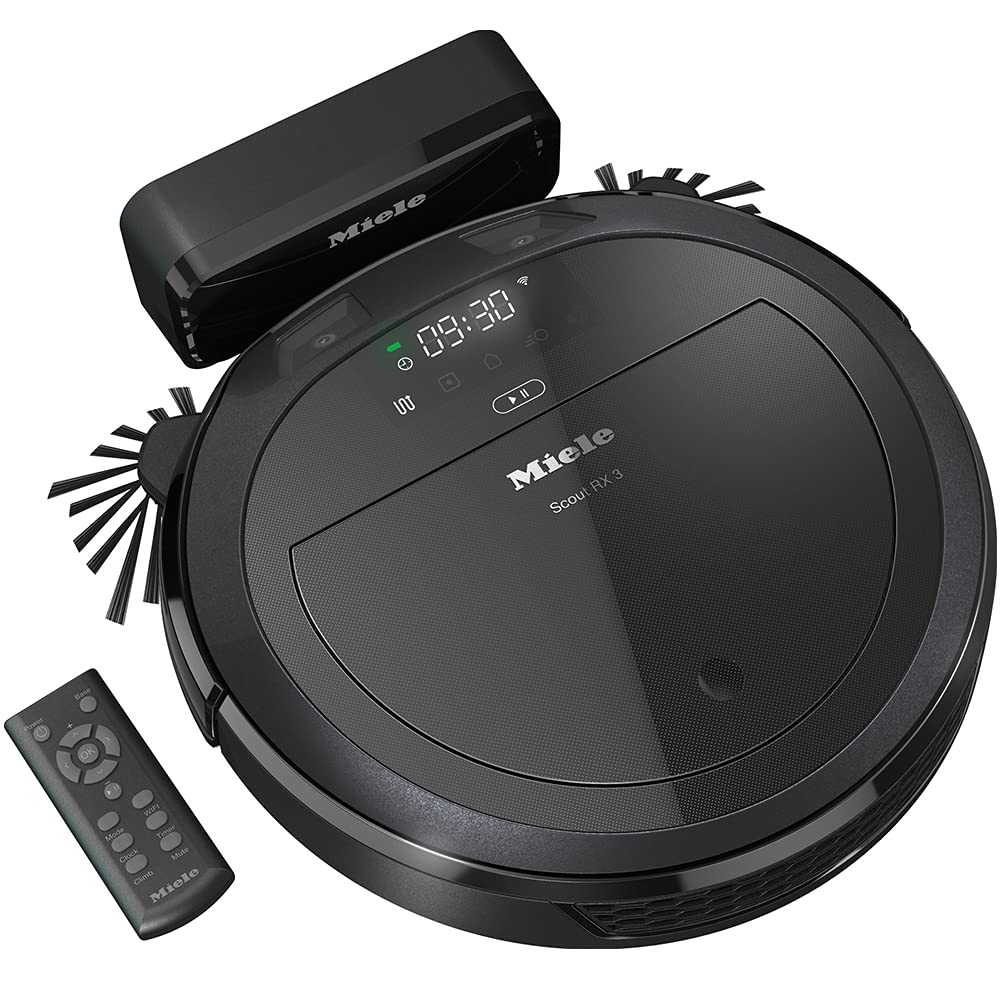
The Miele HS18 Scout RX3 Robot Vacuum Cleaner is a premium robotic cleaner designed for homeowners who want reliable automated floor care with smart navigation and strong pickup performance. Built for modern households, it combines app-based control, 3D smart navigation, and Miele’s Quattro Cleaning Power to handle everyday dust, crumbs, pet hair, and debris on hard floors and low-pile carpets. Its slim 85 mm profile helps it move under sofas, beds, and other low-clearance furniture, while its swing-out side brushes are designed to clean edges and corners more effectively than many standard robot vacuums.
This robot vacuum is a strong fit for busy professionals, families, pet owners, and anyone who wants a low-maintenance cleaning solution for apartments or medium-sized homes. It is especially useful in homes with mixed flooring, furniture obstacles, and rooms that benefit from scheduled cleaning. Depending on the configuration, the Scout RX3 line typically offers up to 60 minutes on the base model and longer runtime on higher variants, with premium editions reaching much longer battery life. Price varies by region and package, but the Miele HS18 Scout RX3 Robot Vacuum Cleaner is generally positioned in the mid-to-premium range, often around the equivalent of $600 to $1,000 USD depending on retailer, color, and bundle. Availability is strongest through Miele dealers and major appliance retailers.
Specifications for Miele HS18 Scout RX3 Robot Vacuum Cleaner
- Product type: Robot vacuum cleaner
- Dimensions: 354 mm diameter, 85 mm height
- Weight: About 3.0 to 3.2 kg depending on version
- Battery: Lithium-ion, commonly 2,600 mAh to 5,200 mAh depending on model variant
- Runtime: Up to 60 minutes on the base version; longer on extended-runtime variants
- Charging time: Typically 2 to 4 hours depending on package
- Dust container: Bagless, approximately 0.4 L capacity
- Navigation: 3D Smart Navigation with dual front cameras
- Cleaning system: Quattro Cleaning Power
- Brushes: Swing-out side brushes for corners and edges
- Connectivity: Wi-Fi and app control support
- Obstacle handling: Can climb thresholds up to about 17 mm
- Noise level: Around 71 dB in typical testing
Compared with many mid-range robot vacuums, the Miele HS18 Scout RX3 Robot Vacuum Cleaner stands out for its precision navigation and compact body. While some competing models offer longer battery life or mopping functions, the Scout RX3 focuses on dependable dry vacuuming, strong edge cleaning, and premium build quality.
Detailed Description of the Miele HS18 Scout RX3 Robot Vacuum Cleaner
The Miele HS18 Scout RX3 Robot Vacuum Cleaner uses dual front cameras and smart mapping logic to identify obstacles, plan efficient routes, and clean a room systematically rather than randomly. This makes it especially effective in living rooms, hallways, kitchens, and bedrooms where furniture legs, cables, and tight corners can interrupt ordinary robot vacuums. Its low-profile design helps it reach under furniture, while the side brushes extend outward to sweep debris into the suction path.
The build quality reflects Miele’s reputation for durable home appliances. The housing uses sturdy plastic with a refined finish, and the round chassis is engineered for smooth movement over hard flooring and thresholds. In real-world use, it performs well for daily maintenance cleaning, particularly in homes with light dust accumulation, pet hair, and frequent foot traffic. The user experience is enhanced by app control, scheduled cleaning, and the ability to define blocked zones or priority cleaning areas. For users looking for a premium robot vacuum cleaner that emphasizes navigation accuracy and consistent results, the Miele HS18 Scout RX3 Robot Vacuum Cleaner is a practical choice.
Setup Guide for the Miele HS18 Scout RX3 Robot Vacuum Cleaner
Setting up the Miele HS18 Scout RX3 Robot Vacuum Cleaner is straightforward. First, remove the device from the box, install the side brushes if they are not preattached, and place the charging dock against a wall with clear space on both sides. Charge the robot fully before the first cleaning cycle to ensure optimal battery calibration.
- Download the Miele Scout app on your smartphone.
- Power on the robot and activate Wi-Fi pairing mode.
- Connect the vacuum to your home network through the app.
- Set cleaning schedules, room priorities, and no-go zones.
- Run an initial mapping cycle so the robot can learn your floor plan.
Keep floors clear of loose cables, socks, and small toys before starting. Avoid using the robot on wet surfaces or near liquids, and never place the charging station in a damp area. If pairing fails, restart both the robot and the router, then repeat the setup process. If the unit cannot dock properly, check for obstacles near the charging base and make sure the dock sits on a flat surface.
Troubleshooting the Miele HS18 Scout RX3 Robot Vacuum Cleaner
Most issues with the Miele HS18 Scout RX3 Robot Vacuum Cleaner are minor and can be fixed with basic maintenance. If suction seems weak, empty the dust container, clean the filters, and inspect the brushes for tangled hair or threads. If the robot misses areas, re-run room mapping and ensure the front cameras are not blocked by dust or fingerprints.
- Won’t start: Check battery charge, power switch, and dock connection.
- Won’t connect to Wi-Fi: Restart the app, confirm 2.4 GHz network compatibility, and retry pairing.
- Stops on thresholds: Clear the path or reduce floor transitions where possible.
- Brushes not spinning: Remove hair, debris, or wrapped fibers.
- Frequent collisions: Clean sensors and update saved room maps.
Preventive care improves reliability: clean the filter regularly, inspect wheels monthly, and keep the cameras free of dust. Warranty coverage and support depend on region, but Miele typically provides customer service through local service centers, authorized dealers, and official support channels. For assistance, customers should contact the retailer or Miele support in their country using the service details provided with the product documentation.
Pros and Cons of the Miele HS18 Scout RX3 Robot Vacuum Cleaner
Pros
- Excellent 3D navigation for more structured and efficient cleaning.
- Low-profile design reaches under many sofas, beds, and cabinets.
- Strong edge and corner cleaning thanks to swing-out side brushes.
- App-based control makes scheduling and zone management easy.
- Solid build quality and premium feel compared with many budget robot vacuums.
Cons
- Runtime can be shorter than some competing models in the same price bracket.
- No integrated mopping function, which may limit versatility.
- Premium pricing may feel high for smaller homes or simple cleaning needs.
- Best results are on hard floors and low-pile carpets rather than thick rugs.
Overall value is strongest for buyers who prioritize navigation quality, reliability, and brand trust over feature volume. Compared with many alternatives, the Miele HS18 Scout RX3 Robot Vacuum Cleaner offers a cleaner user experience, but some rivals provide longer runtime or hybrid vacuum-and-mop functionality for similar money.
Customer Reviews of the Miele HS18 Scout RX3 Robot Vacuum Cleaner
Customer feedback for the Miele HS18 Scout RX3 Robot Vacuum Cleaner is generally positive, with many users praising its smart navigation, low profile, and dependable performance on everyday dirt. Typical ratings fall around 4 out of 5 stars, with buyers often highlighting quiet operation in silent mode and reliable corner cleaning.
- Rated 5/5: “It maps the rooms better than my previous robot vacuum and rarely gets stuck.”
- Rated 4/5: “Great suction for dust and pet hair, but I wish the battery lasted longer.”
- Rated 4/5: “The app is simple to use, and cleaning the filter is easy.”
Common complaints include premium pricing, moderate battery life on the base model, and the lack of mopping. Buyers who want a well-built robot vacuum cleaner for routine maintenance often recommend it, while those needing all-in-one floor care may want to compare it with hybrid alternatives.
Faqs
How do I set up the Miele HS18 Scout RX3 Robot Vacuum Cleaner for the first time?
Why is my Miele HS18 Scout RX3 Robot Vacuum Cleaner not connecting to the app or Wi‑Fi?
What should I do if the Miele HS18 Scout RX3 Robot Vacuum Cleaner gets stuck under furniture?
How does the Miele HS18 Scout RX3 Robot Vacuum Cleaner handle corners and edges effectively?
Which floor types work best with the Miele HS18 Scout RX3 Robot Vacuum Cleaner?
How long does the battery last on the Miele HS18 Scout RX3 Robot Vacuum Cleaner and how can I improve runtime?
How do I maintain the Miele HS18 Scout RX3 Robot Vacuum Cleaner for reliable performance?
Can the Miele HS18 Scout RX3 Robot Vacuum Cleaner be scheduled for automatic cleaning?
More miele manuals
Leave a Comment