
Pairing & Usage: Mobvoi Earbuds Gesture User Manual
Content
Mobvoi Earbuds Gesture
Introduction
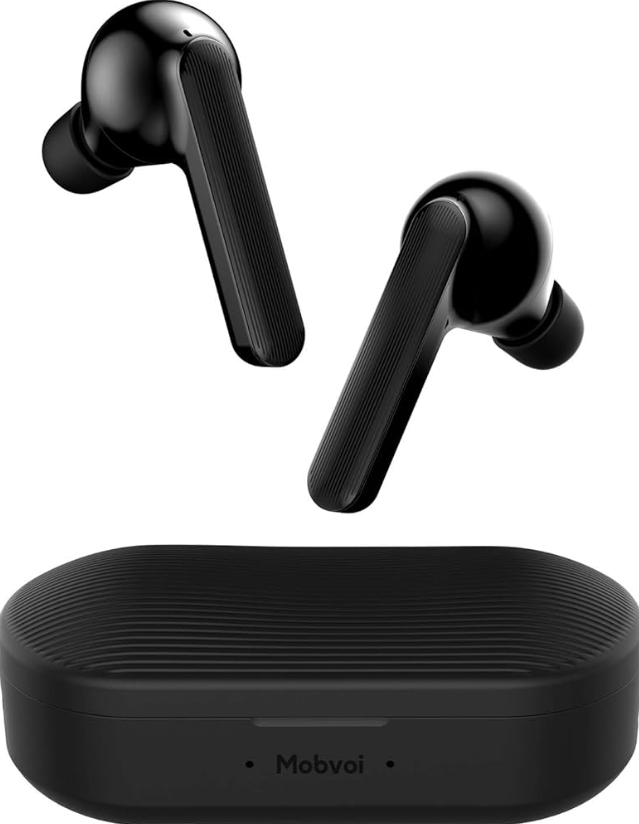
The Mobvoi Earbuds Gesture are innovative true wireless earbuds designed to enhance your audio experience with gesture controls. These earbuds allow users to accept or reject calls with simple head nods, making them perfect for hands-free operations. Equipped with a six-axis motion sensor, they support both Google Assistant and Siri for seamless integration with your smartphone. The earbuds are built with a 6mm high-quality speaker and a dual mic array, providing clear sound and noise cancellation. They are sweat-resistant with an IPX5 rating, ideal for athletes and outdoor enthusiasts.
Targeted at busy professionals and fitness enthusiasts, the Mobvoi Earbuds Gesture offer a convenient and stylish way to manage calls and music. They are available across various online platforms, with a price range typically between $50 to $70, depending on the retailer and any ongoing promotions. Whether you're commuting, working out, or just enjoying music, these earbuds are a great choice.
Specifications
Here are the key specifications of the Mobvoi Earbuds Gesture:
- Bluetooth Version: 5.0 with a 10m range
- Battery Life: Up to 50 hours with the charging case, and 10 hours of playback per earbud
- Speaker: 6mm high-quality speaker with active noise cancellation
- Microphone: Dual mic array for clear calls
- Weight: Approximately 6.8g per earbud, and 43.5g for the case
- Water Resistance: IPX5
- AI Assistance: Compatible with Google Assistant and Siri
- Gesture Control: Supports nodding to accept and shaking to decline calls
First pairing
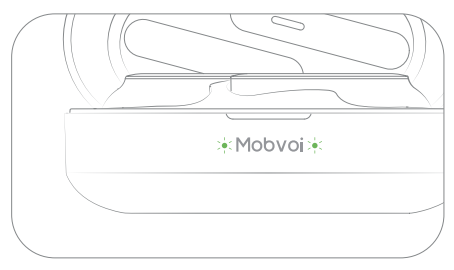
When the charging case is opened, the earbuds are in pairing mode, and the light on the case flashes red.d
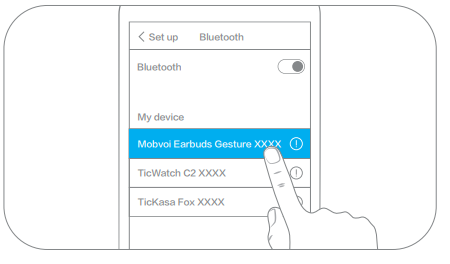
Enable the Bluetooth function on your device and select the device beginning with “Mobvoi Earbuds Gesture”
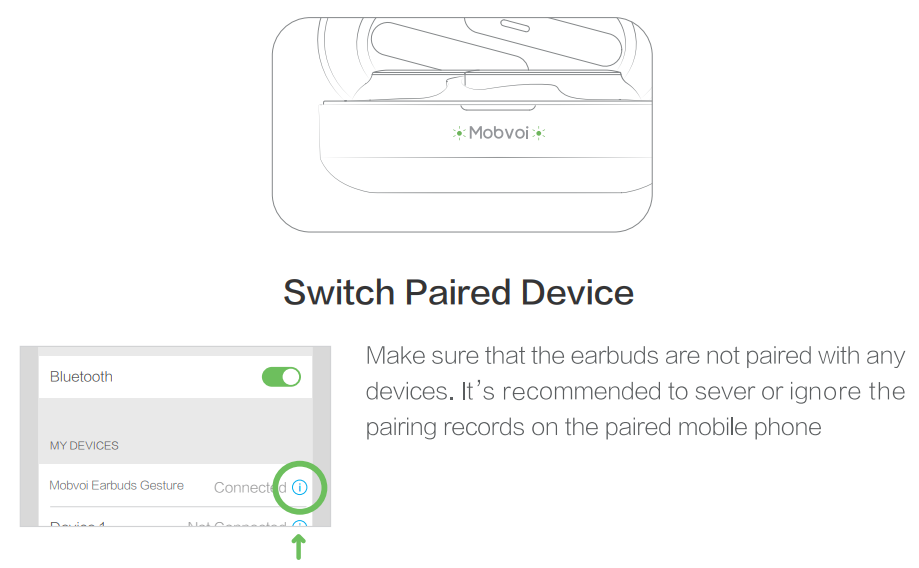
- When the device shows a successful connection, the earbuds are ready for use
Auto-connect after opening the case
Whenever the case is opened, the earbuds will automatically search and connect to the previously paired device.
Bluetooth reset
After the charging case is opened, take out the earbud. Long-press the left or right earbud for 6 to 8 seconds. The earbuds should begin to give out a prompt sound of pairing. Previous pairing records are removed during this time. Re-enable Bluetooth on the mobile phone and search for the Bluetooth name for re-pairing.
If a single Bluetooth earbud happens to be silent, put it back in the charging case and take it out. The problem can usually be solved this way; however, Bluetooth latency may occasionally occur in crowded public places with complex device signals. The connection should automatically restore after 1 to 2 seconds.
Troubleshooting
Here are some common issues and solutions for the Mobvoi Earbuds Gesture:
- Connection Issues: Restart both earbuds and ensure they are properly paired.
- Gesture Control Not Working: Ensure the earbuds are properly seated and the head movements are recognized by the six-axis motion sensor.
- No Sound: Check that the earbuds are turned on and the volume is not muted.
For further assistance, refer to the user manual or contact Mobvoi support
Pros and Cons
Pros:
- Convenient Gesture Control: Easy call management with head nods.
- Long Battery Life: Up to 50 hours with the charging case.
- Compact Design: Portable and stylish.
Cons:
- Limited Color Options: Currently only available in one color.
- Build Quality: Some users find that the case material could be improved.
- Occasional Connectivity Issues: Rare but can occur.
Customer Reviews
Users generally appreciate the Mobvoi Earbuds Gesture for their innovative gesture controls and long battery life. However, some users have mentioned occasional connectivity issues and a desire for more color options. Overall, they are rated highly for their value and performance.
For those looking for a budget-friendly option with advanced features, the Mobvoi Earbuds Gesture are a great choice. They offer a unique blend of style, functionality, and affordability.
Faqs
How do I set up my mobvoi Earbuds Gesture for the first time?
What should I do if my mobvoi Earbuds Gesture are not connecting to Bluetooth?
How do the gesture controls on mobvoi Earbuds Gesture work for answering and rejecting calls?
Are mobvoi Earbuds Gesture compatible with both Android and iOS devices?
What is the battery life of mobvoi Earbuds Gesture and how can I optimize it?
How can I maintain and clean my mobvoi Earbuds Gesture to ensure longevity?
What does the dual-mic noise cancellation feature on mobvoi Earbuds Gesture do?
Can I control music playback and voice assistants on mobvoi Earbuds Gesture using touch controls?
More mobvoi manuals
Leave a Comment