
Panasonic Viera Plasma TV TC-P50ST50 User Manual
Content
Panasonic Viera Plasma TV TC-P50ST50 Review and User Manual Guide
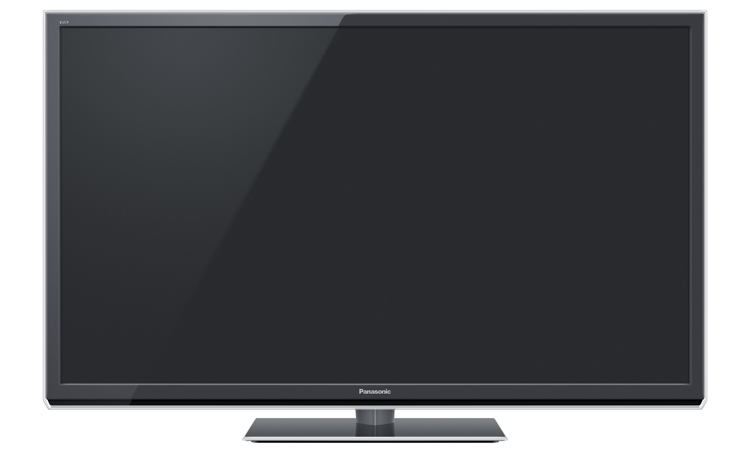
The Panasonic Viera Plasma TV TC-P50ST50 is a 50-inch Full HD plasma television built for viewers who want rich contrast, smooth motion, and a cinematic picture. With 1920 x 1080 resolution, Smart Viera features, built-in Wi-Fi, 3 HDMI inputs, USB connectivity, and 3D support, it remains a strong option for home theater fans, sports viewers, and gamers who value deep blacks and fast response times. The Panasonic Viera Plasma TV TC-P50ST50 also includes Ethernet, DLNA support, an SD card slot, and a high-contrast plasma panel that is often praised for natural color reproduction and excellent off-angle viewing.
This model is especially appealing to users who want a large-screen TV for movie nights, broadcast sports, and console gaming with minimal motion blur. Its design suits living rooms, media rooms, and dedicated entertainment spaces where picture quality matters more than ultra-thin styling. At launch, the Panasonic Viera Plasma TV TC-P50ST50 was positioned as a mid-to-premium home entertainment display, and on the current resale market it is typically found in the lower used-price range, often around a few hundred dollars depending on condition, accessories, and local availability. Because it is a discontinued plasma TV, new retail availability is very limited, but used and refurbished units may still appear through secondary sellers. For buyers comparing older plasma sets, the TC-P50ST50 is often favored over basic LED TVs from the same era for its richer black levels and smoother motion handling.
Troubleshooting Panasonic Viera Plasma TV TC-P50ST50 Common Problems
If the Panasonic Viera Plasma TV TC-P50ST50 does not power on, first confirm the outlet, power cord, and remote batteries. A blinking red LED usually indicates a protection or startup fault, while a solid red LED with no picture may point to a control or panel-related issue. If the screen is blank but the power light is on, check the HDMI source, input selection, and cable connections before assuming a hardware failure.
Common error-code style symptoms on this model often appear as LED blink patterns rather than on-screen codes. Repeated blinking can indicate a board or power supply problem, while no LED activity may suggest an AC input or fuse-related issue. To reduce future problems, keep ventilation clear, avoid prolonged high-heat operation, unplug the set during electrical storms, and use a surge protector. If the issue continues, contact Panasonic support or an authorized service provider for diagnosis. Warranty coverage on a used unit is often expired, so buyers should verify seller guarantees or third-party repair options. For help, use Panasonic North America customer support channels, the official support website, or local authorized television repair centers.
Pros and Cons of Panasonic Viera Plasma TV TC-P50ST50
Pros
- Excellent black levels and strong contrast for movies and dark-room viewing.
- Smooth motion handling makes sports and action content look natural.
- Full HD 1080p resolution delivers sharp detail for Blu-ray and streaming.
- Built-in Wi-Fi, Ethernet, USB, SD card, and HDMI inputs improve versatility.
- Great value on the used market for buyers who want premium plasma picture quality.
Cons
- Heavier and thicker than modern LED or OLED televisions.
- Higher power consumption than newer display technologies.
- As a plasma model, it can be more prone to burn-in if static images are left on screen too long.
- Smart features are outdated compared with current streaming platforms.
- Repairs may be harder to source because the model is discontinued.
For value-conscious buyers, the Panasonic Viera Plasma TV TC-P50ST50 can still be a smart purchase if picture quality matters more than modern app support. Compared with entry-level LED TVs, it typically offers better motion and deeper blacks, while OLED sets outperform it in brightness control and thin design.
Customer Reviews for Panasonic Viera Plasma TV TC-P50ST50
Owner feedback is consistently positive for picture quality, with many users rating the set around 4.5 out of 5 stars for movie performance and sports clarity. Typical praise includes “the blacks still look amazing,” “motion is incredibly smooth,” and “it feels like a true theater screen.” Buyers also like the wide viewing angles and strong 3D support for compatible content.
Common complaints focus on weight, power use, and the dated smart interface. Some users also mention occasional startup issues or concern about plasma burn-in with static logos and game HUDs. Overall, the Panasonic Viera Plasma TV TC-P50ST50 is often recommended for home theater enthusiasts, collectors, and anyone shopping the used market for premium plasma picture quality. It is less ideal for users who want modern streaming speed, ultra-light design, or the newest smart-TV features.
Faqs
How do I set up panasonic Viera Plasma TV TC-P50ST50 for the first time without missing any picture settings?
Why does my Panasonic Viera Plasma TV TC-P50ST50 show a dim picture, and how can I fix it?
What is the best way to reduce image retention on panasonic Viera Plasma TV TC-P50ST50 during everyday use?
How can I connect a soundbar or AV receiver to Panasonic Viera Plasma TV TC-P50ST50 for better audio?
Which devices are compatible with panasonic Viera Plasma TV TC-P50ST50 through HDMI and what should I check before buying?
Why is the Panasonic Viera Plasma TV TC-P50ST50 not detecting channels after an antenna setup?
How should I clean and maintain a Panasonic Viera Plasma TV TC-P50ST50 to protect the screen and extend its lifespan?
What picture settings are best for gaming on Panasonic Viera Plasma TV TC-P50ST50 to lower lag and improve motion?
More panasonic manuals
- Panasonic LinkRay HD LCD Display TH-80SF2HU User Manual
- Panasonic CS-YE9WKU Inverter Air Conditioner User Manual
- Panasonic TH-65SF2U HD LCD Display User Manual
- Panasonic PT-VMW50 LCD Projector User Manual
- Panasonic CU-5E36QBU Air Conditioner User Manual
- Panasonic TH-50BFIW Touch Screen LCD Display User Manual
Leave a Comment