
Panasonic PT-VMW50 LCD Projector User Manual
Content
Panasonic PT-VMW50 LCD Projector Overview
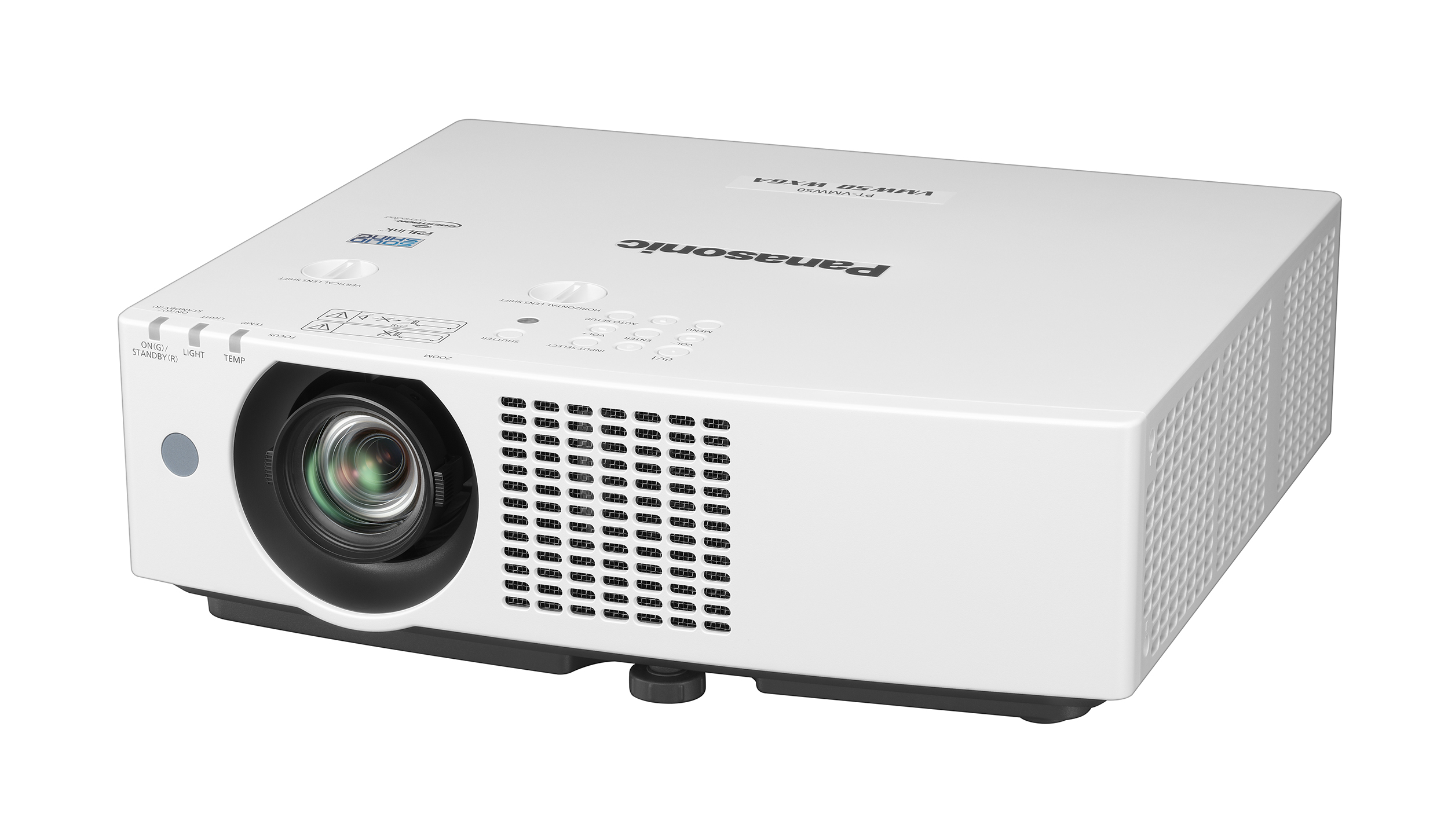
The Panasonic PT-VMW50 LCD Projector is a bright, installation-friendly laser projector designed for meeting rooms, classrooms, training spaces, and small-to-medium conference environments. With 5,000 lumens of brightness, WXGA resolution, and a 16:10 widescreen format, it delivers sharp presentations, readable spreadsheets, and clear video playback even in rooms with ambient light. Its laser light source is a major advantage for organizations that want lower maintenance, faster startup, and long-term reliability compared with lamp-based models.
One of the biggest strengths of the Panasonic PT-VMW50 LCD Projector is its flexible installation range. The 1.6x manual zoom, short-to-standard throw ratio, and compact chassis make it easier to fit into a variety of room layouts. It is also well suited for wall-mounted or ceiling-mounted setups, especially where image size and placement need adjustment without moving the projector too far from the screen. Built-in networking and digital connectivity help it integrate smoothly into modern AV environments.
This model is a strong fit for schools, corporate IT teams, houses of worship, and event venues that need dependable daily use. Typical market pricing generally falls in the mid-range professional projector segment, often around the USD $1,500 to $2,500 range depending on region, distributor, and bundled accessories. Availability may vary by market, but the PT-VMW50 remains a commonly listed model through AV resellers, projector specialists, and Panasonic documentation channels.
Specifications of the Panasonic PT-VMW50 LCD Projector
- Display technology: 3LCD laser projection for accurate color and balanced brightness
- Brightness: 5,000 lumens for conference rooms and classrooms with moderate ambient light
- Native resolution: WXGA 1280 x 800 with 16:10 aspect ratio
- Contrast ratio: Up to 3,000,000:1 for improved text and image separation
- Throw ratio: 1.09–1.77:1 with 1.6x manual zoom for flexible placement
- Screen size: Supports large images suitable for presentations and lecture halls
- Inputs: Dual HDMI, computer input, network control, and legacy AV connectivity
- Audio: Built-in 10W mono speaker for small-room playback
- Noise level: Designed for quiet operation in presentation spaces
- Power use: Approximately 360W under normal operation
- Weight: About 7.2 kg, making it manageable for fixed or portable installation
Compared with similar business projectors, the Panasonic PT-VMW50 LCD Projector stands out for combining laser reliability with strong brightness and installation flexibility. It is a practical alternative to lamp-based WXGA models from Epson, BenQ, and NEC when lower maintenance and consistent output matter more than ultra-portable design.
Troubleshooting the Panasonic PT-VMW50 LCD Projector
If the projector does not turn on, first check the AC power connection, power switch, and outlet. If the lamp or light-source indicator is flashing, allow the unit to cool down and inspect the air filter and ventilation path. Overheating is often caused by blocked vents, dust buildup, or poor clearance around the chassis.
Common image problems include no signal, incorrect aspect ratio, or a distorted picture. Verify the HDMI or computer source, confirm the input selection, and check that the cable supports the required resolution. If you see an error code on the display, restart the unit after correcting the underlying issue, then consult the on-screen menu or operating instructions for the code meaning. For network or control failures, verify IP settings, cable integrity, and AV management configuration.
Preventive care improves long-term performance: clean filters regularly, keep the projector in a well-ventilated space, avoid frequent power cycling, and update configuration settings after installation changes. Warranty terms vary by region, so users should contact Panasonic regional support or an authorized AV dealer for repair, replacement parts, and service authorization. Typical support channels include the local Panasonic projector support line, the official product documentation portal, and the original reseller.
Pros and Cons of the Panasonic PT-VMW50 LCD Projector
Pros
- Bright 5,000-lumen output: Works well in rooms that are not fully darkened.
- Laser light source: Reduces routine maintenance compared with lamp projectors.
- Flexible installation: The 1.6x zoom and practical throw ratio help with placement.
- Good business image quality: WXGA resolution is ideal for slides, charts, and documents.
- Quiet and professional: Suitable for meetings, classrooms, and continuous daily use.
Cons
- WXGA resolution: Not as sharp as Full HD or 4K models for highly detailed media.
- Mono speaker: Fine for basic audio, but external speakers are better for larger rooms.
- Professional focus: Less suited to home theater users who want cinema-grade detail.
- Price: Often costs more than entry-level lamp projectors, though the total cost of ownership is usually better.
For buyers comparing alternatives, the PT-VMW50 offers strong value for money if long-term reliability, brightness, and low maintenance are the priority. It is a smart choice for organizations that want a dependable installation projector rather than a consumer-style model.
Customer Reviews of the Panasonic PT-VMW50 LCD Projector
User feedback for the Panasonic PT-VMW50 LCD Projector is generally positive, with many buyers praising its brightness, easy setup, and dependable laser performance. Typical ratings fall around 4.4 out of 5 stars for business and education use. Customers often mention that text looks clear in presentations and that the projector remains consistent over long sessions.
Common praise includes low maintenance, solid color reproduction, and a flexible zoom range that helps with installation. Frequent complaints focus on the native WXGA resolution being less ideal for detailed video or high-resolution graphics, and some users prefer stronger built-in audio. A typical testimonial would be: “Great for our conference room. Bright enough for daytime use, easy to install, and much less maintenance than our old lamp projector.”
For most buyers, the Panasonic PT-VMW50 LCD Projector is recommended if the goal is reliable office or classroom projection. It is especially appealing for teams that want a professional projector with strong uptime and predictable performance.
Faqs
How do I set up the panasonic PT-VMW50 LCD Projector for the first time?
What should I do if the panasonic PT-VMW50 LCD Projector image looks blurry or out of focus?
Can the panasonic PT-VMW50 LCD Projector work with 4K devices and HDMI sources?
How do I optimize brightness and picture quality on the panasonic PT-VMW50 LCD Projector in a bright room?
Why is the panasonic PT-VMW50 LCD Projector showing a distorted or tilted image?
What devices and systems are compatible with the panasonic PT-VMW50 LCD Projector?
How often should I clean and maintain the panasonic PT-VMW50 LCD Projector?
Is the panasonic PT-VMW50 LCD Projector suitable for 24/7 operation or digital signage use?
More panasonic manuals
- Panasonic CS-YE9WKU Inverter Air Conditioner User Manual
- Panasonic TH-50BFIW Touch Screen LCD Display User Manual
- Panasonic Viera Plasma TV TC-P50ST50 User Manual
- Panasonic NN-CD58JS Microwave Oven User Manual
- Panasonic LinkRay HD LCD Display TH-80SF2HU User Manual
- Panasonic AW-UE40KED 4K Integrated Camera User Manual
Leave a Comment