
Philips 9000 Series Headphones TAH9505 User Manual
Content
Philips 9000 Series Headphones TAH9505: Complete Product Manual and Buyer Guide
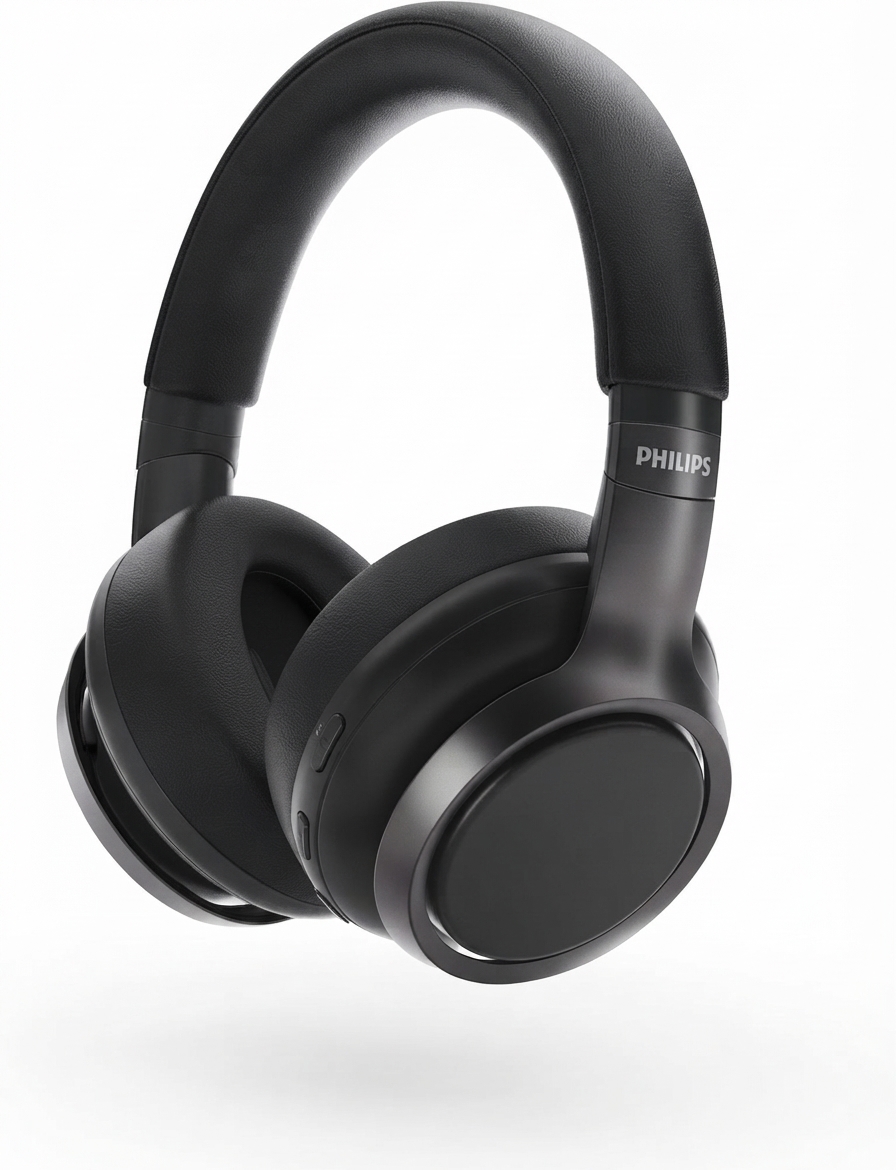
The philips 9000 Series Headphones TAH9505 are over-ear wireless headphones built for listeners who want a balanced mix of comfort, sound quality, and everyday convenience. Designed with 40 mm dynamic drivers, Bluetooth 5.0, and up to 27 hours of playback or talk time, they suit commuting, office work, travel, and long listening sessions. The closed acoustic design helps reduce outside distractions, while multipoint connection and Hi-Res Audio support make them practical for users who switch between a phone, laptop, and tablet throughout the day.
One of the biggest strengths of the philips 9000 Series Headphones TAH9505 is their versatile feature set. They support AAC and SBC codecs, offer a detachable cable for wired listening, and include a foldable, portable over-ear design that is easy to carry. The headphones use a rechargeable 900 mAh lithium polymer battery and typically charge in about 4 hours, which makes them a solid option for daily use. The model is commonly positioned in the mid-range wireless headphone category, with an estimated price range of about $80 to $150 depending on region, retailer, and promotions. Availability is generally good through online electronics stores, major marketplaces, and Philips-authorized sellers, though stock can vary by color and market.
Troubleshooting Philips TAH9505: Common Problems and Fixes
If the headphones do not power on, check whether the battery is charged and confirm the USB-C charging cable is fully seated. For Bluetooth pairing issues, delete the device from your phone or laptop, restart both devices, and pair again within the 10-meter wireless range. If audio cuts out, move closer to the source and avoid interference from Wi-Fi routers, crowded Bluetooth environments, or thick walls. When the sound is low or distorted, inspect the ear cushions and speaker grilles for debris and test both wireless and wired modes to isolate the issue.
There are no common user-facing error codes for this model, but charging or connection problems usually resolve with a reset, a full recharge, or a firmware-capable app/device reboot. Preventive care includes storing the headphones in a case, avoiding over-bending the headband, and charging before the battery is fully depleted. If the issue continues, Philips support and the retailer warranty are the best next steps. For help, contact Philips Customer Care through the official support website or the regional service line for your country, and keep your purchase receipt and model number ready for faster warranty handling.
Pros and Cons of Philips 9000 Series Headphones TAH9505
Pros
- Comfortable over-ear fit for long listening sessions, work calls, and travel.
- Strong wireless range and stable Bluetooth 5.0 performance for everyday use.
- Hi-Res Audio support and 40 mm drivers deliver detailed sound with good clarity.
- Multipoint connection makes it easy to switch between laptop and phone.
- Detachable cable adds backup wired listening when the battery runs low.
- Good value for money for users who want premium features without flagship pricing.
Cons
- Noise isolation is passive rather than advanced active noise cancellation in the highest-end sense.
- Charging takes about 4 hours, which is slower than some newer competitors.
- Sound tuning may feel more balanced than bass-heavy, which may not suit all listeners.
- Plastic construction keeps weight down but may feel less premium than metal alternatives.
Compared with alternatives like Sony and JBL models in the same category, the philips 9000 Series Headphones TAH9505 stand out for multipoint support, wired fallback, and a strong mix of comfort and portability. For buyers focused on value, they are a practical choice; for those seeking the deepest bass or the most aggressive noise cancellation, other models may be a better fit.
Customer Reviews for Philips TAH9505 Wireless Headphones
Customer feedback for the Philips TAH9505 is generally positive, with many users praising the comfortable fit, dependable Bluetooth connectivity, and clear sound for music and calls. A common theme in reviews is that the headphones perform well for work-from-home use and commuting, especially because the battery lasts long enough for a full day of listening. Typical ratings cluster around 4 out of 5 stars, with many buyers describing them as a smart mid-range purchase.
Common complaints include average noise blocking in very loud environments and a charging time that feels longer than expected. One user-style testimonial reads: “Great sound for the price, comfortable for hours, and easy to switch between my laptop and phone.” Another frequent comment is: “Best for balanced listening rather than booming bass.” Overall, the philips 9000 Series Headphones TAH9505 are recommended for students, office users, and travelers who want reliable wireless headphones without overspending.
Key Specifications at a Glance
- Driver size: 40 mm
- Frequency response: 20 Hz to 40,000 Hz
- Impedance: 32 ohms
- Sensitivity: 103 dB
- Bluetooth version: 5.0
- Wireless range: up to 10 meters
- Battery: 900 mAh lithium polymer
- Playback and talk time: up to 27 hours
- Charging time: about 4 hours
- Supported codecs: AAC and SBC
Faqs
How do I set up philips 9000 Series Headphones TAH9505 for the first time?
Why is my philips 9000 Series Headphones TAH9505 not connecting to Bluetooth?
What should I do if philips 9000 Series Headphones TAH9505 sound is low or uneven?
Can philips 9000 Series Headphones TAH9505 work with laptops, TVs, and gaming consoles?
How can I improve battery life on philips 9000 Series Headphones TAH9505?
What is the best way to clean and maintain philips 9000 Series Headphones TAH9505?
How do I reset philips 9000 Series Headphones TAH9505 when they stop responding?
How can I get the best noise control and sound quality from philips 9000 Series Headphones TAH9505?
More philips manuals
Leave a Comment