
Philips HTL2160 SoundBar User Manual
Content
Philips HTL2160 SoundBar Manual and Product Overview
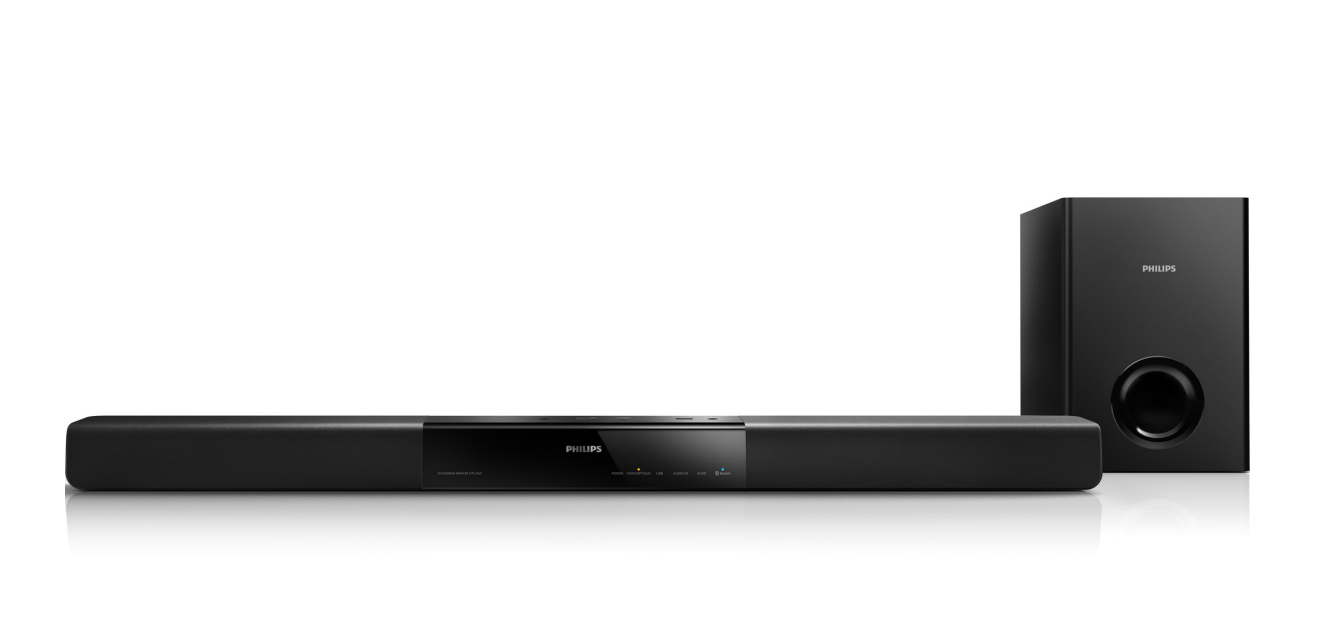
The Philips HTL2160 SoundBar is a compact 2.1-channel audio system designed to upgrade everyday TV sound with clearer dialogue, stronger bass, and easy wireless music streaming. It combines a slim soundbar with an external wired subwoofer, making it a practical choice for users who want a simple home theater boost without the complexity of a full surround setup. The Philips HTL2160 SoundBar is especially appealing for apartments, bedrooms, and smaller living rooms where space is limited but better audio is still a priority.
Its main strengths include Bluetooth connectivity, multiple wired inputs such as optical, coaxial, AUX, and analog audio, plus a lightweight and wall-friendly design. This makes it suitable for televisions, game consoles, MP3 players, and older AV devices that still need flexible connections. With a total output around 60W, it delivers enough power for casual movie nights, streaming, and music listening, while the dedicated subwoofer adds depth to action scenes and bass-heavy tracks.
Although the Philips HTL2160 SoundBar is an older model and is no longer widely sold through official Philips channels, it may still appear through third-party marketplaces, refurbished sellers, or remaining retail stock. When available, its price often falls in the budget range, typically around $80 to $150 depending on condition and seller. For shoppers seeking a simple, affordable sound upgrade, it remains a recognizable entry-level option with a straightforward setup and broad compatibility.
Pros and Cons of Philips HTL2160 SoundBar
Pros
- Simple 2.1-channel layout with a separate subwoofer for stronger low-end sound.
- Bluetooth support for wireless playback from phones, tablets, and laptops.
- Multiple input options make it easy to connect to modern and older devices.
- Compact soundbar design fits neatly under most TVs and saves space.
- Good value for money if found at a discount, refurbished, or second-hand.
Cons
- Not a true surround sound system, so immersive cinema-like audio is limited.
- The wired subwoofer reduces placement flexibility compared with wireless alternatives.
- Older model status means limited availability and fewer current warranty options.
- Sound customization is basic compared with newer soundbars that offer app control or advanced EQ.
- Better alternatives exist today if you want HDMI ARC, voice assistant support, or Dolby Atmos.
Overall, the Philips HTL2160 SoundBar offers solid value for budget buyers who want better TV audio without spending much. Compared with newer soundbars, it feels more basic, but it still delivers dependable everyday performance for casual users.
Customer Reviews of Philips HTL2160 SoundBar
Customer feedback is generally positive, with many users praising the easy setup, compact size, and noticeable improvement over built-in TV speakers. A common rating pattern sits around 4 out of 5 stars, especially among buyers who use it for streaming and regular TV watching. One typical comment is: “Great upgrade for the price, and the bass is much better than my TV alone.”
Frequent complaints focus on the wired subwoofer, limited advanced features, and the fact that this is an older product with scarce new-stock availability. Some users also note that while dialogue is clearer, the soundstage is not as wide as premium models. A recurring recommendation is to buy it only if the price is low and the unit is in good condition. For shoppers who need a basic soundbar for TV, the Philips HTL2160 SoundBar can still be a worthwhile purchase, but users expecting modern premium features should look at newer alternatives.
Faqs
How do I set up philips HTL2160 SoundBar for the first time with my TV?
Why is my philips HTL2160 SoundBar connected but producing no sound?
What devices are compatible with philips HTL2160 SoundBar besides a TV?
How can I improve the bass and sound quality on philips HTL2160 SoundBar?
Which connection is better for philips HTL2160 SoundBar: optical or AUX?
How do I troubleshoot remote control problems with philips HTL2160 SoundBar?
Can philips HTL2160 SoundBar work with HDMI ARC, and what if my TV does not have it?
How should I clean and maintain philips HTL2160 SoundBar for long-term use?
More philips manuals
Leave a Comment