
Philips DreamStation BiPAP AutoSV User Manual
Content
Philips DreamStation BiPAP AutoSV Product Manual
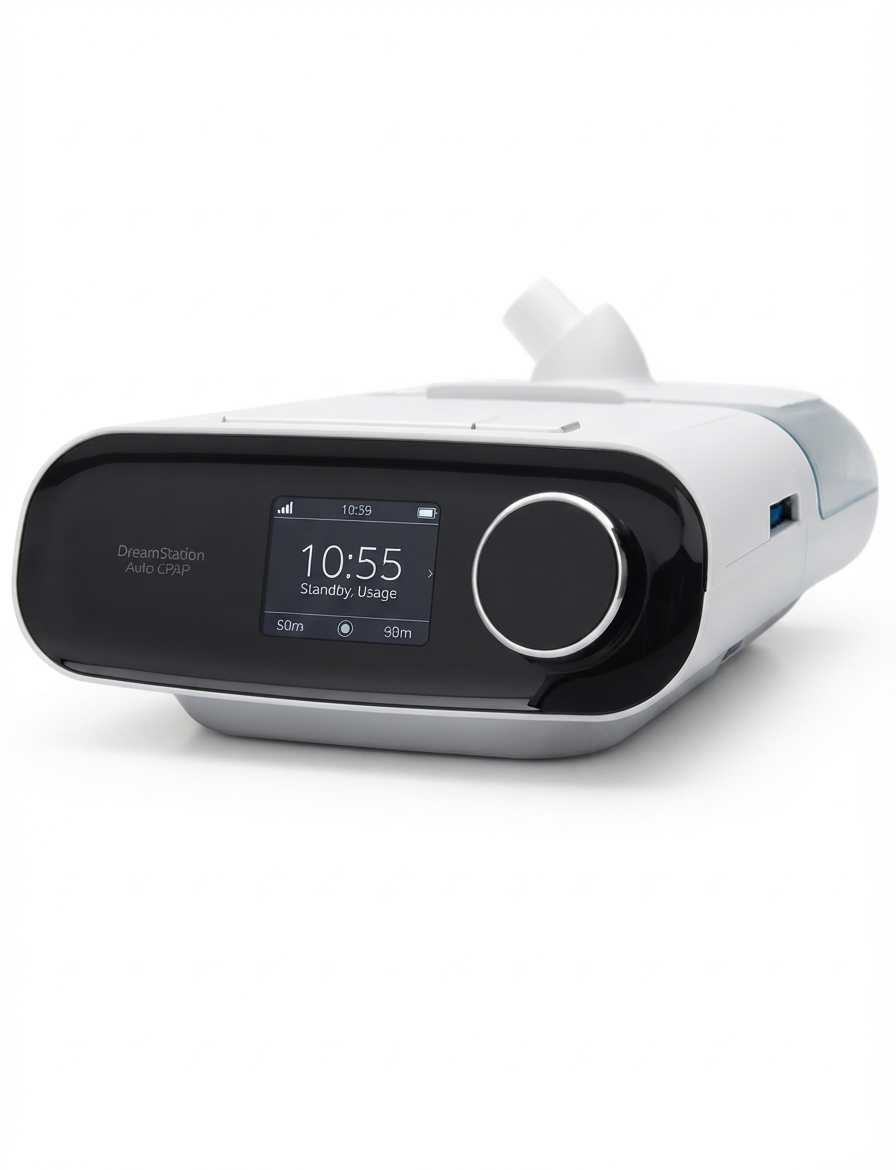
Introduction: Philips DreamStation BiPAP AutoSV Overview and Key Benefits
The Philips DreamStation BiPAP AutoSV is a servo-ventilation therapy device designed for users who need advanced treatment for complex sleep-disordered breathing, including central sleep apnea, mixed apnea, and periodic breathing. This advanced BiPAP autoSV machine continuously adjusts pressure support breath by breath, helping stabilize breathing patterns and improve nighttime comfort. Its intelligent algorithm, quiet operation, and customizable therapy settings make it a strong choice for patients who require more than standard CPAP or basic bilevel therapy.
One of the main advantages of the Philips DreamStation BiPAP AutoSV is its ability to automatically adapt to changing breathing needs during sleep. It is especially useful for patients whose breathing patterns vary throughout the night or who need personalized support under clinician guidance. The device is also designed with user-friendly controls, a clear display, and compatibility with humidification and heated tubing options, improving therapy comfort and reducing dryness.
This Philips DreamStation BiPAP AutoSV manual is useful for patients, caregivers, and homecare providers looking for setup guidance, troubleshooting tips, and product insights. Typical pricing in the current resale and retail market ranges from about $1,495 to $2,500 or more depending on configuration, accessories, and seller. Availability varies by region, and in some markets the device is no longer sold directly through standard consumer channels, so buyers may need to check authorized medical equipment suppliers or refurbished-device vendors.
Troubleshooting: Common Philips DreamStation BiPAP AutoSV Problems and Fixes
If the device alarms or stops working correctly, first check the display for the alarm message and note whether the indicator is solid or flashing. A common issue is a disconnected patient circuit or a large air leak. Reconnect the tubing, inspect the mask seal, and confirm that all connections are secure. If the machine shows a device inoperative condition, check that the air inlet is not blocked, verify the filters are installed correctly, and confirm the power outlet and cord are working properly.
Other common problems include blower start failures, humidifier issues, or unusual sounds. Make sure the humidifier chamber is filled correctly, the tubing type setting matches the tubing in use, and the power supply is connected correctly. Preventive care helps reduce errors: replace filters regularly, keep the air inlet clear, avoid water spills into the enclosure, and store the machine in a dry, stable environment. If an issue continues after basic checks, discontinue use and contact support immediately.
Warranty coverage is typically limited and depends on the original purchase terms, with the device commonly covered for two years and many consumables covered for shorter periods. For help, contact the local authorized Philips Respironics dealer or Philips Respironics customer service at +1-724-387-4000 or 1-800-345-6443.
Pros & Cons: Philips DreamStation BiPAP AutoSV Review
Pros
- Adaptive servo-ventilation technology responds to changing breathing needs throughout the night.
- Comfort-focused pressure delivery can improve tolerance for patients who do not do well on standard CPAP therapy.
- Compatible with humidifier and heated tube setups for better moisture control and less dryness.
- Clear interface and provider settings make it easier for clinicians and homecare teams to configure.
- Strong option for users who need advanced sleep apnea therapy and personalized pressure support.
Cons
- Higher cost than basic CPAP and standard BiPAP machines, so value for money depends on medical need.
- Availability is limited in some regions, which can make purchasing and servicing more difficult.
- Replacement parts and accessories may add to long-term ownership costs.
- Not ideal for users who only need simple obstructive sleep apnea treatment.
- Compared with newer alternatives, some buyers may prefer more current platforms or easier retail support.
Overall, the Philips DreamStation BiPAP AutoSV is best viewed as a specialized therapy device rather than a general-purpose sleep apnea machine. For the right patient, it offers excellent clinical value and strong comfort features, but for basic therapy needs, a standard bilevel device may be more cost-effective.
Customer Reviews: What Users Say About Philips DreamStation BiPAP AutoSV
Customer feedback for the Philips DreamStation BiPAP AutoSV is generally positive among users who need advanced breathing support. Many reviewers praise the automatic pressure adjustments, saying the machine feels more natural than fixed-pressure devices. Common ratings typically fall around 4 to 4.5 out of 5 stars for comfort and therapy effectiveness, especially from long-term users managing complex sleep apnea.
Typical testimonials mention better sleep quality, less waking during the night, and improved breathing stability. Common complaints include price, limited availability, and the learning curve associated with provider settings. Some users also mention that accessories and replacement parts can be expensive. Buyers who need servo-ventilation therapy often recommend it, while users with simple sleep apnea usually suggest choosing a less expensive CPAP or BiPAP model instead.
Frequently Asked Questions About Philips DreamStation BiPAP AutoSV
- What is the Philips DreamStation BiPAP AutoSV used for? It is used for advanced sleep apnea therapy, especially central sleep apnea, mixed apnea, and periodic breathing.
- How much does it cost? Typical market pricing ranges from about $1,495 to $2,500 or more depending on condition and included accessories.
- Is it still available? Availability varies by seller and region, and some listings show it as no longer available in certain markets.
- Who should use it? It is intended for patients prescribed servo-ventilation therapy by a sleep specialist or clinician.
- What should I do if the alarm sounds? Check the display, inspect the tubing and mask for leaks or disconnections, and contact support if the alarm persists.
SEO Summary for Buyers Searching Philips DreamStation BiPAP AutoSV
If you are comparing advanced sleep therapy devices, the Philips DreamStation BiPAP AutoSV stands out for adaptive breathing support, comfort-driven design, and clinician-level configurability. It is a specialized solution for users who need servo-ventilation rather than a basic CPAP machine. For best results, pair it with proper mask fitting, regular filter replacement, and routine maintenance to keep therapy effective and reliable.
Faqs
How do I set up the philips DreamStation BiPAP AutoSV for the first time?
What should I do if the philips DreamStation BiPAP AutoSV feels too noisy during therapy?
Why does my philips DreamStation BiPAP AutoSV keep showing mask leak or poor seal alerts?
How can I adjust comfort settings on the philips DreamStation BiPAP AutoSV without affecting therapy quality?
Which masks and accessories are compatible with the philips DreamStation BiPAP AutoSV?
How do I clean and maintain the philips DreamStation BiPAP AutoSV for long-term reliability?
Why is the philips DreamStation BiPAP AutoSV not tracking my usage correctly?
What performance tips can help the philips DreamStation BiPAP AutoSV deliver more comfortable night therapy?
More philips manuals
Leave a Comment