
Philips 1000 Series 24E1N1200A Monitor User Manual
Content
Philips 1000 Series 24E1N1200A Monitor: Full HD IPS Display for Work, Study, and Everyday Use
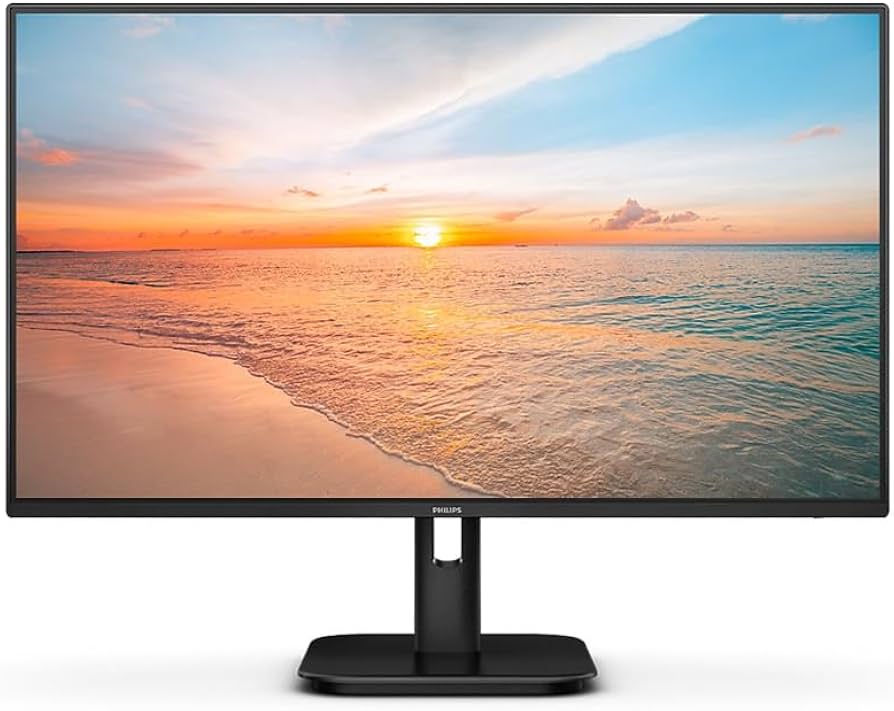
The Philips 1000 Series 24E1N1200A Monitor is a compact 23.8-inch Full HD display built for users who want sharp image quality, smooth everyday performance, and a clean, practical design. With an IPS panel, 1920 x 1080 resolution, wide 178-degree viewing angles, and a 120 Hz refresh rate on supported connections, it is well suited for office work, online classes, content browsing, and light entertainment. The Philips 1000 Series 24E1N1200A Monitor also stands out for its 300 cd/m² brightness, 1500:1 contrast ratio, and strong color coverage, making text readable and visuals vivid for a monitor in this class.
This model is aimed at home users, students, remote workers, and small office setups that need a dependable monitor without moving into premium pricing. It offers a balance of image clarity and smooth motion that is especially attractive for productivity tasks and casual media use. The Philips 1000 Series 24E1N1200A Monitor is also a practical choice for buyers who want adaptive sync support, built-in speakers, and a simple setup with HDMI, DisplayPort, and VGA connectivity.
In terms of price, it generally sits in the budget-to-midrange category, with availability commonly seen through online electronics retailers and regional Philips distributors. Typical pricing appears to start around the lower entry range for 24-inch IPS monitors and may vary by region, bundle, and warranty coverage. For shoppers comparing affordable Full HD IPS displays, this model offers a strong feature set for the money.
Philips 24E1N1200A Monitor Specifications and Key Features
- Display size: 23.8 inches, ideal for compact desks and multi-monitor setups
- Panel type: IPS technology with wide 178° horizontal and vertical viewing angles
- Resolution: 1920 x 1080 Full HD for crisp everyday text and video
- Refresh rate: Up to 120 Hz over HDMI/DisplayPort, depending on configuration
- Response time: 4 ms gray-to-gray for responsive daily use and smoother motion
- Brightness: 300 cd/m² for comfortable visibility in normal indoor lighting
- Contrast ratio: 1500:1 typical for deeper blacks than many standard IPS monitors
- Color performance: 16.7 million colors with broad gamut coverage for general media work
- Pixel pitch: 0.2745 x 0.2745 mm, offering a comfortable balance of clarity and scaling
- Connectivity: HDMI, DisplayPort, and VGA support for flexible device compatibility
- Extra features: Adaptive Sync, flicker-free viewing, LowBlue mode, SmartImage, and built-in speakers
- Power efficiency: Energy-conscious design with low operating consumption for long work sessions
Compared with similar 24-inch Full HD IPS monitors, the Philips 1000 Series 24E1N1200A Monitor stands out mainly for its 120 Hz support and 1500:1 contrast ratio, which can make motion feel smoother and darker scenes look richer than typical 60 Hz office displays. It is less specialized than gaming monitors, but more versatile than basic business screens.
Pros and Cons of the Philips 1000 Series 24E1N1200A Monitor
Pros
- Excellent value for a 23.8-inch IPS monitor with Full HD resolution and 120 Hz support
- Smooth scrolling and more fluid desktop motion than standard 60 Hz monitors
- Wide viewing angles make it suitable for shared workspaces and group viewing
- Good brightness and contrast for everyday productivity and casual streaming
- Useful connectivity options, including HDMI, DisplayPort, and VGA for older systems
- Built-in speakers reduce desk clutter for basic audio needs
Cons
- Not a true gaming monitor, so competitive players may want faster, more advanced models
- Full HD resolution is fine at 23.8 inches, but power users may prefer QHD for extra workspace
- Built-in speakers are convenient, but audio quality is usually modest
- Office-focused buyers may not fully use the 120 Hz capability in daily work
For value for money, the Philips 1000 Series 24E1N1200A Monitor performs strongly because it blends premium-feeling smoothness with an accessible price point. Compared with basic budget alternatives, it offers a more refined panel experience, while more expensive gaming displays will still outperform it in speed and advanced features.
Customer Reviews for the Philips 24E1N1200A Monitor
Common customer feedback tends to be positive, with many users giving it around 4 to 4.5 out of 5 stars for everyday use. Buyers often praise the sharp image, smooth refresh rate, and easy setup. A typical testimonial would be: “Great monitor for work and browsing, and the 120 Hz makes everything feel faster.”
Frequent complaints focus on the built-in speakers being only average and some users wishing for a higher resolution at this size. Another common comment is: “Excellent value, but I use external speakers for better sound.” For most customers, the display quality outweighs these minor trade-offs.
This model is a strong recommendation for students, remote workers, and home users who want a reliable Full HD IPS monitor with modern smoothness. If the goal is a practical, well-rounded display rather than a competitive gaming screen, the Philips 1000 Series 24E1N1200A Monitor is an easy buy.
Faqs
How do I set up the philips 1000 Series 24E1N1200A Monitor for the first time without getting signal or display issues?
What should I do if the philips 1000 Series 24E1N1200A Monitor shows no signal after connecting my laptop?
Is the philips 1000 Series 24E1N1200A Monitor compatible with Windows, Mac, and gaming consoles?
How can I adjust brightness, contrast, and color settings on the philips 1000 Series 24E1N1200A Monitor for better picture quality?
Why does the philips 1000 Series 24E1N1200A Monitor look blurry, and how do I fix the sharpness?
Does the philips 1000 Series 24E1N1200A Monitor work well for office productivity, video calls, and long work sessions?
What are the best ways to clean and maintain the philips 1000 Series 24E1N1200A Monitor safely?
How can I optimize the philips 1000 Series 24E1N1200A Monitor for gaming or smooth motion playback?
More philips manuals
Leave a Comment