
Samsung 5000 Series LED TV User Manual
Content
Samsung 5000 Series LED TV: Complete Product Manual and Buyer’s Guide
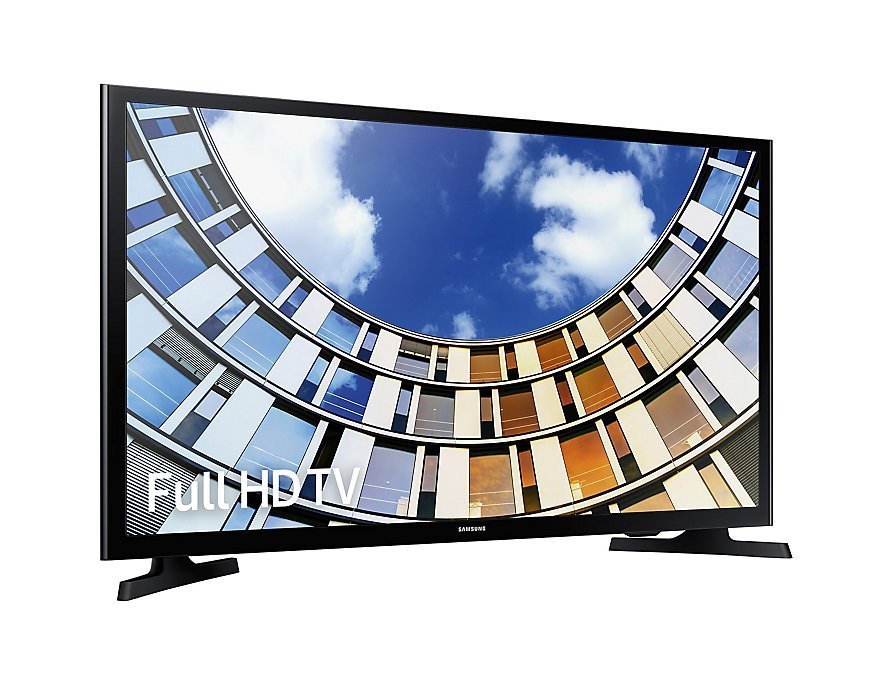
Introduction
The Samsung 5000 Series LED TV is a practical, value-focused television line designed for users who want dependable Full HD picture quality, simple controls, and a slim design without paying premium smart-TV pricing. The series is best known for its clean LED-LCD panel, 1080p resolution, and smooth motion handling, making it a solid choice for everyday streaming, cable TV, console gaming, and bedroom or secondary-room setups. For many households, the Samsung 5000 Series LED TV offers the right balance of performance, reliability, and affordability.
This model family typically appeals to budget-conscious buyers, students, small families, and anyone replacing an older HD set with a sharper, more efficient display. Depending on screen size and condition, the estimated price range usually falls between $100 and $350 for used or refurbished units, while availability is mainly through third-party retailers, marketplace listings, and remaining clearance stock. New inventory is limited because the series is older, but it remains widely searched due to its long-standing reputation for simple setup and durable everyday use.
Another major benefit of the Samsung 5000 Series LED TV is its straightforward feature set. Users get multiple HDMI inputs, USB playback support, built-in digital tuners, and energy-efficient LED backlighting. If you are looking for a no-frills HDTV with solid brightness, a slim profile, and dependable image quality for regular viewing, the Samsung 5000 Series LED TV is still a sensible option for basic home entertainment.
Specifications: Samsung 5000 Series LED TV Technical Details
- Display type: LED-LCD television with slim cabinet design
- Resolution: Full HD 1920 x 1080 on many 5000 Series models
- Screen sizes: Commonly available in 32-inch, 40-inch, 46-inch, 50-inch, and similar variants
- Refresh rate: 60Hz native refresh on several models, with motion enhancement or CMR processing on select versions
- Connectivity: Typically includes 2 HDMI inputs, 1 USB port, component input, composite input, and optical digital audio output
- Tuner support: ATSC/QAM support on many units for over-the-air and cable reception
- Audio: Built-in stereo speakers with moderate power output for everyday TV viewing
- Power use: Energy-efficient LED design with relatively low operating consumption compared with older LCD sets
- Mounting: VESA-compatible on most versions for wall installation
- Design: Thin profile, lightweight build, and simple remote-control operation
In comparison with newer smart TVs, the Samsung 5000 Series LED TV offers fewer streaming features but often delivers a more straightforward user experience and fewer software distractions. Compared with similarly priced entry-level TVs, it stands out for dependable picture sharpness, familiar Samsung build quality, and easy connectivity for gaming consoles, Blu-ray players, and set-top boxes.
Pros and Cons of the Samsung 5000 Series LED TV
Pros
- Clear 1080p picture on many models, making it suitable for HD cable, sports, and Blu-ray playback
- Simple setup and easy daily use, especially for users who prefer basic TV functions over smart features
- Multiple HDMI ports make it convenient for gaming consoles, streaming devices, and sound systems
- Thin LED design helps it fit well in bedrooms, apartments, dorm rooms, and compact living spaces
- Strong value for money on the used and refurbished market
Cons
- Lacks modern smart-TV platforms on many versions, so external streaming devices may be needed
- Sound quality is serviceable but not ideal for users who want deep bass or cinematic audio
- Picture performance is good for its class, but it cannot match newer 4K HDR televisions
- Limited availability as a new product means buyers often rely on secondhand listings
- Older models may have fewer premium features than alternatives such as Samsung’s newer Crystal UHD or QLED lines
For buyers focused on value, the Samsung 5000 Series LED TV remains a practical pick. It is less advanced than modern alternatives, but it can still be a smart purchase when simple Full HD viewing matters more than streaming apps and advanced gaming features.
Customer Reviews: What Buyers Say About the Samsung 5000 Series LED TV
Typical user feedback highlights an average rating around 4 out of 5 stars for its class, with praise centered on picture clarity, ease of use, and dependable performance. Many customers describe it as a “great basic HDTV” and appreciate that it works well for cable channels, antenna TV, and casual gaming. The most common positive comments mention sharp 1080p detail and a lightweight design that is easy to mount or move.
Common complaints include limited smart features, average built-in speakers, and the age of the product line, which can make finding a new unit difficult. Some reviewers also mention that the TV is best paired with a soundbar if you want fuller audio. Overall, the Samsung 5000 Series LED TV is recommended for shoppers who want a low-cost, reliable television for everyday use rather than a feature-rich premium model.
Buyer tip: choose this TV if you need a dependable budget HDTV for a bedroom, guest room, or secondary setup, but consider newer Samsung LED or smart TV alternatives if you want 4K resolution, HDR, or built-in streaming apps.
Faqs
How do I set up Samsung 5000 Series LED TV for the first time?
What should I do if Samsung 5000 Series LED TV won’t turn on?
How do I improve picture quality on Samsung 5000 Series LED TV?
Is Samsung 5000 Series LED TV compatible with streaming devices and gaming consoles?
Why is there no sound on my Samsung 5000 Series LED TV and how can I fix it?
How do I connect Samsung 5000 Series LED TV to Wi‑Fi and fix network issues?
What picture or sound settings are best for Samsung 5000 Series LED TV in a bright room?
How should I clean and maintain Samsung 5000 Series LED TV safely?
More samsung manuals
Leave a Comment