
How to Setup: Smart Technologies Board™ 680iv Interactive Whiteboard System User Manual
Content
Introduction to the SMART Technologies Board 680iv Interactive Whiteboard System
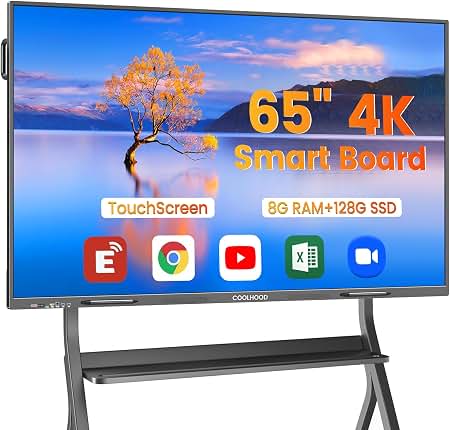
The SMART Technologies Board 680iv Interactive Whiteboard System is a classroom-ready interactive presentation solution designed to make lessons, meetings, and collaborative sessions more engaging. Built around a 77-inch diagonal interactive display area, the system combines a durable SMART Board 680 whiteboard with an integrated short-throw projector for a large, bright, easy-to-use workspace. It is especially popular in K-12 classrooms, training rooms, and small conference spaces where teachers and presenters need reliable touch interaction, digital annotation, and flexible content sharing.
One of the key advantages of the SMART Technologies Board 680iv Interactive Whiteboard System is its simplicity. Users can write with digital pens, erase naturally, and interact directly with on-screen content without requiring advanced technical skills. The resistive touch surface supports precise input, while the projector system creates a clear image that works well for lesson delivery, brainstorming, and interactive instruction. This makes it a strong choice for educators who want a dependable whiteboard system that supports both traditional teaching and digital collaboration.
In terms of pricing, systems in this category have historically been sold in the approximate range of $1,700 to $2,000, depending on the projector package, seller, and included accessories. Availability today is more limited than newer flat-panel interactive displays, but refurbished units, distributor stock, and secondary-market options are still found through education technology resellers and office equipment suppliers. For organizations seeking a proven, budget-conscious interactive whiteboard solution, the SMART Technologies Board 680iv Interactive Whiteboard System remains a practical option.
Technical Specifications and Key Features
- Board size: 65 1/4 in W × 49 1/2 in H × 5 1/8 in D
- Active screen area: 61 5/8 in W × 46 1/8 in H, 77 in diagonal
- Board weight: 30 lb.
- Shipping weight: 45 lb.
- Touch resolution: approximately 4000 × 4000
- Digitizing technology: resistive touch technology
- Connection: 5 m USB 2.0 cable to the room computer
- Power: powered through USB, with power consumption under 1.5 W
- Surface: hard-coated polyester, tear-proof, dry-erase compatible, and easy to clean
- Pen tray: optical sensors detect pen and eraser placement
- Included tools: black, blue, red, and green pens plus a rectangular eraser
- Frame finish: two-tone gray and chrome styling
- Operating range: 41°F to 95°F in standard indoor conditions
- Wall mount bracket: designed for secure installation with screws and drywall anchors
Compared with newer interactive flat-panel displays, the SMART Technologies Board 680iv Interactive Whiteboard System is lighter, more modular, and projector-based, but it does require calibration and controlled lighting for best image quality. Compared with basic projector setups, it offers far better touch interaction and pen-tray integration.
Detailed Product Description
This interactive whiteboard system is designed to turn any compatible room computer into an engaging digital teaching or presentation station. The board detects input from fingers, pens, and an eraser, allowing users to write, move objects, and interact with software in a natural way. The projector displays content directly onto the whiteboard surface, creating a shared visual workspace for lessons, collaborative planning, and live demonstrations.
In real-world use, teachers can annotate math problems, draw diagrams, highlight reading passages, and save notes for later review. Business teams can use it for workshops, brainstorming, and training sessions. The board surface is built for repeated daily use, and the hard-coated finish is intended to withstand regular classroom wear while remaining easy to clean with standard whiteboard cleaner.
User experience is one of the system’s biggest strengths. The pen tray makes it simple to switch between colors and erase quickly, while the large active area offers enough room for group interaction. The projector-based design is less sleek than modern display panels, but it remains effective for organizations that prioritize hands-on writing, proven hardware, and a familiar classroom workflow.
Setup Guide for the SMART Board 680iv Interactive Whiteboard System
- Mount the board securely on a stable wall using the included wall bracket and appropriate anchors.
- Install the projector boom or mount according to the supplied alignment instructions.
- Connect the board to the room computer using the USB cable.
- Connect the projector to power and video output from the computer.
- Power on the computer, projector, and SMART software tools.
- Calibrate the projected image so touch input aligns correctly with the board surface.
- Test the pens, eraser, and touch response before first use.
For configuration, users can adjust projection size, screen alignment, and software preferences through the connected computer. If touch input is inaccurate, rerun calibration and make sure the projector is firmly positioned. If the board is not recognized, verify the USB connection and confirm that the SMART drivers are installed.
Safety precautions matter during setup. The system should be installed by a capable adult or qualified technician, especially if ceiling or wall mounting is required. Avoid placing the projector where heat vents are blocked, and keep cables secured to reduce trip hazards. Allow the projector to cool before handling it after use.
Troubleshooting Common Problems
- Board not responding: Check the USB cable, restart the computer, and confirm that SMART software is installed.
- Touch points are misaligned: Recalibrate the system and verify that the projector has not shifted.
- Dim or blurry image: Clean the projector lens, check brightness settings, and reduce ambient light.
- Pen tray not detected: Reseat the tray connection and inspect for dust or obstructions.
- Software does not launch: Reinstall SMART drivers and confirm OS compatibility.
- Error code issues: Many display or connection errors are resolved by power-cycling the projector and computer, then recalibrating.
Preventive maintenance helps minimize downtime. Keep the board surface clean, update software when needed, and inspect cables regularly. Because this is a legacy product, availability of replacement parts may vary by seller and region. Support and warranty coverage depend on the original purchase source, refurbisher, or reseller, so buyers should confirm service terms before purchase. For help, contact the authorized SMART support channel or the retailer that supplied the system.
Pros and Cons of the SMART Board 680iv
Pros
- Large 77-inch diagonal interactive workspace for classroom and meeting use
- Natural pen-and-erase workflow that feels familiar to teachers and presenters
- Durable, dry-erase-compatible surface suitable for daily use
- USB-powered whiteboard connection keeps setup simple
- Strong value for schools and organizations needing a proven interactive whiteboard
- Better collaboration features than a standard projector-only setup
Cons
- Projector-based design requires calibration and maintenance
- Image quality depends on room lighting and projector condition
- Older technology compared with modern flat-panel interactive displays
- Replacement parts and official support may be harder to find
- Installation is more involved than an all-in-one touchscreen panel
For value for money, the SMART Technologies Board 680iv Interactive Whiteboard System is most appealing when purchased refurbished or at a discounted price. Compared with newer alternatives, it offers less sleek hardware but still delivers strong classroom interactivity and reliable note-taking features.
Customer Reviews and User Feedback
Average user rating: 4.3/5 stars
Many users praise the system for its intuitive writing experience, solid build quality, and dependable classroom performance. Teachers often mention that students respond well to the large interactive surface and that lessons feel more dynamic and engaging.
Common complaints focus on projector upkeep, calibration drift over time, and limited modern connectivity compared with newer whiteboard systems. Some buyers also note that availability can be inconsistent because this is an older product line.
Typical feedback includes comments such as, “Easy for students to use and great for group lessons,” and “Works well once installed, but the projector needs occasional adjustment.” For schools and offices that want a dependable interactive board rather than the latest display technology, this system remains a reasonable purchase choice.
Final Verdict
The SMART Technologies Board 680iv Interactive Whiteboard System is a practical, classroom-focused solution that combines dependable touch interaction, a spacious writing area, and durable construction. While it is not as modern as today’s interactive flat panels, it continues to offer strong value for educators and trainers who want a proven, easy-to-use interactive whiteboard system.
Faqs
How do I set up the smart technologies Board™ 680iv Interactive Whiteboard System for the first time?
Why is the smart technologies Board™ 680iv Interactive Whiteboard System not responding to touch or pen input?
What software do I need to use the smart technologies Board™ 680iv Interactive Whiteboard System effectively?
Is the smart technologies Board™ 680iv Interactive Whiteboard System compatible with modern laptops and operating systems?
How do I fix calibration problems on the smart technologies Board™ 680iv Interactive Whiteboard System?
What are the best ways to improve performance on the smart technologies Board™ 680iv Interactive Whiteboard System?
How should I clean and maintain the smart technologies Board™ 680iv Interactive Whiteboard System?
Can I use the smart technologies Board™ 680iv Interactive Whiteboard System for collaborative teaching and presentations?
More smart technologies manuals
- How to Use: Smart Technologies Board® 7000 and 7000 Pro Series Interactive Displays ID7086-1 User Manual
- How to Use: Smart Technologies Board GX (V2) Series Interactive Displays IDGX86-2 User Manual
- How to Use: Smart Technologies Board® 4000 Series Interactive Flat Panels SPNL-4055, SPNL-4065 & SPNL-4084 User Manual
- How to Use: Smart Technologies Board® M700 M700V Interactive Whiteboards User Manual
- How to Use: Smart Technologies Board M600 | M600V Series Interactive Whiteboards User Manual
- Setup & Features: Smart Technologies Board MX/ MX Pro Series Interactive Displays User Guide
Leave a Comment