
Tcl MoveTime Family Watch MT46X User Manual
Content
TCL MoveTime Family Watch MT46X: Product Manual and Buyer Guide
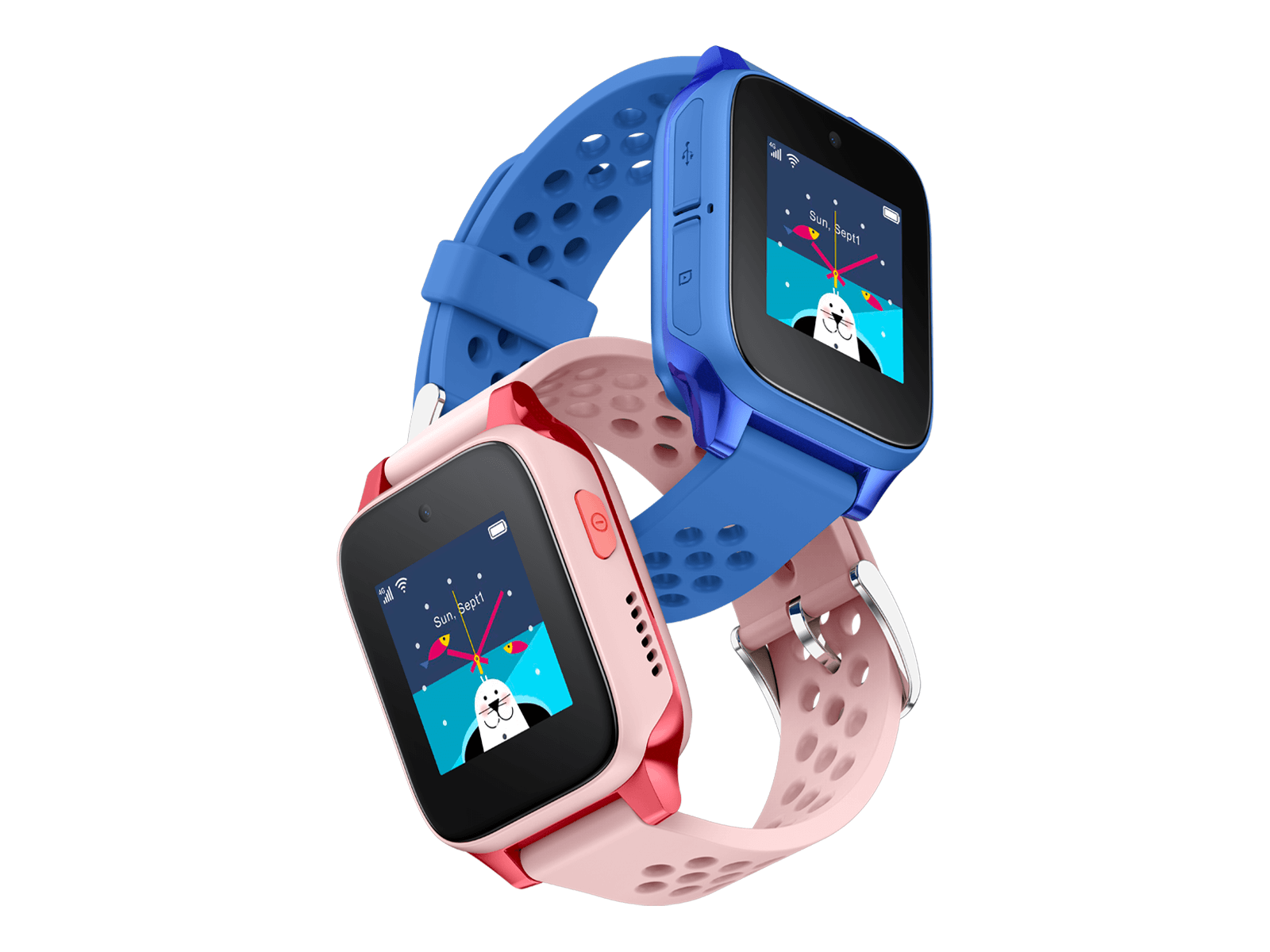
The TCL MoveTime Family Watch MT46X is a 4G kids’ smartwatch designed to keep families connected with video calling, voice calls, messaging, GPS tracking, and an easy-to-use touch interface. Built for children and peace of mind for parents, it combines a compact 1.3-inch IPS display, durable IP65 dust and splash resistance, and a long-lasting 680 mAh battery in a lightweight body that is comfortable for daily wear. The watch is especially useful for school runs, after-school activities, and travel, where quick communication and location awareness matter most. It supports Nano-SIM connectivity and works across 2G, 3G, and 4G networks, making it a practical choice for families who want a simple standalone smartwatch rather than a full smartphone.
Among its key selling points are HD-style video calls, real-time location features, a 2 MP front camera, and support for Wi‑Fi, Bluetooth, and GPS services. The TCL MoveTime Family Watch MT46X also appeals to parents who want a child-safe communication device with fewer distractions than a phone. In many markets, the estimated price range typically falls between budget and mid-range kid smartwatch pricing, depending on retailer, color, and bundle options. Availability is generally strongest through electronics retailers, telecom shops, and online marketplaces, with region-specific model codes and color variants. For families comparing child smartwatch options, this model stands out for balanced battery life, 4G support, and straightforward everyday use.
Specifications of TCL MoveTime Family Watch MT46X
- Display: 1.3-inch IPS LCD touchscreen, 240 × 240 resolution, 2.5D glass
- Camera: 2 MP front camera for video calls and quick photos
- Connectivity: 4G LTE, 3G UMTS, 2G GSM, Wi‑Fi 2.4 GHz, Bluetooth 4.2
- SIM support: Nano-SIM
- Positioning: GPS, A-GPS, Beidou, and GLONASS support
- Memory: 256 MB RAM and 512 MB internal storage
- Chipset: Unisoc SL8521E
- Battery: 680 mAh lithium-polymer battery
- Estimated usage: up to about 2 days of active use and up to 6.5 days on standby, depending on network conditions
- Durability: IP65-rated for protection against dust and light water exposure
- Charging: micro-USB charging on supported variants
- Comparison: Compared with basic 2G child watches, the TCL MoveTime Family Watch MT46X offers better call quality, video calling, and faster app responsiveness; compared with premium kids’ smartwatches, it is more modest in storage and app ecosystem but often better value for money
Troubleshooting TCL MoveTime Family Watch MT46X Common Problems
If the watch will not power on, charge it for at least 30 minutes, then hold the power button again. If charging is slow or unstable, inspect the cable, clean the charging contacts, and try a different USB power source. If calls fail or location tracking is inaccurate, confirm that the Nano-SIM is active, data is enabled, and the watch has a clear signal; weak coverage can reduce GPS precision and video call quality.
Common network-related issues usually come from incorrect SIM setup, missing mobile data, or unsupported carrier settings. Reinsert the SIM if the device shows no network, and verify that the correct 4G bands are available in your region. For pairing or app sync problems, restart both the watch and the companion app, then rebind the device if needed. If the watch freezes, a full restart often resolves temporary software glitches. If no specific error code is displayed, treat the issue as a connectivity, charging, or SIM-registration problem first.
Preventive care helps avoid most issues: keep the watch dry, avoid impact damage, update the companion app when available, and recharge before the battery runs critically low. Warranty terms vary by seller and country, so check the purchase invoice and boxed documentation. For help, contact TCL customer support or the retailer’s after-sales service center using the support page, warranty card, or local hotline listed for your region.
Pros and Cons of TCL MoveTime Family Watch MT46X
Pros
- Easy communication with voice calls, messaging, and video calling
- Strong family-focused features for child safety and location awareness
- 4G connectivity makes it more future-ready than many older kids’ watches
- Compact 1.3-inch touchscreen is simple for children to learn quickly
- IP65 resistance adds confidence for everyday wear
- Good value for families who want a standalone smartwatch instead of a smartphone
Cons
- Limited internal storage and RAM compared with more premium smartwatches
- Battery life is practical, but heavy calling and GPS use can shorten it noticeably
- Small screen size may feel cramped for long interactions
- Feature set is focused on safety and communication, not entertainment or advanced apps
- Some users may prefer USB-C instead of micro-USB charging depending on the variant
For families seeking a reliable entry-level kids’ smartwatch, the TCL MoveTime Family Watch MT46X offers strong practical value. Compared with smartphone alternatives, it is safer and simpler; compared with higher-end child wearables, it is more affordable but less feature-rich.
Customer Reviews Summary for TCL MoveTime Family Watch MT46X
Typical customer feedback for the TCL MoveTime Family Watch MT46X is positive, with many parents praising the easy setup, reliable calling, and reassuring GPS features. A common rating pattern is around 4 out of 5 stars, especially among families that prioritize communication and location tracking over app-heavy functionality. One frequently repeated comment is that children find the watch comfortable and simple to use.
Common complaints include battery drain during frequent video calls, occasional connectivity issues in weak signal areas, and the limited size of the display. Users also mention that the watch performs best when paired with a compatible SIM plan and stable network coverage. Overall, it is a solid purchase recommendation for parents who want a dependable kid-friendly smartwatch with essential safety tools and straightforward daily use.
Faqs
How do I set up the tcl MoveTime Family Watch MT46X for the first time?
Why is my tcl MoveTime Family Watch MT46X not connecting to the app?
What features does the tcl MoveTime Family Watch MT46X offer for child safety and family tracking?
Which SIM card and network settings work best with the tcl MoveTime Family Watch MT46X?
How can I improve battery life on the tcl MoveTime Family Watch MT46X?
What should I do if the tcl MoveTime Family Watch MT46X GPS location seems inaccurate?
How do I manage contacts and call permissions on the tcl MoveTime Family Watch MT46X?
How should I clean and maintain the tcl MoveTime Family Watch MT46X for long-term use?
Tags
More tcl manuals
Leave a Comment