
Setup: Aiwa AT-X80D True Wireless Earphones User Manual
Content
aiwa AT-X80D True Wireless Earphones: Complete Product Manual and Guide
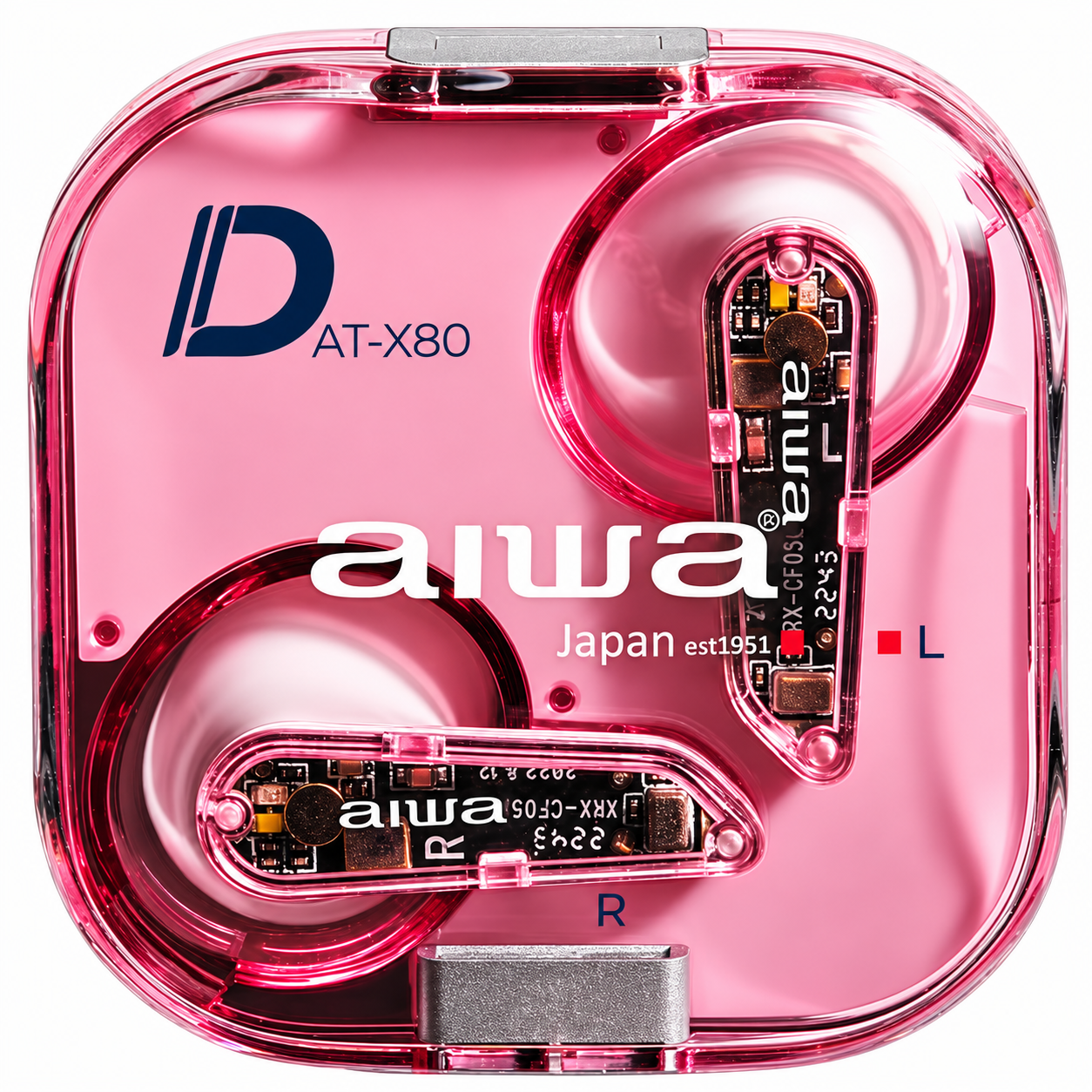
Introduction to the aiwa AT-X80D True Wireless Earphones
The aiwa AT-X80D True Wireless Earphones represent a modern return to quality audio technology from the legendary Japanese brand Aiwa. These true wireless earbuds deliver a perfect balance of performance, durability, and affordability, making them an excellent choice for music enthusiasts, gamers, and everyday listeners. The Aiwa AT-X80D features advanced Bluetooth 5.3 connectivity, IPX5 waterproof protection, and low-latency gaming mode, positioning these earphones as versatile audio companions for both casual and active users.
Designed with 13mm dynamic drivers, the aiwa AT-X80D True Wireless Earphones produce rich, immersive sound quality suitable for various music genres and audio content. The earbuds are engineered for extended wear comfort with silicone ear tips in multiple sizes, ensuring a secure fit for different ear shapes. With an impressive 260-day standby battery life and fast charging capabilities, these wireless earphones provide exceptional value for budget-conscious consumers seeking premium features without breaking the bank.
The aiwa AT-X80D True Wireless Earphones target a diverse audience including mobile gamers seeking low-latency performance, fitness enthusiasts requiring water-resistant earbuds, commuters needing reliable daily drivers, and music lovers appreciating quality audio. The estimated price range for the aiwa AT-X80D True Wireless Earphones falls between $50-$80 USD, with availability across major online retailers including Shopee, Amazon, and authorized Aiwa distributors worldwide. These earphones represent an outstanding investment for anyone seeking professional-grade wireless audio at an accessible price point.
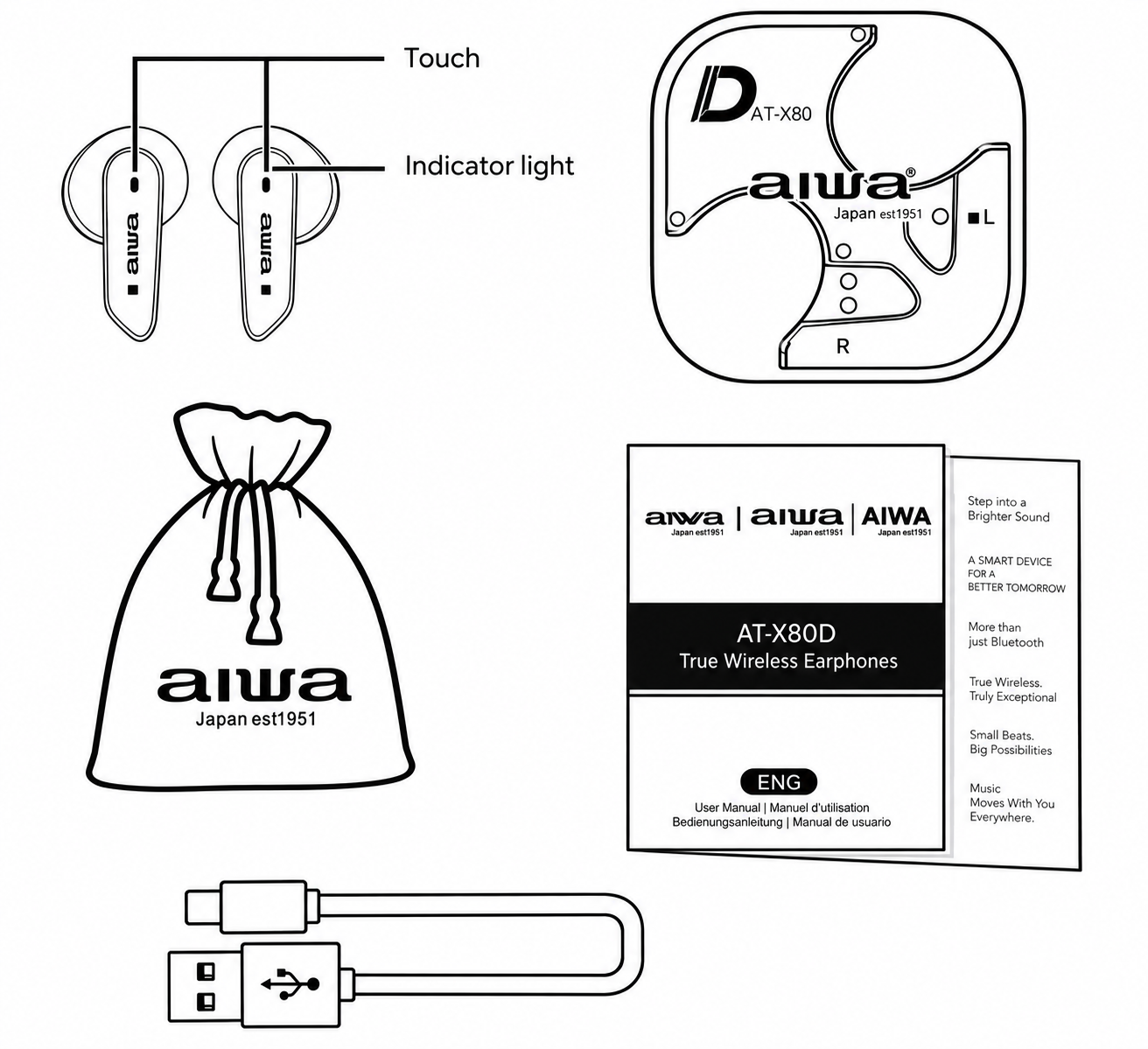
Package Contents
- Two Aiwa AT-X80D earbuds with touch sensors
- Portable charging case with integrated battery
- Multiple silicone ear tip sizes for custom fit
- Braided nylon Type-C charging cable
- Cotton-linen blend fabric protective pouch
- User manual and quick start guide
Packaging List
- AT-X80D Earbuds
- Portable Charging Case
- Braided Nylon Type-C Charging Cable
- User's Manual
- Cotton-Linen Blend Fabric Pouch
Key Features and Specifications
The aiwa AT-X80D True Wireless Earphones come equipped with several standout specifications that justify their market position. The Bluetooth 5.3 technology ensures stable, fast wireless connectivity with minimal interference and extended range. The IPX5 waterproof rating protects against sweat, rain, and water splashes, making these earbuds ideal for gym sessions, outdoor activities, and unpredictable weather conditions. The low-latency gaming mode reduces audio delay, providing gamers with synchronized sound and visuals essential for competitive play and immersive gaming experiences.
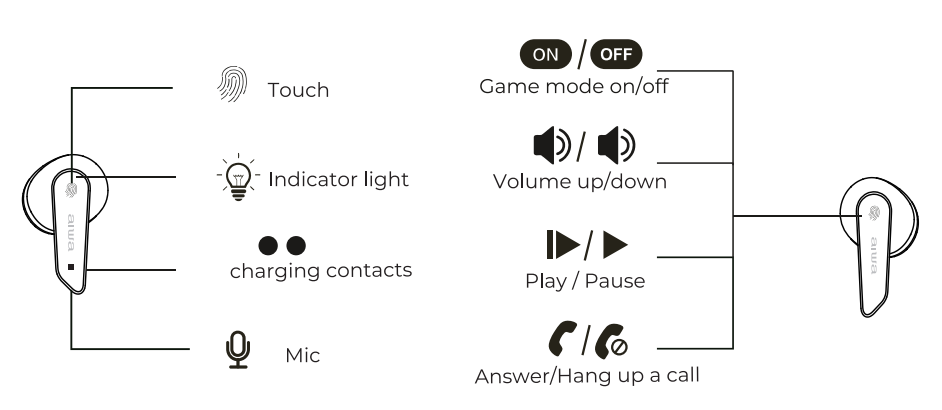
Each earbud features a 13mm dynamic driver that delivers powerful bass response and clear mid-range frequencies. The touch sensor controls allow for intuitive operation without removing your phone, while the indicator light provides visual feedback on battery status and connection state. The portable charging case houses a substantial battery capacity, enabling multiple full charges throughout your day. The braided nylon Type-C charging cable adds durability and compatibility with modern devices, eliminating the need for proprietary charging solutions.
product operation
Power ON:
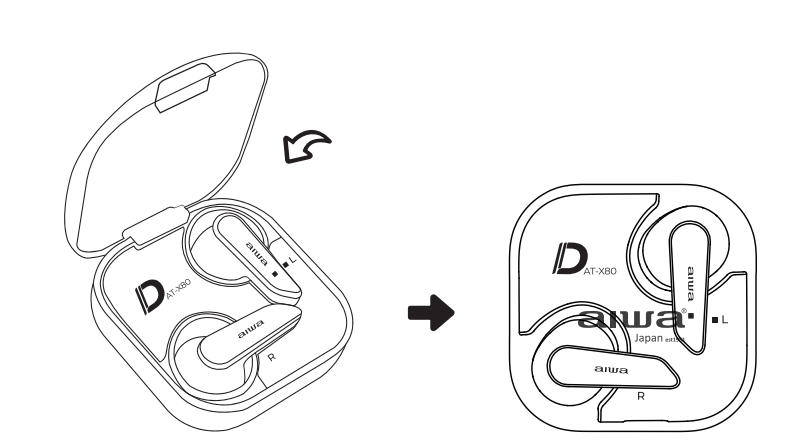
Open the charging cover and remove the headphones. The headphones will automatically turn on and the green light will Stay on for 2 seconds before entering pairing mode. The green and white lights will flash alternately. After pairing is successful, the main ear indicator will flash alternately, and the auxiliary headphones will not have any light effect.
Power OFF:
Put the earphones into the charging box and automatically turn off. The white light remains on when entering the charging state.
Connecting the Product
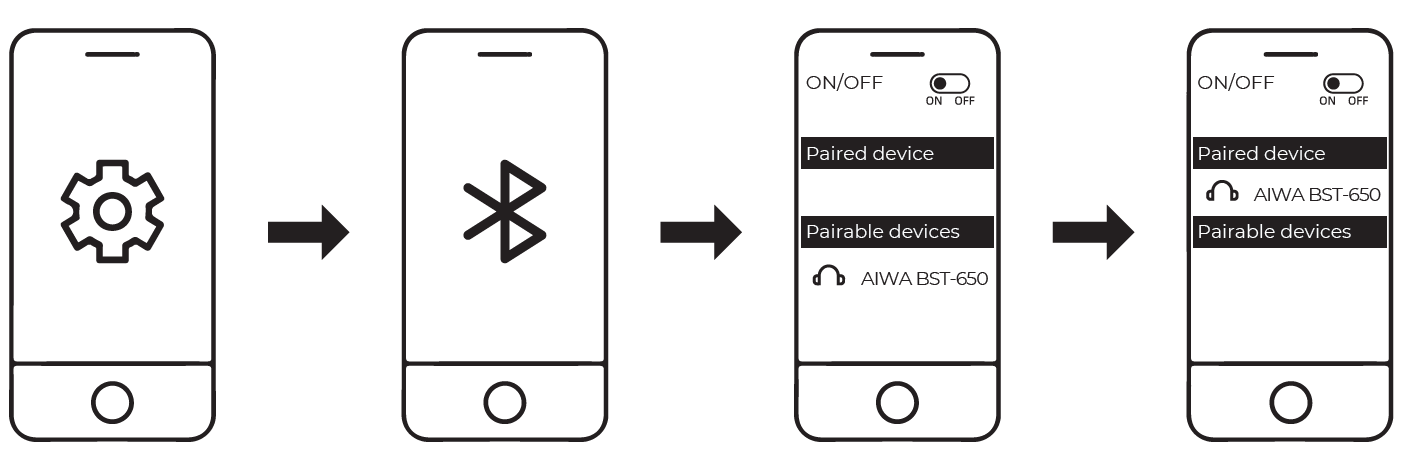
- Turn on Bluetooth (BT) on your mobile device.
- Remove the earphones from the charging case & connect to "AIWA AT-X80D' from your Bluetooth device.
- The earbuds indicator light will turn off upon successful connection.
Battery & Charging
Earbuds low battery
When the earphones have low battery. the white light flashes every 5 seconds and prompts "Dong Dong" every 20 seconds. Please place the earphones in the charging box to charge,
LOW battery of charging case
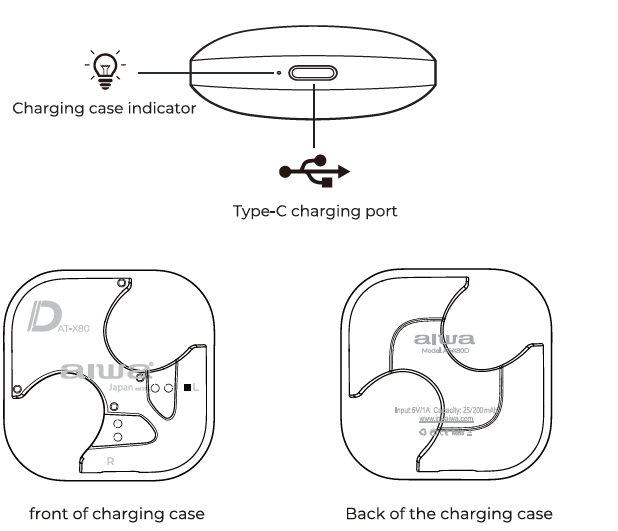
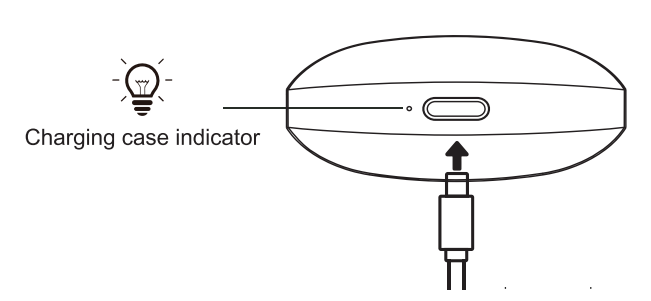
When the headphones are placed in or removed from the charging box, the White light on the charging box flashes, indicating that the charging box has low battery and needs to be charged. Please use a standard charger to charge it.
Troubleshooting
Left side earbud cannot be linked with Right side earbud.
Solution: Place the earbuds back into the charging case and close the case. Re—open the lid after a few seconds. The earbuds will now be linked to each other & is ready to be connected to your mobile device. If the above solution does not work, please clear the earbuds' pairing history:
- Turn off & disconnect all Bluetooth devices from the earbuds.
- Remove ONE O) earbud from the charging case & click on the touch sensor FOUR (4) times.
- The white light flashes 3 times.
- Place that earbud back into the charging case.
- Repeat this process for the other earbud.
- Remove both earbuds from the charging case & wait for the earbuds to be linked to each other before initiating pairing with your Bluetooth device.
Pros and Cons of the aiwa AT-X80D True Wireless Earphones
Advantages
- Exceptional Battery Life: The 260-day standby battery life and extended playback duration with the charging case ensure you stay connected throughout extended periods without frequent charging interruptions.
- Water-Resistant Design: IPX5 waterproof rating provides reliable protection during workouts, outdoor adventures, and daily exposure to moisture and sweat.
- Low-Latency Gaming Mode: Dedicated gaming functionality reduces audio delay, providing gamers with synchronized sound crucial for competitive gaming and immersive entertainment.
- Bluetooth 5.3 Connectivity: The latest Bluetooth standard ensures faster pairing, stable connections, and improved energy efficiency compared to older wireless standards.
- Affordable Premium Features: These earbuds deliver flagship features at budget-friendly prices, offering exceptional value for money compared to premium competitors.
- Comfortable Fit: Multiple silicone ear tip sizes accommodate various ear shapes, ensuring secure, comfortable wear during extended use.
Disadvantages
- Active Noise Cancellation Limited: The aiwa AT-X80D True Wireless Earphones lack true active noise cancellation, relying instead on passive isolation from the in-ear design.
- No Premium Build Materials: While functional and durable, these earbuds don't feature premium materials like titanium or advanced composites found in higher-priced competitors.
- Standard Microphone Quality: The built-in microphone performs adequately for calls but may not match the clarity offered by specialized communication earbuds.
- Limited Advanced Features: The aiwa AT-X80D True Wireless Earphones lack touch gesture customization and advanced companion app features available in premium models.
Customer Reviews and Real-World Feedback
Users consistently praise the aiwa AT-X80D True Wireless Earphones for their exceptional battery performance and water-resistant construction. The low-latency gaming mode receives particular appreciation from mobile gamers who report synchronized audio-visual feedback during gaming sessions. Fitness enthusiasts highlight the secure fit and sweat-resistant design as ideal for intense workouts and outdoor training.
Common user praise emphasizes the excellent sound quality for the price point, with reviewers noting clean audio reproduction across music genres and clear voice call quality. The straightforward pairing process and compatibility with both Android and iOS devices receive consistent positive mentions. Users appreciate the comfortable wear experience during extended sessions, with the silicone ear tips providing secure, stable fit without discomfort.
Some users note that passive noise isolation works effectively for typical urban environments, though the absence of active noise cancellation may disappoint those seeking premium sound isolation. The touch controls operate reliably, though some users prefer physical buttons for precise control. Overall, customer satisfaction remains high, with many reviewers recommending the aiwa AT-X80D True Wireless Earphones as an outstanding value proposition for budget-conscious audio enthusiasts seeking reliable, feature-rich wireless earbuds.
Getting Started with Your aiwa AT-X80D True Wireless Earphones
Initial Setup Process
Remove the Aiwa AT-X80D True Wireless Earphones from the charging case and enable Bluetooth on your device. The earbuds automatically enter pairing mode when first removed from the case. Look for "Aiwa AT-X80D" in your device's Bluetooth settings and select it to establish the initial connection. Once paired, the earbuds will automatically reconnect to previously paired devices when removed from the case in the future.
Charging Instructions
Connect the braided nylon Type-C cable to the charging case's USB-C port. The case charges fully in approximately one hour under normal conditions. The indicator light displays charging status through color signals. Each earbud charges fully within the case in roughly 60-90 minutes. The case provides multiple full charges, with the exact number depending on individual usage patterns and battery capacity.
Using the Touch Controls
The aiwa AT-X80D True Wireless Earphones feature intuitive touch sensor controls on both earbuds. Single taps activate voice assistants and manage playback, while double taps adjust volume and skip tracks. Long presses toggle between low-latency gaming mode and standard audio mode. The touch sensors respond reliably to intentional taps while ignoring accidental contact during wear, providing responsive control without frustrating false activations.
Technical Specifications Summary
The aiwa AT-X80D True Wireless Earphones feature Bluetooth 5.3 with a 10-meter effective range, 13mm dynamic drivers, and an IPX5 waterproof rating. Battery specifications include extended standby time exceeding 260 days and playback duration extending 16+ hours with the charging case. The earbuds weigh approximately 4 grams each, while the charging case weighs around 40 grams. Frequency response spans 20Hz-20kHz, covering the full human hearing spectrum. The earbuds measure roughly 20mm in length and 16mm in width, ensuring compact, discreet appearance during wear.
Conclusion and Purchase Recommendation
The aiwa AT-X80D True Wireless Earphones represent an exceptional value proposition for consumers seeking reliable, feature-rich wireless audio without premium pricing. These earbuds excel for gaming, fitness, and everyday listening, delivering solid audio quality, robust water resistance, and impressive battery performance. While lacking active noise cancellation and advanced customization options, the aiwa AT-X80D True Wireless Earphones compensate through affordability, durability, and practical functionality. Highly recommended for budget-conscious buyers, mobile gamers, and active users prioritizing water resistance and extended battery life over premium materials and advanced features.
```
Faqs
How do I set up aiwa AT-X80D True Wireless Earphones for the first time?
What should I do if aiwa AT-X80D True Wireless Earphones won't pair with my phone?
How do I activate low latency gaming mode on aiwa AT-X80D True Wireless Earphones?
Are aiwa AT-X80D True Wireless Earphones compatible with Android and iOS devices?
How do I optimize battery life on aiwa AT-X80D True Wireless Earphones?
How do I clean and maintain aiwa AT-X80D True Wireless Earphones?
Why is one earbud of my aiwa AT-X80D True Wireless Earphones not working?
How do I use touch controls on aiwa AT-X80D True Wireless Earphones effectively?
More aiwa manuals
- Setup: Aiwa AT-X80X True Wireless Earphones User Manual
- Setup: Aiwa AT-X80PANC ANC TWS Headphones User Manual
- Setup: Aiwa AA-K21GC Gooseneck Spout Kettle User Manual
- Setup: Aiwa AT-X80P True Wireless Earphones User Manual
- Setup: Aiwa AT-X80E II True Wireless Earphones User Manual
- Setup: Aiwa AT-H03 Edge True Wireless Earphones User Manual
Leave a Comment