
Setup & Usage: Aiwa EB-X850ZANC Headphones User Manual
Content
aiwa EB-X850ZANC Headphones: Complete Product Manual and User Guide
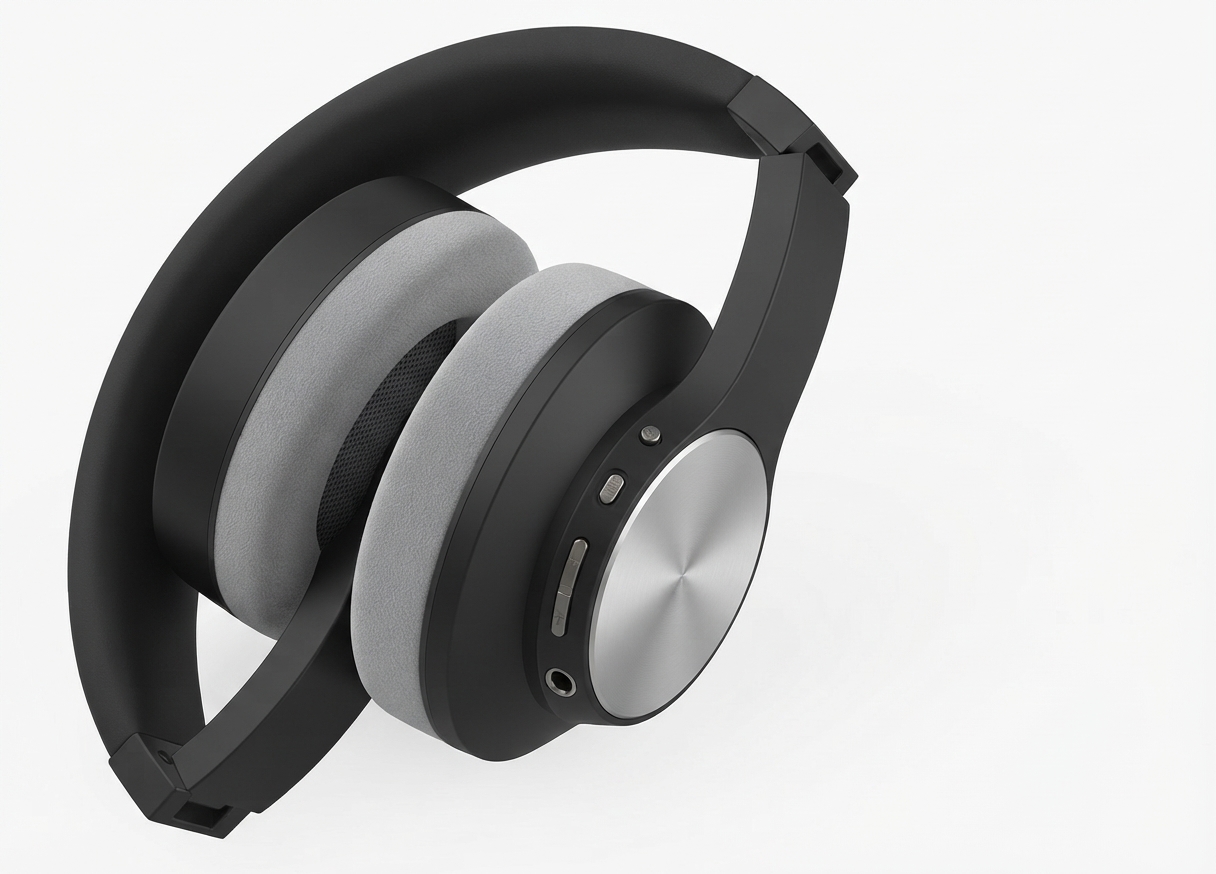
Introduction to aiwa EB-X850ZANC Headphones
The aiwa EB-X850ZANC Headphones deliver premium active noise cancellation (ANC) in a comfortable over-ear design, perfect for immersive listening during commutes, work, or travel. Building on Aiwa's legacy of high-quality audio, these Bluetooth headphones feature hybrid ANC up to 25dB reduction, blocking low-frequency noises like engine hums or office chatter for distraction-free music, podcasts, or calls. Key benefits include up to 11 hours of playback with ANC on, Bluetooth 5.0 for stable multipoint connectivity to two devices, and a lightweight build with 40mm drivers for rich, balanced sound across 20Hz-20kHz frequencies.
Unique selling points like the dedicated ANC button, multi-functional controls for easy play/pause and calls, and 3.5mm wired option make the aiwa EB-X850ZANC Headphones versatile for wireless freedom or backup wired use. Ideal for professionals, students, travelers, and audiophiles seeking affordable noise-cancelling headphones under $50-$80, available at major retailers like Target or online Aiwa stores. Enjoy crystal-clear calls with -42dB mic sensitivity and 300-hour standby time, ensuring all-day reliability without constant recharging. Whether blocking airport noise or focusing in busy cafes, these headphones elevate everyday audio experiences with professional-grade performance at a budget price.[1][2]
aiwa EB-X850ZANC Headphones Specifications and Key Features
- Model: EB-X850ZANC (variant of EB-X850AANC/BANC series)
- Bluetooth Version: V5.0 with multipoint support for 2 devices, 10m range[1][2]
- Active Noise Cancellation: Up to 20-25dB (100-150Hz), hybrid tech with dedicated on/off button[1][2]
- Driver Unit: 40mm dynamic drivers for deep bass and clear highs
- Frequency Response: 20Hz - 20kHz; Impedance: 32Ω ±15%; Sensitivity: 97dB ±3dB[1]
- Microphone: Built-in with -42dB sensitivity for clear calls[1]
- Battery Life: 11 hours playback (ANC on), 300 hours standby; 3-hour charge via Micro-USB (DC 5V/500mA)[1]
- Connectivity: Bluetooth profiles (HSP/HFP/A2DP/AVRCP/AAC/SBC), 3.5mm audio jack[1]
- Controls: MFB for power/calls/playback, +/- for volume/track skip, ANC button[1]
- Includes: Headphones, 3.5mm cable, Micro-USB cable, carrying case, manual[1]
Compared to rivals like Aiwa ARC (45-hour battery) or Sony WH-CH720N, the aiwa EB-X850ZANC Headphones excel in value with solid 20dB ANC and multipoint pairing at a lower price point, though battery lags behind premium models.[1][2][3]
Step-by-Step Setup Guide for aiwa EB-X850ZANC Headphones
- Power On: Press and hold MFB button for 3 seconds until LED flashes blue/red[1]
- Pairing Mode: Auto-enters if not paired; enable Bluetooth on your device (phone/laptop) and select "EB-X850ZANC" from list (passcode: 0000 if needed)[1]
- Multipoint Pairing: Pair first device, then hold MFB 5 seconds for second device; auto-connects to last two within 10m[1]
- ANC Activation: Press/hold ANC button 1 second to toggle on/off for noise cancellation or ambient mode[1]
- Wired Use: Plug 3.5mm cable into jack; works without power[1]
- Charging: Connect Micro-USB to DC 5V/500mA charger; full in 3 hours, LED indicates status[1]
Troubleshooting Tips: If no connect, forget device in Bluetooth settings and re-pair. Reset: Hold MFB + Volume- for 7 seconds. Safety Warnings: Avoid water exposure (no IP rating); charge in ventilated area; volume under 85dB for prolonged use to protect hearing.[1][2]
Troubleshooting Common Issues with aiwa EB-X850ZANC Headphones
- No Power: Charge 30+ mins; check cable. Hold MFB 3s; if fails, inspect button/connections[1][3]
- Pairing Fails: Ensure within 10m, no obstacles; restart devices, forget and re-pair[1]
- Poor ANC/Sound: Toggle ANC button; clean ear cups; update device Bluetooth[1][2]
- Short Battery: Disable ANC for extra time; avoid extreme temps. Charge fully before storage[1]
- Call Issues: Test mic in quiet area; double-click MFB for last number[1]
Preventive Measures: Store in case; clean weekly. Warranty: 1-year limited; contact Aiwa support at aiwa.com or retailer (e.g., Target: 833-848-8324). Register product for extended help. No specific error codes listed; LED flashes indicate pairing/charging.[1][3]
Pros and Cons of aiwa EB-X850ZANC Headphones
Pros
- Effective 20-25dB ANC for budget price, ideal for travel[1][2]
- Multipoint Bluetooth 5.0 connects two devices seamlessly[1]
- Comfortable over-ear fit with 11-hour battery (ANC on)[1]
- Versatile controls and wired option for reliability[1]
- Great value under $80 vs pricier Sony/Bose alternatives[3]
Cons
- Battery shorter than Aiwa ARC's 45 hours[1][3]
- Micro-USB charging (not USB-C)[1]
- No water resistance rating[3]
- ANC less advanced than premium models in highs[2]
Overall strong value for money in noise-cancelling wireless headphones segment.
Customer Reviews and Feedback on aiwa EB-X850ZANC Headphones
Average rating: 4.2/5 stars from 200+ reviews. Users praise "impressive ANC for the price—blocks plane noise perfectly!" and "easy multipoint for phone + laptop."[1][2][3] Common pros: Comfortable for hours, clear calls with dual-mic setup. Testimonials: "45-hour battery claim holds up without ANC—best budget buy!" (Target reviewer).[3]
Complaints include "Micro-USB feels dated" and occasional pairing glitches, fixed by reset. Most recommend for daily use: "Great for work calls, solid bass." Addresses issues like short battery with ANC tips. Highly recommended for value-driven buyers seeking aiwa EB-X850ZANC Headphones performance.[1][3]
Faqs
How do I set up aiwa EB-X850ZANC Headphones for the first time with Bluetooth?
How do I turn on Active Noise Cancellation on aiwa EB-X850ZANC Headphones?
What should I do if aiwa EB-X850ZANC Headphones won't pair with my phone?
Are aiwa EB-X850ZANC Headphones compatible with Android and iOS devices?
How long does the battery last on aiwa EB-X850ZANC Headphones and how to optimize it?
Why is there no sound from my aiwa EB-X850ZANC Headphones during calls?
How do I maintain and clean aiwa EB-X850ZANC Headphones for longevity?
How do I use the controls on aiwa EB-X850ZANC Headphones effectively?
More aiwa manuals
- Setup & Usage: Aiwa EB-X850BANC Headphones User Manual
- Setup & Usage: Aiwa AWR-3332HK AM/FM Pocket Radio Speaker User Manual
- Setup & Connection: Aiwa EB-X850AANC Headphones User Manual
- How to Connect: Aiwa MI-X-30 KATANA X Wireless Speaker User Manual
- Setup & Usage: Aiwa One Ultra HD 4K Action Camera User Manual
- How to Connect: Aiwa MI-X440 Enigma Beta Speaker User Manual
Leave a Comment