
Alienware 610M Wired & Wireless Gaming Mouse User Manual
Content
Alienware 610M Wired & Wireless Gaming Mouse Review and Manual
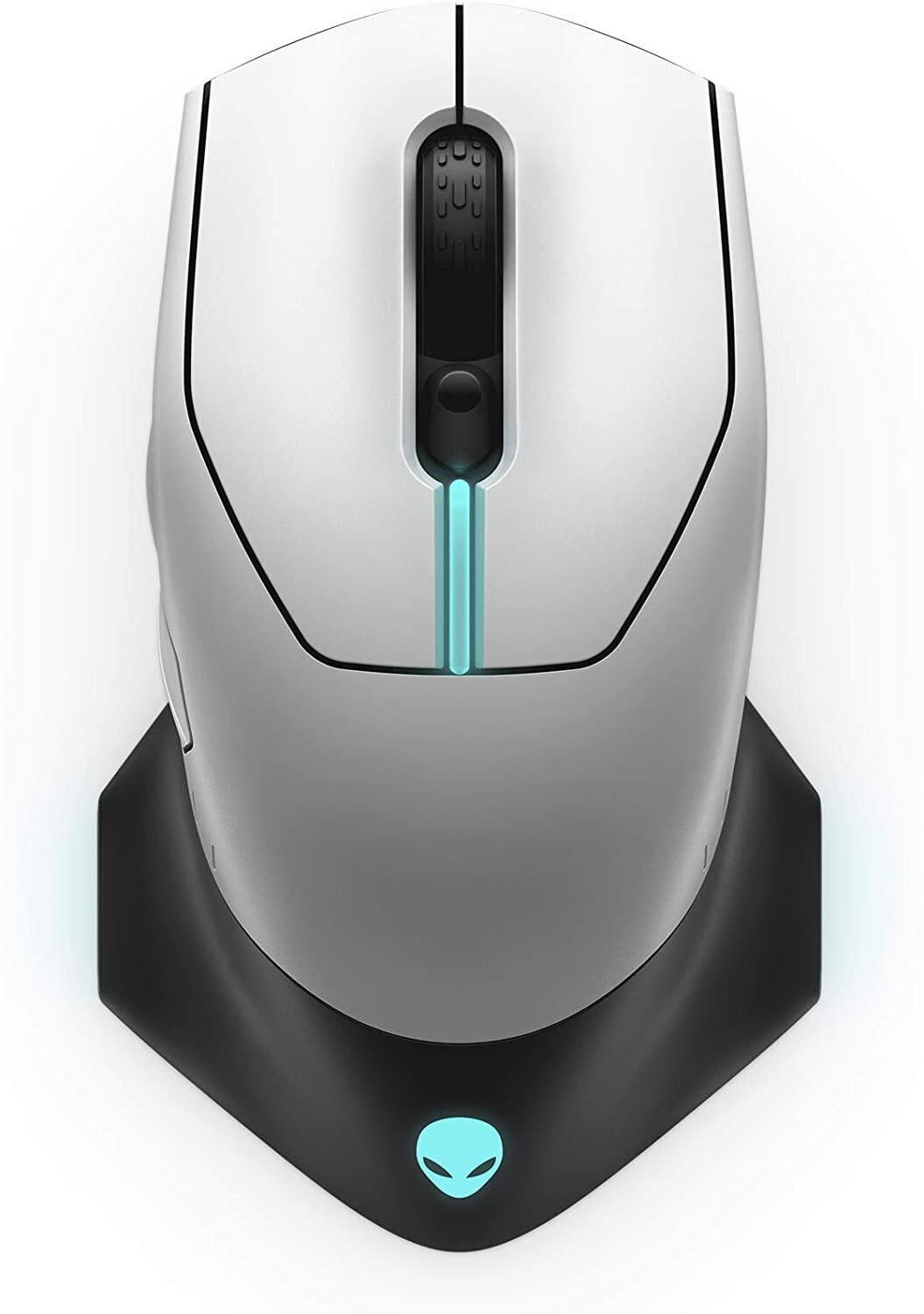
The Alienware 610M Wired & Wireless Gaming Mouse is a dual-mode gaming mouse built for players who want flexible connectivity, a high-precision sensor, and a premium Alienware design. It supports both wired and wireless use, making it a strong choice for gamers who switch between a desktop setup and a portable battle station. With a 16,000 DPI optical sensor, 1,000 Hz polling rate, seven programmable buttons, and a rechargeable battery rated for up to 350 hours, it aims to deliver performance and convenience in one package. The ambidextrous-inspired shape and responsive clicks also make it suitable for long play sessions, competitive shooters, and everyday productivity.
This mouse is especially appealing to PC gamers, esports enthusiasts, and Alienware owners who want a matching peripheral with RGB lighting and customizable controls. It works well for FPS, MMO, and general-purpose gaming, while the wired mode is useful when you want uninterrupted performance and charging at the same time. The Alienware 610M Wired & Wireless Gaming Mouse typically falls in the mid-range premium category, with prices often seen around the $50 to $170 range depending on color, seller, and availability. Stock can vary because it is frequently sold through third-party retailers and marketplace listings rather than always being widely stocked at major stores.
For users who want a gaming mouse that balances speed, battery life, and customizable hardware controls, this model remains a practical option. It is not the lightest mouse in its class, and it is more focused on solid all-around performance than ultra-light esports design, but it offers a compelling feature set for gamers who prefer a familiar, durable form factor.
Specifications for Alienware 610M Wired & Wireless Gaming Mouse
- Connectivity: Wired USB and wireless 2.4 GHz dual mode
- Sensor: Optical sensor with up to 16,000 DPI
- Polling rate: 1,000 Hz for fast response
- Buttons: 7 programmable buttons, including side buttons and DPI controls
- Battery life: Up to 350 hours on a full charge, depending on usage and lighting settings
- Weight: About 117 g to 120 g, which gives it a solid, controlled feel
- Dimensions: Approximately 4.92 cm high, 7.76 cm wide, and 13.33 cm deep
- Acceleration: Up to 40G maximum acceleration
- Tracking speed: Up to 400 inches per second
- Lighting: AlienFX RGB lighting with customizable effects
- Cable: Detachable braided USB cable for wired play and charging
Compared with similar mice in the same class, the Alienware 610M stands out for its battery life and sturdy build, though some newer competitors are lighter and more focused on esports-level speed. If you want a premium wireless gaming mouse with a wired fallback, this model remains competitive, especially for users who value ergonomics and a feature-rich button layout over ultra-light weight.
Pros & Cons of the Alienware 610M Wired & Wireless Gaming Mouse
Pros
- Dual connectivity: Works in both wired and wireless modes, so you can keep gaming while charging.
- Excellent battery life: The long runtime is a major advantage for users who do not want frequent charging.
- High DPI sensor: The 16,000 DPI optical sensor gives good flexibility for different sensitivity preferences.
- Customizable controls: Seven programmable buttons are useful for shooters, strategy games, and productivity shortcuts.
- Premium design: AlienFX lighting and Alienware styling make it a good fit for themed setups.
- Value for feature set: Often priced reasonably for a dual-mode gaming mouse with this level of functionality.
Cons
- Heavier than modern ultralight mice: Players who prefer very light FPS mice may find it bulky.
- Not the newest design: Some newer alternatives offer newer sensor tuning and lighter shells.
- Battery experience can vary: Some users report inconsistent charging or battery readings.
- Best for right-handed use: The side-button layout is more suited to right-handed gamers.
- Price can fluctuate: Availability changes often, so value depends on the seller and current market price.
For buyers comparing alternatives, the Alienware 610M is best viewed as a durable, feature-rich gaming mouse rather than a minimalist competitive option. If comfort, battery life, and dual connectivity matter more than ultra-low weight, it offers strong overall value.
Customer Reviews of Alienware 610M Wired & Wireless Gaming Mouse
Customer feedback for the Alienware 610M Wired & Wireless Gaming Mouse is generally positive, with many users praising its comfort, responsive sensor, and stylish Alienware look. Common ratings tend to land around 4 out of 5 stars in retail listings, especially from gamers who like the solid build and strong wireless performance. A typical positive comment is that it feels dependable in both wired and wireless modes and works well for everyday gaming.
Frequent complaints focus on the mouse’s weight, occasional battery concerns, and the fact that some users prefer a lighter competitive design. Some buyers also mention that the value depends heavily on sale price, since the mouse can seem expensive when listed at a higher marketplace price. Overall, the most common recommendation is to buy it if you want a comfortable, premium gaming mouse with RGB lighting and long battery life, but to consider lighter alternatives if you mainly play fast-paced esports titles.
Final Verdict on the Alienware 610M Wired & Wireless Gaming Mouse
The Alienware 610M Wired & Wireless Gaming Mouse is a solid choice for gamers who want dependable dual-mode connectivity, customizable buttons, and a polished Alienware aesthetic. It is especially appealing for users who value battery life, wired fallback support, and a comfortable full-size shape. While it may not be the best option for players who want an ultra-light competitive mouse, it remains a well-rounded gaming peripheral with strong everyday usability.
Faqs
How do I set up the alienware 610M Wired & Wireless Gaming Mouse for the first time?
Why is my alienware 610M Wired & Wireless Gaming Mouse not connecting in wireless mode?
What DPI settings does the alienware 610M Wired & Wireless Gaming Mouse support, and how do I change them?
Is the alienware 610M Wired & Wireless Gaming Mouse compatible with Windows laptops and desktops?
How do I fix lag or slow response on the alienware 610M Wired & Wireless Gaming Mouse?
Can I customize the buttons on the alienware 610M Wired & Wireless Gaming Mouse?
How long does the battery last on the alienware 610M Wired & Wireless Gaming Mouse?
How should I clean and maintain the alienware 610M Wired & Wireless Gaming Mouse?
More alienware manuals
Leave a Comment