
Apple Magic Mouse A1296 User Manual
Content
Apple Magic Mouse A1296: Full Product Manual and Buyer Guide
Introduction
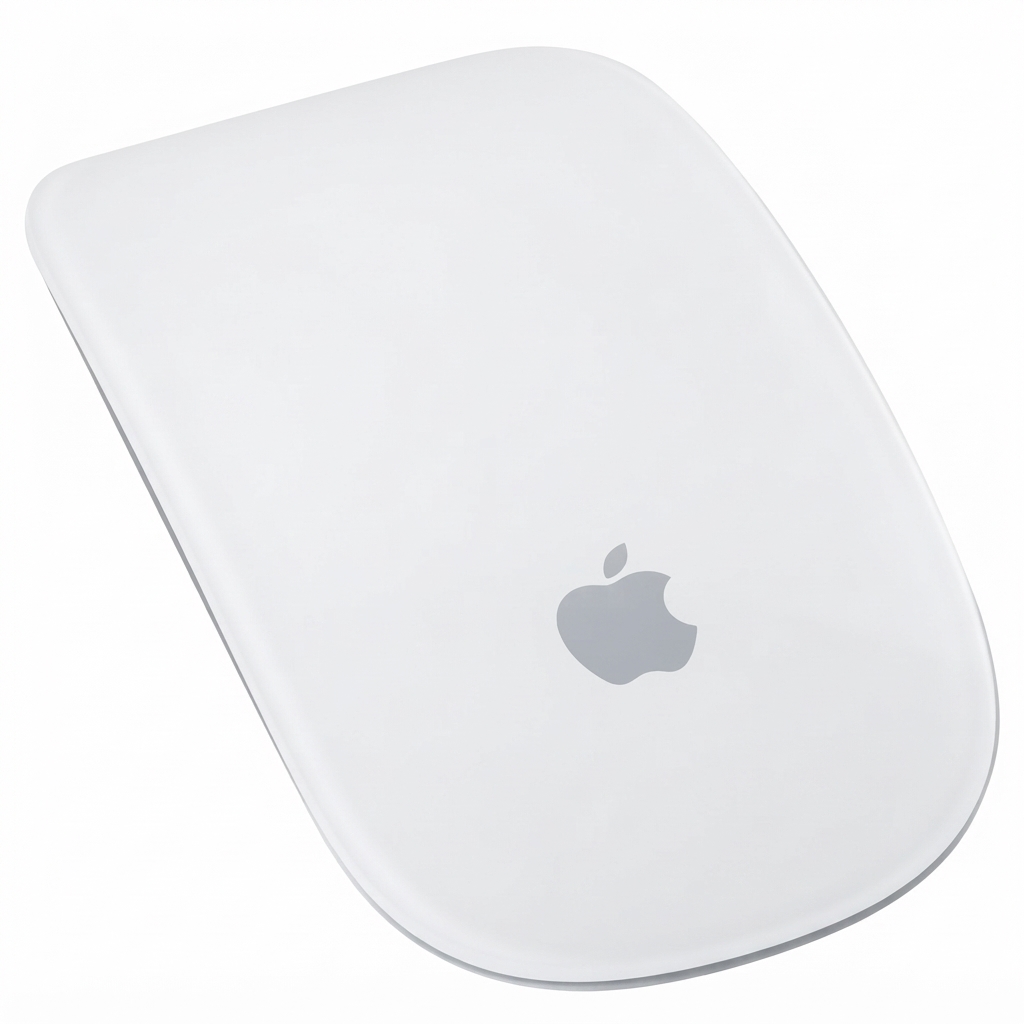
The Apple Magic Mouse A1296 is Apple’s first multi-touch wireless mouse, built for Mac users who want a clean, minimalist design with intuitive gesture support. It combines Bluetooth connectivity, laser tracking, and a touch-sensitive top surface that lets users scroll and swipe with simple finger movements. For everyday productivity, creative work, web browsing, and presentation control, the Magic Mouse A1296 offers a smooth experience that feels tightly integrated with macOS.
One of the biggest benefits of the apple Magic Mouse A1296 is its gesture-based navigation. Users can scroll through documents, move between web pages, and interact with apps without relying on a physical scroll wheel. Its symmetrical shape also makes it comfortable for left- or right-handed use. The mouse is especially appealing to MacBook, iMac, and Mac mini owners who value portability and wireless convenience.
This model is best suited for casual office users, students, designers who prefer gesture navigation, and anyone looking for a compact Apple accessory with a premium feel. It is commonly available in the refurbished and resale market, with typical prices ranging from about $15 to $70 depending on condition, seller, and included accessories. As a discontinued first-generation model, availability can vary, but it remains popular among users who want a reliable legacy Apple mouse with classic Bluetooth functionality.
Specifications
Detailed technical specifications for Apple Magic Mouse A1296
- Model: Apple Magic Mouse A1296
- Connectivity: Bluetooth wireless technology
- Tracking technology: Laser optical sensor
- Power source: 2 x AA batteries
- Battery life: Designed for several weeks of use per set, depending on battery type and usage
- Dimensions: Approximately 0.85 in high, 2.25 in wide, and 4.47 in deep
- Weight: About 0.22 lb with batteries installed
- Controls: Multi-touch top surface for scrolling and swipe gestures
- Design: Ambidextrous, low-profile, white top with aluminum base
- Compatibility: Mac systems with Bluetooth support and compatible macOS versions
- Included items: Mouse and batteries, depending on seller package
In real-world use, the apple Magic Mouse A1296 is more about gesture convenience than raw performance tuning. It is not designed for gaming-grade precision, but it performs well for office work, browsing, and general productivity. Compared with the newer Magic Mouse models, the A1296 uses replaceable AA batteries rather than a built-in rechargeable battery, which some users prefer for simplicity. Against conventional Bluetooth mice, its main advantage is the multi-touch surface, while its main trade-off is ergonomic comfort for long sessions.
Troubleshooting
Common Apple Magic Mouse A1296 problems and fixes
- Mouse will not connect: Check that Bluetooth is enabled on the Mac, the mouse is powered on, and the batteries are fresh. Remove old pairings and re-pair the device if needed.
- Cursor does not move: Clean the sensor area, place the mouse on a non-reflective surface, and replace weak batteries. A dirty sensor or glossy desk surface can reduce tracking accuracy.
- Multi-touch gestures stop working: Restart the Mac, verify mouse settings in System Preferences or System Settings, and make sure the correct gesture options are enabled.
- Intermittent disconnects: Keep the mouse within normal Bluetooth range, reduce interference from other wireless devices, and test with new batteries.
- Low battery warnings: Replace both AA batteries together and use quality alkaline or lithium cells for better performance.
There are no widely used public error codes for this mouse, so most fixes focus on pairing, battery health, and surface compatibility. Preventive care includes turning the mouse off when not in use, cleaning the underside regularly, and using a proper mouse pad if the desk surface causes tracking issues. For warranty and support, Apple support channels remain the best option for original hardware assistance, while refurbished or third-party purchases are usually covered by the seller’s policy. If help is needed, users should contact Apple Support through the official support app, website, or authorized service providers.
Pros and Cons
Balanced review of the apple Magic Mouse A1296
Pros
- Multi-touch gestures make scrolling and navigation fast and intuitive.
- Bluetooth wireless design keeps the desk uncluttered.
- Ambidextrous shape works for both left- and right-handed users.
- Replaceable AA batteries are easy to swap in seconds.
- Compact size makes it travel-friendly and easy to pair with a Mac setup.
Cons
- Less ergonomic than many traditional mice during long work sessions.
- Not ideal for gaming or precision-heavy workflows.
- Gesture surface can feel unfamiliar to users coming from scroll-wheel mice.
- Battery door and battery management are less convenient than USB-C charging.
- Older model status means buying refurbished units can involve wear and variable condition.
For value for money, the apple Magic Mouse A1296 is strongest when found at a lower refurbished price. Compared with modern alternatives such as Apple’s newer rechargeable Magic Mouse or ergonomic Bluetooth mice from Logitech and other brands, the A1296 wins on simplicity and gesture feel, but loses on comfort and modern charging convenience.
Customer Reviews
What buyers say about the Apple Magic Mouse A1296
Average user sentiment is often around 4 out of 5 stars for owners who prioritize Apple integration and gesture control. Many users praise the smooth Bluetooth pairing, the clean look, and the ability to swipe through pages with ease. A common testimonial style comment is: “It works perfectly with my Mac and makes browsing feel much faster.”
Frequent complaints focus on comfort, especially during long sessions, and on occasional tracking issues when the surface is dusty or reflective. Another repeated concern is battery life variation depending on the brand of AA cells used. Despite that, many buyers recommend it as a dependable Mac accessory for light to moderate daily use. If gesture navigation and compact design matter more than ergonomics, the apple Magic Mouse A1296 remains a practical buy.
Faqs
How do I set up apple Magic Mouse A1296 for the first time on a Mac?
Why is my apple Magic Mouse A1296 not connecting to Bluetooth?
What Mac and software requirements does apple Magic Mouse A1296 need to work properly?
How do I fix scrolling problems on apple Magic Mouse A1296?
Can apple Magic Mouse A1296 be used with Windows, and what features will work?
How do I improve battery life on apple Magic Mouse A1296?
Why is the cursor on apple Magic Mouse A1296 moving slowly or skipping?
How should I clean and maintain apple Magic Mouse A1296 without damaging it?
Tags
More apple manuals
Leave a Comment