
Setup: Audio-Technica AT-LP5X Direct-Drive Turntable User Manual
Content
Audio-Technica AT-LP5X Direct-Drive Turntable Review and User Manual
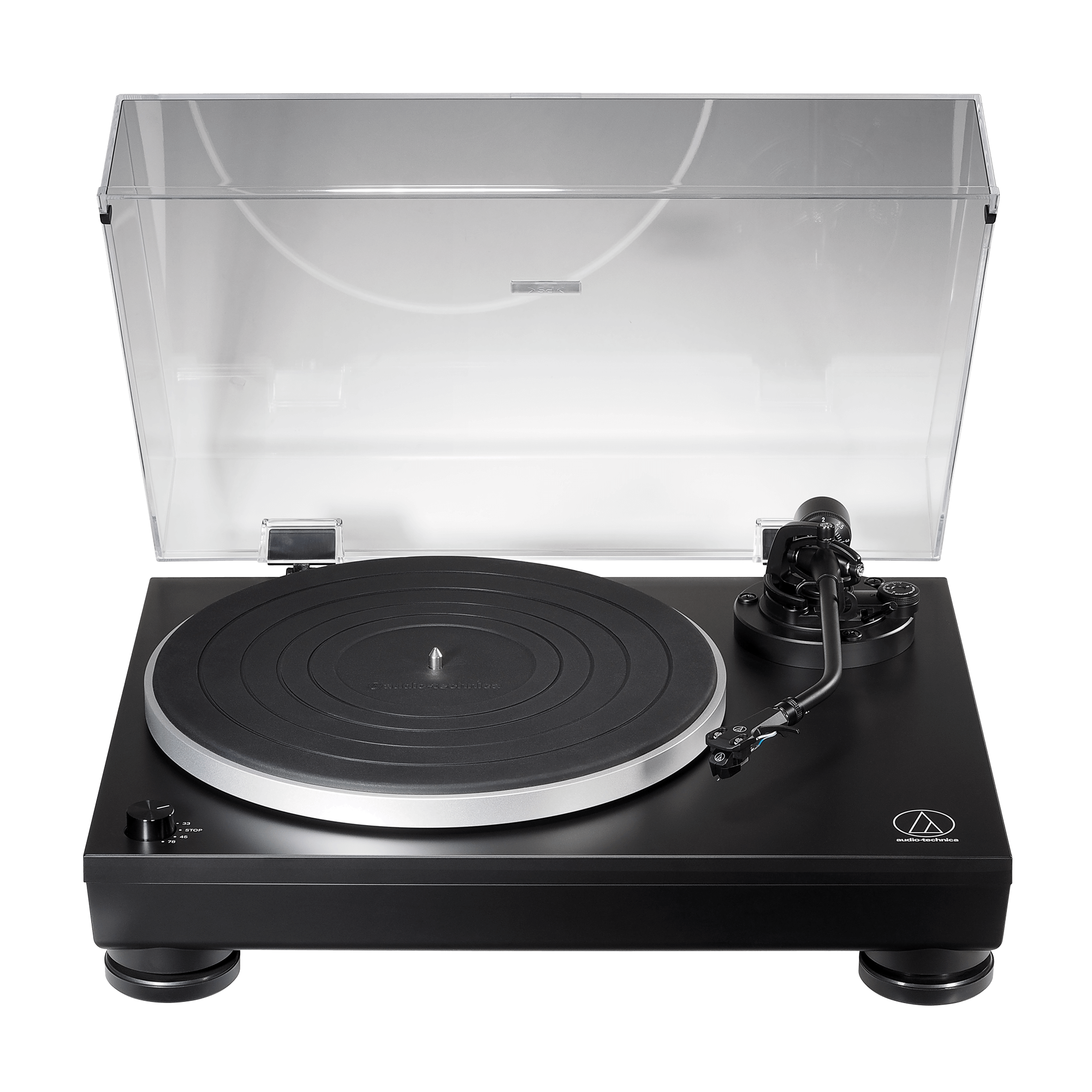
Introduction: What Makes the Audio-Technica AT-LP5X Direct-Drive Turntable Stand Out
The Audio-Technica AT-LP5X Direct-Drive Turntable is a fully manual, 3-speed record player designed for vinyl listeners who want reliable performance, flexible connectivity, and a clean modern look. Built around a direct-drive motor, a die-cast aluminum platter, and a static-balanced J-shaped tonearm, it offers stable playback and strong speed consistency for everyday listening and serious record collecting.
One of the biggest strengths of the audio-technica AT-LP5X Direct-Drive Turntable is its versatility. It supports 33-1/3, 45, and 78 RPM records, includes a built-in switchable phono preamp, and adds USB output for digitizing vinyl to a computer. That makes it useful for both traditional hi-fi setups and users who want to archive older records. The turntable also includes support for MM and MC phono stages, which gives it more flexibility than many entry-level decks.
This model is a strong fit for beginners who want a premium-feeling turntable, as well as intermediate listeners upgrading from a basic belt-drive model. It is also ideal for vinyl collectors, home audio users, and anyone searching for a direct-drive turntable with USB capability. Typical pricing falls around the mid-range segment, often roughly in the $399 to $449 range depending on region and retailer, with broad availability through Audio-Technica dealers and major audio stores.
Troubleshooting: Common AT-LP5X Turntable Problems and Fixes
If the platter does not spin, confirm that the power cable is connected properly, the AC outlet is live, and the speed selector is set correctly. If playback sounds distorted, check the cartridge alignment, tracking force, and anti-skate settings, and make sure the stylus is clean. If USB recording is not detected by a computer, verify that the USB-B cable is secure and that the system recognizes the turntable as a compatible audio device.
The AT-LP5X does not use error codes in the way digital devices do, so most issues are resolved through setup checks rather than code-based fixes. Common preventive measures include removing all transport packaging, leveling the turntable on a stable surface, and handling the stylus carefully. If the record skips, inspect the vinyl for warps or dirt and reduce vibration near the playback surface.
For warranty help, Audio-Technica typically offers support through its regional service channels and authorized dealers, with many retailers providing a 2-year warranty. For technical assistance, contact Audio-Technica customer support through the official support page or your local distributor. If the unit is under warranty and has a motor, preamp, or tonearm fault, document the issue before requesting service.
Pros and Cons of the Audio-Technica AT-LP5X Direct-Drive Turntable
Pros
- Direct-drive design provides quick start-up and stable speed performance, which is especially useful for 33, 45, and 78 RPM playback.
- Built-in phono preamp and USB output make it easy to connect to powered speakers, stereo receivers, or a computer.
- The J-shaped tonearm and AT-VM95E cartridge deliver detailed, balanced sound with room for future cartridge upgrades.
- Solid build quality, die-cast aluminum platter, and mass-damped cabinet help reduce unwanted resonance.
- Good value for money for users comparing it with belt-drive competitors in the same price bracket.
Cons
- Fully manual operation may not suit users looking for automatic start and return features.
- Some buyers may prefer a quieter or more isolated design for highly sensitive listening environments.
- It is not the cheapest option, so budget shoppers may find better value in simpler entry-level models.
- Compared with some higher-end alternatives, it offers fewer advanced adjustment features and refinements.
Overall, the audio-technica AT-LP5X Direct-Drive Turntable offers strong value for listeners who want a dependable, well-built vinyl player with modern connectivity and classic analog performance.
Customer Reviews: What Buyers Say About the AT-LP5X Turntable
Customer feedback for the AT-LP5X is generally positive, with many users giving it around 4 to 4.5 out of 5 stars. Buyers frequently praise the sturdy construction, easy USB digitizing, and clean sound quality. One common testimonial theme is that it feels like a “serious” turntable rather than a lightweight starter deck.
Common complaints usually focus on the fully manual operation and the need for careful setup, especially cartridge alignment and tracking force. Some users also note that they would like more automation or a wider accessory package. Even so, many owners say the turntable is an excellent purchase for home listening and archive projects.
For shoppers considering the audio-technica AT-LP5X Direct-Drive Turntable, the strongest recommendation is for users who want a balanced mix of sound quality, direct-drive stability, and easy analog-to-digital recording.
Frequently Asked Questions About the Audio-Technica AT-LP5X Direct-Drive Turntable
Is the AT-LP5X good for beginners?
Yes. It is beginner-friendly if the user is comfortable with manual setup and basic cartridge adjustment.
Does the AT-LP5X support 78 RPM records?
Yes. It supports 33-1/3, 45, and 78 RPM playback.
Can it connect to a computer?
Yes. The USB output allows vinyl recording and digital archiving on a compatible computer.
Does it need a separate phono preamp?
No. The built-in switchable phono preamp lets it connect directly to speakers or line-level inputs.
Faqs
How do I set up the audio-technica AT-LP5X Direct-Drive Turntable for the first time?
Why is the audio-technica AT-LP5X Direct-Drive Turntable producing hum or background noise?
What cartridge and stylus options work best with the audio-technica AT-LP5X Direct-Drive Turntable?
Can I connect the audio-technica AT-LP5X Direct-Drive Turntable directly to powered speakers?
How do I fix speed instability or wow and flutter on the audio-technica AT-LP5X Direct-Drive Turntable?
Does the audio-technica AT-LP5X Direct-Drive Turntable need a phono preamp?
How should I maintain the audio-technica AT-LP5X Direct-Drive Turntable for best performance?
What should I check if the audio-technica AT-LP5X Direct-Drive Turntable skips or mistracks on some records?
More audio-technica manuals
- Audio-Technica UHF Wireless System ATW-R1 User Manual
- Audio-Technica AT-LP60X Automatic Belt-Drive Turntable User Manual
- Audio-Technica ATH-G1WL Wireless Gaming Headset User Manual
- Audio-Technica 3000 Series Wireless Microphone System User Manual
- Audio-Technica AT-SP65XBT Wireless Speaker User Manual
- Setup: Audio-Technica AT-LPW50PB Belt-Drive Turntable User Manual
Leave a Comment