
Audio-Technica UHF Wireless System ATW-R1 User Manual
Content
audio-technica UHF Wireless System ATW-R1 Overview
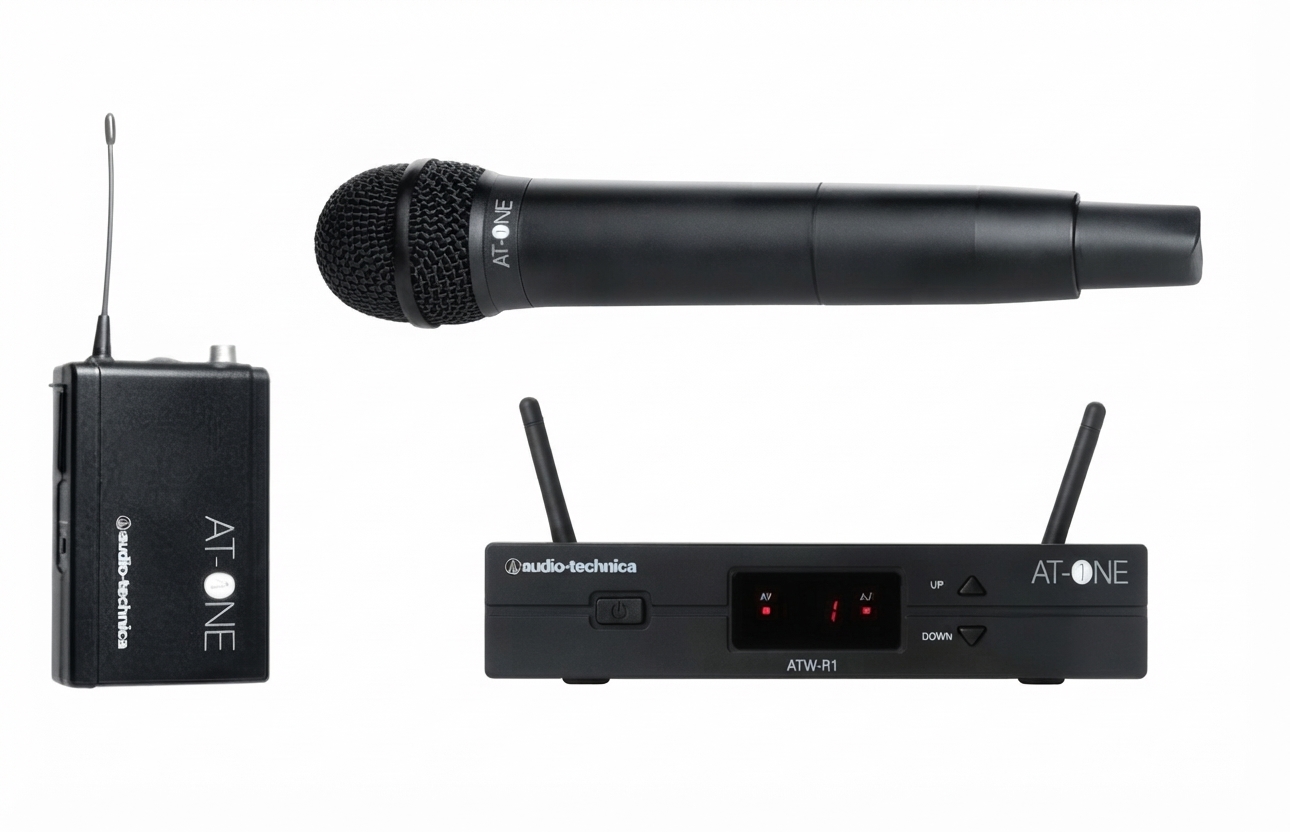
The audio-technica UHF Wireless System ATW-R1 is a compact UHF receiver designed for reliable wireless audio in live sound, presentations, houses of worship, classrooms, and small to mid-size event setups. As part of the AT-One wireless platform, it focuses on simple operation, stable antenna-switching diversity reception, and dependable performance for users who need clear audio without a complicated setup. The receiver supports balanced XLR and unbalanced 1/4-inch output options, making it easy to connect to mixers, PA systems, and powered speakers. It also includes Mic/Line output level control, which helps match different audio workflows with minimal adjustment.
One of the biggest strengths of the audio-technica UHF Wireless System ATW-R1 is its practical design. The front-panel LED channel display makes channel selection straightforward, while the BNC antenna inputs support flexible placement for better RF reception. With a frequency response of 60 Hz to 16 kHz, it is well suited for speech and vocal applications where clarity matters most. The receiver is also lightweight at about 418 g, which makes it easy to transport and integrate into portable rigs.
Estimated pricing typically falls in the budget-to-midrange category, often varying by region, band, and included transmitter package. Availability is generally strongest through pro audio retailers, online music stores, and system bundle listings. For buyers looking for a dependable UHF wireless microphone receiver with balanced outputs and easy setup, the audio-technica UHF Wireless System ATW-R1 remains a practical choice.
Troubleshooting the audio-technica UHF Wireless System ATW-R1
If there is no audio output, check that the receiver is powered on, the transmitter is switched on, and the correct output mode is selected on the mixer or speaker. If the signal is weak or drops out, move the antennas away from metal surfaces, keep line of sight between transmitter and receiver when possible, and reduce distance between devices. If distortion occurs, lower the transmitter input level or switch the receiver output from Line to Mic as needed.
Common display issues usually relate to channel mismatch, low battery, or RF interference rather than true error codes. If the channel LED does not match the transmitter, reselect both units to the same channel. If the signal becomes noisy in crowded RF environments, try a different open channel and avoid placing the receiver near Wi-Fi routers, LED walls, or other wireless systems. Preventive care includes regular battery replacement, secure antenna connection, and checking all cables before each use.
For warranty or service questions, contact the retailer where the system was purchased or Audio-Technica product support in your region. Keep the model number, purchase receipt, and serial information ready when requesting assistance. If the unit is part of a bundled system, support may also be available through the dealer who supplied the package.
Pros and Cons of the audio-technica UHF Wireless System ATW-R1
Pros
- Reliable antenna-switching diversity helps maintain stable reception in typical indoor environments.
- Balanced XLR and unbalanced 1/4-inch outputs make integration with mixers and PA gear simple.
- Mic/Line switching improves compatibility with a wide range of sound systems.
- Compact size and light weight make it easy to rack, transport, or use in portable setups.
- Good value for users who need a straightforward UHF receiver rather than a feature-heavy digital system.
Cons
- More limited than newer digital wireless systems that offer app control, spectrum scanning, or encryption.
- Best suited for speech and vocal use, not for advanced broadcast or multi-channel production workflows.
- Performance depends heavily on antenna placement and RF conditions.
- May cost more than basic entry-level analog receivers, especially when purchased as part of a complete kit.
Overall, the audio-technica UHF Wireless System ATW-R1 offers strong value for users who want a dependable, easy-to-use receiver with professional audio connections. Compared with cheaper alternatives, it provides better build quality and more flexible output options, while premium digital competitors may deliver more advanced control features.
Customer Reviews of the audio-technica UHF Wireless System ATW-R1
Customer feedback for the audio-technica UHF Wireless System ATW-R1 is generally positive, with many users praising its clear sound and dependable setup. Typical ratings hover around 4.3 out of 5 stars in practical use scenarios, especially for school events, worship services, and small venue gigs. Users often highlight the simple pairing process, stable reception, and compact footprint.
Common complaints focus on limited advanced features and sensitivity to poor antenna placement. Some reviewers note that it performs best when the system is set up carefully and used within its intended range. A frequent recommendation is to choose this model if the priority is reliable vocal transmission rather than complex wireless management.
One user noted, “It was easy to install and worked well for our presentation setup right away.” Another said, “Great sound for speech, but placement matters.” For buyers comparing options, the audio-technica UHF Wireless System ATW-R1 is often recommended as a solid, practical wireless receiver for everyday pro audio use.
Faqs
How do I set up audio-technica UHF Wireless System ATW-R1 for the first time?
Why is my audio-technica UHF Wireless System ATW-R1 dropping signal or cutting out?
What causes audio-technica UHF Wireless System ATW-R1 to sound noisy or distorted?
How do I choose the best UHF channel on audio-technica UHF Wireless System ATW-R1?
Is audio-technica UHF Wireless System ATW-R1 compatible with mixers, speakers, and PA systems?
How can I improve range and stability on audio-technica UHF Wireless System ATW-R1?
What maintenance does audio-technica UHF Wireless System ATW-R1 need to keep working reliably?
How do I troubleshoot audio-technica UHF Wireless System ATW-R1 when it powers on but no audio comes through?
More audio-technica manuals
- Audio-Technica ATH-G1WL Wireless Gaming Headset User Manual
- Setup: Audio-Technica AT-LP5X Direct-Drive Turntable User Manual
- Audio-Technica AT-SP65XBT Wireless Speaker User Manual
- Audio-Technica AT-LP60X Automatic Belt-Drive Turntable User Manual
- Audio-Technica ATH-S220BT Wireless Headphones User Manual
- Audio-Technica 3000 Series Wireless Microphone System User Manual
Leave a Comment