
Setup: Beurer Air Dehumidifier LE 150 User Manual
Content
Introduction — beurer Air Dehumidifier LE 150: overview, benefits and use cases
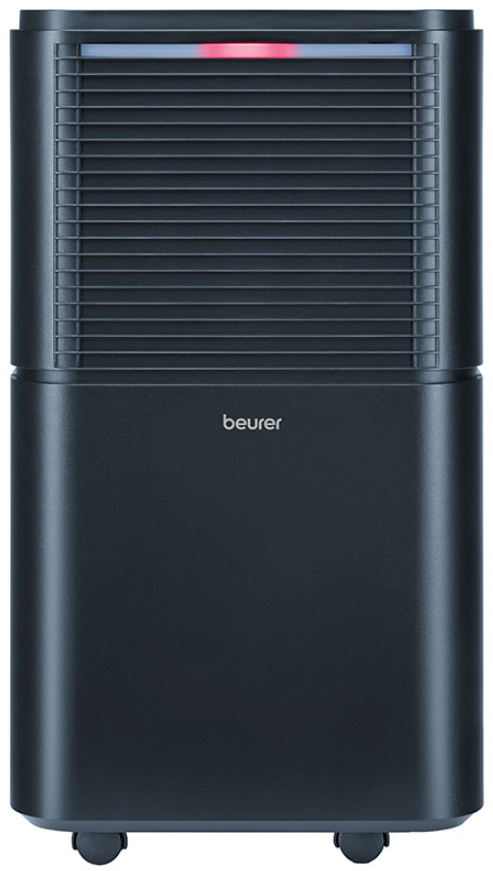
The beurer Air Dehumidifier LE 150 is a compact, 12‑litre‑per‑day refrigerant dehumidifier designed to improve indoor air quality in small to medium rooms (up to ~30 m²) by removing excess moisture, preventing mould and accelerating laundry drying. Manufacturer specifications highlight an automatic humidity control (maintains 45–55% RH in Auto), a selectable setpoint range (30–80% RH), a dedicated laundry‑drying function, a 2.0–2.4 L removable water tank with overflow protection and an external condensate drain option, plus night mode for quiet operation.
Key benefits and unique selling points include efficient continuous dehumidification up to 12 L/24h, energy‑efficient operation with eco‑friendly R290 refrigerant, portability with castors and a carrying handle, and practical features such as a digital humidity display, 1–24 h timer and washable pre‑filter. Typical target users are apartment or house owners, tenants, renters with damp bathrooms or basements, people who dry laundry indoors, and those looking to prevent condensation and mould in rooms up to ~30 m².
Common use cases: year‑round moisture control in living rooms, bathrooms, cellars and utility rooms; temporary moisture removal after renovations; faster indoor drying of laundry using the Laundry Drying mode; and continuous dehumidification in poorly ventilated spaces. Estimated retail price (range depends on country and retailer) typically falls in the lower‑mid consumer dehumidifier segment — retailers list the LE 150 in the roughly mid‑to‑low hundreds (local currency) with standard warranties and occasional offers from resellers. Availability: sold through Beurer’s regional online store and major appliance retailers and marketplaces.
TECHNICAL SPECIFICATIONS
- Model: LE 150
- Mains Voltage/Power: AC 220–240 V, 50 Hz / 200 W (30°C, 80% rH)
- Dimensions (L × W × H): 22.0 × 25.0 × 45.5 cm
- Deadweight: 10.0 kg
- Recommended Room Size: Up to 30 m²
- Tank Capacity: 2.0 L
- Dehumidifying Capacity: 12 L / 24 h (30°C, 80% rH)
- Refrigerant: R-290 (propane gas), 50 g
- Wiring Diagram: See the last page of the instructions for use.
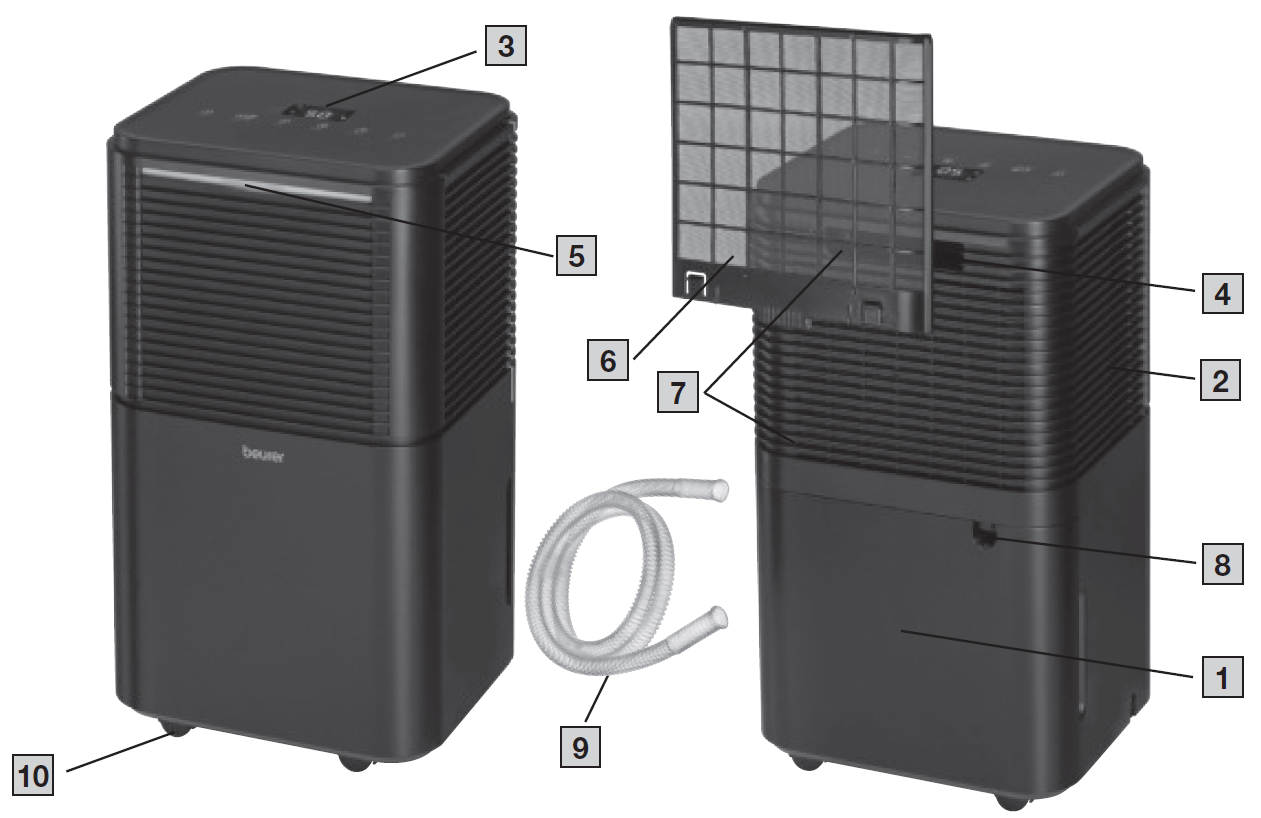
Device
- Water Tank
- Air Outlet
- Control Unit with LED Displays
- Carrying Handle
- Humidity Indicator
- Air Filter
- Air Inlet
- Opening for Condensate Hose
- Condensate Hose
- Castors
Display
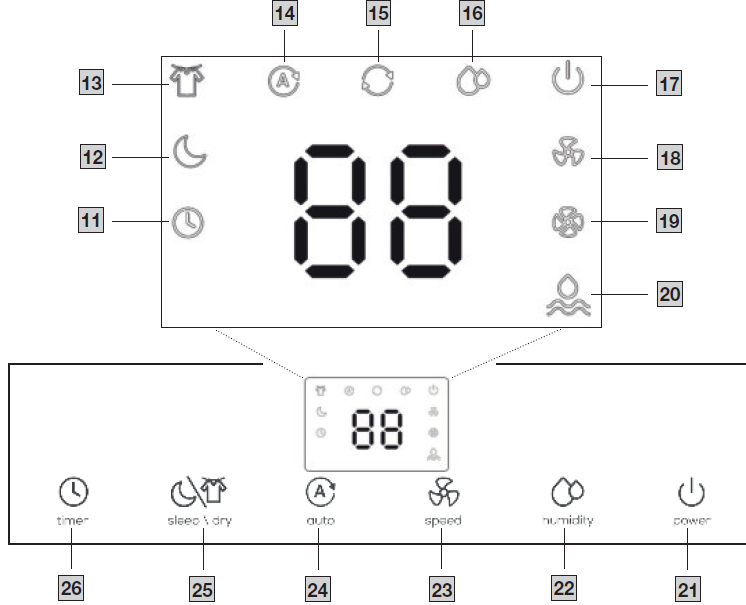
- Timer Symbol: Lights up when the timer is on.
- Sleep Symbol: Lights up when sleep mode is on.
- Laundry Drying Symbol: Lights up when laundry drying mode is on.
- Automatic Symbol: Lights up when automatic mode is on.
- Continuous Operation Symbol: Lights up when continuous dehumidification is on.
- Target Humidity Symbol: Lights up when a target humidity can be set.
- ON/OFF Symbol: Lights up as soon as the device is in standby mode.
- Low Fan Speed: Lights up when the low fan speed has been set.
- High Fan Speed: Lights up when the high fan speed has been set.
- Water Level Symbol: Lights up when the water tank is full and needs to be emptied or has not been inserted.
Buttons
- ON/OFF Button: Switches the device on/off.
- Humidity Button: Sets a target humidity.
- Fan Speed Button: Sets the low and high fan speeds.
- Automatic Button: Sets automatic mode.
- Sleep/Laundry Drying Button: Sets sleep mode or laundry drying mode.
- Timer Button: Sets the timer duration.
USAGE
Step 1: Set Up the Air Dehumidifier
Step 2: Switch On the Air Dehumidifier
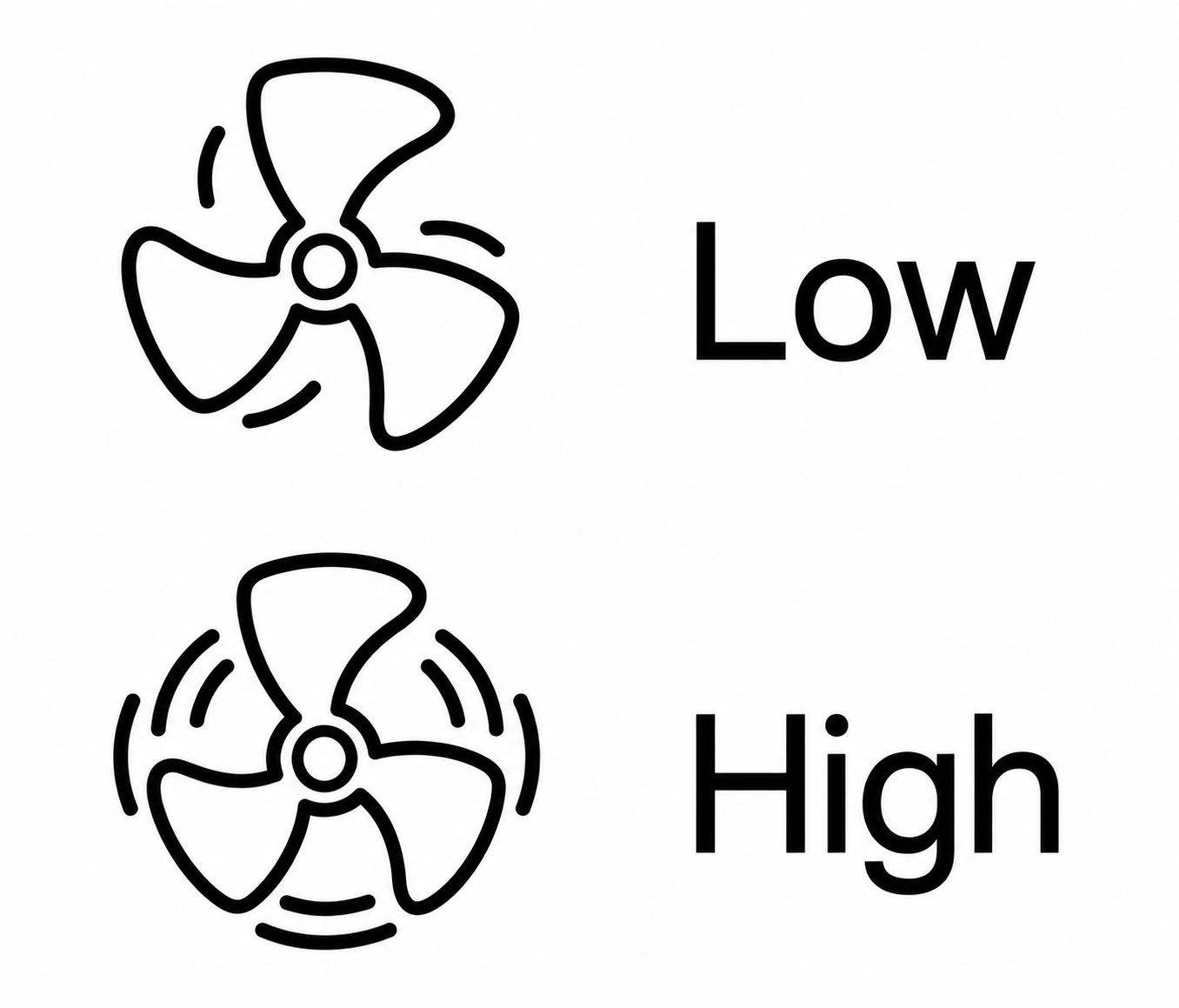
Step 3: Select the Fan Speed
- Low
- High
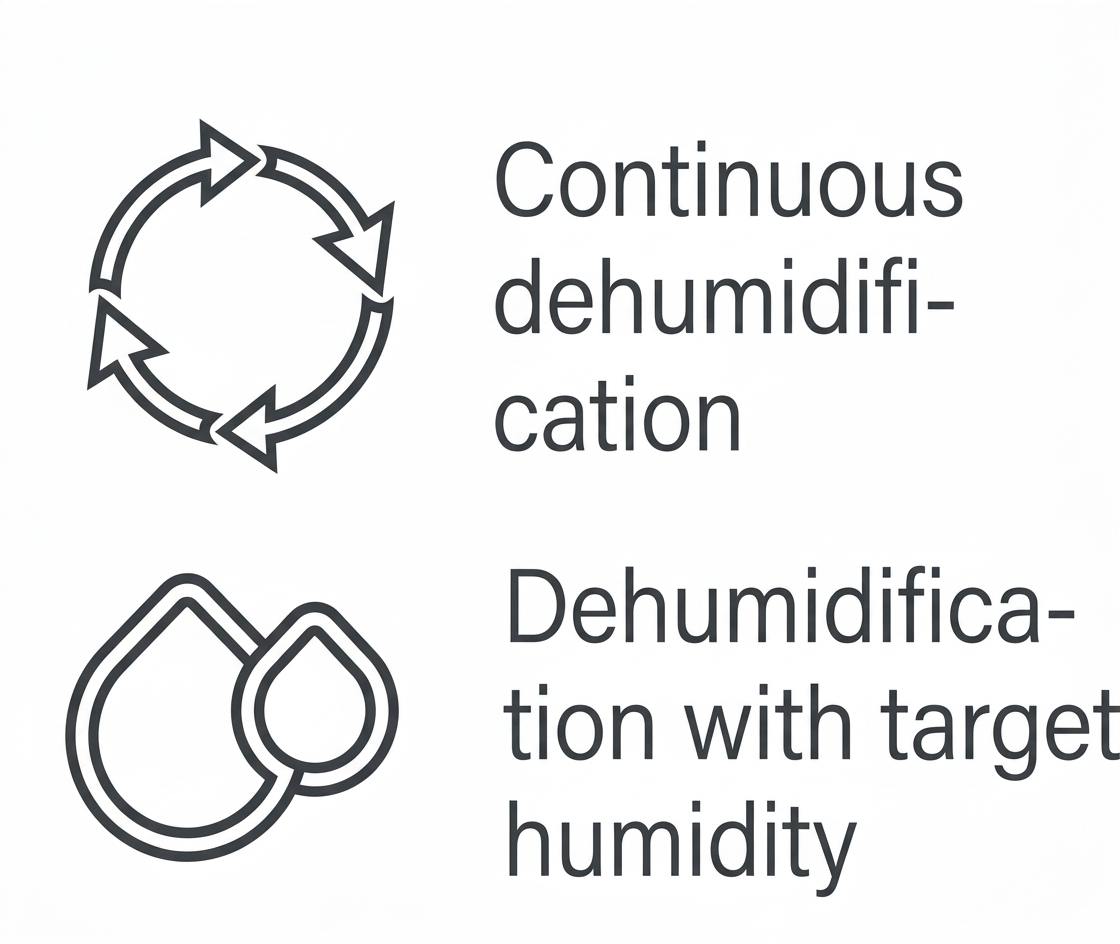
Step 4: Select the Dehumidification Mode
- Continuous dehumidification
- Dehumidification with target humidity
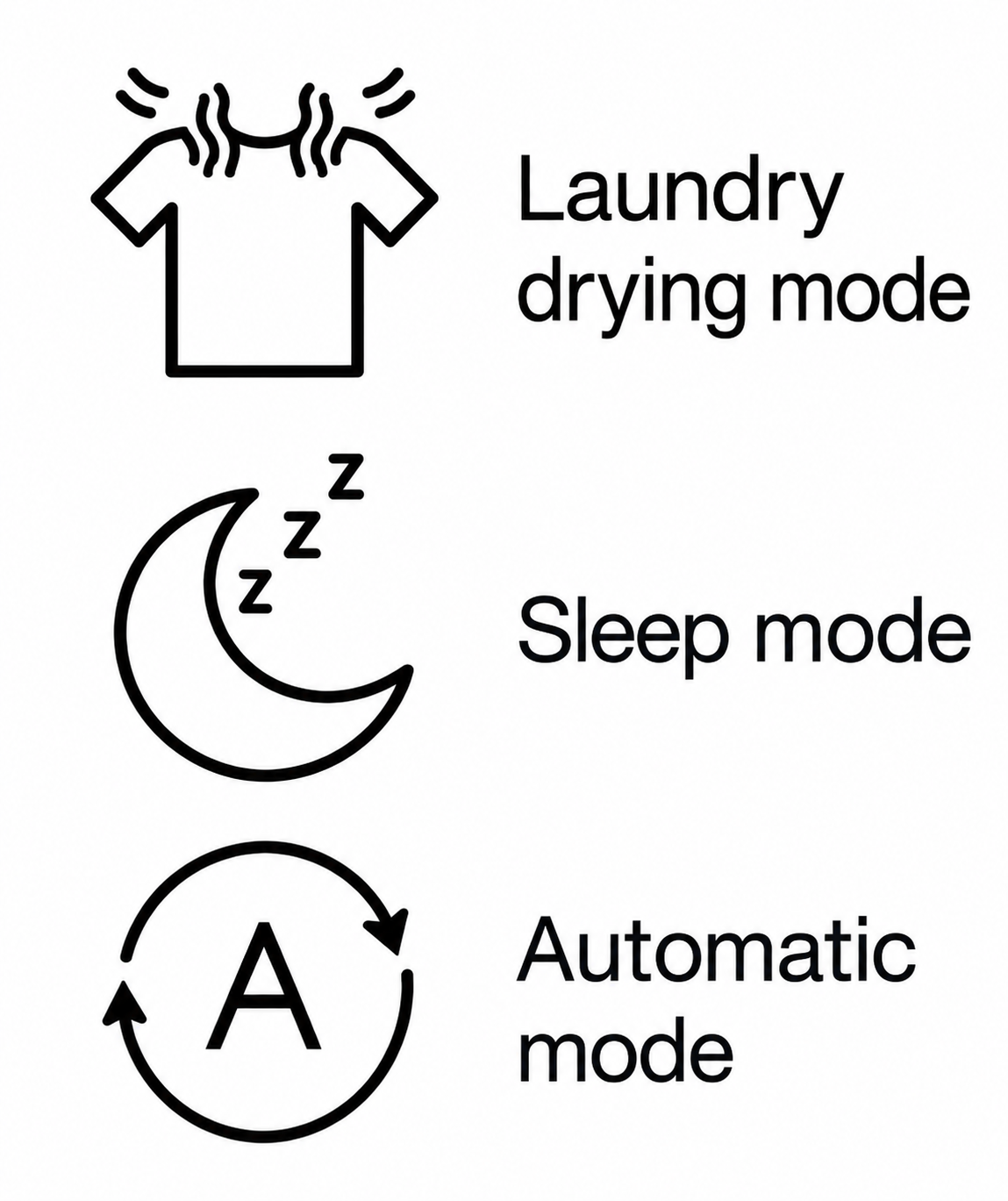
Step 5: Set a Special Mode
- Laundry drying mode
- Sleep mode
- Automatic mode
Step 6: Set the Timer

Setting Up the Air Dehumidifier
- Remove the device from the top of the box without opening the film bag.
- Remove all plastic films. Unwind the mains cable fully to avoid overheating.
- Check the device, mains plug, and cable for damage each time before using them.
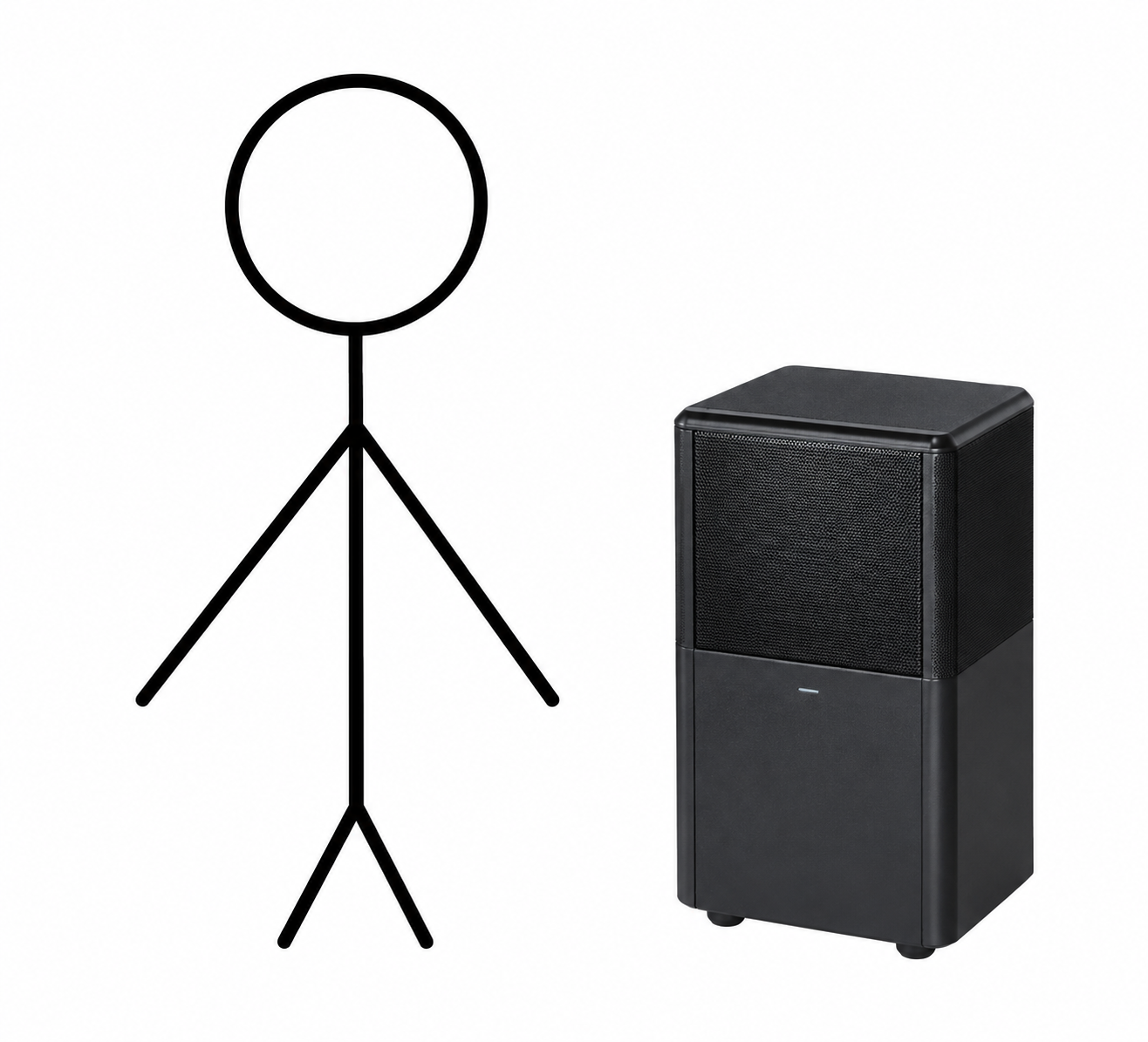
- Place the device on a firm, level, and water-resistant surface to prevent vibrations and noise.
- Set up the air dehumidifier with at least 50 cm clearance on all sides. Do not use naked flames, cigarettes, or other possible sources of ignition near the device.
- Make sure that the air outlet (2) and air inlet (7) of the device are never blocked.
- Insert the mains plug into a suitable socket. Ensure that the cable does not pose a trip hazard.
- Before initial use, leave the device in an upright position for at least 24 hours. If the device has been tilted more than 45°, leave it upright for at least 24 hours before initial use.
If the device has fallen over or has been relocated, leave it in an upright position for at least 24 hours. Do not set up the device in a place where flammable gases can escape. The device must be operated in a room with a floor area greater than 4 m².
Switching the Air Dehumidifier On/Off
- Press the ON/OFF button (21) to switch on the air dehumidifier.
- The low fan speed symbol (18) and target humidity symbol (16) light up.
- Press the ON/OFF button (21) again to switch off the air dehumidifier.
- All LEDs except the ON/OFF symbol (17) go out.
Setting the Fan Speed
The air dehumidifier has two fan speeds:
- Low fan speed (18)
- High fan speed (19)
Setting the Dehumidification Mode
The device has two different dehumidification modes.
- Continuous dehumidification
- Dehumidification with target humidity
Continuous Dehumidification
In continuous dehumidification mode, the room is dehumidified without interruption. To switch on continuous dehumidification mode, press the humidity button (22) repeatedly until "--" appears on the display. The continuous operation symbol (15) lights up.
Dehumidification with Target Humidity
In dehumidification with target humidity mode, the room is dehumidified only up to a preset target value (e.g., 50% humidity). The device stops dehumidifying the air once the preset target value has been reached.
Setting a Special Mode
The device has three optional special modes that you can select if desired.
- Sleep mode
- Laundry drying mode for clothes
- Automatic mode
Sleep Mode
Sleep mode automatically sets the low fan speed (18) and switches off all LEDs and button tones to ensure a restful night's sleep without disturbances. The target humidity can still be adjusted in sleep mode. To switch on sleep mode, press the sleep/laundry drying button (25). The sleep symbol (12) lights up for 3 seconds and then dims. All other LEDs and button tones are switched off.
Laundry Drying Mode for Clothes
The device has a special laundry drying mode for when you want to dry clothes indoors and counteract the resulting humidity. It also enables the clothes to dry faster. This laundry drying mode automatically sets the high fan speed (19) and continuous dehumidification. You cannot set a target humidity in this mode.
Automatic Mode
In automatic mode, the air in the room is automatically dehumidified so that the humidity remains between 45% and 55%.
- To switch on automatic mode, press the automatic button (24). The automatic symbol (14) lights up.
- To switch between the low (18) and high (19) fan speeds, press the fan speed button (23) when the air dehumidifier is on.
- To switch off automatic mode, press the automatic button (24) again. The automatic symbol (14) goes out.
Setting the Timer
The air dehumidifier features a timer function that allows you to determine after how many hours the device should automatically switch off (when in operation) or switch on.
- Use the timer button (26) to select your desired timer duration. You can select a duration between 1 and 24 hours in increments of 1 hour. The selected timer duration appears on the display. Once the set timer duration has flashed five times, it is confirmed, and the timer symbol (11) lights up. The display then shows the current humidity level again.
- To view the remaining timer duration while the device is running, press the timer button (26). The display briefly shows the remaining time in hours before the air dehumidifier switches off.
- To switch off the timer, press the timer button (26) repeatedly until the display shows "00".
Switch-Off Time
Press the timer button (26) while the device is running to set the switch-off time. The device will switch off after the selected time period.
Switch-On Time
Press the timer button (26) while the device is switched off to set the switch-on time. The device will switch on after the selected time period.
Humidity Indicator
The humidity indicator (5) shows the current ambient humidity level on the device.
- Low Humidity: Below 45% — The humidity indicator is blue.
- Optimum Humidity: 45–65% — The humidity indicator is green.
- High Humidity: Above 65% — The humidity indicator is red.
Defrost Function
- If the device is operated in an environment with low temperatures, frost may form inside the device. To ensure proper operation, the air dehumidifier features a defrost function.
- If the temperature is between 5°C and 16°C, the device automatically starts the defrost function for 10 minutes.
- The ON/OFF symbol (17) flashes on the display while the defrost function is running.
- Once the 10 minutes have elapsed, the device continues running normally for 60 minutes.
Emptying the Water Tank
If the water tank (1) is full, the water level symbol (20) will light up red, and the device will automatically stop running. An acoustic signal will sound (except in sleep mode), and the message "FL" will appear on the display. To empty the water tank (1), proceed as follows:
- Press the ON/OFF button (21) to switch off the air dehumidifier.
- All LEDs except the ON/OFF symbol (17) go out.
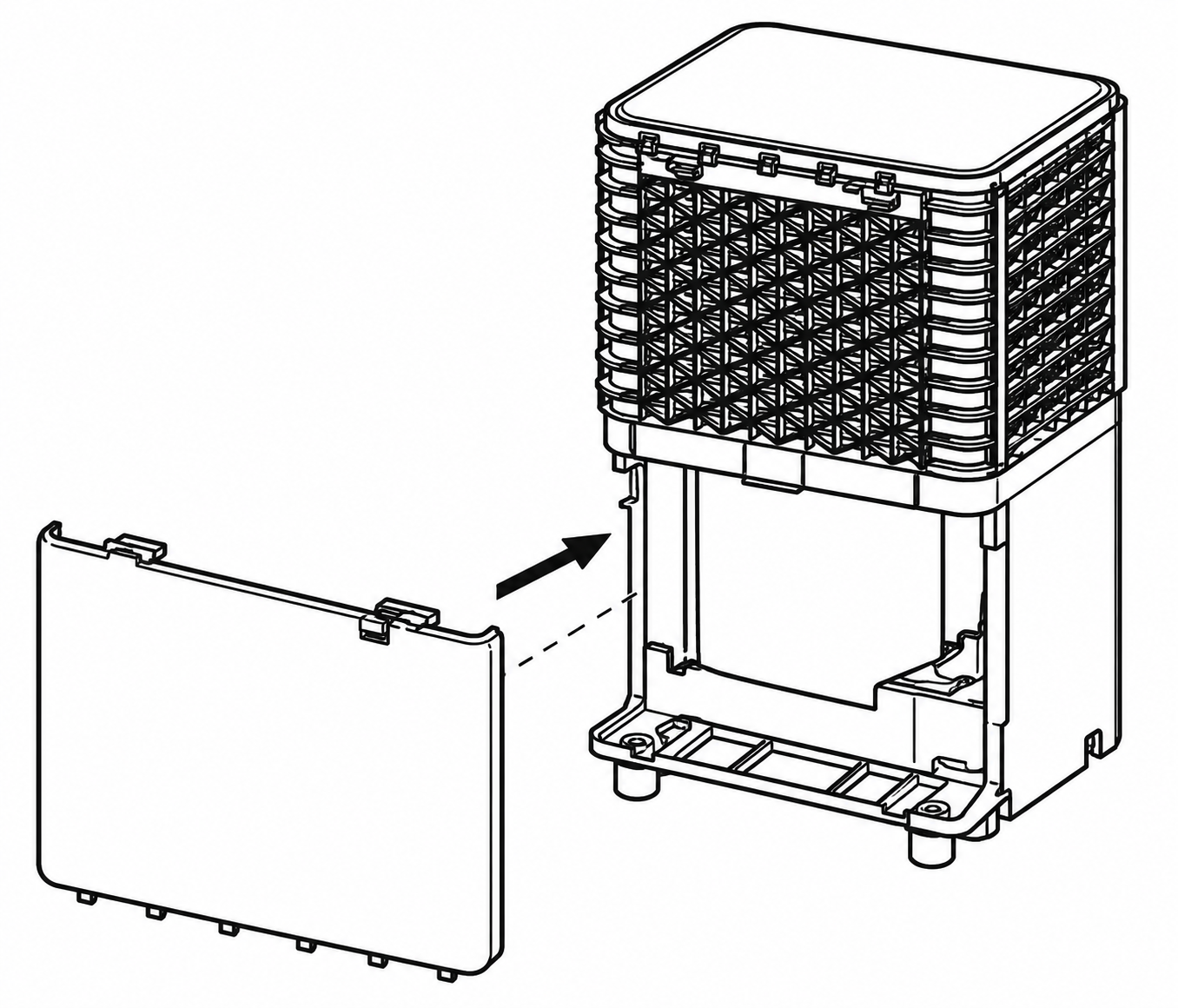
- Carefully pull the water tank (1) backwards using the recessed handles at the sides.
- Empty the water tank (1) through the tank outlet.
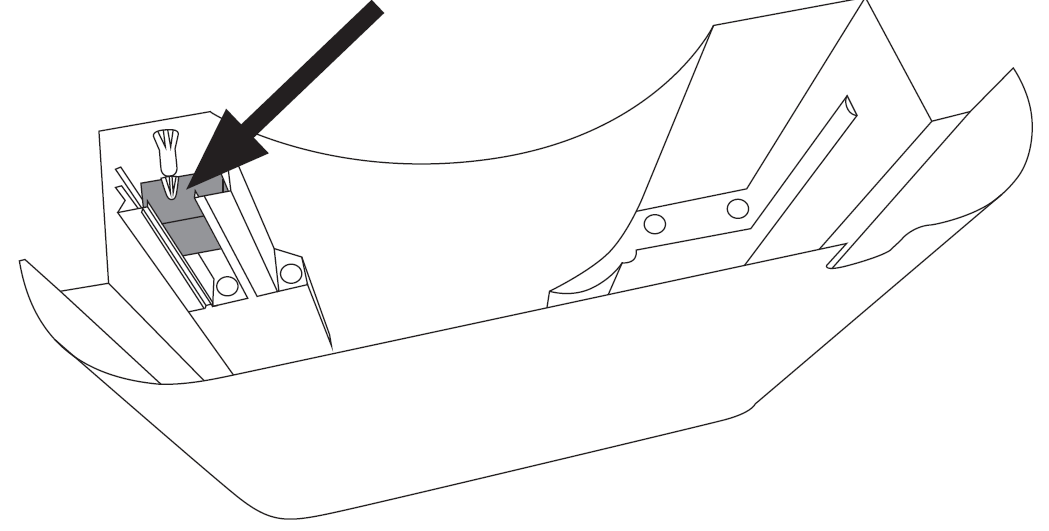
- Check that the float can move freely before reinserting the tank. The float must not be blocked. If the float is blocked, this can cause an incorrect water level to be shown on the display ("FL" for a full water tank).
Condensate Hose
If you want the device to run continuously, connect the supplied condensate hose (9) to the device. The condensate can automatically drain into a sufficiently sized collection container or a suitable drain.
CLEANING, CARE AND MAINTENANCE
- Before performing any cleaning or maintenance work, always ensure that the mains plug of the device has been properly disconnected.
- Always store the device in its original packaging. Only store the device in an upright position. Do not place any objects on the device.
- Store the device in a well-ventilated room that measures at least 4 m².
- Store the device in dry conditions and protect it from frost and heat.
Cleaning the Housing
Clean the air dehumidifier with a slightly damp cloth. Do not use any solvents or other aggressive or abrasive cleaning products, as the surface may become damaged. Make sure that no moisture gets inside the device.
Cleaning the Water Tank
- Carefully pull the water tank out backwards as shown.
- Rinse out the water tank with clean water every 2 weeks. If the device is used very intensively, clean the water tank more frequently. If necessary, remove any deposits in the water tank using a plastic brush.
Cleaning the Air Filter
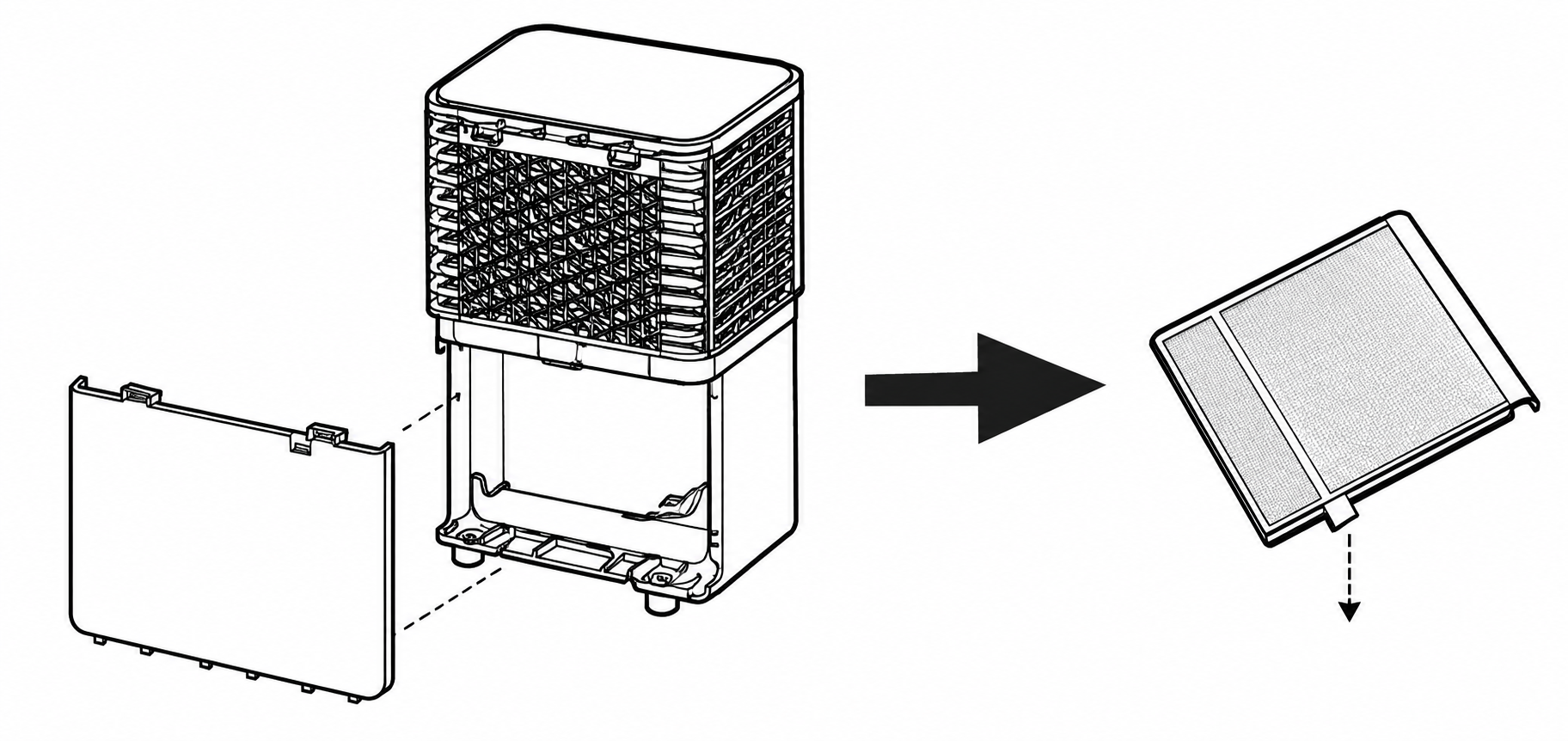
We recommend cleaning the air filter (6) every 14 days, as dust can collect there and restrict airflow. Do not operate the device without the air filter (6) installed.
- Pull out the water tank (1).
- Remove the air filter (6).
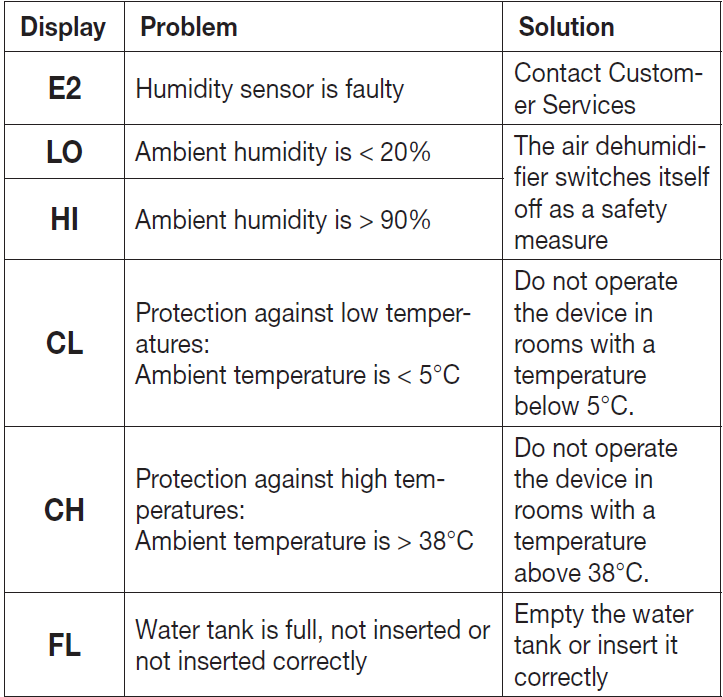
Troubleshooting
Pros & Cons — honest assessment of the beurer Air Dehumidifier LE 150
Pros — Efficient, practical features
- Removes up to 12 L/day (suitable for rooms ≈30 m²), making it effective for typical living spaces and damp bathrooms.
- Laundry drying function speeds up indoor clothes drying compared with basic dehumidifiers, useful in colder months or apartments without outdoor drying.
- Portable design: carrying handle, castors and a 2.5 m power cable improve placement flexibility and ease of use.
- Environmental benefit: uses R290 refrigerant (lower GWP) where regionally compliant.
Cons — limitations & tradeoffs
- Small water tank (≈2.0–2.4 L) requires regular emptying unless you use the external condensate drain, which may be inconvenient in some setups.
- With a stated dehumidification of 12 L/24h, performance is conditional (measurement at 30°C/80% RH); in cooler or less humid conditions, the actual extraction will be lower, so larger damp spaces may need a higher‑capacity unit.
- Basic control set (2 fan speeds) means fewer fine‑tuning options vs. premium models that offer multiple fan speeds or smart app integration.
- Some competitors offer larger tank capacity or Wi‑Fi control at similar price points, so value for money depends on feature priorities (quiet/night mode and R290 are advantages here).
Customer reviews, ratings and common feedback for beurer Air Dehumidifier LE 150
Average user feedback for the beurer Air Dehumidifier LE 150 is generally positive for compact home use, with typical ratings around 4/5 stars at major retailers and specialist shops that carry the unit.
What users praise:
- Effective moisture reduction in small rooms and faster indoor laundry drying using the dedicated mode.
- Quiet night mode and simple digital display make it unobtrusive in bedrooms.
- Portability and practical extras (long power cable, castors, external drain) are appreciated for flexible placement.
Common complaints:
- Small water tank requires frequent emptying if no external drain is used — some users prefer a larger reservoir for unattended operation.
- Performance drops in cooler/less humid environments (typical of refrigerant models) so expectations should be aligned with spec conditions (30°C/80% RH).
Representative star rating: 4.0/5 (aggregate expectation based on retailer listings and reviews). Typical user recommendation: recommended for apartments and small rooms where portability, laundry drying and quiet operation matter; consider a higher‑capacity unit if treating large, very damp basements or whole‑house needs.
Technical specifications & practical examples — quick reference and tips for use
- Dehumidifying capacity: up to 12 L/24 h (measured at 30°C, 80% rH).
- Recommended room size: up to ≈30 m² (≈72 m³).
- Tank capacity: approx. 2.0–2.4 L removable tank with overflow protection; external condensate drain included.
- Controls & modes: Auto (45–55% RH target), manual setpoint 30–80% RH, night mode, timer 1–24 h, 2 fan levels and digital humidity display.
- Power & dimensions: around 200 W power draw and compact footprint; cord length ~2.5 m and transport castors for mobility.
- Refrigerant: R290 (environmentally friendly refrigerant used where allowed).
Practical tips
- For continuous unattended operation, run the external condensate drain to avoid frequent tank emptying.
- Use Auto mode as a default to maintain healthy indoor humidity (45–55% RH) and reduce mould risk.
- Position centrally in the damp room or near laundry for fastest drying; keep a small clearance around the intake and outlet for airflow.
SEO & keywords implemented
This manual uses the primary keyword beurer Air Dehumidifier LE 150 and related terms such as “LE 150 dehumidifier”, “12 L/24h dehumidifier”, “laundry drying function”, “R290 refrigerant”, “2 L tank”, and long‑tail headings like “Practical tips for faster laundry drying with beurer Air Dehumidifier LE 150” to improve search visibility and voice‑search friendliness.
Faqs
How do I set up the beurer Air Dehumidifier LE 150 for the first time in my home?
What should I do if my beurer Air Dehumidifier LE 150 is not collecting water or seems ineffective?
How does the laundry drying function on the beurer Air Dehumidifier LE 150 work and when should I use it?
Can I run the beurer Air Dehumidifier LE 150 continuously with external drainage, and how do I set that up?
Why is my beurer Air Dehumidifier LE 150 making frost or stopping at low room temperatures, and what can I do?
How do I maintain and clean the beurer Air Dehumidifier LE 150 to prevent problems and extend life?
What performance can I expect from the beurer Air Dehumidifier LE 150 in different room sizes and climates?
Are there safety, power, or compatibility requirements I should know before using beurer Air Dehumidifier LE 150?
More beurer manuals
- Setup: Beurer Air Dehumidifier LE 250 User Manual
- Setup: Beurer Air humidifier LB 37 Owner Manual
- Setup: Beurer Massage Chair MC5000 User Manual
- Setup: Beurer App-controlled Air Purifier LR 400 / LR 401 User Manual
- Setup: Beurer Massager with Heat Function MG 24 User Manual
- Setup: Beurer Hygrometer HM 16 User Manual
Leave a Comment