
Setup: Bloody GR370 Wireless Gaming Headset User Manual
Content
Bloody GR370 Wireless Gaming Headset: Complete Product Manual and Setup Guide
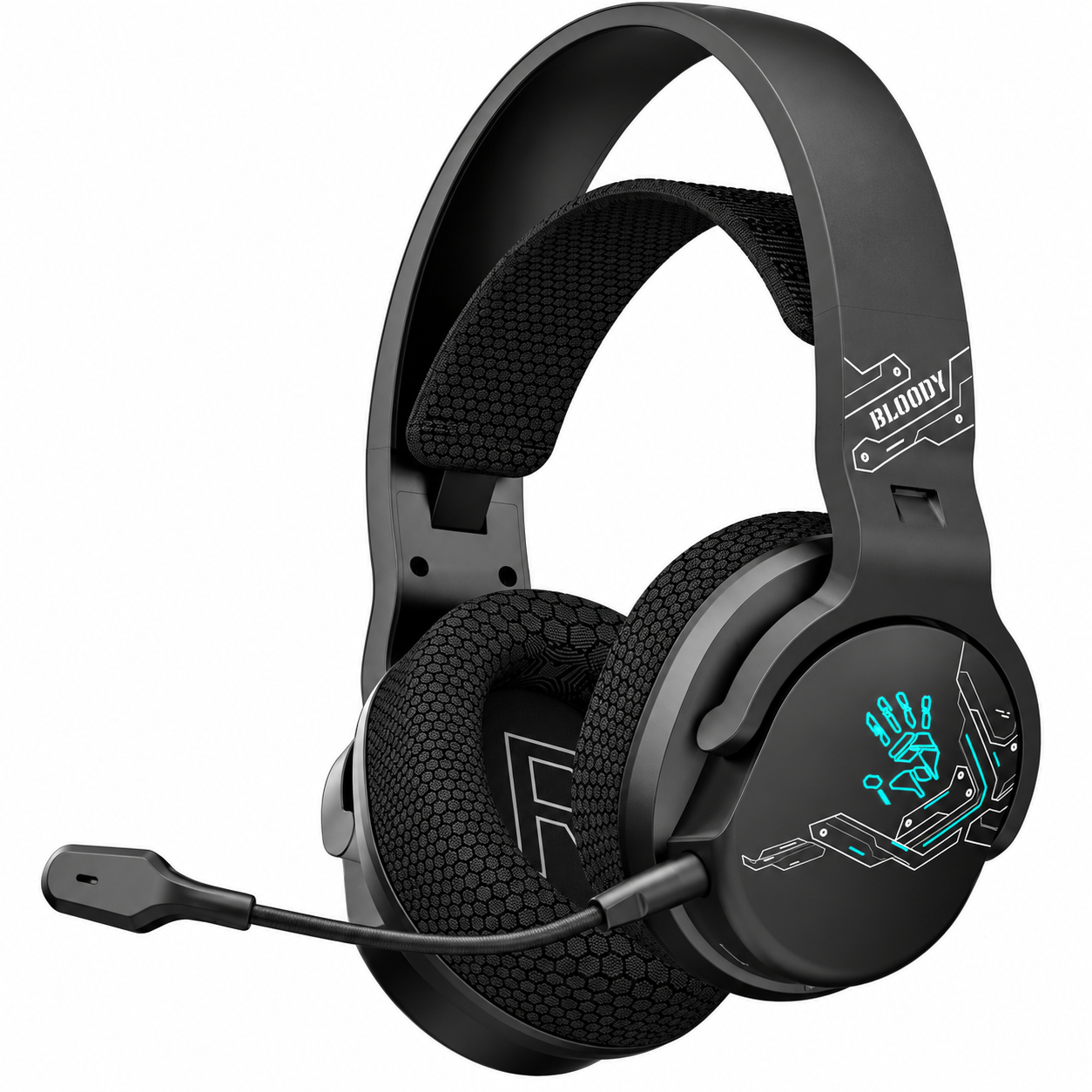
Introduction to Bloody GR370 Wireless Gaming Headset
The Bloody GR370 Wireless Gaming Headset is a versatile all-in-one audio solution designed for immersive gaming across PC, consoles, and mobile devices. Featuring three connectivity modes—2.4GHz wireless for ultra-low latency gaming, Bluetooth v5.3 for stable multi-device pairing, and 3.5mm wired audio for broader compatibility—this headset delivers high-fidelity sound with 50mm drivers and noise-cancelling unidirectional microphone. Key benefits include up to 45 hours of playback (light off) from its 1050mAh battery, a 12m wireless range, and customizable RGB backlighting for enhanced gaming aesthetics.
Unique selling points like one-step functional controls for volume, mic mute, and mode switching make it ideal for competitive gamers seeking zero-delay performance 8 times faster than standard Bluetooth. Target audiences include esports enthusiasts, casual gamers, and streamers who demand comfort during long sessions, thanks to its suspension ultra-soft fabric headband and 3D breathable microfiber earpads. Perfect for FPS titles, multiplayer battles, or mobile gaming on the go.
Estimated price range is $50–$80 USD (or equivalent like ₵1,100 in select markets), with wide availability on official Bloody sites, gaming retailers, and online stores. This bloody GR370 Wireless Gaming Headset combines performance, portability, and value, making it a top choice for wireless gaming headset buyers in 2026.
Bloody GR370 Wireless Gaming Headset Specifications
- Connectivity: 2.4GHz wireless (low latency), Bluetooth v5.3 (steady connection), 3.5mm wired audio for universal compatibility.
- Wireless Range: Up to 12m (40 feet), ideal for spacious gaming setups.
- Battery: 1050mAh lithium battery; 45H playback (light off, 50% volume), 25H (light on); 2H full charge via Type-C.
- Speakers: 50mm high-precision drivers; Frequency: 20Hz–20KHz; Impedance: 16Ω; Sensitivity: 105dB for rich bass and clear highs.
- Microphone: Detachable unidirectional noise-cancelling; Frequency: 100Hz–10KHz; Sensitivity: -42dB for crystal-clear voice chat.
- Design & Comfort: Over-ear with suspension headband, breathable microfiber earpads; 7-color RGB backlight; Sports Black or White finishes.
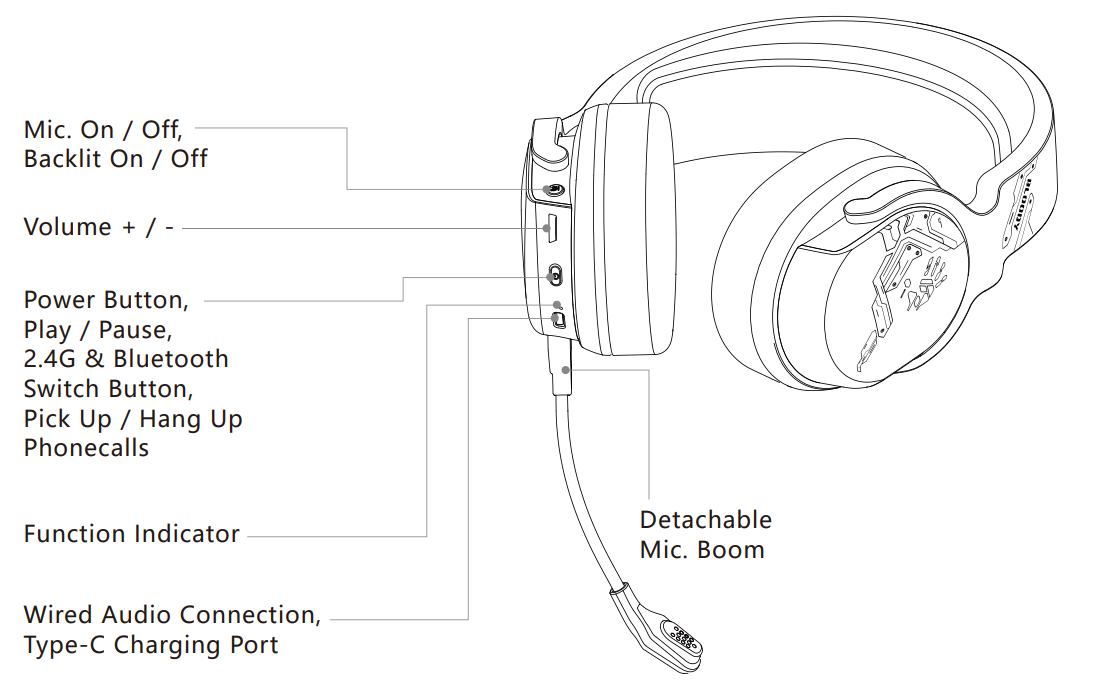
- Controls: On-headset buttons for power, volume ±, mic/backlight toggle, mode switch, play/pause, call handling.
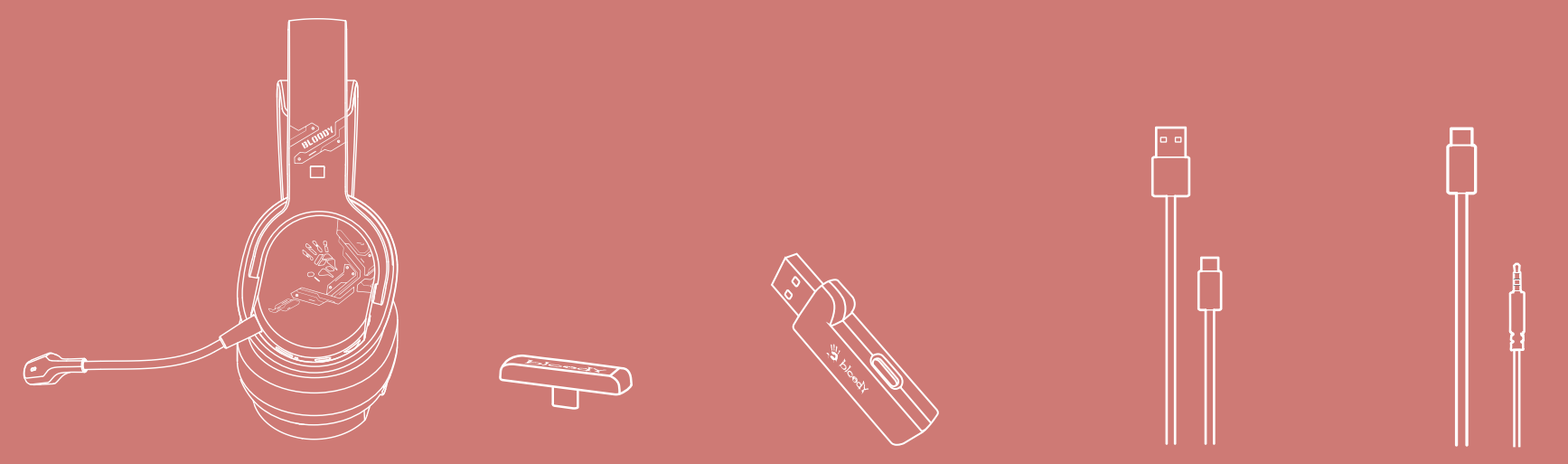
- Includes: Type-C receiver with USB-A adapter, Type-C cable (50cm), 3.5mm cable (150cm).
Compared to rivals like Bloody GR280 or standard Bluetooth headsets, the GR370 excels in multi-mode versatility and latency, outperforming in gaming benchmarks with 2.4GHz tech.
What's in the box
- All-in-one wireless headset
- 2.4G Type-C receiver
- USB-C to USB-A adaptor
- USB Type-C rechargeable cable
- AUX 4-pin 3.5mm audio cable
- User manual

Know your product
How to Set Up Bloody GR370 Wireless Gaming Headset: Step-by-Step Guide
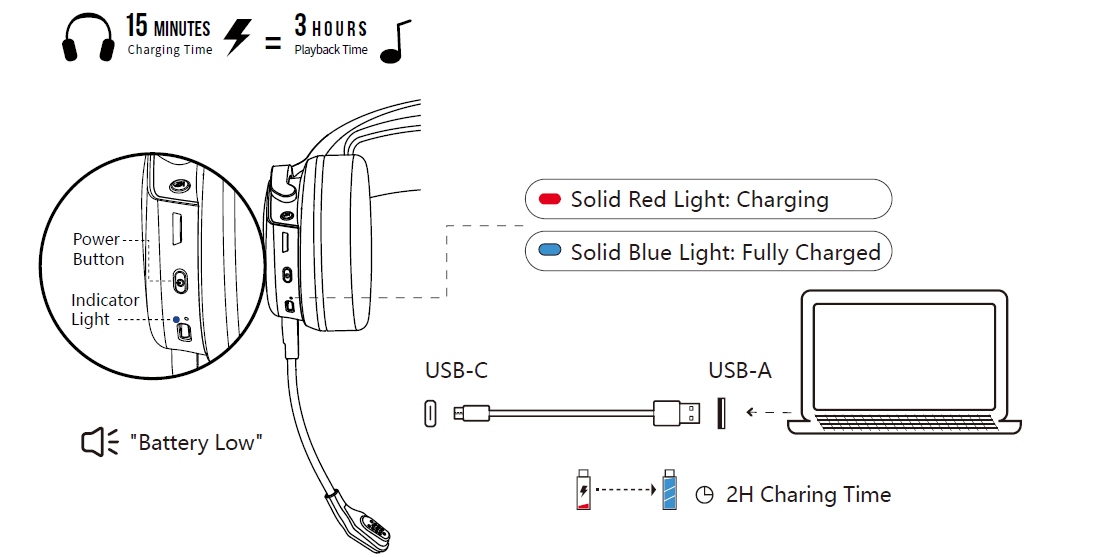
- Charge the Headset: Connect the Type-C cable to the port and a power source; full charge in 2 hours. Indicator shows charging status.
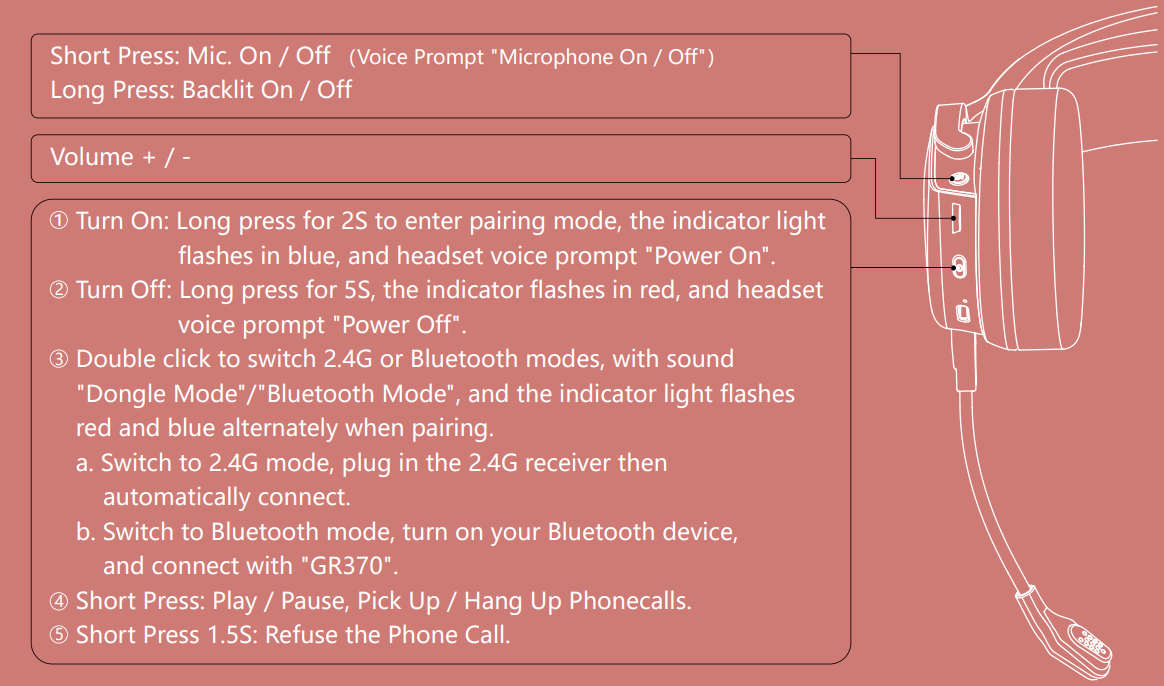
- Power On: Long press power button for 5S; blue light flashes, voice prompt "Power On".
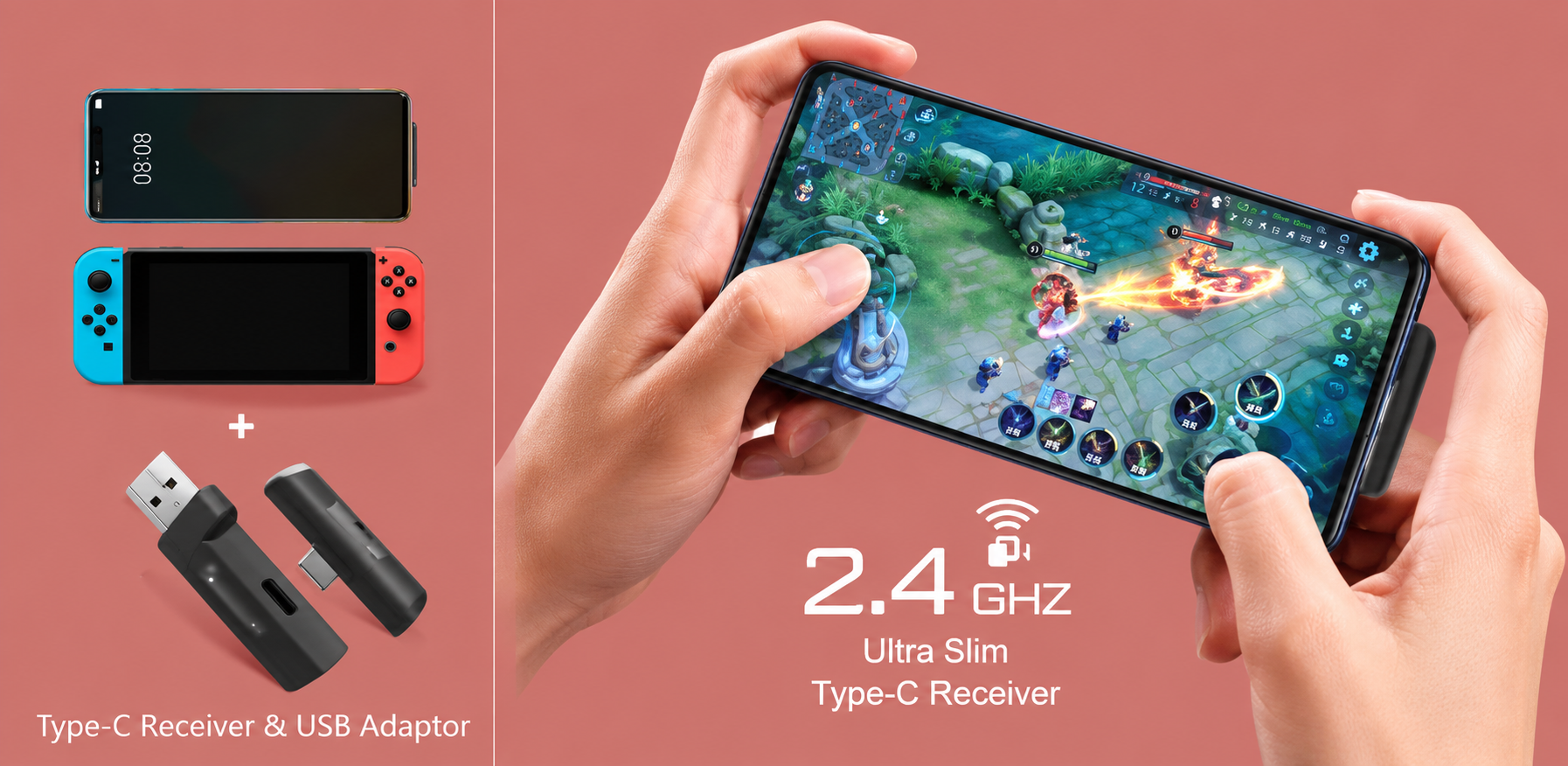
- 2.4GHz Wireless Pairing: Insert ultra-slim Type-C receiver into USB port (use adapter if needed); auto-pairs. Double-click mode button for "Dongle Mode" confirmation.
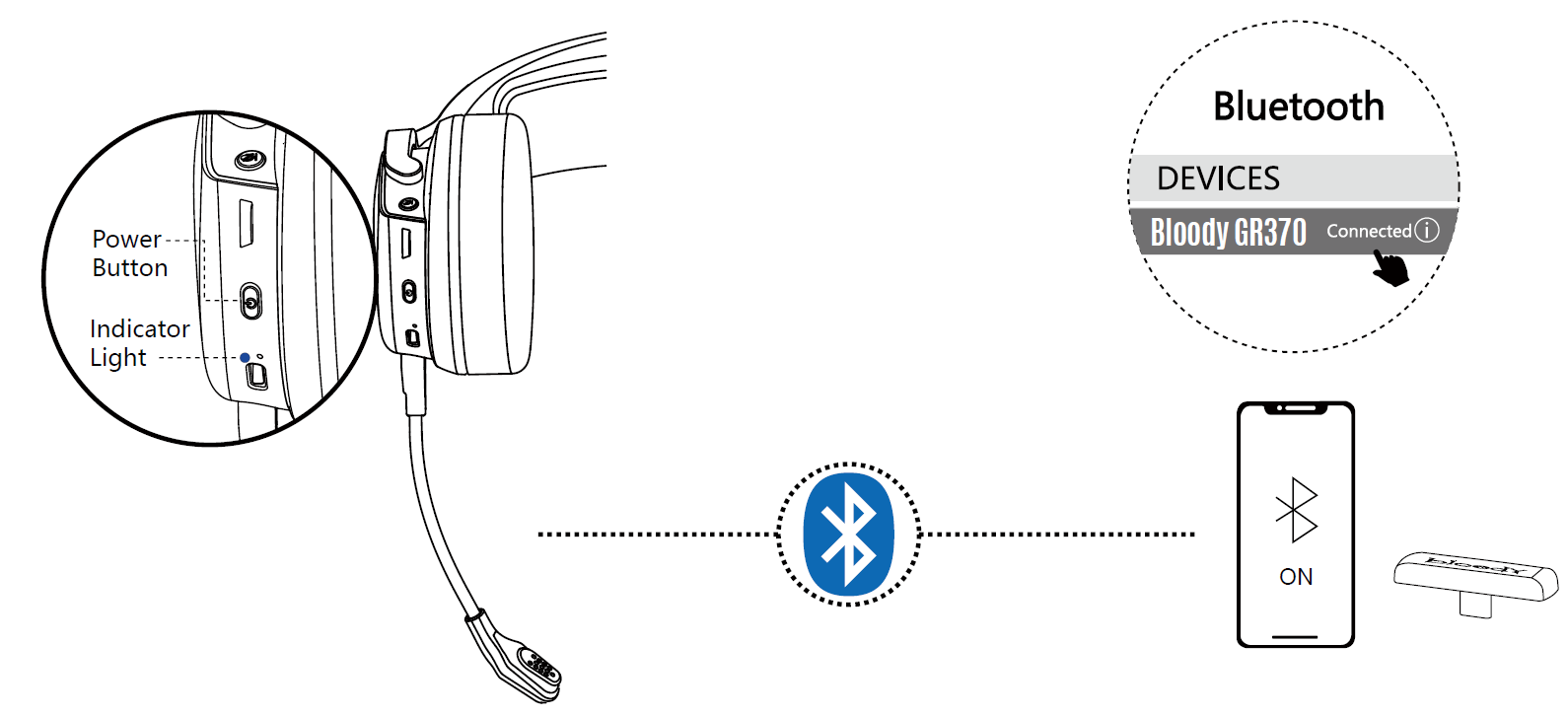
- Bluetooth v5.3 Pairing: Double-click mode button to enter Bluetooth (voice "Bluetooth Mode", flashing light); select "Bloody GR370" on your device.
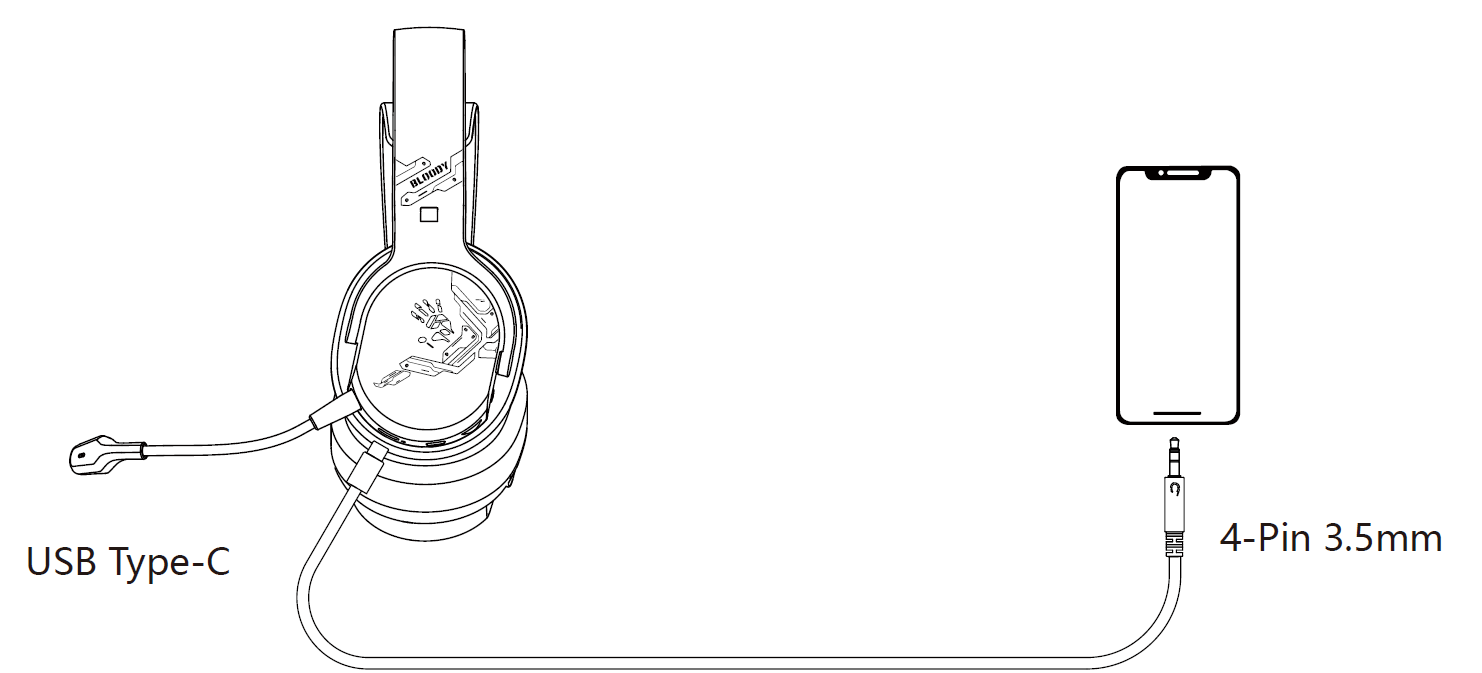
- Wired Setup: Plug 3.5mm cable into headset and device for analog audio.
- Customize: Short press volume buttons; long press for mic/backlight toggle (voice prompts).
Safety Warnings: Avoid water exposure; do not overcharge; keep away from children.
Control on your fingers
LED instruction
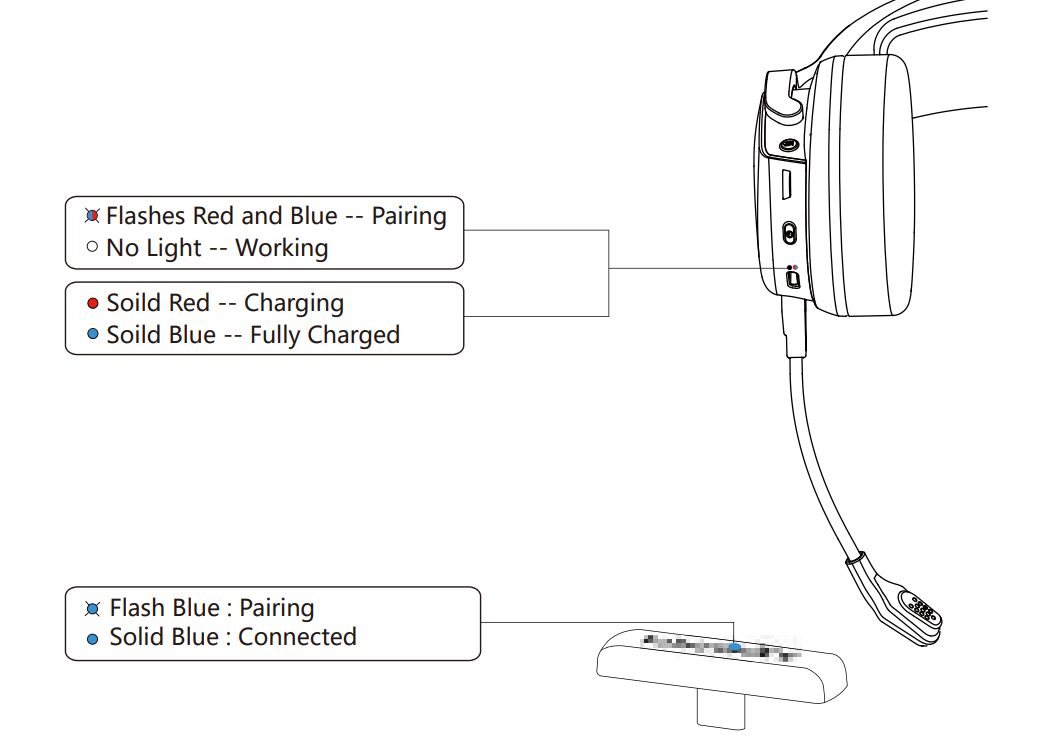
Ultra slim 2.4G Type-C receiver
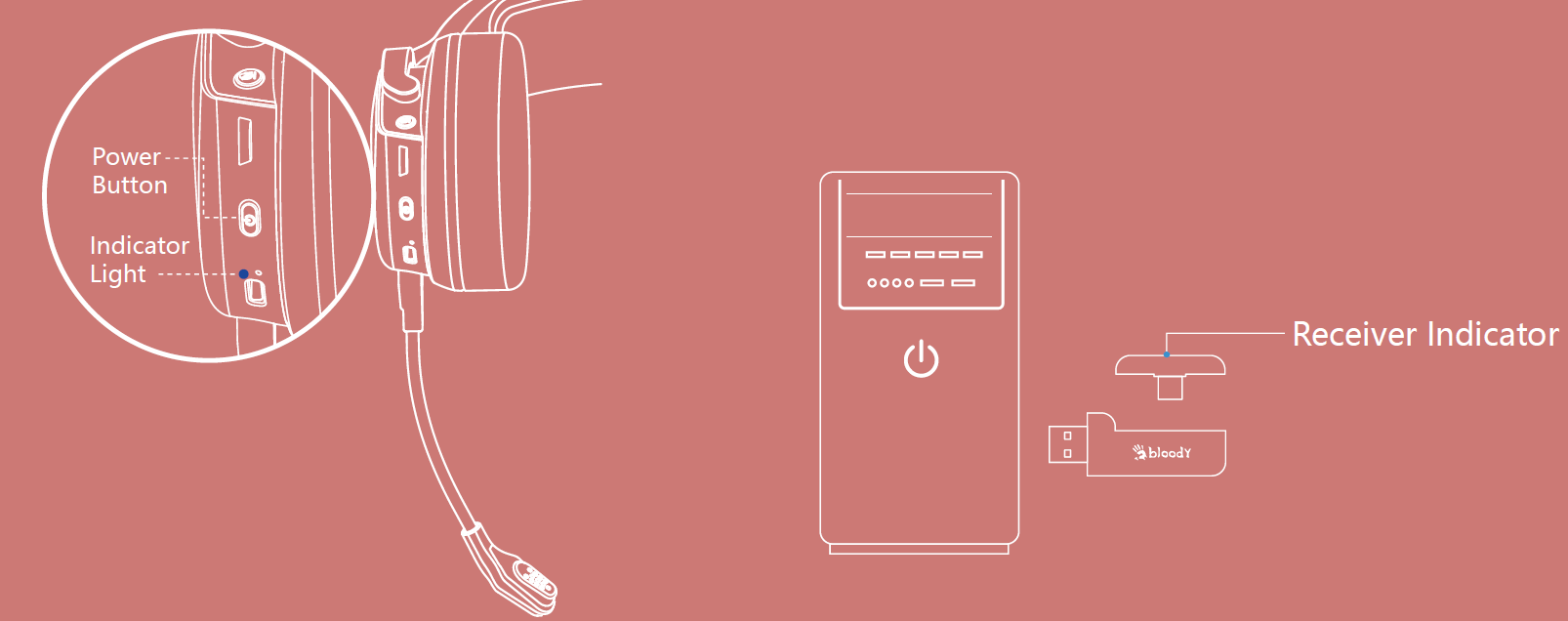
Connecting 2.4G device
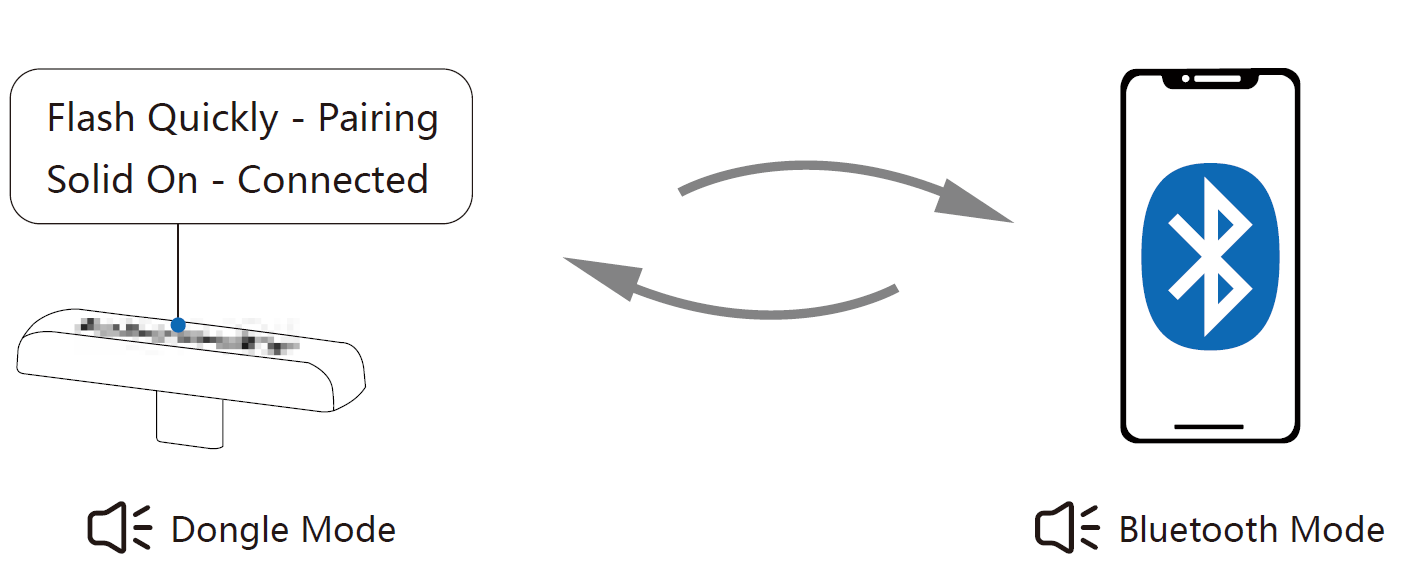
- Long press the power button for 2 seconds. The indicator light flashes red and white alternately when pairing.
- Double-click the power button to switch to 2.4G mode. (Sound: Dongle Mode)
- Plug the Type-C receiver into your mobile phone or other device.
- After the headset is connected, the headset indicator light turns off, and the receiver indicator remains solid blue.
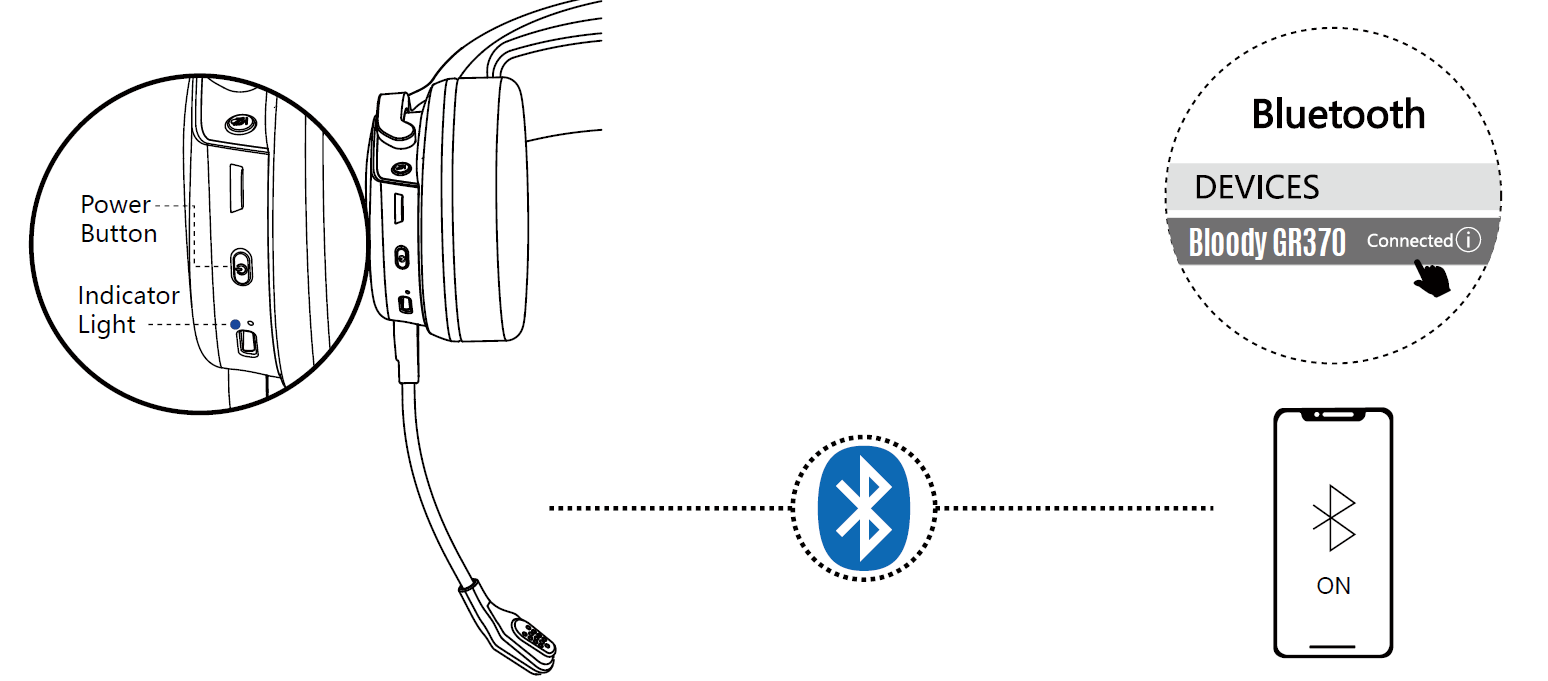
Connecting bluetooth device
- Long press the power button for 2 seconds. The indicator light flashes red and blue alternately when pairing.
- Double-click the power button to switch to Bluetooth mode. (Sound: Bluetooth Mode)
- Select "Bloody GR370" from your Bluetooth device.
- The indicator light turns off after the headset is connected.
Connect 2.4G/bluetooth device
2.4G/bluetooth device switch
Connecting wired devices
Charging/low battery indicator
Troubleshooting Bloody GR370 Wireless Gaming Headset Common Issues
- No Sound/Connection: Check mode (double-click switch); re-pair receiver or Bluetooth; ensure within 12m range. Solution: Power cycle headset.
- Battery Drains Fast: Turn off RGB (long press volume); check light-off mode for 45H life. Charge fully via Type-C.
- Latency/Delay: Use 2.4GHz for gaming (8x faster than Bluetooth); avoid interference.
- Pairing Fails: Forget device Bluetooth list and re-pair; update firmware if available via Bloody site.
Preventive measures: Store in cool, dry place; update drivers. Warranty: Typically 1-2 years; contact Bloody support at bloody.com or local retailers. Email support@bloody.com or check user manual PDF for error indicators.
Pros & Cons of Bloody GR370 Wireless Gaming Headset
Pros
- Exceptional multi-mode connectivity (2.4GHz, Bluetooth, wired) for seamless PC/console/mobile use.
- Long battery life (45H light off) and quick 2H charge, outperforming many competitors.
- Comfortable design with breathable earpads for extended gaming sessions.
- Clear noise-cancelling mic and punchy 50mm audio at budget price (~$60).
- RGB lighting and intuitive controls add gaming flair without complexity.
Cons
- RGB shortens battery to 25H, requiring management for marathon play.
- No active noise cancellation for headphones (mic-only), less ideal for noisy environments.
- Build feels plastic-heavy compared to premium brands like SteelSeries.
Great value for money versus pricier alternatives; excels in versatility for mid-range gamers.
Customer Reviews: Bloody GR370 Wireless Gaming Headset Feedback
Users praise the Bloody GR370 Wireless Gaming Headset for its reliable 2.4GHz low-latency performance in FPS games (avg. 4.5/5 stars on retailer sites). Common praises: "Insane battery life and easy multi-device switching—perfect for PC and Switch!" and “Mic clarity beats wired budget options.” Testimonials highlight comfort: "Wore it 8 hours straight, no ear fatigue."
Complaints include occasional Bluetooth drops (fixed by re-pairing) and muted bass in wired mode (3.8/5 for audio fidelity). Frequently mentioned: Strong value at $50–$80. Recommendation: Buy for gamers needing flexible wireless headset; ideal long-tail choice like “best budget 2.4GHz gaming headset 2026.”
More bloody manuals
- Setup: Bloody S10 Bluetooth RGB Gaming Soundbar User Manual
- Setup: Bloody MR710 RGB Wireless Gaming Headset User Manual
- Setup: Bloody GM50 Pro RGB USB Streaming Microphone User Manual
- Setup: Bloody S5 Lock portable Waterproof Speaker User Manual
- Setup: Bloody GPW70 2.4G Wireless RGB Gaming Controller User Manual
- Setup: Bloody GR270 Wireless Gaming Headset User Manual
Leave a Comment