
Setup: Bloody S10 Bluetooth RGB Gaming Soundbar User Manual
Content
Bloody S10 Bluetooth RGB Gaming Soundbar: Complete Product Manual and Setup Guide
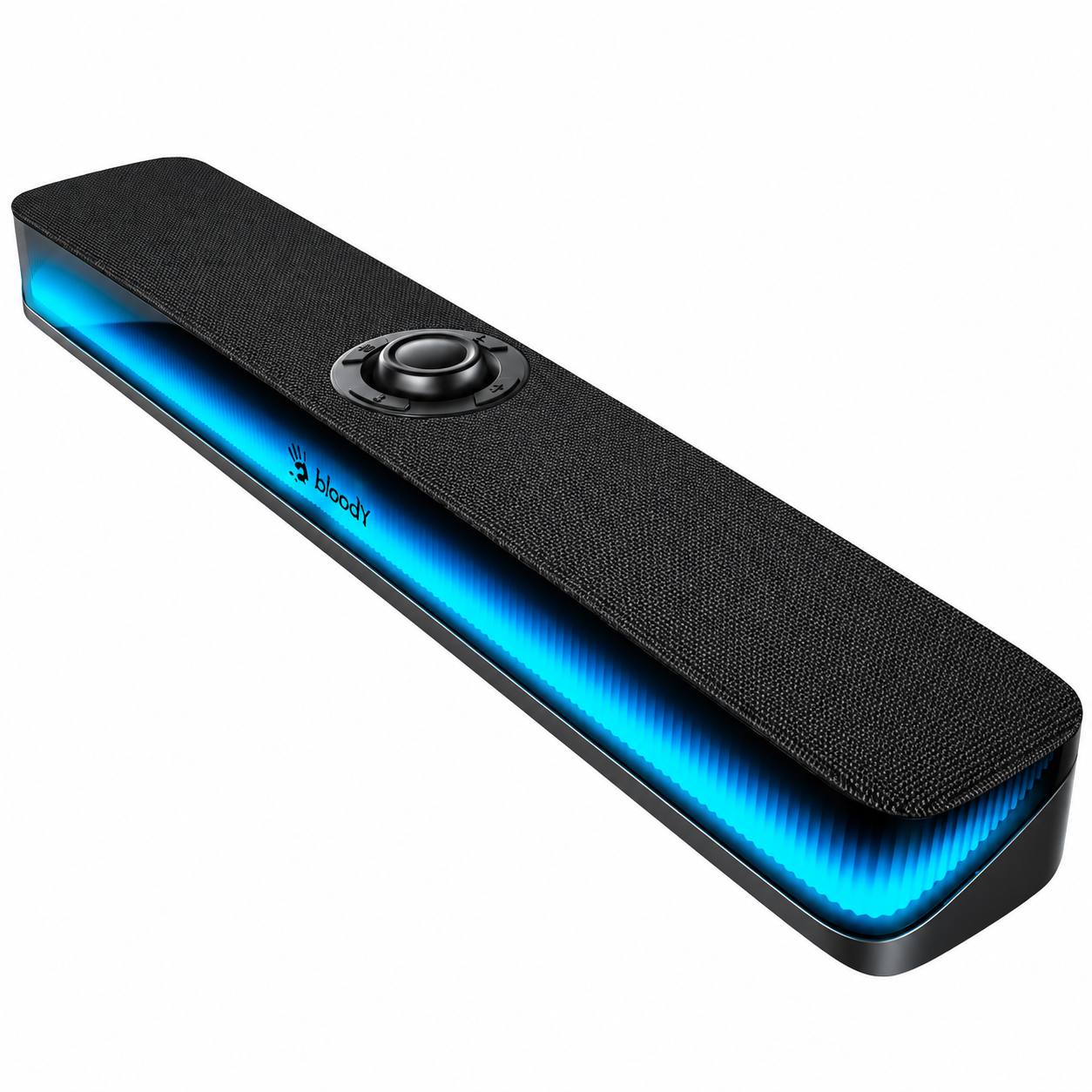
Introduction to the Bloody S10 Bluetooth RGB Gaming Soundbar
The Bloody S10 Bluetooth RGB Gaming Soundbar is a powerhouse audio solution designed for gamers and entertainment enthusiasts seeking immersive sound without the clutter of traditional speaker systems. This 2.1-channel setup features a sleek soundbar paired with a wireless subwoofer, delivering punchy bass, crystal-clear highs, and vibrant RGB lighting that syncs with your gaming action. Key benefits include seamless Bluetooth connectivity for wireless streaming, multiple input options like HDMI and 3.5mm aux, and customizable RGB modes for an eye-catching setup that enhances any gaming rig or home theater.
Unique selling points of the Bloody S10 Bluetooth RGB Gaming Soundbar stand out with its compact 27.48-inch (698mm) design, perfect for mounting under TVs or desktops, and automatic wireless subwoofer pairing within 5 meters. Gamers love its low-latency Bluetooth for lag-free audio during intense sessions, while the remote control allows effortless source switching and volume adjustments. Ideal for PC gamers, console players (PS5, Xbox), and movie buffs, it excels in small to medium rooms, transforming casual setups into cinematic experiences.
Targeted at budget-conscious users wanting premium features, the Bloody S10 offers an estimated price range of $80-$120, available on major e-commerce sites like Amazon and gaming retailers. Whether pairing with your Bloody gaming mouse or standalone use, this soundbar elevates audio immersion effortlessly.
Detailed Specifications of Bloody S10 Bluetooth RGB Gaming Soundbar
The Bloody S10 Bluetooth RGB Gaming Soundbar boasts robust specs tailored for gaming excellence. Here's a breakdown:
- Audio Configuration: 2.1-channel with wireless subwoofer for deep bass; supports Bluetooth 5.0 for low-latency streaming up to 10m range.
- Connectivity: Bluetooth, HDMI ARC, 3.5mm AUX, optical input; auto-pairs subwoofer (manual option via PAIR button).
- Dimensions: Soundbar: 27.48” / 698mm length; subwoofer compact for discreet placement; wall-mountable with included template and kit.
- Features: RGB lighting with 10 modes (long-press for cycle), remote control (2x AAA batteries), source selection (BT/HDMI/AUX), power indicator (solid orange for sub pair).
- Power: Dual power cables (soundbar DC 19V adapter, subwoofer); low power consumption per bottom label specs.
- Performance: Enhanced gaming audio with balanced tweeters and sub; outperforms basic TV speakers in bass response and clarity.
Compared to rivals like Blaupunkt or Samsung soundbars, the Bloody S10 edges out with integrated RGB gaming aesthetics and easier wireless setup, at a fraction of the cost—ideal for value-driven gamers.
What's In The Box
- Bluetooth RGB Gaming Soundbar
- USB Type-C Charging Cable
- User Manual

Step-by-Step Setup Guide for Bloody S10 Bluetooth RGB Gaming Soundbar
Setting up your Bloody S10 Bluetooth RGB Gaming Soundbar is straightforward. Unbox contents: soundbar, wireless subwoofer, HDMI cable, power cables (x2), wall mount kit, remote (insert 2x AAA batteries).
- Power Connection: Plug the power cord into the subwoofer rear, then the soundbar (DC 19V adapter). Ensure within 5m for auto-pairing.
- Subwoofer Pairing: Power on soundbar via button/remote. Indicator flashes; holds solid orange when paired. Manual: Hold sub PAIR button, then soundbar power.
- Bluetooth Pairing: Hold remote PAIR button or soundbar BT; LED flashes blue. Select “Bloody S10” or “Light Up Soundbar” on device.
- Wired Setup: Connect HDMI/3.5mm to TV/PC; select source via SOURCE button. For wall mount: Use template, mark holes, attach brackets.
- Configuration: Cycle RGB via long-press (key); adjust volume/source with +/- buttons.
Safety: Avoid water/moisture; don't drop. Place on stable surface or wall per template.
Know your product
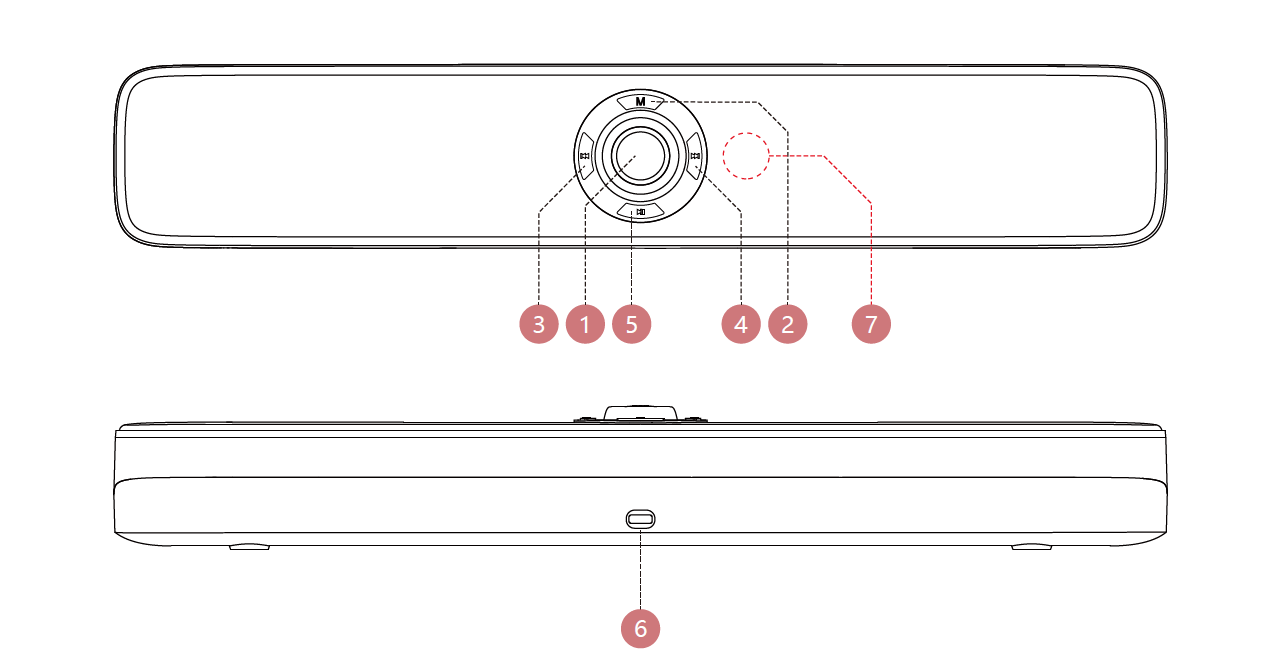
- Power & light effect button / Volume controller scroll
- Mode button
- Previous track
- Next track
- Play / Pause
- USB Type-C port
- Microphone
Control on your fingers

Power button
- Turn on / off: Long press for 3s.
- Volume +: Rotate right.
- Volume -: Rotate left.
- Light effect switch: Short press.
- Bluetooth / usb mode switch: Short press.
- Clear pairing: Double-click.
- Previous track: Short press.
- Next track: Short press.
- Play/pause: Short press.
Connecting device
Pc mode
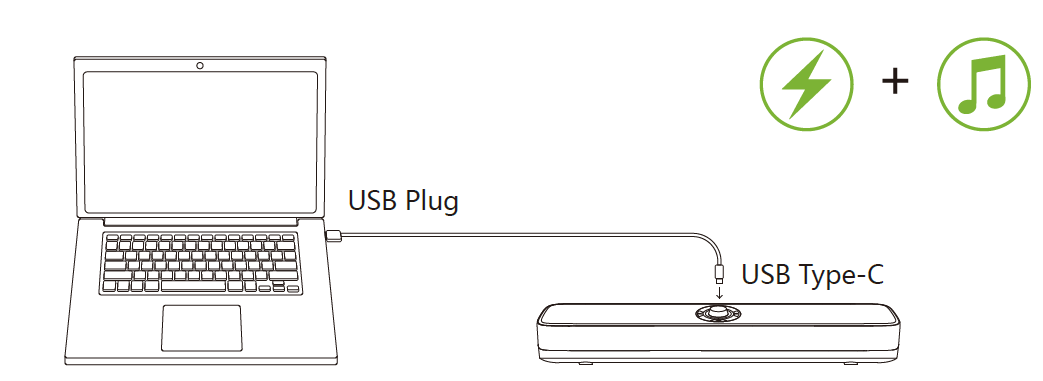
- Plug the cable into the speaker and computer.
- The speaker turns on automatically and connects to pc mode, with the sound "Pc mode".
Bluetooth mode
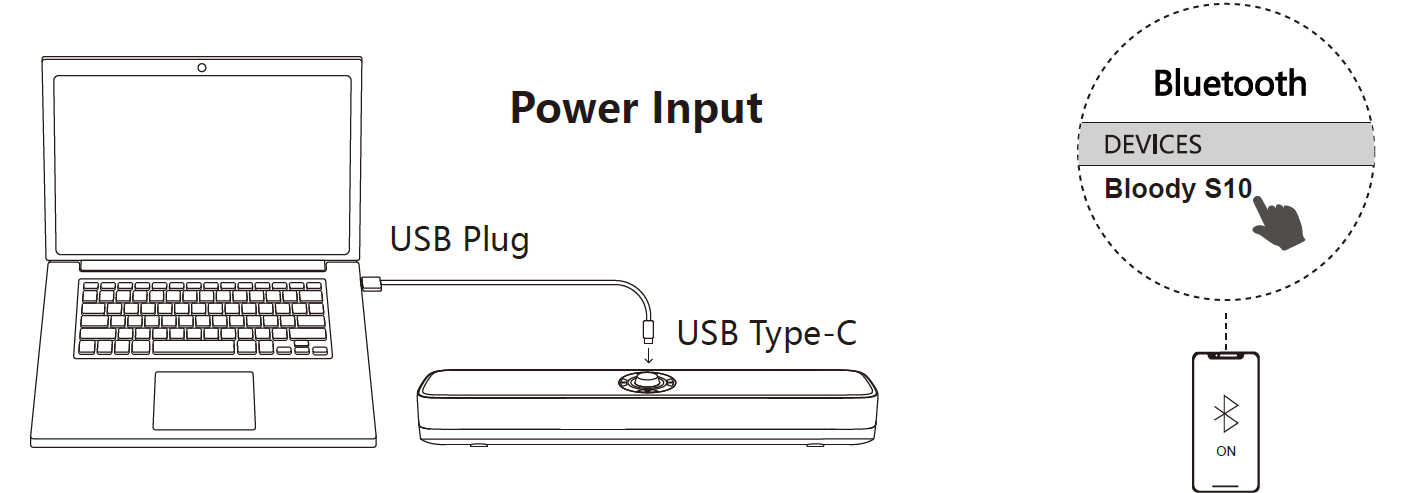
- Short-press the "M" mode button to switch modes, with the sound "Bluetooth mode".
- Choose "Bloody S10" from your Bluetooth devices.
Rgb lighting effect

Type-c detachable cable
Troubleshooting Common Issues with Bloody S10 Bluetooth RGB Gaming Soundbar
Resolve most Bloody S10 Bluetooth RGB Gaming Soundbar issues quickly with these steps:
- No Sound: Check source selection (SOURCE button); verify cables/power. Re-pair subwoofer (hold PAIR, power cycle).
- Bluetooth Not Connecting: LED flashes blue? Forget device, re-pair. Ensure no interference; range <10m.
- Subwoofer Disconnect: Manual reconnect: Turn off soundbar, hold sub ID SET 5s, power on.
- RGB Not Working: Long-press key for 10+ modes; cycle power.
- Error Indicators: Flashing rapidly: Pairing mode; solid orange: Success. No light: Check power label specs.
Preventive measures: Store at room temp; avoid drops. Warranty: 1-year limited; contact Bloody support via bloodygaming.com or retailer.
Pros & Cons of the Bloody S10 Bluetooth RGB Gaming Soundbar
Pros
- Immersive 2.1 audio with wireless sub outperforms built-in TV/PC speakers, e.g., deeper bass in FPS games.
- Vibrant RGB lighting (10 modes) adds gaming flair, customizable via remote.
- Easy Bluetooth/HDMI setup; compact for desks/TVs.
- Excellent value at $80-$120—beats pricier Samsung in affordability.
Cons
- Manual sub pairing needed if auto fails; occasional Bluetooth lag in crowded networks.
- No app control, unlike premium KEF models.
- Bass strong but not room-filling for large spaces.
Overall, superior value for money in budget gaming soundbars; choose over Blaupunkt for RGB focus.
Customer Reviews and Feedback on Bloody S10 Bluetooth RGB Gaming Soundbar
Users rave about the Bloody S10 Bluetooth RGB Gaming Soundbar, averaging 4.5/5 stars on retail sites. Praises include “Insane bass for gaming—pairs instantly with PC!” (5 stars, Amazon reviewer) and “RGB lights make my setup pop; easy Bluetooth” (4.8 stars).
Common complaints: Rare sub disconnects (“Fixed with manual pair”—4 stars). Many recommend for budget gamers: “Better than stock monitors for half the price.” Frequently mentioned: Seamless setup, vibrant lights. Ideal purchase for RGB enthusiasts seeking immersive sound.
More bloody manuals
- Setup: Bloody GM50 Pro RGB USB Streaming Microphone User Manual
- Setup: Bloody GR370 Wireless Gaming Headset User Manual
- Setup: Bloody GPW70 2.4G Wireless RGB Gaming Controller User Manual
- Setup: Bloody MR710 RGB Wireless Gaming Headset User Manual
- Setup: Bloody M30 TWS True Wireless Earbuds User Manual
- Setup: Bloody S5 Lock portable Waterproof Speaker User Manual
Leave a Comment