
Carrier SYSTXCCITC01-C Infinity System Control User Manual
Content
Carrier SYSTXCCITC01-C Infinity System Control Overview
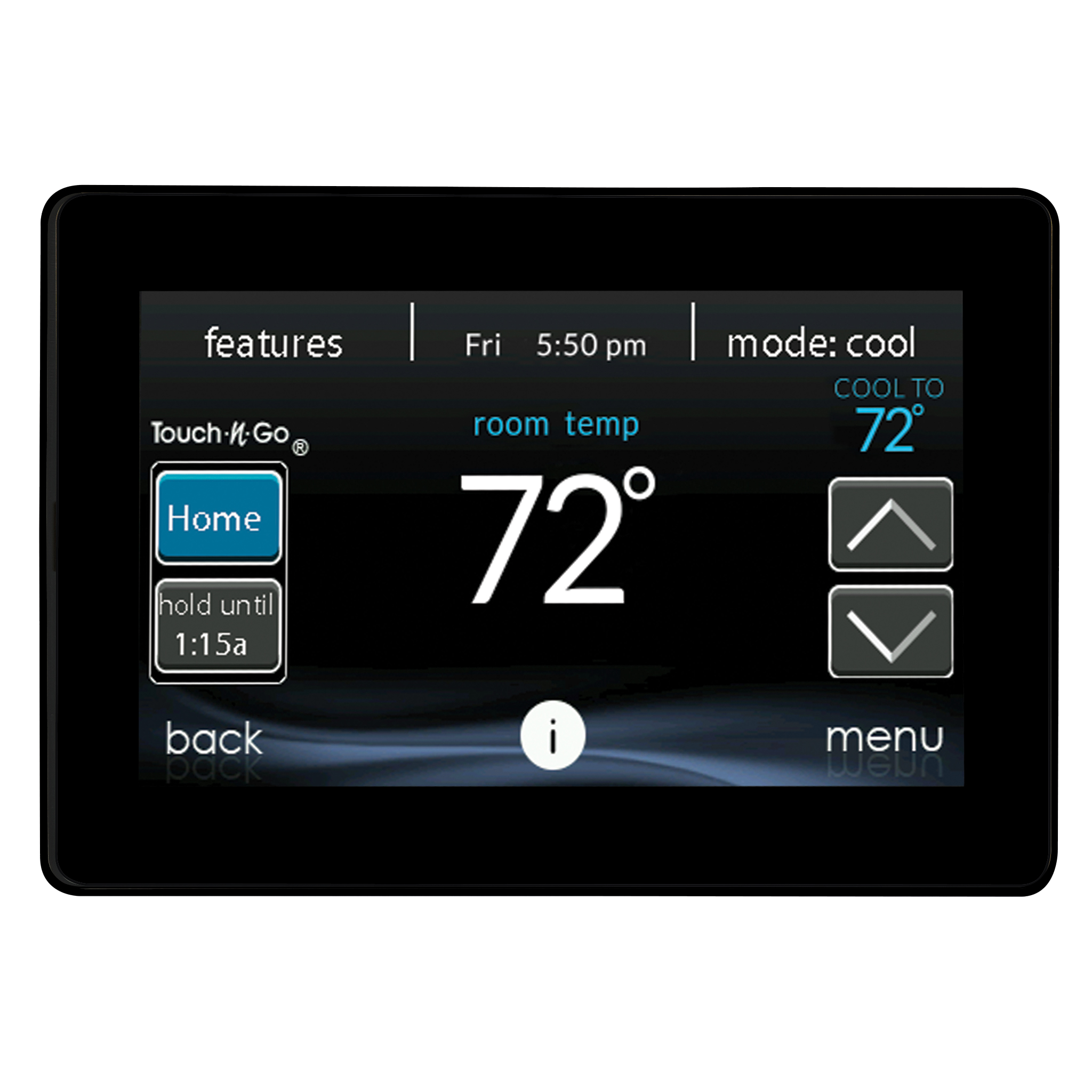
The carrier SYSTXCCITC01-C Infinity System Control is a premium communicating thermostat built exclusively for Carrier Infinity systems. It goes beyond basic temperature management by helping homeowners control heating, cooling, humidity, airflow, ventilation, and indoor air quality from a single interface. This makes it a strong fit for larger homes, multi-zone setups, and users who want precise comfort control with smart-home convenience.
One of the biggest advantages of the carrier SYSTXCCITC01-C Infinity System Control is its ability to coordinate with compatible Infinity equipment, including advanced systems with Greenspeed technology and Hybrid Heat configurations. It also supports remote access through Wi-Fi, so users can adjust settings from a smartphone or tablet when away from home. That combination of intelligent automation and remote control makes it especially useful for energy-conscious households, busy families, and HVAC owners looking for a more refined comfort experience.
In the market, this model is typically positioned as a high-end HVAC control solution rather than a budget thermostat. Estimated pricing varies widely by seller and condition, but current market availability suggests a range of roughly $400 to $1,300 depending on whether the unit is new, open-box, or pre-owned. Availability is strongest through HVAC dealers, specialty parts retailers, and resale marketplaces. For buyers searching for a Carrier Infinity smart thermostat with advanced zoning support, this model remains one of the most capable options in the lineup.
Specifications for Carrier SYSTXCCITC01-C Infinity System Control
- Product type: Communicating wall control for Carrier Infinity systems
- Connectivity: Wi-Fi remote access for mobile control and monitoring
- Compatibility: Designed for Carrier Infinity indoor and outdoor equipment only
- Zoning support: Controls up to 8 zones in supported systems
- System management: Heating, cooling, humidity, airflow, ventilation, and indoor air quality control
- Power: 24VAC communicating system interface
- Wiring: Four-pin ABCD communicating connection
- Display: Black glass-front control with a modern touchscreen-style interface
- Operating environment: 32°F to 104°F, up to 95% relative humidity
- Smart features: Energy tracking, remote access, OTA update support, occupancy sensing on supported series
Compared with standard programmable thermostats, the carrier SYSTXCCITC01-C Infinity System Control offers far more system coordination and equipment-level communication. It is not a universal thermostat, so compatibility is narrower than products from Ecobee or Nest, but its integration depth is stronger for owners of Carrier Infinity equipment. For users who want true HVAC system management instead of simple temperature scheduling, it delivers a more advanced experience.
Troubleshooting Carrier SYSTXCCITC01-C Infinity System Control Problems
Common issues with the carrier SYSTXCCITC01-C Infinity System Control usually involve communication, power, Wi-Fi connectivity, or compatibility. If the screen is blank or unresponsive, check the 24VAC supply and verify the ABCD wiring is secure and correctly matched. If the thermostat reports no communication with equipment, inspect the four-wire connection at both the control and HVAC components. A poor connection often causes intermittent faults or loss of zoning control.
For Wi-Fi problems, restart the home network, confirm the thermostat is connected to the correct router band, and ensure the password was entered correctly. If the system is not responding after a software update, power-cycle the control and allow several minutes for the communicating equipment to reconnect. Typical fault conditions may appear as communication or sensor-related alerts rather than traditional consumer-style error codes, so checking the system status screen is usually the fastest fix.
To prevent issues, keep firmware current, avoid loose wiring, and schedule routine HVAC maintenance. Warranty coverage and support depend on the seller and installation circumstances, so buyers should confirm terms before purchasing. For help, contact a Carrier HVAC dealer, the original installer, or Carrier customer support through the official residential support channels. This is especially important when the issue involves compatibility with Infinity-only equipment.
Pros and Cons of Carrier SYSTXCCITC01-C Infinity System Control
Pros
- Excellent integration with Carrier Infinity systems for precise HVAC control
- Supports humidity, airflow, ventilation, and indoor air quality management
- Remote access through Wi-Fi adds convenience for daily adjustments
- Strong zoning support makes it ideal for larger homes
- Works well with advanced Carrier technologies like Greenspeed and Hybrid Heat
- Premium interface and polished design improve usability
Cons
- Limited compatibility because it is designed only for Carrier Infinity equipment
- Higher price than many mainstream smart thermostats
- Installation may require professional HVAC knowledge
- Best value is only realized in fully compatible Carrier systems
- Replacement units can be expensive compared with alternatives
In terms of value for money, the carrier SYSTXCCITC01-C Infinity System Control is a strong purchase for homeowners already invested in the Carrier ecosystem. Buyers comparing it with Nest, Ecobee, or Honeywell should note that those brands offer broader compatibility, while this model offers deeper control over compatible HVAC hardware. That makes it a better specialist solution than a general-purpose smart thermostat.
Customer Reviews of Carrier SYSTXCCITC01-C Infinity System Control
Customer feedback for the carrier SYSTXCCITC01-C Infinity System Control is generally positive, with many users rating it around 4.3 out of 5 stars. Homeowners frequently praise the system’s comfort precision, zoning control, and ability to manage humidity and airflow more effectively than basic thermostats. One common comment is that the interface feels more like a full HVAC command center than a standard wall thermostat.
Frequent complaints focus on price, limited compatibility, and the need for professional installation in some homes. Users also mention that setup can be frustrating if their HVAC equipment is not fully compatible. For buyers already using Carrier Infinity equipment, the feedback is usually favorable and often recommends purchase. For mixed-brand systems, reviewers commonly suggest choosing a more universal smart thermostat instead.
Frequently Asked Questions About Carrier SYSTXCCITC01-C Infinity System Control
- Is the carrier SYSTXCCITC01-C Infinity System Control compatible with all HVAC systems? No, it is designed specifically for Carrier Infinity equipment.
- Can it be controlled remotely? Yes, it supports Wi-Fi remote access from a smartphone or tablet.
- Does it support zoning? Yes, supported systems can control up to 8 zones.
- Is professional installation recommended? Yes, especially for complex communicating systems.
For homeowners with a fully compatible Carrier setup, the carrier SYSTXCCITC01-C Infinity System Control remains one of the most capable smart HVAC controls available. It combines advanced comfort management, remote access, and system-wide coordination in one premium package.
Faqs
How do I set up carrier SYSTXCCITC01-C Infinity System Control for the first time?
Why is my carrier SYSTXCCITC01-C Infinity System Control not connecting to Wi-Fi?
What should I do if carrier SYSTXCCITC01-C Infinity System Control shows a blank screen?
Which HVAC systems are compatible with carrier SYSTXCCITC01-C Infinity System Control?
What features make carrier SYSTXCCITC01-C Infinity System Control different from a basic thermostat?
How do I troubleshoot communication errors on carrier SYSTXCCITC01-C Infinity System Control?
How can I improve the temperature accuracy of carrier SYSTXCCITC01-C Infinity System Control?
How often should I maintain carrier SYSTXCCITC01-C Infinity System Control and what care does it need?
More carrier manuals
Leave a Comment