
Denon AVR-2809 Surround Receiver User Manual
Content
Denon AVR-2809 Surround Receiver Review and Manual
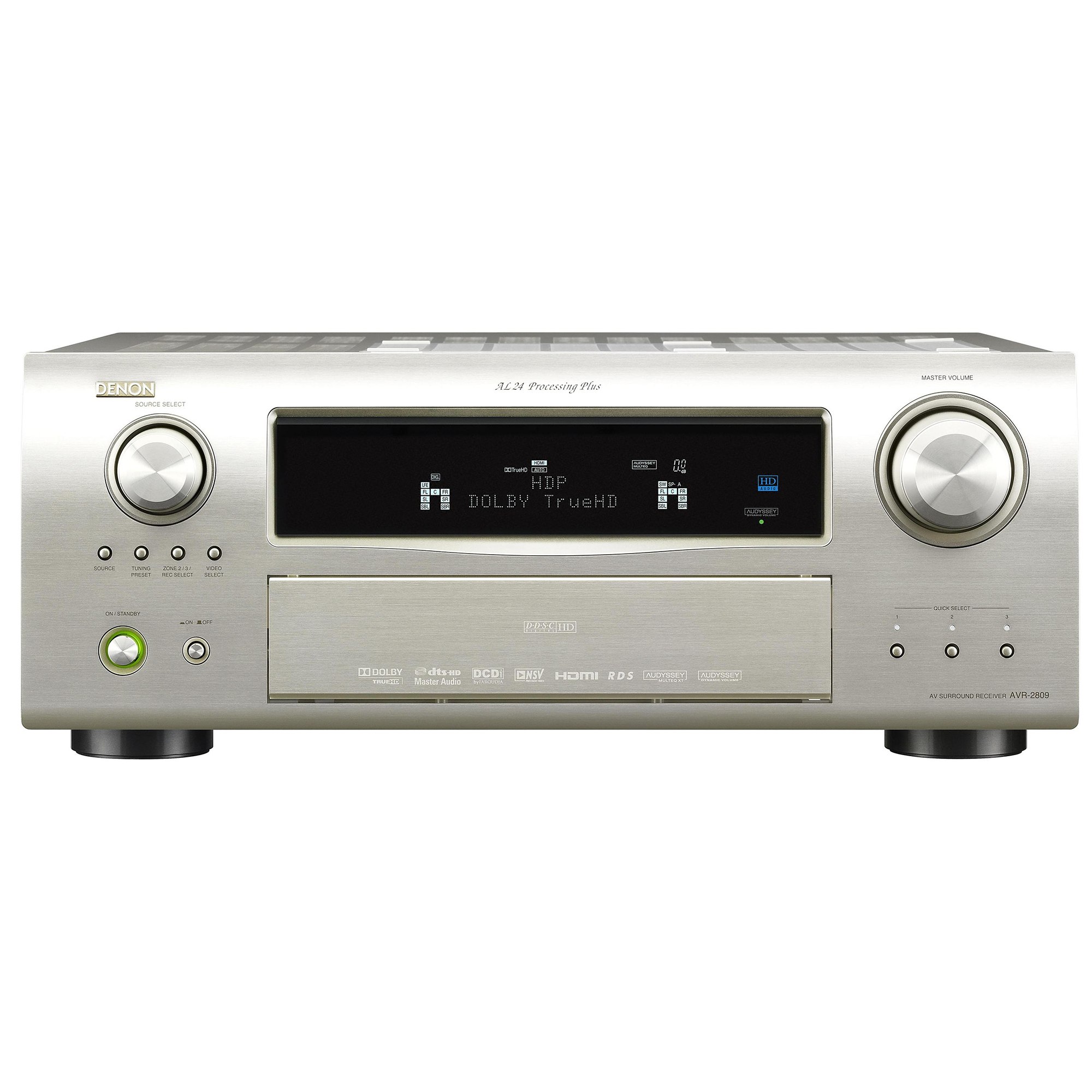
The Denon AVR-2809 Surround Receiver is a classic 7.1-channel AV receiver built for home theater users who want strong amplification, flexible connectivity, and reliable surround decoding in a single component. With 115 watts per channel, support for popular Dolby and DTS formats, and HDMI switching for multiple HD sources, it remains a practical choice for film fans, game players, and anyone upgrading a dedicated media room.
This model is especially well suited to users who want a traditional home theater receiver with serious audio performance and broad input support. It handles Blu-ray players, media streamers, game consoles, and legacy devices through a mix of HDMI, component, composite, optical, coaxial, and multichannel analog inputs. The Denon AVR-2809 Surround Receiver also appeals to enthusiasts who value video upconversion and 1080p scaling, making older sources easier to integrate into a modern display setup.
At launch, the AVR-2809 sat in the mid-to-upper price range for premium receivers, and on the used market it typically appears in a much more affordable bracket. Availability today is mostly limited to secondhand listings, refurbished units, and older inventory, so buyers should expect condition and accessory completeness to vary. For users seeking a dependable, feature-rich receiver for a living room or dedicated theater, the Denon AVR-2809 Surround Receiver offers strong value, especially when purchased used at a sensible price.
Pros and Cons of the Denon AVR-2809 Surround Receiver
Pros
- Powerful 7.1-channel output with 115 watts per channel for confident performance with surround speakers.
- Wide format support, including Dolby TrueHD, Dolby Digital Plus, DTS-HD Master Audio, and other legacy surround codecs.
- Four HDMI inputs plus HDMI output, making it practical for multiple modern and legacy AV sources.
- Video upconversion and 1080p scaling help simplify system wiring and improve older component and composite sources.
- Good build quality and a reputation for solid Denon audio performance make it appealing for long-term home theater use.
- Strong value for money on the used market compared with newer receivers that may cost far more.
Cons
- No current-generation streaming platform or built-in network music ecosystem, unlike newer AV receivers.
- Older HDMI hardware limits compatibility with today’s advanced video features and modern gaming requirements.
- Large chassis and heavier weight can make placement harder in compact AV cabinets.
- Setup may feel dated compared with newer receivers that offer more guided mobile-app configuration.
- Best for users who prioritize sound quality and inputs over smart-home convenience.
Compared with newer alternatives, the Denon AVR-2809 Surround Receiver is less advanced in networking and HDMI features, but it can still outperform many budget receivers in build quality and channel power. For buyers who need a straightforward home theater amplifier rather than a smart AV hub, it remains a compelling option.
Customer Reviews for the Denon AVR-2809 Surround Receiver
Owner feedback is generally positive, especially from users who value clean sound, flexible connectivity, and strong performance with movies and concert audio. Many listeners rate the unit around 4.5 out of 5 stars for its power delivery and reliability in a full surround setup. One typical comment is, “It still drives my 7.1 speaker system with ease and sounds great with Blu-ray and TV audio.”
Common praise includes the receiver’s solid build, dependable HDMI switching, and clear, detailed playback. Frequent complaints focus on its age, larger size, and lack of modern wireless features such as built-in Wi‑Fi, Bluetooth, or app-based streaming. A recurring issue in older units is the need to verify remote control function, firmware condition, and overall cosmetic wear before buying used.
Purchase this model if you want a high-quality used home theater receiver for movies, TV, and physical media. Skip it if you need a modern streaming-centric receiver with the newest HDMI standards or smart assistant integration.
Faqs
How do I set up the denon AVR-2809 Surround Receiver for the first time with a TV and speakers?
Why is my denon AVR-2809 Surround Receiver not producing sound from one or more speakers?
Which devices are compatible with the denon AVR-2809 Surround Receiver through HDMI and legacy inputs?
How do I optimize surround sound and speaker calibration on the denon AVR-2809 Surround Receiver?
What should I do if the denon AVR-2809 Surround Receiver is overheating or shutting down?
How do I use the denon AVR-2809 Surround Receiver with a subwoofer for better bass performance?
How can I fix HDMI input or video signal problems on the denon AVR-2809 Surround Receiver?
How should I clean and maintain the denon AVR-2809 Surround Receiver for long-term reliability?
More denon manuals
Leave a Comment