
Denon AVR-S970H Integrated Network AV Receiver User Manual
Content
Introduction to the Denon AVR-S970H Integrated Network AV Receiver
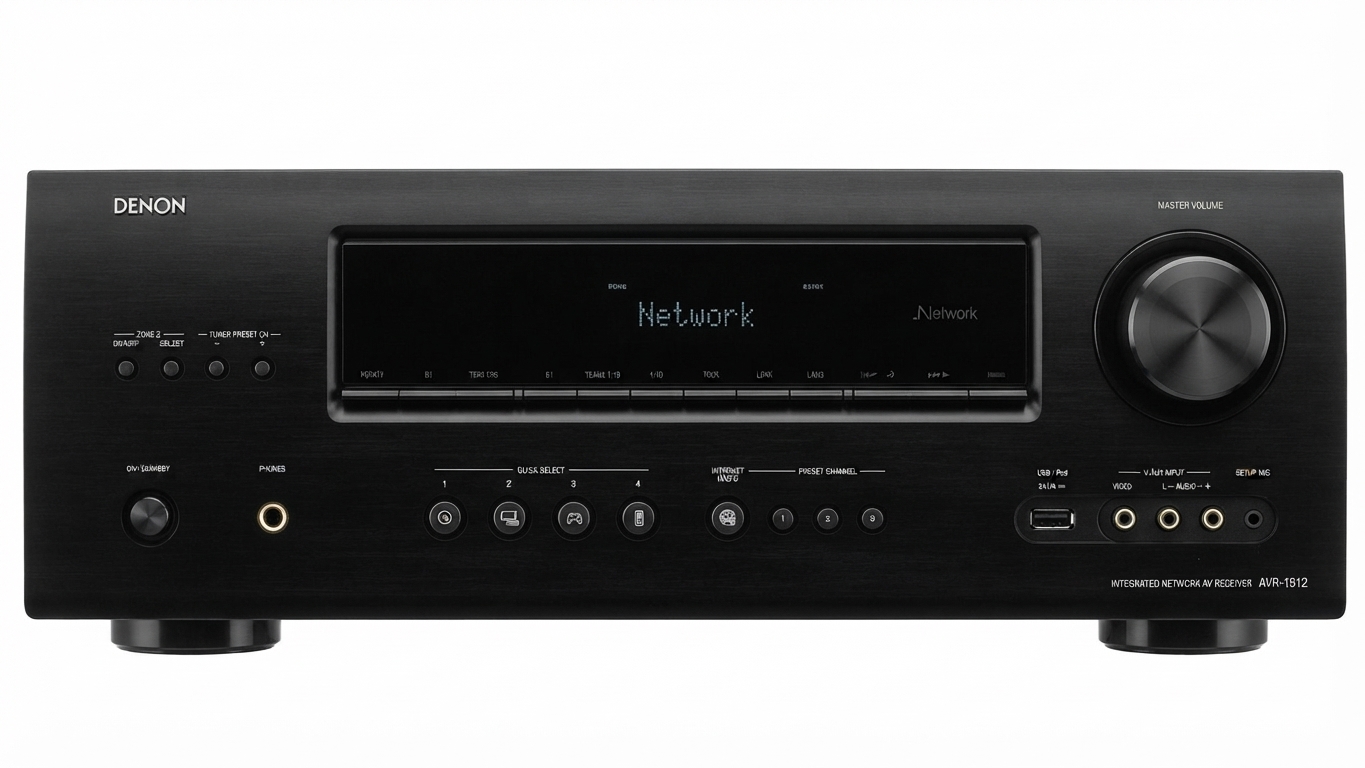
The Denon AVR-S970H Integrated Network AV Receiver is a feature-rich 7.2-channel home theater hub designed for modern entertainment systems. It combines strong amplification, flexible HDMI 2.1 connectivity, and built-in network streaming into one receiver that works well for movies, gaming, music, and multi-room setups. With 90 watts per channel into 8 ohms, support for Dolby Atmos and DTS:X, and 8K video passthrough, this model is built for users who want a compact but capable AV solution.
This receiver is a strong fit for mid-sized living rooms, dedicated media spaces, and users upgrading from older 5.1 or 7.1 systems. It supports advanced gaming features such as 4K/120Hz, VRR, and ALLM, making it a practical choice for current-generation consoles and high-performance TVs. Network features like HEOS Built-in, AirPlay 2, Bluetooth, and popular streaming support make daily use simple and convenient.
For buyers comparing home theater receivers, the denon AVR-S970H Integrated Network AV Receiver stands out for its balance of performance, connectivity, and ease of setup. Estimated pricing typically falls in the mid-range AV receiver category, often around $780 to $800, though promotions can bring it lower and retailer availability may vary by region. It is widely available through major electronics retailers and audio specialists.
Specifications for Denon AVR-S970H Integrated Network AV Receiver
- Channels: 7.2-channel AV receiver for surround sound and dual subwoofer support.
- Power output: 90W per channel into 8 ohms, 20Hz–20kHz, 0.08% THD, 2 channels driven.
- Higher-drive ratings: 125W per channel into 6 ohms at 1kHz, 0.7% THD; 185W per channel into 6 ohms at 1kHz, 10% THD, 1 channel driven.
- HDMI: 6 inputs and 2 outputs with HDMI 2.1 support.
- Video: 8K/60Hz and 4K/120Hz passthrough on select inputs and outputs.
- HDR support: HDR10, HDR10+, Dolby Vision, HLG, and HDCP 2.3 compatibility.
- Gaming features: VRR, ALLM, and low-latency HDMI 2.1 functionality.
- Audio formats: Dolby Atmos, DTS:X, DTS Virtual:X, Dolby TrueHD, and DTS-HD Master Audio.
- Networking: Wi-Fi, Ethernet, Bluetooth, AirPlay 2, and HEOS multi-room streaming.
- Calibration: Audyssey room correction for improved speaker balancing.
- Comparison: Compared with entry-level 5.2 receivers, it offers more channels and better gaming/video support; compared with premium flagship models, it delivers fewer amplification reserves but excellent value and modern features.
Troubleshooting the Denon AVR-S970H Integrated Network AV Receiver
If the receiver does not power on, check the AC connection, the outlet, and the standby indicator. If there is no sound, confirm the correct input source, speaker wiring polarity, and volume settings. For HDMI issues, reseat cables, test another HDMI port, and verify that the TV is connected to the correct output. If 8K or 4K/120Hz content does not display correctly, use certified Ultra High Speed HDMI cables and confirm that the source device and TV both support the format.
Common on-screen error messages usually relate to speaker impedance, HDMI handshake problems, or protection mode. If a protection or overload message appears, power the unit off, inspect for shorted speaker wire strands, and allow the receiver to cool before restarting. Preventive measures include maintaining airflow around the chassis, using proper speaker impedance, and updating firmware regularly.
Warranty coverage and support options typically depend on the retailer and region, but Denon products commonly include manufacturer support through authorized service channels. For help, contact Denon customer support through the official support website, your local authorized dealer, or the retailer where the unit was purchased. Keep your model number, serial number, and proof of purchase ready for faster service.
Pros and Cons of the Denon AVR-S970H Integrated Network AV Receiver
Pros
- Strong feature set for the price, especially for users wanting 8K-ready HDMI 2.1 support.
- Excellent connectivity with 6 HDMI inputs, 2 outputs, Wi-Fi, Bluetooth, AirPlay 2, and HEOS.
- Supports Dolby Atmos and DTS:X for immersive surround sound in a compact 7.2-channel layout.
- Good value for mixed movie, music, and gaming use in one home theater receiver.
- Audyssey calibration helps simplify setup and improve sound balance in real rooms.
Cons
- Not as powerful as higher-end Denon receivers for large rooms or demanding tower speakers.
- Advanced users may want more amplification headroom for inefficient speaker systems.
- The interface and setup can feel technical for first-time AV receiver buyers.
- Price varies widely by retailer, so value depends on discounts and local availability.
- Alternatives such as larger 9-channel receivers may be better for expanding to more height speakers later.
Overall, the denon AVR-S970H Integrated Network AV Receiver offers a strong balance of features and performance, making it a smart mid-range buy for most modern home theaters.
Customer Reviews for the Denon AVR-S970H Integrated Network AV Receiver
Customer feedback is generally positive, with many users rating it around 4 to 4.5 out of 5 stars for sound quality, streaming flexibility, and HDMI 2.1 support. Buyers frequently praise the clean dialogue, reliable Dolby Atmos performance, and smooth integration with smart TVs and gaming consoles.
Common complaints include the learning curve during setup, occasional HDMI handshake issues, and the desire for more power in larger rooms. Some users also mention that the receiver performs best when paired with efficient speakers and good-quality HDMI cables. Many reviewers recommend it for anyone upgrading from an older AV receiver and wanting modern video support without moving to a premium price tier.
Typical testimonials highlight its ease of use after initial configuration, strong app-based streaming features, and excellent value for a network AV receiver in this class.
Faqs
How do I set up the denon AVR-S970H Integrated Network AV Receiver for the first time?
Why is my denon AVR-S970H Integrated Network AV Receiver not producing sound from my TV or streaming device?
What speaker setup works best with the denon AVR-S970H Integrated Network AV Receiver in a home theater?
Does the denon AVR-S970H Integrated Network AV Receiver support 4K, 8K, and modern gaming features?
How do I connect Wi-Fi, Bluetooth, and streaming services on the denon AVR-S970H Integrated Network AV Receiver?
How can I optimize sound quality on the denon AVR-S970H Integrated Network AV Receiver after installation?
What should I do if the denon AVR-S970H Integrated Network AV Receiver keeps losing network connection?
How often should I clean and maintain the denon AVR-S970H Integrated Network AV Receiver?
More denon manuals
- Denon AVR-S510BT Surround Recevier User Manual
- Denon AVR-588 AV Surround Receiver User Manual
- Denon AVR-X2700H Integrated Network Av Reciever User Manual
- Denon AVR-3808CI AV Surround Recevier User Manual
- Denon AH-GC30 Wireless Noise Cancelling Headphone User Manual
- Denon AVR-2809 Surround Receiver User Manual
Leave a Comment