
Denon AVR-XIOOO Network Av Receiver User Manual
Content
Denon AVR-X1000 Network AV Receiver Overview
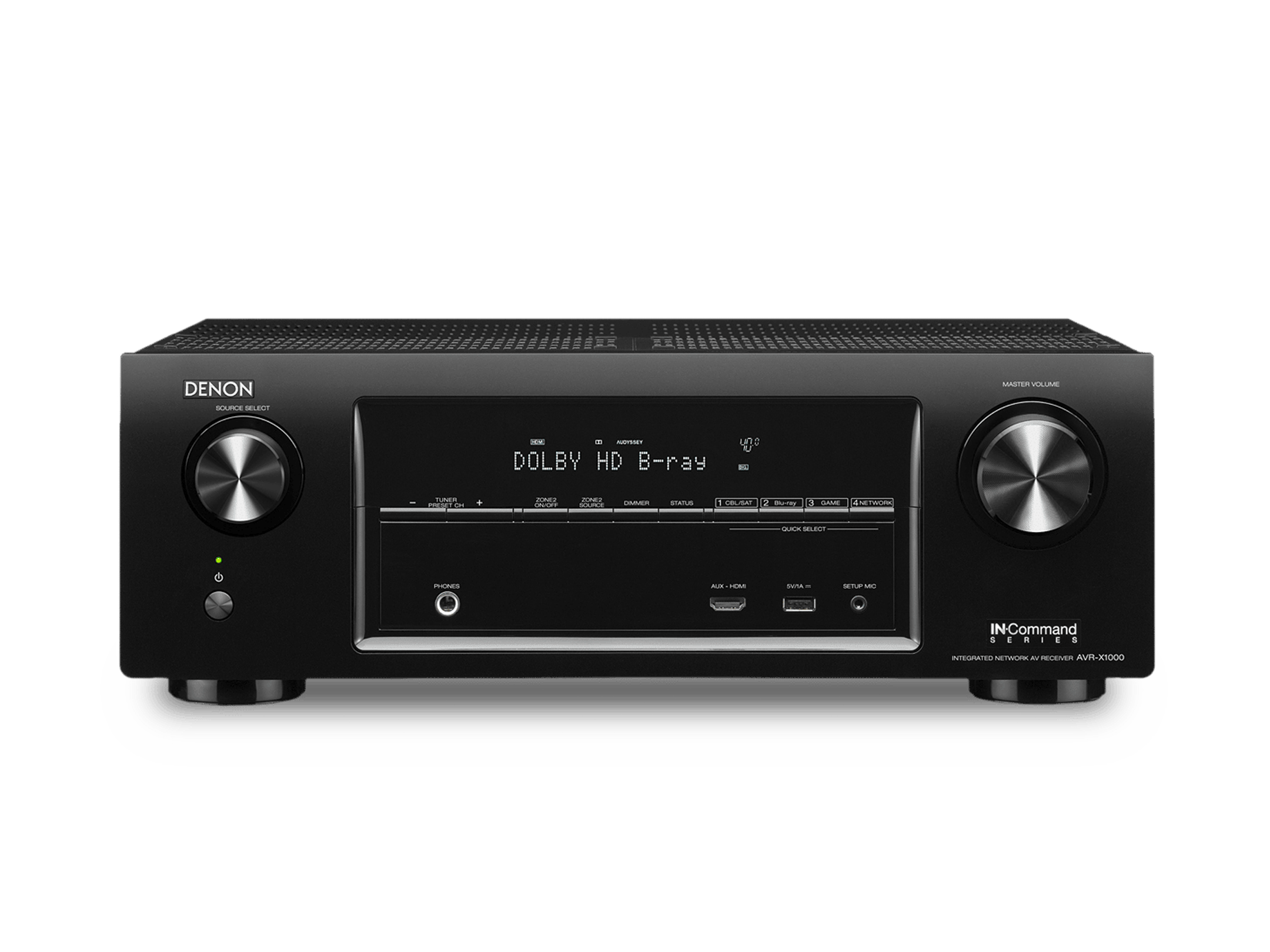
The Denon AVR-X1000 Network AV Receiver is a compact 5.1-channel home theater receiver designed for users who want reliable surround sound, modern HDMI connectivity, and network-based music playback in one affordable unit. It combines discrete amplification, 3D and 1080p video passthrough, and support for popular streaming and DLNA-style network playback to create a practical all-in-one solution for small to mid-sized entertainment rooms.
For buyers searching for the denon AVR-XIOOO Network Av Receiver, this model is commonly associated with the AVR-X1000 product line and is often considered a strong entry-level AV receiver for movie nights, gaming setups, and music streaming. Its main strengths include straightforward setup, solid sound quality, multiple HDMI inputs, and access to network audio features such as AirPlay and internet radio support. It is especially useful for users upgrading from a basic stereo system to a full surround-sound home cinema.
In terms of value, the AVR-X1000 originally launched as a budget-friendly receiver, and current availability is typically limited to used, refurbished, or remaining-stock market listings. Depending on condition and seller, the estimated price range is usually around low-budget to mid-range used AV receiver pricing rather than new flagship-level pricing. For shoppers who want a dependable Denon AV receiver without paying for advanced Atmos or 8K features, it remains an appealing option.
Specifications
- Channels: 5.1-channel AV receiver with five discrete amplifier channels and one subwoofer output.
- Power output: 80 watts per channel at 8 ohms, 20 Hz–20 kHz, 0.08% THD; 120 watts per channel at 6 ohms, 1 kHz, 0.7% THD.
- Maximum power output: up to 145 watts per channel in dynamic specification listings.
- Frequency response: 10 Hz to 100 kHz in Direct mode.
- Signal-to-noise ratio: 98 dB in Direct mode.
- DAC support: 24-bit/192 kHz digital-to-analog conversion.
- HDMI connectivity: 5 HDMI inputs and 1 HDMI output on the AVR-X1000 platform.
- Network features: Ethernet networking, DLNA-style media playback, AirPlay support, internet radio, and streaming app compatibility.
- Video support: 3D and 1080p passthrough with HDMI standby pass-through.
- Dimensions: 434 x 151 x 330 mm.
- Weight: approximately 8.2 kg depending on regional version.
- Power consumption: 390 W with very low standby consumption.
- Compared with similar receivers, it offers stronger network features and cleaner amplifier design than many basic stereo units, but it lacks newer object-based surround formats found in later Denon models.
Detailed Description
The Denon AVR-X1000 Network AV Receiver is built around a fully discrete amplifier design, which helps deliver consistent sound across all channels. In practical use, this means the front left, center, and surround channels are driven with similar character, improving balance in movies and games. The unit is designed to serve as the central hub of a home theater system, connecting Blu-ray players, game consoles, streaming boxes, and televisions through HDMI.
Its network functions make it more than just a surround receiver. Users can stream music from compatible network devices, access online audio services, and play files from a home network. The receiver works well in living rooms, apartments, and dedicated media spaces where ease of use matters as much as sound quality. Build quality is typical of Denon’s AV line: sturdy chassis construction, a clean front panel layout, and a design that prioritizes usability over flashy styling.
In everyday use, the user experience is straightforward. The on-screen interface and remote layout help guide setup, while HDMI switching reduces cable clutter. For viewers who mainly want reliable movie sound, improved dialogue clarity, and simple music streaming, the denon AVR-XIOOO Network Av Receiver delivers a balanced mix of performance and convenience.
Setup Guide
- Place the receiver in a well-ventilated cabinet or open shelf and leave enough space around the top and sides for heat dissipation.
- Connect the front speakers, center speaker, surround speakers, and powered subwoofer to the labeled terminals.
- Attach HDMI sources such as a TV box, game console, or Blu-ray player to the HDMI inputs, then connect the HDMI output to the television.
- Connect an Ethernet cable if you want stable network streaming and internet radio access.
- Run the initial setup wizard on the on-screen menu and select speaker size, crossover, and input assignments.
- Configure network playback options and pair compatible devices for AirPlay or streaming access.
- Test each speaker channel individually to confirm proper wiring and correct left-right orientation.
Safety precautions are important: unplug the receiver before connecting speakers, avoid shorting speaker wires, and never block ventilation openings. If sound does not appear, check the HDMI input assignment, verify the TV input selection, and confirm that speaker polarity is correct. If the receiver overheats, power it down and improve airflow before restarting.
Troubleshooting
- No sound from speakers: verify speaker wiring, input selection, and mute settings, then confirm the correct surround mode.
- No HDMI image: check the source device output resolution, HDMI cable integrity, and TV input selection.
- Network playback fails: restart the router, confirm Ethernet connection, and recheck media-server settings.
- Intermittent audio dropouts: shorten HDMI runs, avoid damaged cables, and update connected source device firmware if possible.
- Receiver not powering on: inspect the power cord, wall outlet, and standby indicator before contacting support.
- Typical setup mistakes include reversed speaker polarity, incorrect subwoofer connection, and selecting the wrong HDMI input.
Preventive maintenance includes keeping vents clear, using quality HDMI cables, and powering the system through a stable outlet or surge protector. Warranty support depends on seller and region because this model is often found through secondary-market channels. For service assistance, contact Denon customer support or the authorized retailer where the receiver was purchased.
Pros & Cons
Pros
- Strong value for users who want a capable home theater receiver without paying for newer premium formats.
- Reliable 5.1-channel performance for movies, gaming, and TV viewing.
- Multiple HDMI inputs make source switching simple and practical.
- Built-in network functions add streaming convenience beyond basic AV amplification.
- Clean, straightforward interface that is easier to manage than many complex receivers.
Cons
- Lacks newer features such as Dolby Atmos and 4K/8K-centric HDMI support found in later models.
- Best suited for small to medium systems rather than advanced immersive theaters.
- Current availability is often limited to used or refurbished units.
- Some buyers may prefer newer receivers with more streaming platforms and modern calibration tools.
Overall, the denon AVR-XIOOO Network Av Receiver remains a practical buy for users who value dependable surround sound, network playback, and a budget-conscious approach to home theater. Compared with newer alternatives, it trades advanced features for simplicity and lower cost.
Customer Reviews
Average user sentiment is generally positive, with many owners rating it around 4 out of 5 stars for ease of use, sound quality, and reliable HDMI switching. Buyers often praise the clear dialogue, stable network playback, and solid build quality. One common comment is that it “sets up quickly and sounds bigger than expected for a compact receiver.”
Frequent complaints focus on the lack of newer surround formats and the fact that many available units are no longer sold new. Some users also mention that the interface feels dated compared with current AV receivers. For shoppers seeking a simple, affordable home theater hub, it is still widely recommended, especially when found in good condition from a trusted seller.
Frequently Asked Questions
Is the Denon AVR-X1000 good for home theater?
Yes, it is a solid 5.1-channel receiver for basic home theater systems, especially for users who want reliable sound and easy HDMI switching.
Does it support music streaming?
Yes, it includes network features that support streaming, internet radio, and compatible home network playback.
Is it still worth buying?
It is worth buying if you want an affordable receiver with dependable performance and do not need modern premium features such as Atmos or 4K-era HDMI upgrades.
Faqs
How do I set up the denon AVR-XIOOO Network Av Receiver for the first time?
What should I do if the denon AVR-XIOOO Network Av Receiver is not connecting to Wi-Fi or streaming apps?
Which devices are compatible with the denon AVR-XIOOO Network Av Receiver through HDMI, AirPlay, and USB?
How can I fix no sound on one or more channels on the denon AVR-XIOOO Network Av Receiver?
What features make the denon AVR-XIOOO Network Av Receiver different from a basic AV receiver?
How do I optimize sound quality on the denon AVR-XIOOO Network Av Receiver for movies and music?
Why does my denon AVR-XIOOO Network Av Receiver sound distorted or too quiet at higher volume?
How should I maintain and clean the denon AVR-XIOOO Network Av Receiver for long-term reliability?
More denon manuals
- Denon PerL-Pro Wireless In-Ear Headphones AH-C15PL User Manual
- Denon AVR-S700W Network Av Receiver User Manual
- Denon Urban-Ravert Headphones Over Ear AH-D400 User Manual
- Denon AVR-5805 Av Surround Receiver User Manual
- Denon Dolby-Atmos Sound Bar & Subwoofer DHT-S517 User Manual
- Denon AVR-1908 Av Surrouned Receiver User Manual
Leave a Comment