
Garmin BOUNCE kids Smartwatch A03804 User Manual
Content
Garmin Bounce Kids Smartwatch A03804 Review and Product Manual
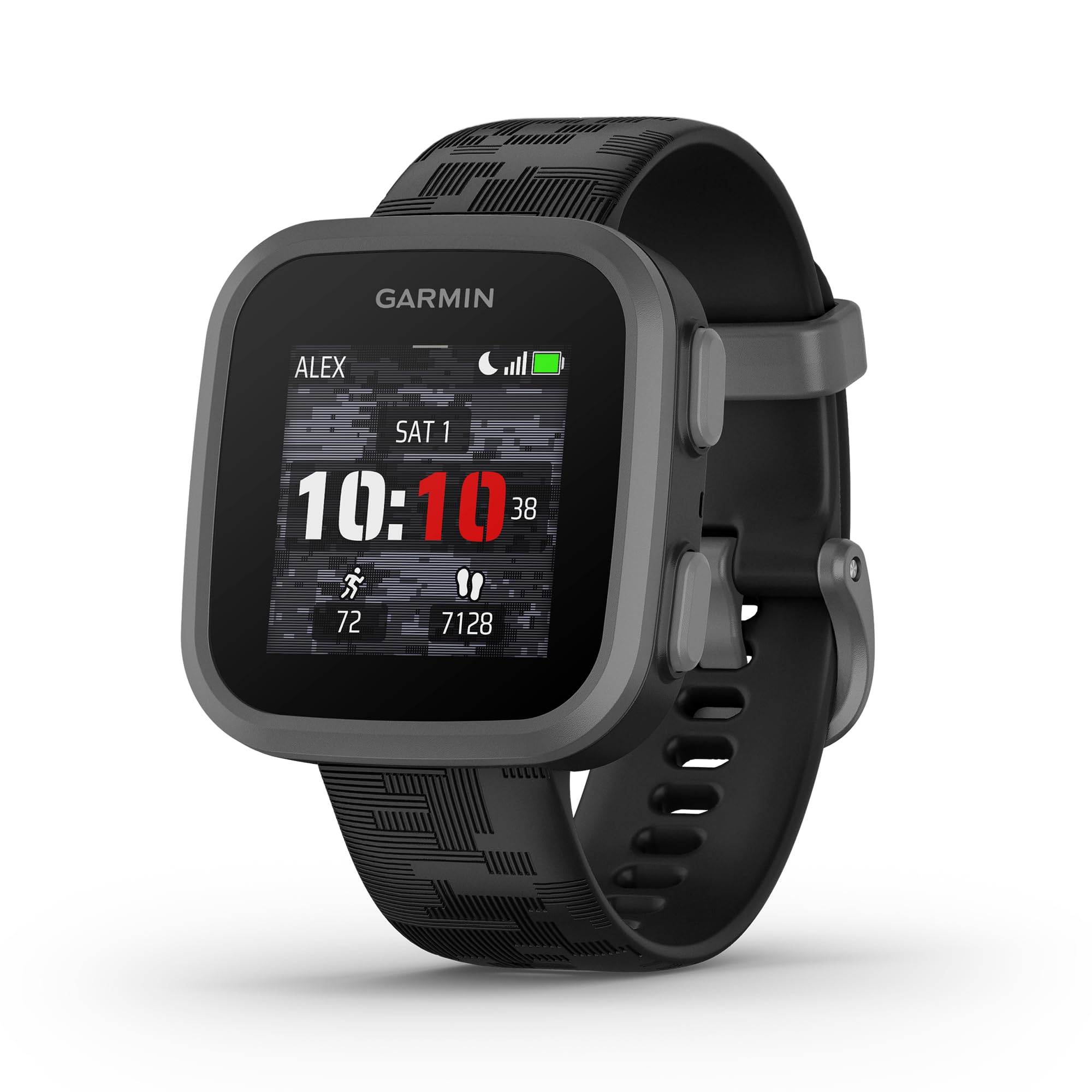
The Garmin Bounce kids smartwatch A03804 is a kid-focused connected watch designed to give parents peace of mind while giving children a fun, easy-to-use wearable. It combines LTE connectivity, built-in GPS, two-way voice and text messaging, and real-time location tracking in a compact smartwatch made for active kids. With a 1.3-inch touchscreen, water resistance, and activity tracking for walking, running, and cycling, it works well as both a safety device and a starter smartwatch for children who are not ready for a full phone.
One of the biggest advantages of the garmin BOUNCE kids Smartwatch A03804 is its parent-friendly design. It supports safety features such as location updates, geofencing, and app notifications while keeping the interface simple enough for children to use quickly. The watch also includes a built-in microphone and speaker for messages and alerts, making communication practical without requiring a smartphone in the child’s hand. For families, it is especially useful for school days, after-school activities, travel, and outdoor play.
In the current market, the Garmin Bounce typically falls in the mid-range kids smartwatch category, with an estimated price around $150 to $300 depending on retailer, color, and availability. Subscription-based LTE service is usually required for full messaging and location features, which affects the overall cost of ownership. Availability is generally broad through major online and retail stores, though stock can vary by region and promotion.
Specifications for Garmin Bounce Kids Smartwatch A03804
- Display: 1.3-inch color touchscreen LCD
- Connectivity: Wi-Fi, Bluetooth, and 4G LTE with subscription support
- Navigation: Built-in GPS for location tracking and activity use
- Battery life: Up to 2 days under typical use
- Water resistance: 5 ATM, suitable for rain, showering, and swimming
- Tracking: Steps, daily distance, average speed, sleep, and basic activity goals
- Communication: Voice messages, text messages, call notifications, and app alerts
- Audio: Built-in microphone and speaker
- Compatibility: Works with Apple iOS and Android devices
- Band material: Silicone; lightweight construction for kids
- Storage/memory: Activity tracking memory for several days of use
- Controls: Touchscreen plus physical buttons for easier navigation
Compared with similar kids smartwatches, the garmin BOUNCE kids Smartwatch A03804 stands out for its Garmin-grade GPS and activity tracking. It is less advanced than newer AMOLED-based kids watches, but it offers a simpler and more durable experience than many budget alternatives. If you want a smartwatch for kids that balances location safety, fitness tracking, and easy messaging, it remains a strong option.
Pros and Cons of Garmin Bounce Kids Smartwatch A03804
Pros
- Reliable GPS tracking helps parents monitor location and movement in real time.
- Two-way communication supports texts and voice messages without a phone.
- 5 ATM water resistance makes it suitable for daily wear, sports, and pool use.
- Simple interface works well for younger children and first-time smartwatch users.
- Activity tracking encourages walking, running, cycling, and healthy routines.
- Strong brand reputation from Garmin, especially for fitness and location features.
Cons
- Battery life is only about 2 days, which may feel short for heavy LTE use.
- LTE subscription adds ongoing cost, reducing value for budget-conscious families.
- The screen is functional but not as bright or premium as newer smartwatch displays.
- Some families may prefer alternatives with longer battery life or more advanced parental controls.
- The garmin BOUNCE kids Smartwatch A03804 is excellent for safety, but not ideal for older kids who want app-rich smart features.
For value for money, the watch makes sense for families that prioritize safety, communication, and dependable location tracking over premium aesthetics. Compared with cheaper kids watches, it delivers better GPS confidence; compared with higher-end alternatives, it offers fewer lifestyle features.
Customer Reviews of Garmin Bounce Kids Smartwatch A03804
Customer feedback is generally mixed to positive, with many parents giving it around 4 out of 5 stars for location accuracy, easy setup, and kid-friendly usability. A common praise is that children enjoy sending voice messages and parents appreciate being able to check in without handing over a phone.
Frequent complaints focus on battery life, LTE subscription costs, and occasional connectivity issues in areas with weak cellular coverage. Some users also mention that the watch is best suited to younger children rather than older kids who want more advanced smartwatch apps and a brighter display.
- Average sentiment: 4/5 stars from satisfied families who value safety features.
- Common praise: “Easy for my child to use and great for peace of mind.”
- Common issue: “Battery needs charging more often than expected.”
- Recommendation: Best for parents who want a reliable kids GPS smartwatch with messaging.
If your priority is location tracking, simple communication, and everyday durability, the garmin BOUNCE kids Smartwatch A03804 is a solid purchase. If you need longer battery life or a more advanced feature set, comparing it with newer kids smartwatch alternatives is a smart next step.
Faqs
How do I set up garmin BOUNCE kids Smartwatch A03804 for the first time?
Why is my garmin BOUNCE kids Smartwatch A03804 not pairing with the Garmin Jr. app?
What features require a subscription on garmin BOUNCE kids Smartwatch A03804?
How accurate is GPS tracking on garmin BOUNCE kids Smartwatch A03804 for kids safety?
Why is the battery life on garmin BOUNCE kids Smartwatch A03804 draining so fast?
How do I fix garmin BOUNCE kids Smartwatch A03804 if messages are not sending?
What should I do if garmin BOUNCE kids Smartwatch A03804 screen or touchscreen is unresponsive?
How do I clean and maintain garmin BOUNCE kids Smartwatch A03804 for daily use?
More garmin manuals
- Garmin Dash Cam Mini 3 User Manual
- Garmin INSTINCT E Rugged GPS Watch User Manual
- Garmin VARIA-Vue 4K Video Camera And Smart Bike Headlight User Manual
- Garmin Forerunner 735XT Gps Smartwatch User Manual
- Garmin VIVOFIT JR. 3 Fitness & Activity Tracker User Manual
- Garmin Drivesmart 66 GPS Navigation System User Manual
Leave a Comment