
Garmin Edge 510 GPS Cycling Computer User Manual
Content
Garmin Edge 510 GPS Cycling Computer Review and Manual
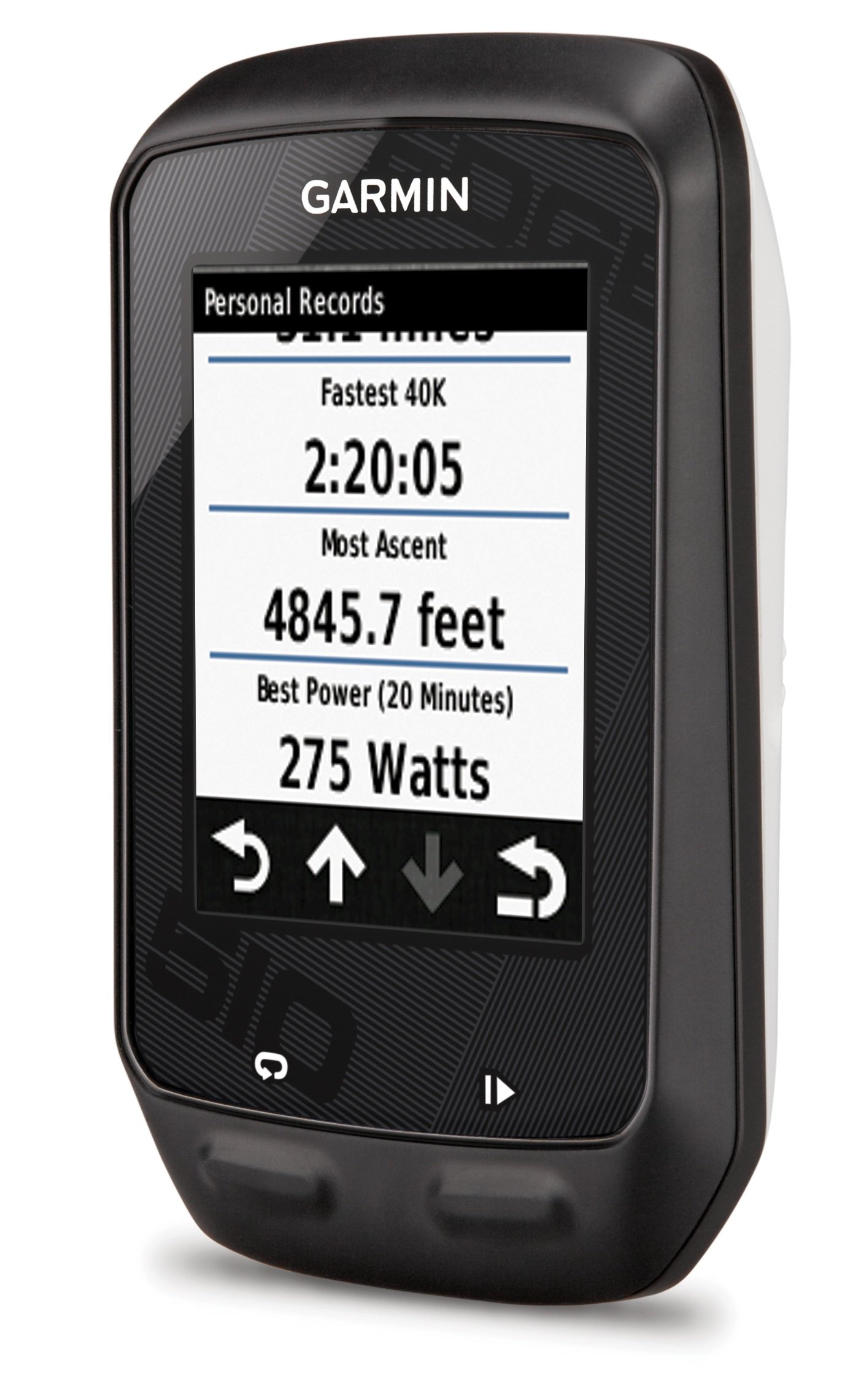
Introduction: Garmin Edge 510 GPS Cycling Computer Overview
The Garmin Edge 510 GPS Cycling Computer is a compact, ride-focused bike computer designed for cyclists who want reliable performance tracking, smart connectivity, and easy-to-read ride data on the go. It sits in the mid-range of Garmin’s cycling lineup and remains popular for riders who value core training features without the complexity of full mapping navigation. With a bright color touchscreen, ANT+ sensor support, and Bluetooth smartphone pairing, the Garmin Edge 510 GPS Cycling Computer delivers a practical blend of training tools and connected ride features.
Key benefits include speed, distance, time, cadence, heart rate, altitude, and power data compatibility, plus automatic upload and live tracking through paired smartphones. The resistive touchscreen works better than many older capacitive designs in wet conditions or with gloves, making it useful for road cyclists, commuters, triathletes, and endurance riders. It also supports customized data screens and multiple bike profiles, which helps riders switch between road, race, and training setups quickly.
In terms of hardware, the device offers up to 20 hours of battery life in GPS-only mode, IPX7 water resistance, and a pressure-based altimeter for more accurate elevation tracking. Price and availability vary because this is an older model, but typical market pricing is usually around the mid-budget range on the resale and remaining stock market, often roughly $150 to $300 depending on bundle condition and seller. The Garmin Edge 510 GPS Cycling Computer is best suited for cyclists who want dependable ride metrics, strong training support, and smartphone-connected features in a proven format.
Pros & Cons: Is the Garmin Edge 510 GPS Cycling Computer Worth It?
The Garmin Edge 510 GPS Cycling Computer offers strong value for riders who need essential training metrics and wireless connectivity without paying for advanced mapping features.
- Pros: Clear 2.2-inch color touchscreen with readable daylight performance, making ride stats easy to check at speed.
- Pros: Supports ANT+ sensors, including heart rate, cadence, and compatible power meters for more advanced training analysis.
- Pros: Smartphone pairing adds live tracking, ride uploads, and connected notifications, which is useful for solo rides and endurance events.
- Pros: Long battery life of up to 20 hours in GPS-only mode makes it suitable for long rides and weekend training blocks.
- Pros: Multiple bike profiles and customizable data pages help triathletes and multi-bike riders stay organized.
- Cons: It does not include full mapping navigation, so riders looking for turn-by-turn route guidance may prefer newer GPS bike computers.
- Cons: The older interface and hardware feel dated compared with modern Garmin Edge models and newer alternatives from Wahoo and Hammerhead.
- Cons: Smart features depend on phone pairing, so setup can feel less seamless than on newer devices.
- Cons: Value for money is strongest only if found at a discount, since newer units offer more features for similar pricing.
Compared with alternatives, the Edge 510 is more training-focused than navigation-focused, making it a better fit than many entry-level cycle computers but less versatile than modern touchscreen GPS units.
Customer Reviews: What Riders Say About the Garmin Edge 510 GPS Cycling Computer
Customer feedback for the Garmin Edge 510 GPS Cycling Computer is generally positive, with many riders praising its reliable data tracking and strong sensor compatibility. Typical ratings fall around 4 out of 5 stars among smaller review samples, especially from cyclists who value performance over navigation.
- Common praise: Riders like the bright display, easy-to-read workout screens, and solid battery life during long training rides.
- Common praise: Many users appreciate the ability to connect heart rate, cadence, and power sensors for more detailed ride analysis.
- Common complaint: The lack of full maps and advanced routing remains the most frequent criticism.
- Common complaint: Some users report that smartphone connectivity and syncing are less polished than on newer bike computers.
- Common complaint: The interface and overall design feel dated by current standards, especially for riders used to modern touch controls.
Representative user sentiment often sounds like this: “Great for training data and battery life, but I wish it had better navigation.” Another common view is, “A solid bike computer if you mainly want speed, cadence, heart rate, and power metrics.” For riders shopping for a dependable training computer rather than a full navigation device, the Garmin Edge 510 GPS Cycling Computer remains a sensible purchase, especially at a reduced price.
Key Specifications and Features for Quick Reference
- Display: 2.2-inch color touchscreen
- Battery life: Up to 20 hours GPS only
- Water resistance: IPX7
- Connectivity: Bluetooth and ANT+
- Sensor support: Heart rate, cadence, speed, and compatible power meters
- Ride data: Speed, distance, time, elevation, calories, temperature, ascent, and descent
- Best use case: Training, endurance riding, and multi-bike performance tracking
Who Should Buy the Garmin Edge 510 GPS Cycling Computer?
The Garmin Edge 510 GPS Cycling Computer is a strong fit for cyclists who want dependable training metrics, sensor support, and a simple touchscreen interface. It is especially useful for road cyclists, triathletes, and riders who regularly analyze cadence, heart rate, or power data. It is less suitable for users who need modern mapping, turn-by-turn navigation, or the newest app integrations. If your priority is ride performance tracking rather than route planning, this model still offers a capable and practical cycling computer experience.
Faqs
How do I set up the garmin Edge 510 GPS Cycling Computer for the first time?
Why is my garmin Edge 510 GPS Cycling Computer taking a long time to find GPS signal?
What sensors are compatible with the garmin Edge 510 GPS Cycling Computer?
How do I fix inaccurate speed or distance readings on the garmin Edge 510 GPS Cycling Computer?
Can I upload routes and training data from the garmin Edge 510 GPS Cycling Computer to other apps?
How do I improve battery life on the garmin Edge 510 GPS Cycling Computer during long rides?
What should I do if the garmin Edge 510 GPS Cycling Computer freezes or stops responding?
How should I clean and maintain the garmin Edge 510 GPS Cycling Computer after wet or muddy rides?
More garmin manuals
- Garmin Forrunner 570 Series Watch User Manual
- Garmin Tactix Bravo GPS Smartwatch User Manual
- Garmin Drivecam 76 All-In-One Gps Car Navigator User Manual
- Garmin VÍVOMOVE Hybrid Smartwatches 3/3S User Manual
- Garmin Drivesmart 66 GPS Navigation System User Manual
- Garmin HRM-Pro Plus Heart Rate Monitor User Manual
Leave a Comment