
Garmin Index Sleep Monitor A04990 User Manual
Content
Garmin Index Sleep Monitor A04990 Product Manual and Review
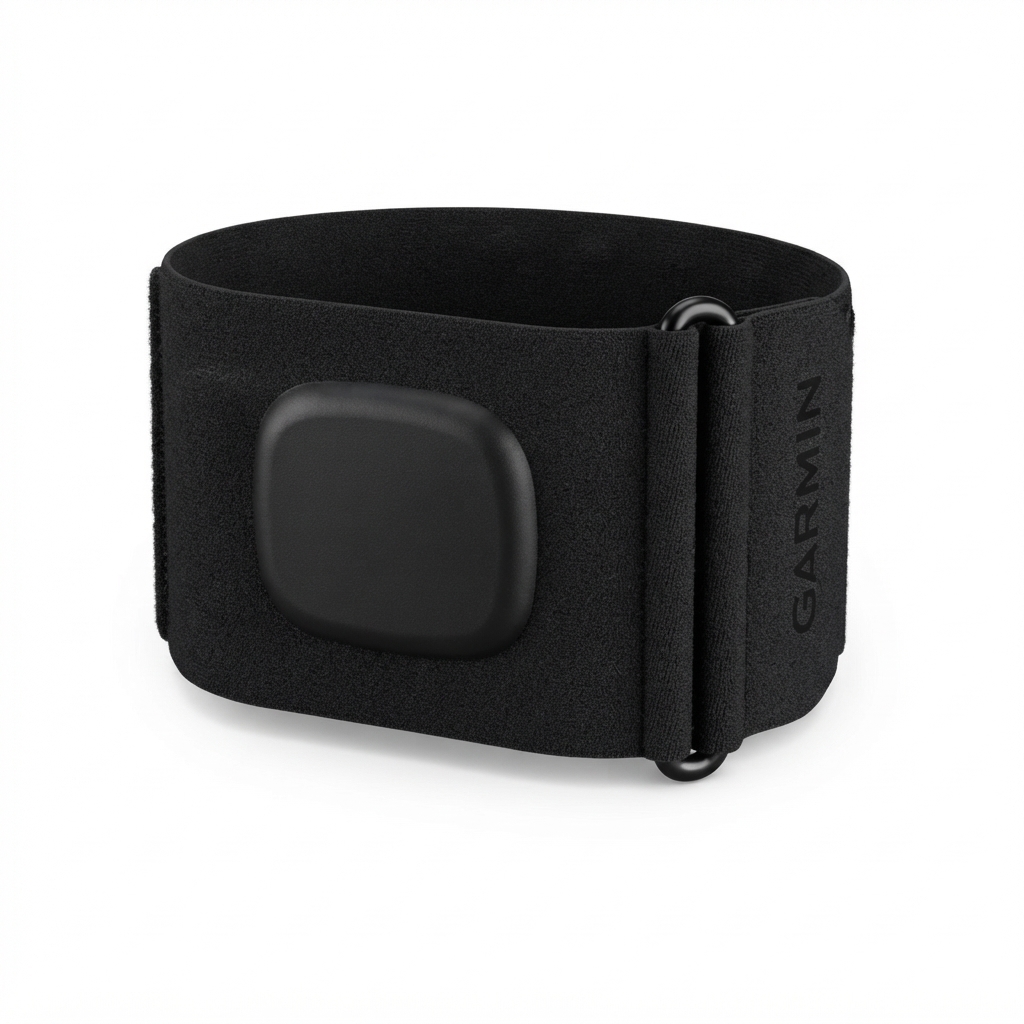
The garmin Index Sleep Monitor A04990 is a lightweight upper-arm sleep tracker designed to deliver detailed overnight health insights without the bulk of a smartwatch. It focuses on sleep scoring, sleep stages, heart rate, HRV status, breathing variations, skin temperature tracking, Body Battery changes, and smart wake alarms, making it a strong choice for users who want more comfort during sleep than a wrist-worn device can offer. The breathable band is built for overnight wear, and the module can be removed so the band itself can be machine-washed for easier maintenance.
This sleep monitor is aimed at Garmin users, athletes, recovery-focused consumers, and anyone who wants a dedicated sleep wearable that integrates with the Garmin Connect app. It is especially useful for people who find watches uncomfortable at night, want a second device for sleep-only tracking, or prefer a more consistent sleep data experience. The garmin Index Sleep Monitor A04990 is typically positioned in the premium sleep-tracker category, with an estimated price range of about $169.99 in the U.S. and roughly 115 to 150 euros in European marketplaces, depending on size and seller. Availability appears to vary by region and stock is not always consistent, so buyers may encounter limited inventory or temporary sellouts.
In practical use, the device is built for people who want actionable recovery data rather than a full smartwatch experience. It syncs with Garmin Connect and can complement other Garmin devices during the day, creating a fuller picture of activity, recovery, and sleep quality. For users who prioritize comfort, battery life, and detailed sleep analytics, the garmin Index Sleep Monitor A04990 is a compelling specialized option.
Pros and Cons of the Garmin Index Sleep Monitor A04990
Pros
- Very comfortable for overnight wear because it sits on the upper arm instead of the wrist.
- Up to 7 nights of battery life with SpO2 enabled, which reduces charging frequency.
- Strong sleep-focused features including sleep score, sleep stages, heart rate, HRV status, breathing variations, and smart wake alarm.
- Integrates smoothly with Garmin Connect for a unified health and recovery view.
- Machine-washable band adds convenience for daily use and hygiene.
- Good value for users who only want sleep tracking and already use Garmin products.
Cons
- Price is high for a sleep-only wearable compared with some basic sleep trackers.
- Less versatile than a smartwatch, since it does not replace a full activity or GPS device.
- Best value is strongest for Garmin ecosystem users; standalone users may find alternatives more practical.
- Some buyers may prefer a watch-based tracker such as a Garmin Forerunner or Venu model, which adds daytime features for a modest price increase.
- Availability can be uneven, and certain sizes may sell out quickly.
Overall, the garmin Index Sleep Monitor A04990 offers excellent comfort and focused sleep analytics, but it is not the cheapest option. For users seeking the best sleep tracker for Garmin Connect, it is easier to justify than for buyers comparing it to lower-cost wrist trackers or multifunction smartwatches.
Customer Reviews and Real-World Feedback
User feedback is generally positive, with many buyers praising the comfort, data quality, and fast syncing. A common sentiment is that the band feels less intrusive than a watch during sleep, and several users rate the overall experience around 4.5 out of 5 stars. One typical comment is: “It disappears on my arm at night, and the sleep data is detailed enough to actually improve my routine.”
Frequent praises include accurate sleep tracking, useful recovery insights, and the smart alarm feature. Common complaints focus on the premium price, the limited value for non-Garmin users, and the fact that it is a sleep-only accessory rather than an all-day device. Some customers also mention that availability can be frustrating, especially for specific band sizes.
Purchase it if you already use Garmin Connect, want a dedicated sleep tracker, or need a comfortable upper-arm band instead of a smartwatch. Skip it if you want one wearable to handle fitness, notifications, GPS, and sleep in a single device.
For buyers searching for a premium upper-arm sleep band, the garmin Index Sleep Monitor A04990 stands out as a specialized, well-designed option with strong recovery features and thoughtful everyday usability.
Faqs
How do I set up garmin Index Sleep Monitor A04990 for the first time?
Why is garmin Index Sleep Monitor A04990 not syncing sleep data to Garmin Connect?
What sleep metrics does garmin Index Sleep Monitor A04990 track overnight?
Is garmin Index Sleep Monitor A04990 compatible with all Garmin watches and smartphones?
How should garmin Index Sleep Monitor A04990 fit for accurate sleep tracking?
What can I do if garmin Index Sleep Monitor A04990 feels uncomfortable to wear while sleeping?
How do I clean and maintain garmin Index Sleep Monitor A04990 safely?
What should I check if garmin Index Sleep Monitor A04990 battery life seems shorter than expected?
More garmin manuals
Leave a Comment