
Garmin VENU 2 Series GPS Smartwatch User Manual
Content
Garmin Venu 2 Series GPS Smartwatch Manual and Product Guide
Introduction
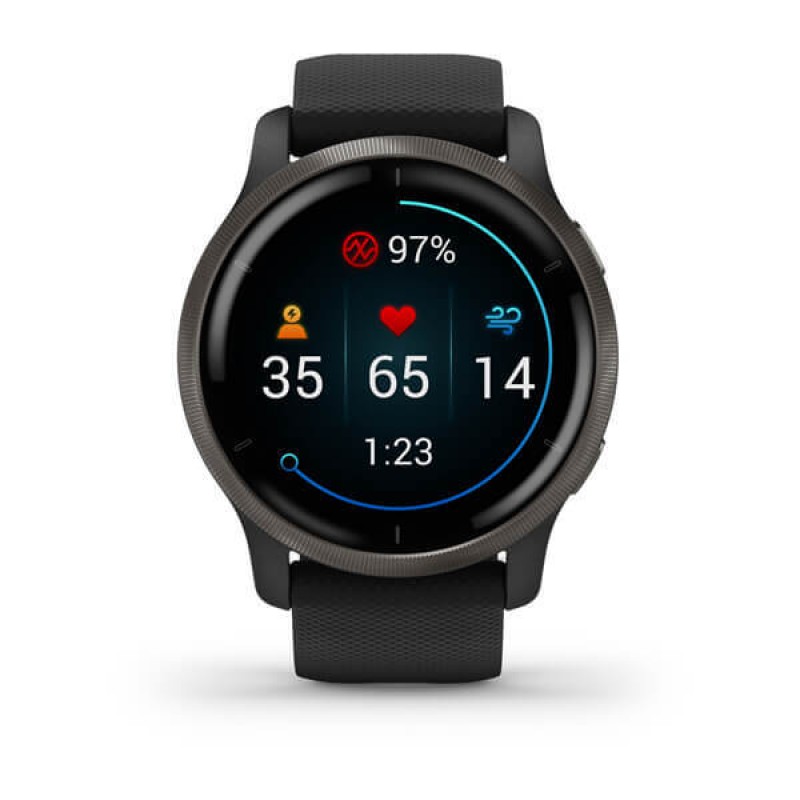
The Garmin Venu 2 Series GPS Smartwatch is a premium fitness-focused smartwatch designed for users who want advanced health tracking, reliable GPS performance, and a bright AMOLED display in one stylish package. Available in two sizes, the Venu 2 and Venu 2S, it appeals to both active professionals and everyday users who want a balanced mix of smartwatch convenience and serious training tools. With built-in GPS, wrist-based heart rate monitoring, sleep tracking, stress insights, and support for music storage, it delivers a strong all-around experience for running, gym workouts, hiking, cycling, and daily wellness tracking.
One of the biggest advantages of the Garmin Venu 2 Series GPS Smartwatch is its long battery life, with up to 11 days in smartwatch mode on the larger model and extended GPS performance for outdoor activities. The vivid touchscreen AMOLED display makes data easy to read indoors and outdoors, while Garmin’s fitness ecosystem adds detailed performance metrics, guided workouts, and health trend analysis. It is also compatible with both Android and iPhone devices, making it a flexible choice for a wide audience.
This model is ideal for users who want a smartwatch that goes beyond notifications and basic activity counting. It is especially suited for fitness enthusiasts, health-conscious users, runners, and people who prefer a watch that can track workouts accurately while still looking polished enough for daily wear. At launch, the Garmin Venu 2 Series GPS Smartwatch was priced around $399.99, £349.99, or AU$629, and it is still commonly available through major electronics retailers and online marketplaces, often at discounted prices.
Specifications for Garmin Venu 2 Series GPS Smartwatch
- Display: AMOLED touchscreen with two size options for the Venu 2 and Venu 2S
- Case sizes: 45 mm for the Venu 2 and 40 mm for the Venu 2S
- Water resistance: 5 ATM, suitable for swimming and shower use
- Battery life: Up to 11 days in smartwatch mode on the Venu 2; up to 10 days on the Venu 2S
- GPS performance: Up to 22 hours in GPS mode on the larger model, with reduced runtime when music playback is enabled
- Health tracking: Heart rate, sleep score, respiration, stress monitoring, Pulse Ox, and body battery tracking
- Fitness features: Built-in sports apps, animated workouts, HIIT profiles, running metrics, and wellness tracking
- Music storage: Supports offline music playback with space for hundreds of songs
- Connectivity: Bluetooth, Wi-Fi, and ANT+ support
- Navigation: GPS with GLONASS and Galileo support for improved outdoor accuracy
Compared with entry-level fitness watches, the Garmin Venu 2 Series GPS Smartwatch offers a more advanced AMOLED screen, deeper wellness data, and stronger battery life. Against similarly priced alternatives such as the Apple Watch SE or Samsung Galaxy Watch models, it stands out for endurance, fitness precision, and cross-platform compatibility.
Pros and Cons of the Garmin Venu 2 Series GPS Smartwatch
Pros
- Excellent battery life: Ideal for users who do not want to charge every night.
- Bright AMOLED display: Easier to view workouts, notifications, and health stats in all lighting conditions.
- Strong fitness tracking: Useful for runners, gym users, and people who want detailed health metrics.
- Phone compatibility: Works with both Android and iPhone devices.
- Music and GPS support: Great for wireless workouts and outdoor training without a phone.
- Good value for serious athletes: More training-focused than many lifestyle smartwatches in the same price bracket.
Cons
- Premium price: It costs more than basic fitness trackers and many budget smartwatches.
- Smart features are limited: It does not match the app ecosystem of Apple Watch or Wear OS devices.
- Music and GPS reduce battery: Heavy workout use shortens runtime noticeably.
- Touch-first interface: Some users may prefer physical buttons for faster control during intense exercise.
- Best for fitness first: If app variety and full smartwatch functionality matter most, alternatives may offer better everyday smart features.
For users comparing alternatives, the Garmin Venu 2 Series GPS Smartwatch offers a stronger fitness-first experience than many general-purpose smartwatches, but it is less versatile for messaging, apps, and voice assistants. It delivers solid value for money if health tracking, battery life, and workout performance are the top priorities.
Customer Reviews and Real User Feedback
Overall customer sentiment for the Garmin Venu 2 Series GPS Smartwatch is strongly positive, with many users praising the AMOLED display, battery life, and workout accuracy. A common rating pattern is around 4.4 to 4.7 out of 5 stars, especially among fitness-focused buyers.
- “The battery lasts far longer than my previous smartwatch, and the display is gorgeous.”
- “Great for running and gym sessions, but I wish it had more smart app features.”
- “The health tracking is detailed and easy to understand.”
- “Music playback and GPS are extremely useful, although battery drops faster when both are active.”
Common praise includes comfort, reliable GPS tracking, and useful wellness insights such as sleep and stress monitoring. The most frequent complaints involve the higher price, the learning curve for Garmin’s app ecosystem, and shorter battery life during heavy GPS or music use. Buyers who want a durable fitness smartwatch with premium features will likely be satisfied, while users seeking advanced smart app support may prefer a different platform.
Should You Buy the Garmin Venu 2 Series GPS Smartwatch?
If you want a premium GPS smartwatch that combines fitness tracking, long battery life, and a sharp AMOLED display, the Garmin Venu 2 Series GPS Smartwatch is an excellent choice. It is best for active users who value training metrics, dependable outdoor navigation, and everyday wellness monitoring more than app-heavy smartwatch features.
Faqs
How do I set up Garmin VENU 2 Series GPS Smartwatch for the first time?
Why is my Garmin VENU 2 Series GPS Smartwatch not connecting to my phone?
What GPS modes does Garmin VENU 2 Series GPS Smartwatch support, and which one should I use?
How can I improve the battery life of Garmin VENU 2 Series GPS Smartwatch?
Can Garmin VENU 2 Series GPS Smartwatch play music without a phone?
Which smartphones and apps work best with Garmin VENU 2 Series GPS Smartwatch?
How do I fix inaccurate heart rate, sleep, or workout tracking on Garmin VENU 2 Series GPS Smartwatch?
How should I clean and maintain Garmin VENU 2 Series GPS Smartwatch for long-term use?
More garmin manuals
- Garmin DRIVEASSIST 51 GPS Navigator User Manual
- Garmin VIVOFIT JR. 3 Fitness & Activity Tracker User Manual
- Garmin TACTIX 8 Series GPS Watch User Manual
- Garmin VARIA-Vue 4K Video Camera And Smart Bike Headlight User Manual
- Garmin Instinct Crossover Series GPS Smartwatch User Manual
- Garmin Dash Cam Mini 3 User Manual
Leave a Comment