
Hisense 43R6E3 RoKuTV User Manual
Content
Hisense 43R6E3 Roku TV Product Manual
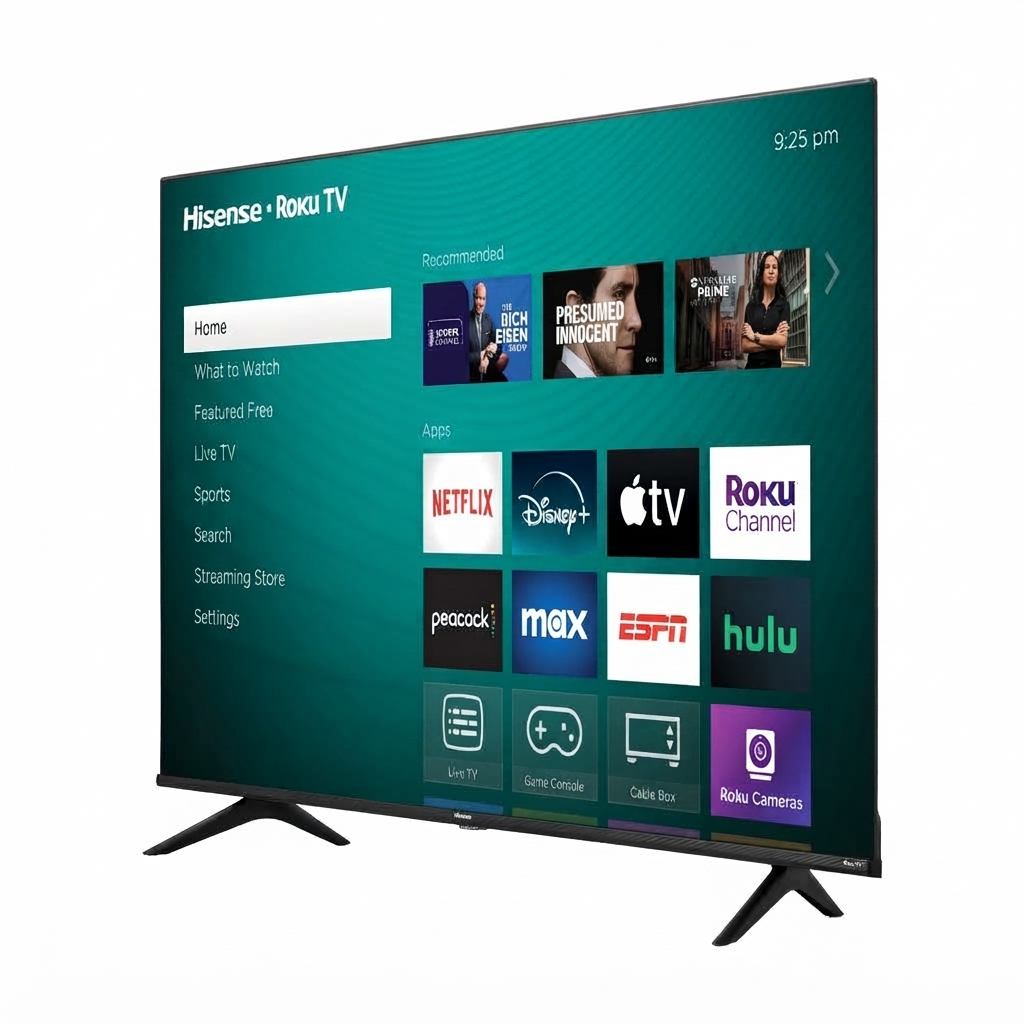
Introduction: Hisense 43R6E3 Roku TV Overview, Features, and Best Uses
The Hisense 43R6E3 Roku TV is a 43-inch 4K UHD smart television built for users who want strong everyday performance, simple streaming access, and an easy setup experience. It combines a 3840 x 2160 resolution panel, HDR support, and Roku TV software into a compact display size that fits bedrooms, apartments, dorm rooms, offices, and secondary living spaces. For shoppers searching for a reliable budget-friendly smart TV, the hisense 43R6E3 RoKuTV offers a practical mix of picture quality, app access, and user-friendly navigation.
One of the main advantages of this model is its Roku TV platform, which provides access to popular streaming apps, live TV options, and a clean interface that is easy to learn. The TV also supports Dolby Vision HDR, HDR10, and HLG, helping improve contrast and color for movies, sports, and gaming. With Full Array backlighting, HDMI inputs, Ethernet, USB ports, built-in Wi-Fi, and Bluetooth support, it is designed to handle a wide range of home entertainment setups. The set includes 4K upscaling for lower-resolution content and a 60 Hz-class panel with Motion Rate processing for smoother motion in everyday viewing.
At the time of writing, the estimated price range is typically around $195 to $208, depending on retailer promotions and stock levels. The hisense 43R6E3 RoKuTV is widely available through major electronics and retail channels, making it an appealing option for buyers who want a modern smart TV without moving into a higher price tier. It is especially well-suited for casual streamers, students, families, and anyone looking for a dependable 43-inch 4K Roku TV with solid core features.
Troubleshooting: Common Hisense 43R6E3 Roku TV Problems and Fixes
If the TV will not power on, first confirm the power cable is firmly connected and the outlet is working. A black screen, no signal message, or HDMI input issue can usually be fixed by checking cable connections, selecting the correct input, or restarting both the TV and the external device. If streaming apps freeze, clear the app session, restart the TV, or reconnect the Wi-Fi network. Weak wireless performance can often improve by moving the router closer, using 5 GHz Wi-Fi when available, or switching to Ethernet for a more stable connection.
Common Roku-related issues often include a loading screen that never finishes, account sign-in problems, or app errors after a software update. If the system becomes unresponsive, perform a restart from the settings menu or unplug the TV for about 60 seconds before reconnecting power. For stubborn picture or sound issues, a factory reset may help, but it should be used only after simpler steps have failed. Preventive care includes keeping firmware updated, avoiding overheated cabinet spaces, and using quality HDMI cables.
Hisense support information includes customer service by phone at 1-888-935-8880 and service email at Service@hisense-usa.com. Support hours are commonly listed as 9 AM to 6 PM EST. Warranty coverage and repair options may vary by region and seller, so keep your proof of purchase and serial number ready when requesting help.
Pros & Cons of the Hisense 43R6E3 Roku TV
Pros
- Affordable 4K UHD smart TV value for budget-conscious buyers.
- Roku TV interface is simple, fast, and easy to navigate.
- HDR support adds better contrast for compatible movies and shows.
- Compact 43-inch size works well in bedrooms, dorms, and small living rooms.
- Built-in Wi-Fi, HDMI, Ethernet, USB, and optical audio ports improve setup flexibility.
- Good option for streamers who want a low-cost alternative to premium 4K TVs.
Cons
- Audio power is modest, so many users may want a soundbar for fuller sound.
- Refresh-rate performance is basic compared with more expensive gaming-focused TVs.
- Local dimming is not included, which limits contrast control in dark scenes.
- Picture quality is strong for the price, but not on the level of premium QLED or OLED models.
- For buyers comparing alternatives, TCL and Insignia Roku TVs may offer similar value, while higher-end Hisense models deliver better brightness and color performance.
Overall, the hisense 43R6E3 RoKuTV is a strong value pick if the goal is a dependable smart TV with 4K support and an easy streaming experience rather than premium cinematic performance.
Customer Reviews: What Buyers Say About the Hisense 43R6E3 Roku TV
Customer feedback for the hisense 43R6E3 RoKuTV is generally positive, with many buyers highlighting the low price, easy setup, and smooth Roku experience. A common praise is that it delivers excellent value for everyday streaming and casual viewing. Many users rate it around 4 out of 5 stars for convenience and affordability, especially when used in bedrooms or secondary spaces.
Typical compliments mention quick access to apps, a clean remote layout, and surprisingly good 4K detail for the price. Common complaints focus on average built-in speakers, limited brightness compared with premium models, and occasional Wi-Fi hiccups. A frequent recommendation is to pair the TV with a soundbar for better movie and sports audio. Buyers who want a budget-friendly Roku smart TV often describe it as a smart purchase, while users seeking theater-grade picture quality may prefer stepping up to a higher-tier display.
Quick Buying Summary: Is the Hisense 43R6E3 Roku TV Worth It?
The Hisense 43R6E3 Roku TV is worth considering if you want a low-cost 43-inch 4K smart TV with a familiar streaming platform and useful everyday features. It is best for casual viewing, flexible room placement, and straightforward setup. For shoppers comparing budget 4K Roku TVs, this model stands out for its mix of price, usability, and broad availability.
Faqs
How do I set up hisense 43R6E3 RoKuTV for the first time?
Why is my hisense 43R6E3 RoKuTV not connecting to Wi‑Fi, and how can I fix it?
What picture settings should I use on hisense 43R6E3 RoKuTV for the best 4K HDR quality?
How can I use the Roku features on hisense 43R6E3 RoKuTV more efficiently?
What devices are compatible with hisense 43R6E3 RoKuTV through HDMI, USB, and wireless connections?
Why does my hisense 43R6E3 RoKuTV remote stop responding, and what should I do?
How do I improve sound quality on hisense 43R6E3 RoKuTV without buying a soundbar?
How should I clean and maintain hisense 43R6E3 RoKuTV safely over time?
More hisense manuals
Leave a Comment