
Hisense 85UX UX Series Mini LED 4K Google TV User Manual
Content
Hisense 85UX UX Series Mini LED 4K Google TV Overview
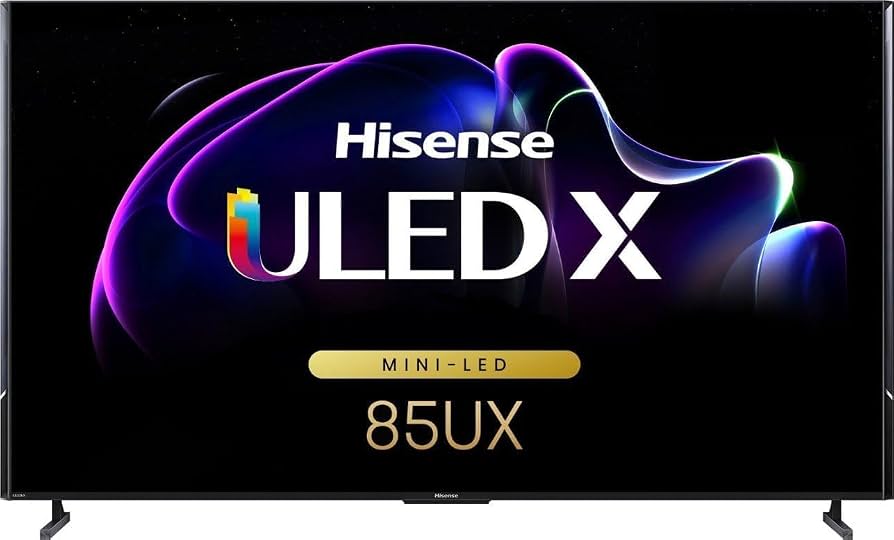
The hisense 85UX UX Series Mini LED 4K Google TV is a premium 85-inch flagship television built for viewers who want cinema-level brightness, advanced gaming performance, and a large-screen smart TV experience in one package. It is designed around Mini-LED backlighting, quantum dot color, and Google TV, making it a strong choice for home theaters, sports fans, and gamers who want fast response and rich HDR performance.
One of its biggest advantages is its extremely high brightness capability and dense local dimming architecture, which help deliver excellent contrast in both dark and bright scenes. The TV also supports modern formats such as Dolby Vision, HDR10+, and Dolby Atmos, while offering 4K at 120Hz for smooth gaming and sports playback. With Wi-Fi 6E, HDMI 2.1 support, and a powerful built-in sound system, it covers both entertainment and connectivity needs well.
This model is aimed at buyers looking for a premium large-format TV for a spacious living room, media room, or dedicated home theater. It is also a compelling option for console gamers and streaming users who want a responsive smart platform. As of current market positioning, the estimated price range is typically in the high-end premium category, often around the mid-$2,000s to $4,000+ depending on retailer, region, and promotions. Availability may vary by market, with the 85-inch size commonly sold through major electronics retailers and online stores.
Hisense 85UX UX Series Mini LED 4K Google TV Specifications
- Display size: 85 inches
- Resolution: 3840 x 2160, 4K Ultra HD
- Display technology: Mini LED with quantum dot color
- Peak brightness: up to 2500 nits
- Local dimming: over 5000 zones
- Refresh rate: 120Hz native
- Motion rate: 480
- Smart platform: Google TV
- HDR support: Dolby Vision, HDR10+
- Audio system: 4.1.2 multi-channel surround sound
- Total audio power: around 80W to 82W depending on market listing
- Connectivity: Wi-Fi 6E, Bluetooth, Ethernet, HDMI, USB
- HDMI ports: 4 total, with 2 supporting up to 4K at 120Hz
- Voice control: hands-free voice support and Google Assistant integration
- Gaming features: VRR, low input lag, Dolby Vision gaming support
Compared with standard 85-inch 4K LED TVs, the hisense 85UX UX Series Mini LED 4K Google TV delivers far higher brightness, more local dimming control, and stronger HDR impact. Against competing premium mini-LED models, it stands out for its strong value proposition and flagship-level feature set.
Detailed Description of the Hisense 85UX UX Series Mini LED 4K Google TV
This television uses a Mini-LED backlight system with thousands of tiny light sources controlled in thousands of zones. That setup lets the screen brighten highlights while dimming dark areas more precisely, which improves contrast and reduces blooming around bright objects. The result is a more cinematic picture for HDR movies, live sports, and high-contrast streaming content.
The Google TV interface organizes apps, recommendations, and content in a simple layout, making it easy to jump between streaming services, live TV, and connected devices. In real-world use, the set is well suited for 4K movie nights, next-gen gaming, and daytime viewing in bright rooms thanks to its strong anti-glare and high-brightness performance.
Build quality is premium, with a large, sturdy chassis and a slim profile for its class. The materials and finish are designed to support a flagship look in modern living spaces. User experience is enhanced by voice search, fast app navigation, and support for multiple HDMI 2.1 sources such as game consoles and AV receivers.
Setup Guide for the Hisense 85UX UX Series Mini LED 4K Google TV
Start by placing the TV on a stable stand or wall mount rated for its 85-inch size and weight. Because of the panel’s dimensions, two people are recommended for unpacking and installation. Keep the screen protected from pressure and avoid lifting by the panel edges.
- Connect the power cable and attach external devices such as a soundbar, gaming console, or streaming device.
- Use HDMI 2.1 ports for 4K at 120Hz gaming systems and eARC for compatible audio equipment.
- Turn on the TV and follow the on-screen Google TV setup wizard.
- Sign in to your Google account to sync apps, watchlists, and recommendations.
- Connect to Wi-Fi 6E or Ethernet for the most stable streaming performance.
- Pair the remote and enable voice control if desired.
Troubleshooting tip: if the TV does not detect a device, try a certified high-speed HDMI cable and confirm the source is set to the correct input. Safety warning: keep the TV away from moisture, ensure ventilation around the rear panel, and avoid over-tightening wall-mount hardware.
Troubleshooting the Hisense 85UX UX Series Mini LED 4K Google TV
Common issues usually involve connectivity, picture settings, or audio output. If the TV shows no signal, verify the HDMI source, cable quality, and input selection. If motion appears uneven, confirm that the source device is outputting 120Hz and that motion enhancement settings are adjusted properly.
- No picture: check power, input source, and HDMI cable integrity.
- No sound: confirm volume, mute status, and audio output settings.
- Streaming lag: restart the router, switch to Ethernet, or move closer to the access point.
- Remote issues: replace batteries and re-pair the remote if needed.
- App crashes: clear the app cache or reinstall the app through Google TV.
If an on-screen error code appears, note the exact code and restart the TV before trying a factory reset. Preventive care includes keeping firmware updated, using surge protection, and cleaning the panel with a soft microfiber cloth only. Warranty coverage and support options vary by region, so check the retailer or Hisense regional support center for repair, replacement, and service assistance.
Pros and Cons of the Hisense 85UX UX Series Mini LED 4K Google TV
Pros
- Excellent brightness for HDR and bright-room viewing
- Large 85-inch screen ideal for immersive home theater setups
- Strong gaming features with 4K at 120Hz and HDMI 2.1 support
- Google TV provides easy access to apps and streaming services
- Good value for a flagship-class Mini LED television
- Advanced audio system reduces the need for an immediate soundbar upgrade
Cons
- Large size requires significant space and careful installation
- Premium pricing may be high for budget-conscious buyers
- Mini-LED performance, while excellent, may still not match top OLED black levels in dark rooms
- Some users may prefer a simpler TV interface than Google TV
For buyers comparing premium big-screen options, this model offers stronger brightness and more gaming features than many midrange alternatives. It is especially attractive for shoppers who want flagship performance without stepping into the highest OLED price tiers.
Customer Reviews for the Hisense 85UX UX Series Mini LED 4K Google TV
Customer feedback is generally positive, with many owners praising the huge screen size, sharp 4K detail, and very bright HDR performance. A common rating theme is around 4 to 4.5 stars out of 5, especially from users who value movie watching and gaming in a bright room.
Typical praise includes “the picture is stunning in daytime lighting,” “gaming feels smooth and responsive,” and “the built-in sound is better than expected for a TV this size.” Common complaints usually focus on the physical size, setup difficulty, and the fact that picture tuning may take some adjustment out of the box.
For best results, buyers who want a large premium display with strong HDR impact and versatile smart features will likely be satisfied. Users seeking absolute OLED-level black performance or a smaller footprint may prefer a different model.
Faqs
How do I set up the hisense 85UX UX Series Mini LED 4K Google TV for the first time?
What should I do if my hisense 85UX UX Series Mini LED 4K Google TV has no picture or a black screen?
How do I get the best picture quality from the hisense 85UX UX Series Mini LED 4K Google TV?
Which gaming devices work best with the hisense 85UX UX Series Mini LED 4K Google TV?
Why is my hisense 85UX UX Series Mini LED 4K Google TV buffering on streaming apps?
How do I connect soundbars and home theater systems to the hisense 85UX UX Series Mini LED 4K Google TV?
Can I use voice control and smart home features with the hisense 85UX UX Series Mini LED 4K Google TV?
How should I clean and maintain the hisense 85UX UX Series Mini LED 4K Google TV safely?
More hisense manuals
- Hisense 43A6GV 4K Ultra HD Television User Manual
- Hisense 3.1CH Soundbar With Wireless Subwoofer HS312 User Manual
- Hisense 550-SF Portable AC With Heat User Manual
- Hisense 2.1 CH SoundBar with Wireless Subwoofer HS212F User Manual
- Hisense DHIOOTPIWG Dehumidifier User Manual
- Hisense HCMH159AT Microwave Oven User Manual
Leave a Comment