
Hisense 2.1 CH SoundBar with Wireless Subwoofer HS212F User Manual
Content
Hisense 2.1 CH SoundBar with Wireless Subwoofer HS212F: Product Manual and Buyer’s Guide
Introduction
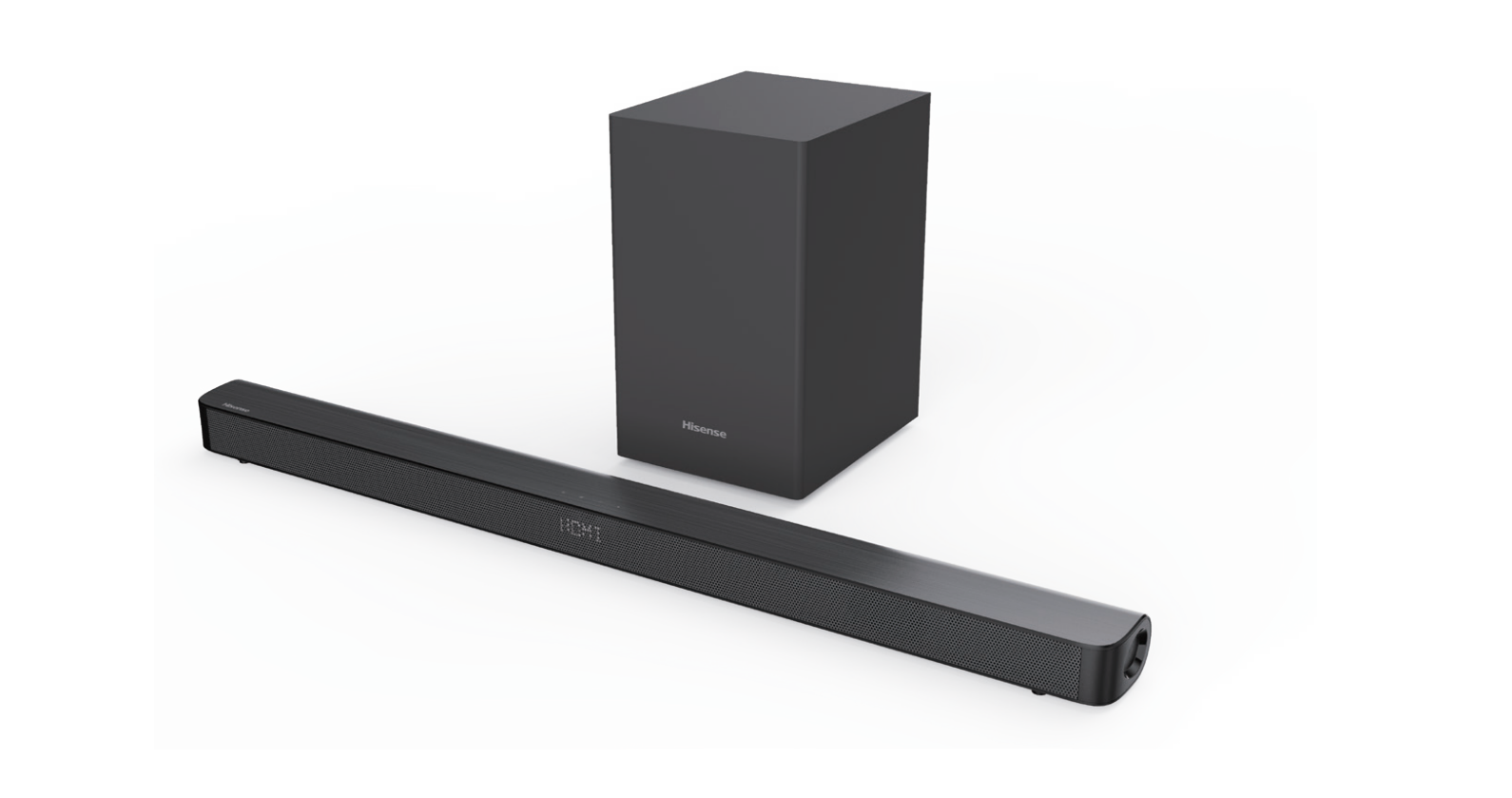
The Hisense 2.1 CH SoundBar with Wireless Subwoofer HS212F is a compact home audio upgrade designed to deliver clearer dialogue, stronger bass, and a more immersive TV experience. Built around a 2.1-channel layout, it combines a 60W soundbar with a 60W wireless subwoofer for a total output of 120W, making it a practical choice for living rooms, bedrooms, and small home theater setups.
This soundbar is a strong fit for users who want better sound without the complexity of a full receiver-based system. It supports multiple connection options, including HDMI ARC, optical, coaxial, AUX, USB, and Bluetooth 5.0, so it works well with modern smart TVs, streaming devices, gaming consoles, and mobile devices. The wireless subwoofer helps reduce cable clutter while adding low-end impact for movies, sports, and music.
The HS212F is especially appealing to budget-conscious buyers who want an affordable soundbar with wireless subwoofer convenience. Estimated pricing typically falls in the entry-level to mid-range category, often around $80 to $150 depending on retailer, condition, and promotions. Availability may vary by region, but it is commonly found through major electronics stores, online marketplaces, and Hisense support channels.
For users searching for a simple, powerful, and easy-to-install sound upgrade, the Hisense 2.1 CH SoundBar with Wireless Subwoofer HS212F offers solid value, straightforward controls, and a clean setup that suits everyday home entertainment.
Specifications
- System type: 2.1-channel soundbar with wireless subwoofer
- Total output power: 120W
- Soundbar power: 60W
- Subwoofer power: 60W
- Frequency response: Soundbar 120Hz–20kHz; subwoofer 40Hz–120Hz
- Bluetooth: Version 5.0 for wireless audio streaming
- Audio decoding: Dolby Digital support
- Connections: HDMI ARC, optical, coaxial, 3.5mm AUX, USB
- USB playback: MP3, WAV, and WMA file support
- Soundbar dimensions: 38 x 2.17 x 3.35 inches
- Subwoofer dimensions: 8.27 x 13.3 x 9.76 inches
- Mounting: Shelf or wall placement
- Remote control: Included
In daily use, the HS212F delivers more bass presence and fuller midrange sound than built-in TV speakers. Compared with many basic 2.0 soundbars, the wireless subwoofer provides noticeably better low-frequency performance for action scenes and music playback. Against similarly priced models, it stands out for flexible connectivity and easy setup rather than advanced smart features.
Setup Guide
Setting up the Hisense 2.1 CH SoundBar with Wireless Subwoofer HS212F is straightforward and usually takes only a few minutes. Place the soundbar below the TV and the wireless subwoofer on the floor near the front of the room for best bass performance. Keep the subwoofer away from corners if the bass sounds too heavy or boomy.
- Connect the soundbar to the TV using HDMI ARC for the easiest control and best everyday performance.
- If HDMI ARC is unavailable, use the optical cable or coaxial input.
- Plug both units into power and turn them on.
- Use the remote to select the correct input source.
- Pair Bluetooth by selecting Bluetooth mode on the soundbar and connecting from your phone, tablet, or laptop.
For best results, enable HDMI ARC and CEC settings on the TV if supported. If there is no sound, confirm the TV audio output is set to external speakers. Safety precautions include avoiding blocked ventilation, keeping the units away from moisture, and not placing the subwoofer where it may be damaged by heat or spills.
Troubleshooting
Most issues with the HS212F can be resolved quickly with a few basic checks. If there is no sound, verify the correct input source, confirm cables are fully seated, and make sure the TV volume is not muted. For HDMI ARC issues, power cycle both the TV and soundbar, then re-enable ARC in the TV audio settings.
- No Bluetooth connection: Delete the pairing record on your device and reconnect in pairing mode.
- Weak subwoofer sound: Move the subwoofer closer to the soundbar and remove obstacles between them.
- Distorted audio: Lower the source volume and check whether the TV audio format is set to a compatible output.
- Remote not responding: Replace the AAA batteries and ensure there is a clear line of sight.
- USB playback failure: Use a FAT32-formatted drive and supported file types only.
The HS212F is not widely associated with complex error codes, so most fixes are practical rather than code-based. Preventive care includes using stable power, avoiding overloading the USB port, and keeping firmware-compatible TV settings in sync. For warranty and product support, contact Hisense support in your region; in Canada, support is available at 1-855-344-7367 during posted business hours.
Pros & Cons
Pros
- Strong value for money for an affordable 2.1 soundbar system
- Wireless subwoofer adds deeper bass for movies, sports, and music
- Multiple inputs make it easy to connect to older and newer TVs
- Bluetooth 5.0 improves wireless streaming convenience
- Compact design works well in smaller spaces and apartments
- Simple setup is beginner-friendly
Cons
- No advanced smart platform or voice assistant integration
- Best suited for casual home viewing rather than premium audiophile use
- Soundstage is narrower than more expensive multi-speaker systems
- Low-end performance is good for the price, but not cinematic like larger subwoofers
- Room calibration and advanced tuning options are limited
For buyers comparing entry-level alternatives, the HS212F delivers a balanced mix of bass, connectivity, and simplicity. It is a better fit than basic TV speaker replacements, but users seeking premium surround expansion may prefer a higher-end 3.1 or 5.1 system.
Customer Reviews
Customer feedback for the Hisense 2.1 CH SoundBar with Wireless Subwoofer HS212F is generally positive, with many users rating it around 4 out of 5 stars. Buyers frequently praise the easy setup, improved dialogue clarity, and the noticeable bass boost from the wireless subwoofer. A common testimonial style comment is: “A huge improvement over my TV speakers, especially for movies and streaming.”
Common complaints usually focus on the lack of premium audio features and the fact that bass performance depends on room placement. Some users also mention that the remote and sound modes are basic compared with more expensive models. Even so, many reviewers consider it a smart purchase for the price, especially for casual home theater use and everyday TV listening.
For shoppers wanting a dependable, budget-friendly sound upgrade, this model is often recommended as a solid first soundbar. The main advice from owners is to connect via HDMI ARC when possible and position the subwoofer carefully for the best result.
Faqs
How do I set up the hisense 2.1 CH SoundBar with Wireless Subwoofer HS212F for the first time?
Why is my hisense 2.1 CH SoundBar with Wireless Subwoofer HS212F not producing sound from the TV?
How do I pair the wireless subwoofer on the hisense 2.1 CH SoundBar with Wireless Subwoofer HS212F?
Can the hisense 2.1 CH SoundBar with Wireless Subwoofer HS212F connect to a Roku TV?
What sound modes does the hisense 2.1 CH SoundBar with Wireless Subwoofer HS212F offer, and when should I use them?
How can I fix Bluetooth pairing problems on the hisense 2.1 CH SoundBar with Wireless Subwoofer HS212F?
What is the best way to optimize bass and overall sound on the hisense 2.1 CH SoundBar with Wireless Subwoofer HS212F?
How should I clean and maintain the hisense 2.1 CH SoundBar with Wireless Subwoofer HS212F for long-term use?
More hisense manuals
Leave a Comment