
Hisense DH5019K1G Dehumidifier User Manual
Content
Hisense DH5019K1G Dehumidifier: Complete Product Manual
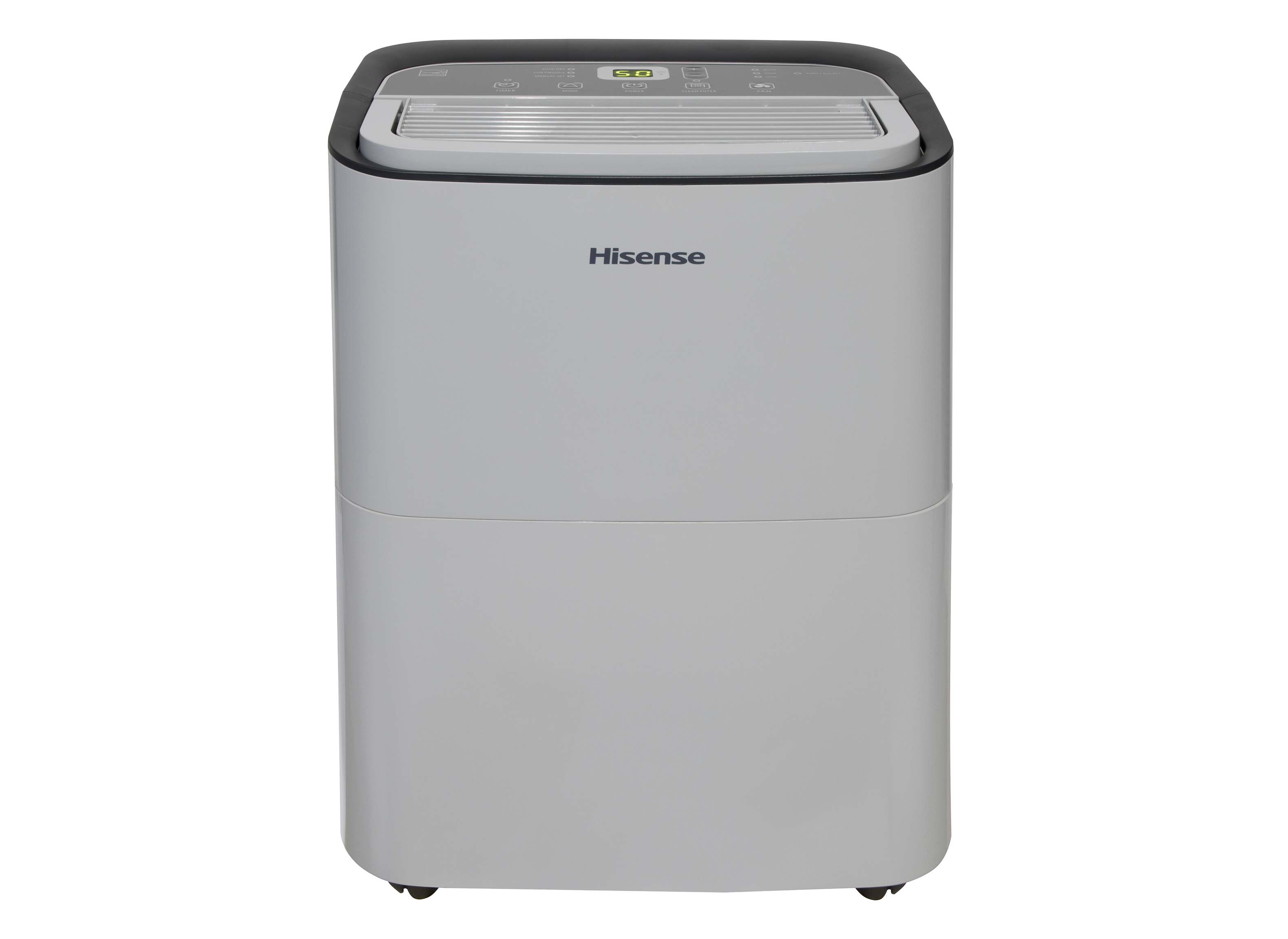
The Hisense DH5019K1G Dehumidifier is a 50-pint, two-speed home moisture-control appliance designed for medium to large indoor spaces, including basements, living rooms, laundry areas, and damp utility rooms. It is built for residential use and focuses on efficient humidity removal, quiet operation, and simple day-to-day control. For households dealing with musty odors, condensation, or recurring dampness, this model offers a practical balance of capacity, usability, and energy-conscious performance.
One of its biggest strengths is its flexible operation. The unit supports adjustable humidity settings, continuous drainage options, automatic shutoff, and a bucket-full indicator for easier maintenance. It is also designed to work in indoor temperatures from 38°F to 90°F, making it suitable for many year-round applications. The compressor includes a delay restart feature, which helps protect the system after power interruptions or rapid cycling.
The Hisense DH5019K1G Dehumidifier is aimed at homeowners who want a straightforward, dependable moisture remover without complicated setup. It is especially useful in finished basements, storage areas, and rooms where excess humidity can damage furniture, walls, electronics, or fabrics. Typical market pricing generally falls in the mid-range dehumidifier category, often around $150 to $250 depending on condition, seller, and seasonal availability. New stock may be limited at some retailers, so availability can vary by region and marketplace.
Specifications for Hisense DH5019K1G Dehumidifier
- Type: 50-pint dehumidifier with 2-speed operation
- Recommended use: Indoor residential spaces
- Humidity range: Displayed humidity from 30% to 90% relative humidity; setpoint adjustable from 30% to 80%
- Operating temperature: 38°F to 90°F
- Power requirements: 115V, grounded 3-prong outlet, 15A time-delay fuse or circuit breaker
- Drainage: Bucket collection plus continuous drain compatibility on supported setups
- Protection features: Auto shutoff, compressor restart delay, overload protection behavior
- Filter: Washable air filter for easier maintenance
- Mobility: Designed for room-to-room transport with a compact footprint
Compared with smaller 20-pint and 30-pint dehumidifiers, the Hisense DH5019K1G Dehumidifier is better suited to larger rooms and damp basements. Compared with premium smart dehumidifiers, it offers fewer connected features but remains more affordable and easier to use for users who want basic moisture control without app-based management.
Setup Guide: How to Install and Start the Hisense DH5019K1G Dehumidifier
Before first use, place the unit upright for at least 2 hours to allow the refrigerant system to stabilize. Position the dehumidifier on a level floor with enough clearance around the rear and sides for airflow. Keep it away from walls, curtains, and furniture so the intake and exhaust are not blocked.
- Step 1: Unbox the unit and remove all packaging materials.
- Step 2: Confirm the power outlet is grounded and matches the electrical rating.
- Step 3: Insert the bucket properly or connect a drain hose if using continuous drainage.
- Step 4: Plug the unit directly into a wall outlet. Do not use an adapter or power strip.
- Step 5: Set your target humidity level using the control panel.
- Step 6: Select the preferred fan speed and verify that the bucket indicator is clear.
For best performance, close doors and windows before starting the machine. If the unit does not start, check that the bucket is seated correctly and that the room temperature is within the supported range. Never operate the device outdoors, and keep it away from standing water or wet electrical areas.
Troubleshooting Common Hisense DH5019K1G Dehumidifier Problems
If the unit is running but not reducing humidity, the room may be too open or the set humidity may already be reached. Make sure windows and doors are closed and lower the humidity target if needed. If airflow seems weak, clean the washable filter and check for blocked vents.
- Unit will not start: Confirm power, outlet grounding, and bucket placement.
- Bucket full light stays on: Empty the tank and reseat it securely.
- Compressor does not restart immediately: Wait up to 3 minutes for the built-in protection delay.
- Frost or ice buildup: Raise the room temperature or stop use if conditions fall near freezing.
- Weak dehumidifying performance: Reduce room leakage and close external air sources.
No advanced error-code system is commonly associated with this model, so most problems are resolved through power checks, filter cleaning, drainage inspection, and proper placement. For help, refer to the user manual and contact Hisense customer support or the retailer where the unit was purchased. Warranty coverage and service terms may vary by seller and region, so keep the proof of purchase on hand.
Pros and Cons of the Hisense DH5019K1G Dehumidifier
Pros
- Reliable 50-pint capacity for medium to large rooms
- Easy-to-use controls with simple humidity adjustment
- Useful bucket-full indicator and automatic shutoff
- Washable filter reduces ongoing maintenance costs
- Good value for money compared with many smart dehumidifiers
Cons
- No built-in Wi-Fi or app control
- Not ideal for very large open spaces beyond its rated capacity
- Requires manual bucket emptying unless a drain hose setup is used
- Can add some warmth to the room during operation
For buyers who want a dependable moisture-removal appliance without premium smart features, the Hisense DH5019K1G Dehumidifier is a strong budget-conscious choice. Compared with connected alternatives, it offers less convenience but often better simplicity and lower purchase cost.
Customer Reviews and Real-World Feedback
User feedback for the Hisense DH5019K1G Dehumidifier is generally positive, with many owners rating it around 4 out of 5 stars for practical performance and ease of use. Customers frequently praise its quiet operation on low speed, effective moisture removal, and compact design that fits well in basements or utility rooms.
Common complaints include the need for regular bucket emptying and occasional sensitivity to room conditions when doors or windows remain open. Some users also note that it lacks smart features found on newer models. Still, many buyers recommend it for anyone seeking an affordable, straightforward dehumidifier for everyday humidity control.
Typical testimonial themes include “works well in my basement,” “easy to set up,” and “good value for the price.” If your priority is simple, effective moisture control rather than app connectivity, this model remains a practical purchase.
Faqs
How do I set up hisense DH5019K1G Dehumidifier for the first time?
What should I do if my hisense DH5019K1G Dehumidifier is not collecting water?
Why does my hisense DH5019K1G Dehumidifier shut off and show a full tank light?
How do I use the timer and humidity controls on hisense DH5019K1G Dehumidifier?
What room size is best for the hisense DH5019K1G Dehumidifier?
How often should I clean the filter on my hisense DH5019K1G Dehumidifier?
Can I run hisense DH5019K1G Dehumidifier continuously with a drain hose?
Why is my hisense DH5019K1G Dehumidifier making unusual noise or smell?
More hisense manuals
- Hisense HCMH159AT Microwave Oven User Manual
- Hisense FC72D6BWE Chest Freezer User Manual
- Hisense 2.1 CH SoundBar with Wireless Subwoofer HS212F User Manual
- Hisense AW1821DR3W Air Conditioner User Manual
- Hisense 3.1CH Soundbar With Wireless Subwoofer HS312 User Manual
- Hisense DH100KP1WG Dehumidifier User Manual
Leave a Comment