
Hisense 3.1CH Soundbar With Wireless Subwoofer HS312 User Manual
Content
Hisense 3.1CH Soundbar With Wireless Subwoofer HS312 Overview
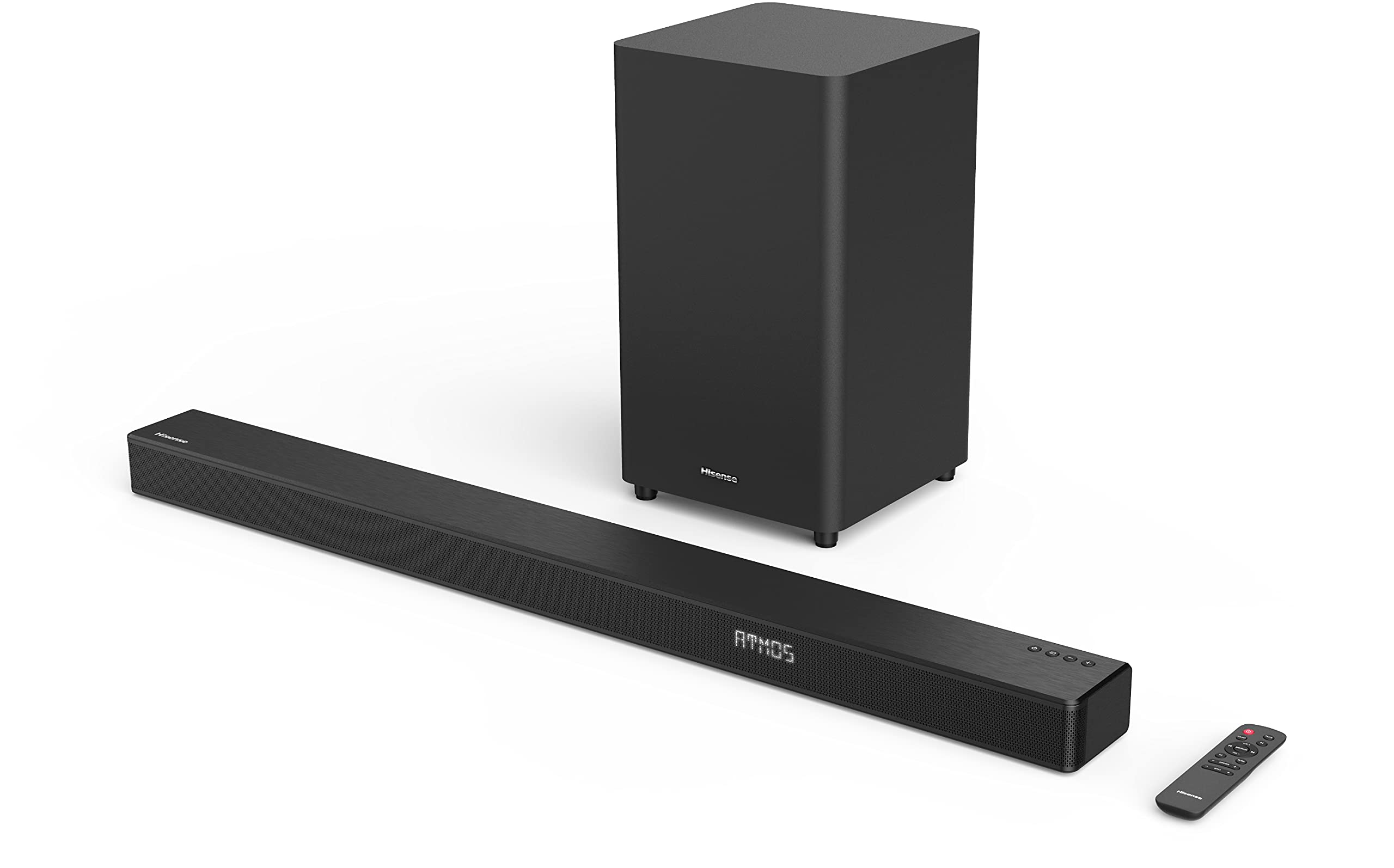
The hisense 3.1CH Soundbar With Wireless Subwoofer HS312 is designed for viewers who want a simple upgrade from built-in TV speakers to a fuller home theater experience. With a 3.1-channel layout, a dedicated center channel for clearer dialogue, and a wireless subwoofer for deeper bass, it delivers a more immersive soundstage for movies, sports, gaming, and streaming. The inclusion of Dolby Atmos support and multiple connection options makes it a practical choice for modern TVs and mixed-media setups.
This model is especially appealing to users who want strong performance without a complicated installation. It supports HDMI ARC, optical, coaxial, AUX, USB, and Bluetooth connectivity, which makes it easy to connect to TVs, smartphones, and other devices. The wireless subwoofer also reduces cable clutter and gives more placement flexibility in living rooms, bedrooms, and entertainment spaces. For households that watch a lot of dialogue-heavy content, the center-channel design improves vocal clarity and helps reduce the need to keep turning the volume up and down.
The hisense 3.1CH Soundbar With Wireless Subwoofer HS312 is typically positioned in the budget-to-midrange category, with estimated retail pricing often around $150 to $200 depending on the region, promotions, and seller. Availability is generally good through major electronics retailers and online marketplaces, though stock can vary by country. If you are looking for a soundbar that balances power, convenience, and value, the HS312 is a strong option for everyday home entertainment.
Hisense HS312 Specifications and Key Features
- Channel configuration: 3.1-channel soundbar system with dedicated wireless subwoofer
- Total output power: 300W, including 180W from the soundbar and 120W from the subwoofer
- Audio decoding: Dolby Atmos, Dolby TrueHD, Dolby Digital Plus, and Dolby Digital
- Frequency response: 120Hz to 20kHz for the soundbar; 40Hz to 120Hz for the subwoofer
- Connectivity: HDMI IN, HDMI OUT with ARC, optical input, coaxial input, line-in, USB, and Bluetooth 4.2
- Speaker design: Six speakers in the soundbar section, including full-range drivers and tweeters
- Subwoofer driver size: 8-inch woofer for enhanced low-end impact
- Power supply: AC 100-240V, 50/60Hz
- Standby power: Less than 0.5W
- Soundbar dimensions: 980 x 62 x 90 mm
- Subwoofer dimensions: 240 x 420 x 240 mm
Compared with many entry-level 2.1 soundbars, the HS312 offers better vocal separation thanks to the center channel and more cinematic bass response from the dedicated subwoofer. It is a good fit for users who want a clearer upgrade path than a basic TV speaker replacement, while still staying far below the price of premium Dolby Atmos bars.
Setup Guide for Hisense HS312 Soundbar
Setup is straightforward and usually takes only a few minutes. First, place the soundbar directly below your TV and keep the wireless subwoofer near a power outlet, ideally on the same side of the room or against a wall for stronger bass. Make sure both units are on a stable surface with enough ventilation around them.
Next, connect the soundbar to the TV using HDMI ARC if your television supports it. This is the best option for one-cable audio control and remote compatibility. If ARC is unavailable, use the optical input for reliable digital sound. You can also connect external devices through HDMI IN, AUX, or USB depending on your setup. After powering on the system, the subwoofer should pair automatically with the soundbar.
If pairing does not happen, unplug both units for a short period, then reconnect them and power the soundbar first. Keep the wireless subwoofer within range and avoid placing thick furniture or metal objects between the units. For safety, do not cover ventilation openings, keep the system away from moisture, and avoid overloading wall outlets. If audio sounds delayed, check your TV audio settings and select bitstream or passthrough where available.
Hisense HS312 Troubleshooting Guide
One common issue is no sound from the TV. Start by confirming the correct input is selected on the soundbar and the TV audio output is set to HDMI ARC or optical. Also check whether the TV speakers are disabled, as some models require manual switching. If the subwoofer does not produce bass, verify that the power light is on and re-pair the unit by restarting both devices.
For Bluetooth problems, remove the soundbar from the paired device list and reconnect it from scratch. If the connection drops frequently, move the source device closer and reduce interference from nearby wireless equipment. If the sound seems too quiet, adjust the TV volume output and confirm that the sound mode is not set too low.
The HS312 does not typically rely on complex error codes, but flashing indicators usually point to pairing, input, or power issues. A full power reset often resolves temporary glitches. Preventive care includes keeping firmware-related settings stable on the TV, using quality cables, and avoiding repeated unplugging during operation. Warranty coverage and support depend on region and retailer, so users should contact the local Hisense support center or the store where the product was purchased for assistance, replacement parts, or service guidance.
Pros and Cons of the Hisense HS312
Pros
- Powerful output for the price: 300W total output is strong for small and medium-sized rooms.
- Clear dialogue: The 3.1-channel design improves vocal clarity in movies and TV shows.
- Wireless subwoofer: Adds deep bass without messy cable runs.
- Flexible connectivity: HDMI ARC, optical, coaxial, AUX, USB, and Bluetooth cover most use cases.
- Good value: Competes well with other budget soundbars that offer fewer inputs or weaker bass.
Cons
- Not a premium surround system: It cannot match the immersion of more advanced multi-speaker setups.
- Basic wireless standard: Bluetooth 4.2 is functional but not as modern as newer versions.
- Best performance depends on room layout: Bass response can vary based on subwoofer placement.
- No advanced smart features: Users looking for voice assistants or app-based control may want a higher-end alternative.
Overall, the hisense 3.1CH Soundbar With Wireless Subwoofer HS312 offers excellent value for buyers who want strong everyday audio without spending on premium cinema-grade gear. It compares favorably to many similarly priced soundbars by combining a center channel, Dolby Atmos support, and a solid wireless subwoofer.
Customer Reviews and User Feedback on Hisense HS312
Customer feedback for the HS312 is generally positive, with many buyers rating it around 4 out of 5 stars for sound quality and ease of use. Users frequently praise the improved dialogue clarity, room-filling volume, and strong bass for movies and music. Many first-time soundbar owners appreciate how quickly it connects to a TV and how much better it sounds than internal TV speakers.
Common complaints include occasional Bluetooth limitations, bass that can feel room-dependent, and the absence of premium smart features. Some users also note that the best results come from using HDMI ARC rather than older analog connections.
Typical testimonial themes include comments such as “clear voices, powerful bass, and easy setup” and “a major upgrade for the price.” If you want a reliable home audio upgrade for streaming, gaming, and everyday TV use, the HS312 is an easy recommendation for budget-conscious shoppers.
Faqs
How do I set up hisense 3.1CH Soundbar With Wireless Subwoofer HS312 for the first time?
Why is my hisense 3.1CH Soundbar With Wireless Subwoofer HS312 not connecting to the wireless subwoofer?
What is the best connection method for hisense 3.1CH Soundbar With Wireless Subwoofer HS312: HDMI ARC, optical, or Bluetooth?
How can I make dialogue clearer on hisense 3.1CH Soundbar With Wireless Subwoofer HS312?
Is hisense 3.1CH Soundbar With Wireless Subwoofer HS312 compatible with Samsung, LG, Sony, and Roku TVs?
How do I optimize bass and sound modes on hisense 3.1CH Soundbar With Wireless Subwoofer HS312?
What should I do if hisense 3.1CH Soundbar With Wireless Subwoofer HS312 has no sound but the power is on?
How should I clean and maintain hisense 3.1CH Soundbar With Wireless Subwoofer HS312 for long-term performance?
More hisense manuals
- Hisense 85UX UX Series Mini LED 4K Google TV User Manual
- Hisense 2.1 CH SoundBar with Wireless Subwoofer HS212F User Manual
- Hisense 43A6GV 4K Ultra HD Television User Manual
- Hisense HCMH159AT Microwave Oven User Manual
- Hisense 550-SF Portable AC With Heat User Manual
- Hisense DH5019K1G Dehumidifier User Manual
Leave a Comment