
Hisense 43A6GV 4K Ultra HD Television User Manual
Content
Hisense 43A6GV 4K Ultra HD Television Review and Manual
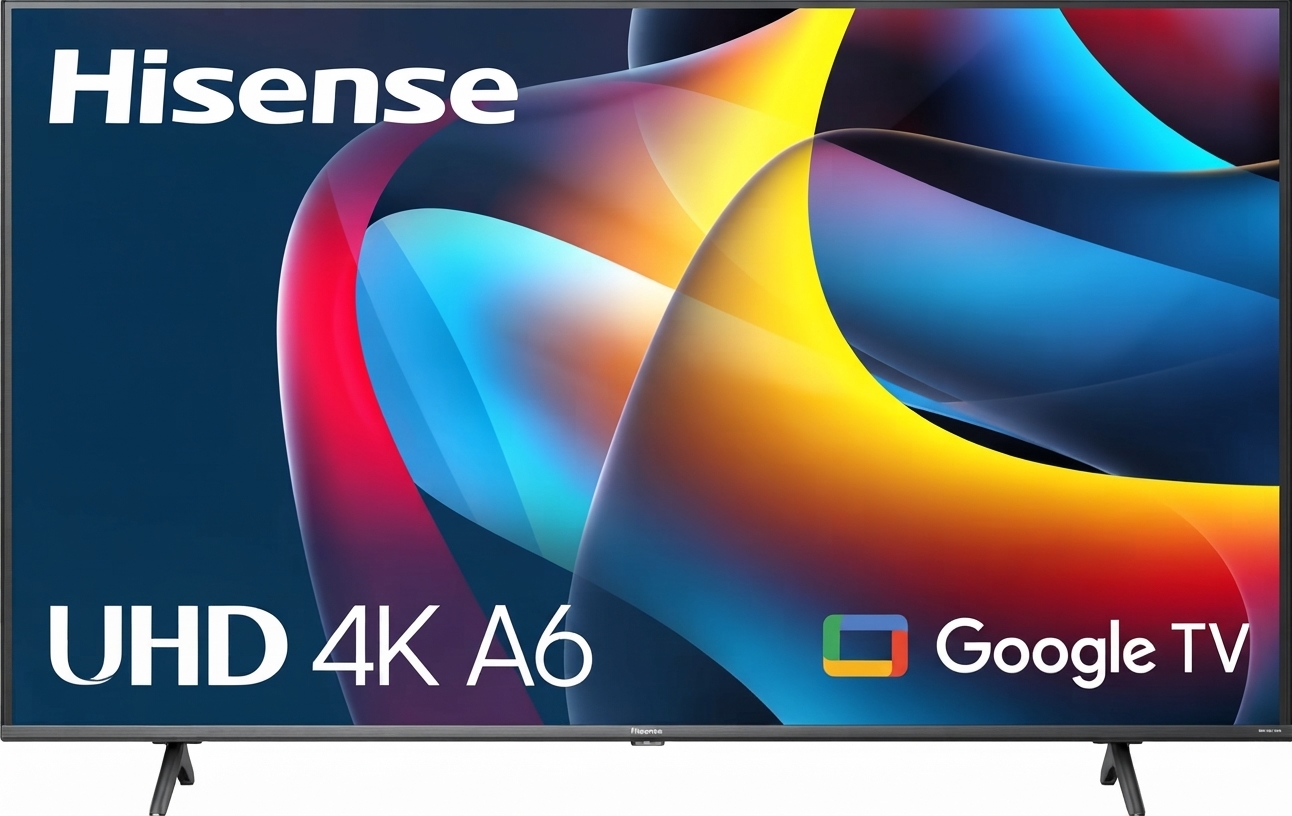
The hisense 43A6GV 4K Ultra HD Television is a compact smart TV designed for viewers who want sharp 4K picture quality, simple streaming access, and practical everyday performance in a 43-inch size. It combines a 3840 x 2160 resolution display with HDR support, built-in smart TV functionality, and wireless connectivity, making it a solid choice for bedrooms, apartments, dorm rooms, and secondary living spaces. The model is especially appealing to users who want an affordable 4K television with modern smart features without moving into a premium price bracket.
This TV is well suited for casual movie watching, streaming platforms, gaming on standard consoles, and general family use. Its key strengths include 4K UHD clarity, Dolby Vision and HDR10 Pro support, dual-band Wi-Fi, Bluetooth compatibility, and a lightweight build that is easy to install on a stand or wall mount. The hisense 43A6GV 4K Ultra HD Television also offers a good balance between image quality and value, which helps it stand out in the entry-level 4K smart TV category.
Estimated pricing typically falls in the budget-to-midrange range for a 43-inch 4K smart TV, depending on region, retailer, and seasonal promotions. Availability may vary by market, but this model is commonly sold through major electronics retailers, online marketplaces, and authorized Hisense dealers. For shoppers comparing affordable 4K TVs, the 43A6GV is often considered a practical alternative to similarly sized models from brands like TCL, Samsung, and LG.
Hisense 43A6GV 4K Ultra HD Television Specifications
- Screen size: 43 inches
- Display type: LCD LED
- Resolution: 3840 x 2160 pixels
- HD type: 4K Ultra HD
- Aspect ratio: 16:9
- HDR support: Dolby Vision, HDR10 Pro
- Motion processing: Motion Rate 120
- Smart platform: VIDAA Smart TV
- Wireless connectivity: Dual-band Wi-Fi and Bluetooth
- HDMI ports: 4
- USB ports: 2
- Audio output: 14W total RMS
- Speaker system: Dual speakers with DTS Virtual:X support
- Typical power consumption: 100W
- Standby power consumption: 0.5W
- Dimensions without stand: 37.9 x 22.0 x 2.9 inches
- Weight without stand: 15.2 lbs
Compared with other 43-inch 4K televisions, the hisense 43A6GV 4K Ultra HD Television offers a strong feature set for the price. Its HDR and smart platform combination makes it more versatile than basic non-smart models, while its 4 HDMI ports provide better connectivity than many competing entry-level TVs.
Detailed Overview of the Hisense 43A6GV 4K Ultra HD Television
The Hisense 43A6GV is built around a flat 42.5-inch class display that delivers crisp 4K detail for everyday entertainment. Its LED panel reproduces sharp text, bright highlights, and smooth motion for streaming content, cable viewing, and console gaming. The TV’s 4K upscaling helps lower-resolution content appear cleaner and more refined, which is useful when watching older broadcasts or Full HD video.
In real-world use, the set works well for Netflix, YouTube, live TV, and casual gaming. HDR support adds improved contrast and color depth in compatible content, while DTS Virtual:X helps create a wider sound field than standard built-in speakers. The build is lightweight and practical, with a slim profile that suits modern entertainment setups. Materials are functional rather than premium, but the design is clean and easy to place in most rooms.
For users seeking a reliable everyday television, the hisense 43A6GV 4K Ultra HD Television delivers a balanced viewing experience. It is not designed as a high-end cinematic display, but it performs well as an affordable smart TV for daily use, family streaming, and compact living spaces.
Setup Guide for the Hisense 43A6GV 4K Ultra HD Television
- Unbox the television carefully and check that the stand, screws, remote, and power cable are included.
- Place the TV on a flat, stable surface or prepare a compatible wall mount with the correct VESA pattern.
- Attach the stand using the supplied screws, or mount the TV securely if wall installation is preferred.
- Connect the power cord and press the power button on the remote or TV panel.
- Follow the on-screen setup wizard to select language, region, and network settings.
- Connect to Wi-Fi, or use Ethernet for a more stable internet connection.
- Sign in to streaming apps and pair Bluetooth devices such as speakers or headphones if needed.
- Adjust picture mode, sound settings, and input labels based on your preferred use.
For the best setup results, place the TV at eye level and keep ventilation space around the back panel. Avoid exposing the screen to direct heat or moisture. If the TV does not connect to Wi-Fi, restart the router, confirm the password, and make sure the network is using a supported 2.4GHz or 5GHz band. If HDMI devices are not detected, switch cables or use another input port.
Always handle the screen with care and avoid pressing directly on the display surface. This is especially important during setup and wall mounting.
Troubleshooting the Hisense 43A6GV 4K Ultra HD Television
- No picture: Check the power cable, verify the selected input, and confirm the external device is switched on.
- No sound: Increase volume, unmute the TV, and inspect HDMI ARC or audio output settings.
- Wi-Fi connection fails: Restart the router, re-enter the password, and move the TV closer to the access point.
- Remote not responding: Replace the batteries, clear obstructions, and power-cycle the television.
- Blurred or poor picture: Switch to a better picture mode, confirm the source resolution, and disable unnecessary picture processing.
- App freezes or crashes: Close the app, clear cached data if available, and update the TV software.
Common error symptoms are usually resolved through power cycling, factory reset, or firmware updates rather than advanced repair. Preventive care includes keeping the software current, using quality HDMI cables, and avoiding unstable power sources. Warranty coverage and support availability vary by region, so users should check the retailer invoice, product documentation, or the official Hisense support channel for service options and local contact details.
If the hisense 43A6GV 4K Ultra HD Television shows repeated startup issues, external device conflicts, or persistent audio problems, professional service is recommended.
Pros and Cons of the Hisense 43A6GV 4K Ultra HD Television
Pros
- Affordable 4K UHD performance for everyday viewing
- Dolby Vision and HDR10 Pro support for improved contrast
- Built-in smart TV platform with streaming access
- Four HDMI ports for game consoles, set-top boxes, and media players
- Bluetooth and dual-band Wi-Fi for flexible connectivity
- Compact 43-inch size suitable for small and medium rooms
- Good value for money compared with similar entry-level 4K TVs
Cons
- Audio output is adequate but not exceptional for home theater use
- Picture quality is strong for the price, but not premium-level
- Build materials are functional rather than high-end
- Best suited for casual viewing rather than professional content work
Compared with alternatives, this model offers a better feature-to-price ratio than many basic 43-inch televisions. Buyers who want stronger sound or a brighter premium panel may prefer higher-end brands, but budget-conscious users will find this set practical and competitive.
Customer Reviews and User Feedback
Customer feedback for the hisense 43A6GV 4K Ultra HD Television is generally positive, with many users rating it around 4 out of 5 stars for value, picture clarity, and easy setup. Buyers frequently praise the sharp 4K display, simple smart features, and strong price-to-performance balance.
Common compliments include fast streaming access, decent HDR performance, and the convenience of multiple HDMI ports. Typical complaints focus on average built-in speakers, which some users improve with a soundbar, and occasional app or connectivity hiccups that are usually resolved through resets or updates.
One user noted that it is “a great TV for a bedroom or apartment because it delivers clear 4K picture without costing too much.” Another said, “The setup was easy, and the streaming apps work well for everyday use.” For most shoppers, this model is a smart purchase if affordability and reliable core features matter more than premium audio or flagship-level brightness.
Faqs
How do I set up the hisense 43A6GV 4K Ultra HD Television for the first time?
What should I do if the hisense 43A6GV 4K Ultra HD Television will not connect to Wi‑Fi?
How do I get the best picture settings on the hisense 43A6GV 4K Ultra HD Television?
Does the hisense 43A6GV 4K Ultra HD Television support gaming consoles and low-lag play?
How many HDMI and USB ports does the hisense 43A6GV 4K Ultra HD Television have?
Why is the sound on my hisense 43A6GV 4K Ultra HD Television too low or unclear?
How do I clean and maintain the hisense 43A6GV 4K Ultra HD Television safely?
What should I do if apps are slow or freezing on the hisense 43A6GV 4K Ultra HD Television?
More hisense manuals
- Hisense 550-SF Portable AC With Heat User Manual
- Hisense 85UX UX Series Mini LED 4K Google TV User Manual
- Hisense DHIOOTPIWG Dehumidifier User Manual
- Hisense 3.1CH Soundbar With Wireless Subwoofer HS312 User Manual
- Hisense 100L5F 4K Ultra Short Throw Laser TV User Manual
- Hisense 2.1 CH SoundBar with Wireless Subwoofer HS212F User Manual
Leave a Comment