
Jbl BAR-1000 Home Theater Soundbar System User Manual
Content
JBL Bar 1000 Home Theater Soundbar System: Complete Product Manual
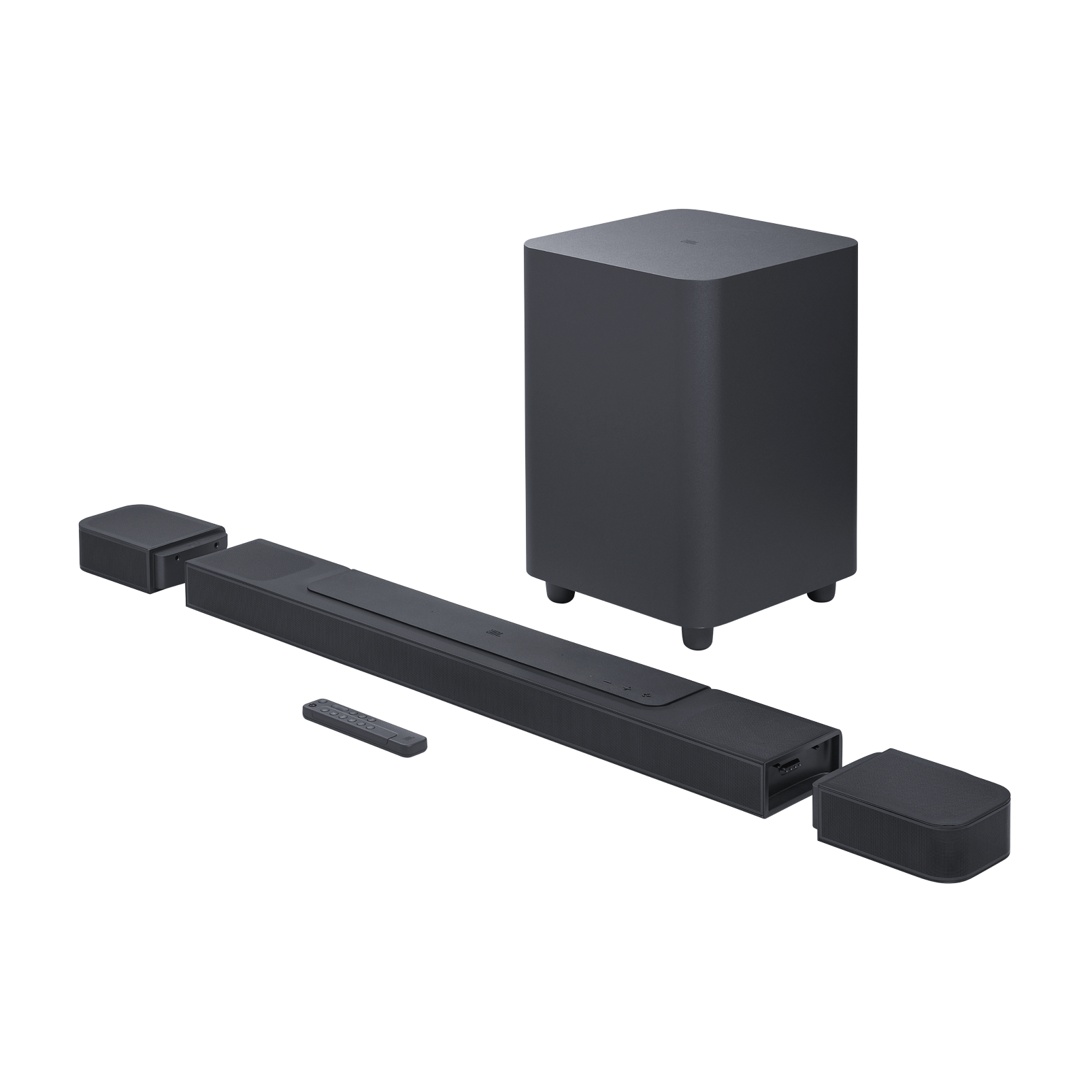
The JBL Bar 1000 home theater soundbar system is built for listeners who want a true cinematic upgrade without the complexity of a full receiver-and-speaker setup. As a 7.1.4-channel Dolby Atmos soundbar, it combines a powerful main bar, detachable battery-powered rear speakers, and a wireless 10-inch subwoofer to create an immersive surround sound experience for movies, gaming, sports, and music. With a total output of 880W and support for Dolby Atmos and DTS:X, the JBL Bar 1000 home theater soundbar system is designed to deliver spacious, room-filling audio with strong bass, clear dialogue, and height effects that enhance modern streaming content.
One of its biggest advantages is flexibility. The detachable surround speakers can be placed behind the listener for real rear-channel audio, then reattached to the bar when not in use. This makes it a strong choice for apartments, living rooms, and home theater setups where running wires is impractical. The system also includes HDMI eARC, multiple HDMI inputs, HDR passthrough, Wi-Fi, Bluetooth, AirPlay, Chromecast built-in, and app-based control, giving users a modern connected soundbar experience. The JBL Bar 1000 is typically positioned in the premium category, with pricing that often falls around the mid-to-high four figures depending on region, promotions, and retailer availability. It is widely available through major electronics stores and online marketplaces, and it remains one of the most feature-rich premium soundbars for buyers who want Dolby Atmos soundbar performance, wireless surround speakers, and strong home theater value in one package.
Pros and Cons of the JBL Bar 1000 Home Theater Soundbar System
Pros
- True wireless surround flexibility: The detachable rear speakers make setup easier than a traditional 5.1.2 or 7.1 system with long cable runs.
- Powerful 880W output: The system delivers enough volume and dynamic range for medium to large rooms, with strong movie impact and solid bass.
- Excellent movie immersion: Dolby Atmos and DTS:X support create a more cinematic presentation than basic stereo or 3.1 soundbars.
- Modern connectivity: HDMI eARC, Wi-Fi, Bluetooth, AirPlay, Chromecast built-in, and voice assistant support make it easy to integrate with TVs and smart homes.
- Good value for feature set: Compared with separate AV receiver systems, the JBL Bar 1000 offers a cleaner setup and lower installation effort.
Cons
- Premium pricing: It costs more than many midrange soundbars, so buyers on a budget may prefer simpler alternatives like the Sonos Beam or Samsung Q-series models.
- Rear speaker battery management: The detachable surrounds need charging when used wirelessly, which can be inconvenient for some households.
- Large physical footprint: The bar and subwoofer take up noticeable space, especially in smaller entertainment centers.
- Not as customizable as an AVR system: Enthusiasts who want full speaker-level tuning and expandability may still prefer a traditional receiver-based setup.
For buyers seeking a premium Dolby Atmos soundbar with real rear channels, the JBL Bar 1000 home theater soundbar system offers strong value for money. Against alternatives, it stands out for detachable speakers and convenience, while competing brands may win on app polish, room correction, or ecosystem features.
Customer Reviews and Real-World Feedback
Customer feedback for the JBL Bar 1000 home theater soundbar system is generally strong, with many owners praising the immersive surround sound, deep bass, and easy setup. A common star rating pattern is around 4.4 out of 5 stars, with repeated comments such as, “The detachable speakers make movie nights feel like a real theater,” and “Dialogue is much clearer than my old soundbar.” Many users also like the strong Dolby Atmos performance and the convenience of the wireless subwoofer.
Frequent complaints usually focus on price, the size of the system, and the need to recharge the rear speakers after extended use. Some users also mention that the best performance depends on careful placement and room size. Overall, the JBL Bar 1000 is often recommended for buyers who want a premium all-in-one home theater upgrade and are willing to pay extra for convenience and cinematic sound.
Key Features and Specifications at a Glance
- 7.1.4-channel sound system for immersive surround audio
- Total system output: 880W
- Wireless 10-inch subwoofer for deep bass
- Detachable battery-powered rear speakers
- Dolby Atmos and DTS:X support
- HDMI eARC with multiple HDMI inputs
- HDR passthrough for modern video sources
- Wi-Fi, Bluetooth, AirPlay, Chromecast built-in, and voice assistant compatibility
- JBL One app support for setup and tuning
Who Should Buy the JBL Bar 1000?
The JBL Bar 1000 home theater soundbar system is best for home cinema fans, gamers, and streaming users who want true surround sound without a complicated installation. It is especially suitable for living rooms where wiring rear speakers would be difficult, and for users who want a premium soundbar with strong bass, clear dialogue, and advanced wireless features.
If you want a cleaner, simpler alternative to a full AV receiver setup, this model is a smart choice. If your priority is lower cost, smaller size, or a more basic TV upgrade, a compact 3.1 or 5.1 soundbar may be a better fit.
Setup and Usage Tips
- Place the soundbar directly below the TV and keep the front path clear for best clarity.
- Position the subwoofer near a wall for stronger low-frequency performance.
- Detach and place the rear speakers behind the main listening position for the most convincing surround effect.
- Use HDMI eARC for the best audio quality with compatible TVs.
- Run calibration through the JBL app to help balance the sound to your room.
Final Verdict
The JBL Bar 1000 home theater soundbar system is a premium, feature-rich choice that delivers impressive surround sound, strong bass, and a user-friendly setup. For buyers who want a cinema-like audio upgrade with minimal hassle, it remains one of the most compelling wireless soundbar systems available.
Faqs
How do I set up the jbl BAR-1000 Home Theater Soundbar System for the first time with HDMI eARC?
Why is my jbl BAR-1000 Home Theater Soundbar System not producing surround sound from the rear speakers?
How do I calibrate the jbl BAR-1000 Home Theater Soundbar System for the best Dolby Atmos performance?
Can the jbl BAR-1000 Home Theater Soundbar System work with TVs that do not support HDMI eARC?
What should I do if the jbl BAR-1000 Home Theater Soundbar System has no sound or the wrong input is selected?
How do I stream music wirelessly on the jbl BAR-1000 Home Theater Soundbar System using Bluetooth or Wi-Fi?
What are the most useful sound settings on the jbl BAR-1000 Home Theater Soundbar System for movies and TV shows?
How should I clean and maintain the jbl BAR-1000 Home Theater Soundbar System to keep it working properly?
More jbl manuals
Leave a Comment