
Jbl JBLBARSBLKEP Sound Bar User Manual
Content
JBLBARSBLKEP Sound Bar Manual and Product Overview
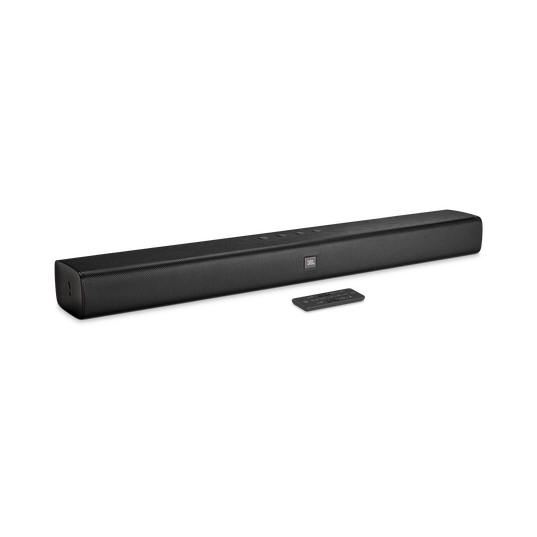
The jbl JBLBARSBLKEP Sound Bar is a compact 2.0-channel soundbar designed to upgrade everyday TV audio with clearer dialogue, fuller stereo sound, and easy connectivity. Built around JBL’s home-audio tuning, it delivers a 30W output, Dolby Digital support, Bluetooth streaming, HDMI ARC, optical input, USB, and a 3.5 mm AUX connection, making it a flexible choice for bedrooms, apartments, and smaller living rooms.
With a slim 61.4 cm width, low-profile 5.8 cm height, and lightweight 1.4 kg build, it fits neatly below most televisions without blocking the screen. The soundbar is especially appealing for users who want a simple plug-and-play home theater upgrade without adding a separate subwoofer or complex speaker setup. The stereo design works well for streaming movies, watching news, gaming casually, or improving dialogue clarity during everyday TV use.
The jbl JBLBARSBLKEP Sound Bar is typically positioned as an entry-level value model, with estimated market pricing commonly falling in the budget range of roughly $80 to $150 depending on region, stock, and retailer. Availability can vary because this model is often sold under the JBL Bar Studio name or manufacturer code JBLBARSBLKEP. For shoppers looking for an affordable soundbar with Bluetooth and multiple wired inputs, it remains a practical option that balances convenience, compact size, and recognizable JBL branding.
Pros & Cons of the JBLBARSBLKEP Sound Bar
Pros
- Compact and easy to place: The slim design works well under TVs in small rooms, dorms, and bedrooms.
- Simple connectivity: HDMI ARC, optical, Bluetooth, USB, and AUX inputs make setup straightforward.
- Improved TV clarity: Voice and dialogue sound more intelligible than most built-in TV speakers.
- Good everyday value: For its budget class, it delivers a noticeable upgrade without a complicated setup.
- Low-maintenance design: No separate subwoofer or extra speakers means fewer cables and less clutter.
Cons
- No dedicated subwoofer: Bass performance is limited compared with 2.1 soundbars.
- Best for smaller spaces: In large rooms, the 30W output may feel modest.
- Not a surround-sound system: It is a stereo soundbar, so cinematic immersion is basic.
- Alternative options may offer more power: Entry-level models from Sony, Samsung, or LG can include stronger bass or more advanced audio modes.
Overall, the jbl JBLBARSBLKEP Sound Bar offers strong value for money if the priority is better TV sound, easy setup, and compact size rather than heavy bass or theater-style surround sound.
Customer Reviews and User Feedback
Customer feedback for the jbl JBLBARSBLKEP Sound Bar is generally positive, with many users rating it around 4 out of 5 stars for ease of use and sound improvement. A common compliment is clearer speech during movies and TV shows, especially when compared with flat built-in television speakers. One typical user comment is: “Great sound for a small room and very easy to connect via HDMI ARC.”
Frequent praise also goes to the Bluetooth feature, which makes it convenient for wireless music playback from a phone or tablet. Common complaints focus on the lack of deep bass and the limited volume headroom in bigger spaces. Some buyers also note that it is best suited to casual viewing rather than bass-heavy gaming or home cinema use. A typical critical note is: “Good for dialogue, but I wanted more low-end punch.”
For most buyers, this model is recommended if you want a simple soundbar for TV, streaming, and everyday listening. If you need stronger bass or a more immersive setup, a soundbar with a wireless subwoofer may be a better alternative.
JBLBARSBLKEP Sound Bar Key Features at a Glance
- 2.0-channel soundbar design
- 30W total output
- Dolby Digital support
- Bluetooth wireless streaming
- HDMI ARC, optical, USB, and 3.5 mm AUX inputs
- Compact size for small and medium rooms
- Lightweight 1.4 kg build
Who Should Buy the JBLBARSBLKEP Sound Bar?
This model is a strong fit for shoppers who want an affordable soundbar for a bedroom, apartment, or secondary TV. It is also a sensible choice for users who want a cleaner dialogue experience without spending on a premium home theater system. If the main goal is better everyday TV audio, the jbl JBLBARSBLKEP Sound Bar remains a dependable and easy-to-use option.
Faqs
How do I set up the jbl JBLBARSBLKEP Sound Bar for the first time with my TV?
Why is my jbl JBLBARSBLKEP Sound Bar not producing sound after setup?
What connection type works best with the jbl JBLBARSBLKEP Sound Bar: HDMI ARC, optical, or Bluetooth?
How can I fix lip-sync delay on the jbl JBLBARSBLKEP Sound Bar during movies?
Can the jbl JBLBARSBLKEP Sound Bar work with smart TVs, gaming consoles, and streaming devices?
How do I optimize bass and dialogue on the jbl JBLBARSBLKEP Sound Bar for better sound quality?
What should I do if the jbl JBLBARSBLKEP Sound Bar keeps disconnecting from Bluetooth?
How should I clean and maintain the jbl JBLBARSBLKEP Sound Bar to keep it working properly?
More jbl manuals
Leave a Comment