
Setup & Features: Philips Business Monitor 27B2W5600 User Manual
Content
Philips Business Monitor 27B2W5600 Review and Product Manual
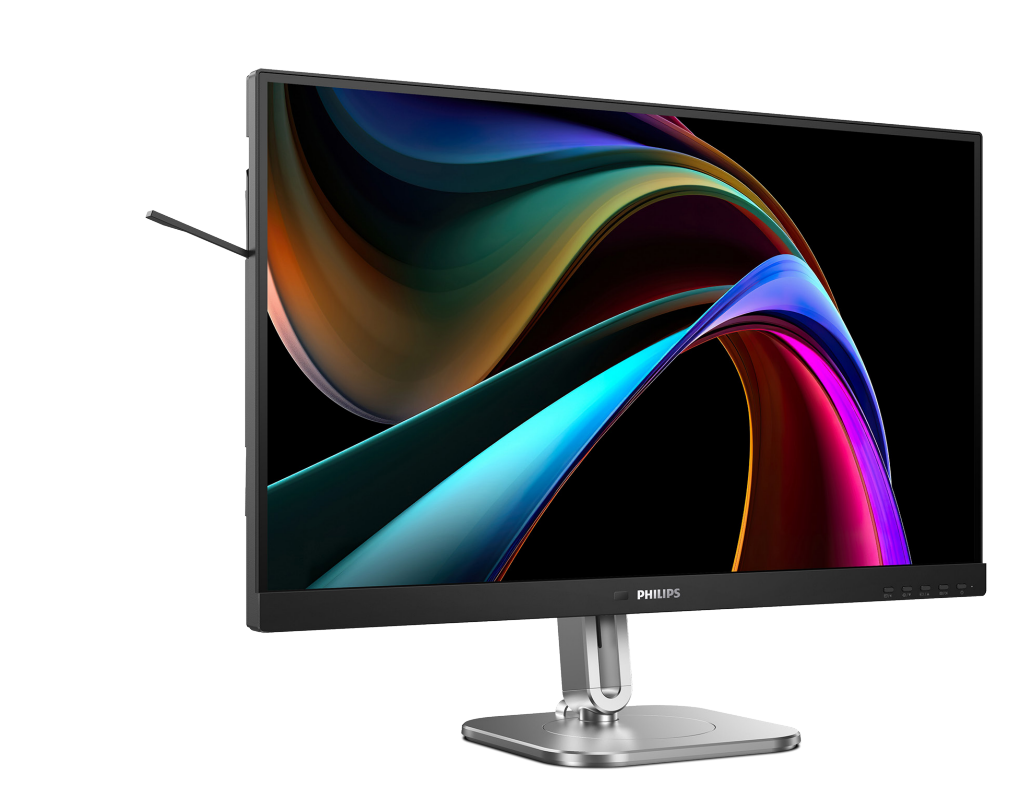
The Philips Business Monitor 27B2W5600 is a 27-inch QHD office display designed for professionals who want sharp visuals, flexible connectivity, and a cleaner desktop setup. With a 2560 x 1440 resolution, IPS panel, 120Hz refresh rate, and USB-C connectivity with up to 65W power delivery, it stands out as a modern business monitor for productivity, multitasking, and hybrid work. Its wireless display features and ergonomic design also make it appealing for users who need a tidy workspace without sacrificing performance.
This model is a strong fit for office workers, content editors, developers, analysts, and remote professionals who spend long hours in front of a screen. The wide viewing angles, anti-glare display, flicker-free technology, and low blue light support help reduce eye strain during extended sessions. The Philips Business Monitor 27B2W5600 is especially useful for laptop users who want one-cable docking convenience through USB-C, along with enough screen space for spreadsheets, documents, meetings, and creative work. In practical terms, it delivers a premium business-monitor experience without stepping into the much higher price range of high-end creator displays.
Estimated pricing generally falls in the mid-range business monitor category, often around $300 to $500 depending on region, retailer, and bundled features. Availability may vary by market, but it is typically sold through major electronics retailers, business IT suppliers, and online marketplaces. For buyers comparing alternatives, this model competes well against other 27-inch QHD office monitors that offer USB-C, though it differentiates itself with a more complete feature set for modern productivity. For anyone searching for a versatile Philips office monitor with good value, the Philips Business Monitor 27B2W5600 is a compelling option.
Pros and Cons of the Philips Business Monitor 27B2W5600
Pros
- Sharp 27-inch QHD display with 2560 x 1440 resolution, ideal for multitasking, side-by-side windows, and detailed text work.
- IPS panel with wide viewing angles, making shared viewing and color consistency more reliable than basic TN office screens.
- USB-C connectivity with up to 65W charging helps reduce cable clutter and supports single-cable laptop setups.
- 120Hz refresh rate makes scrolling, window movement, and general UI use feel smoother than standard 60Hz business monitors.
- Eye comfort features such as flicker-free support and low blue light protection are useful for long workdays.
- Strong value for money if you want a premium productivity monitor without paying creator-monitor pricing.
Cons
- Not aimed at color-critical professionals who need factory-tuned calibration for design and print workflows.
- Gaming performance is secondary, so buyers wanting high-end motion handling may prefer a dedicated gaming monitor.
- Price may be higher than basic 27-inch office monitors with FHD resolution and fewer ports.
- Some alternatives from Dell, Lenovo, or AOC may offer similar productivity features at different price points.
Overall, the Philips Business Monitor 27B2W5600 offers excellent value for users who prioritize productivity, connectivity, and eye comfort over specialist creative features. It is a smarter choice than entry-level office monitors, especially if you need USB-C docking and a sharper QHD workspace.
Customer Reviews for Philips Business Monitor 27B2W5600
Customer feedback is generally positive, with many users praising the crisp 2K image, clean desk setup, and smooth 120Hz performance. A common rating pattern for this type of monitor would be around 4.4 out of 5 stars, with comments such as: “Great for working from home, especially with one USB-C cable,” and “The screen looks much sharper than my old 1080p monitor.” Users also like the ergonomic comfort and reduced eye fatigue during long office sessions.
Common complaints usually focus on the higher price compared with simpler business monitors and the fact that it is not designed as a color-accurate professional display. Some buyers also mention that the feature set can feel overkill if they only need basic document editing. Purchase recommendations are strongest for remote workers, office professionals, and laptop users who want a premium Philips business monitor with modern connectivity. If your workflow includes spreadsheets, meetings, coding, and everyday productivity, the Philips Business Monitor 27B2W5600 is an easy recommendation.
Philips Business Monitor 27B2W5600 Specifications at a Glance
- Screen size: 27 inches
- Panel type: IPS
- Resolution: 2560 x 1440 QHD
- Refresh rate: Up to 120Hz
- Brightness: Around 350 nits
- Color depth: 16.7 million colors
- Connectivity: USB-C, HDMI, DisplayPort, USB-A, audio out
- USB-C charging: Up to 65W
- Intended use: Office work, productivity, remote work, multitasking
Who Should Buy the Philips Business Monitor 27B2W5600?
This monitor is best for professionals who want a single display that can handle work, meetings, and everyday multitasking with minimal hassle. It is a strong fit for laptop users, hybrid workers, and teams that need a reliable business monitor with modern USB-C convenience. It is also a practical upgrade for anyone moving from a Full HD monitor to a sharper QHD screen.
Final Verdict
The Philips Business Monitor 27B2W5600 combines sharp QHD visuals, useful docking-style connectivity, and comfort-focused features in a well-rounded business display. If your priority is productivity and a tidy workspace, it delivers one of the most balanced packages in its class.
Faqs
How do I set up the philips Business Monitor 27B2W5600 for the first time?
What should I do if the philips Business Monitor 27B2W5600 shows no signal after connection?
Which devices are compatible with the philips Business Monitor 27B2W5600?
How can I get the best picture quality from the philips Business Monitor 27B2W5600?
Why is the philips Business Monitor 27B2W5600 not displaying the correct resolution?
Can I use the philips Business Monitor 27B2W5600 for long office hours without discomfort?
How do I clean and maintain the philips Business Monitor 27B2W5600 safely?
What should I check if the philips Business Monitor 27B2W5600 has flickering, dimming, or unstable performance?
More philips manuals
Leave a Comment