
Philips Soundbar TAB5309 User Manual
Content
Philips Soundbar TAB5309 Product Manual and Buyer Guide
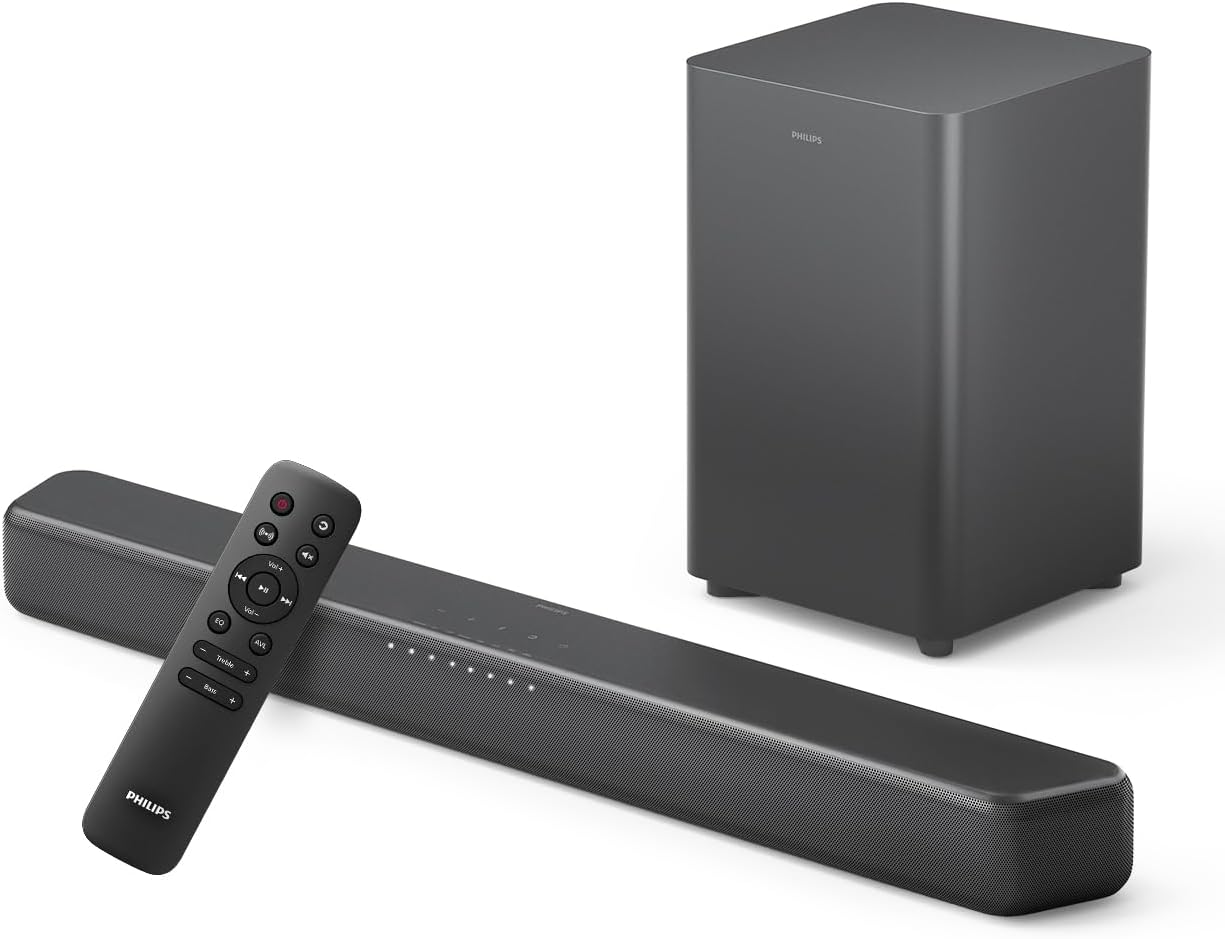
The Philips Soundbar TAB5309 is a compact 2.1-channel home audio system designed to deliver fuller TV sound with a wireless subwoofer, Bluetooth streaming, and flexible connections for everyday entertainment. With a rated output of 120W RMS and up to 240W max power, the Philips Soundbar TAB5309 is built for users who want clearer dialogue, stronger bass, and an easy upgrade from built-in television speakers. It supports HDMI ARC, optical input, USB playback, and Bluetooth 5.4, making it practical for smart TVs, streaming devices, gaming consoles, and mobile music playback.
This model is a strong fit for apartment living rooms, bedroom TVs, casual movie nights, and budget-conscious buyers who want noticeable sound improvement without moving to a full surround setup. The wireless subwoofer adds low-end impact for action scenes, sports, and music, while the soundbar’s slim design makes wall mounting and shelf placement straightforward. The Philips Soundbar TAB5309 also appeals to users who value simple setup and broad compatibility over advanced smart-home features.
In the current market, the estimated price range is around entry-level to mid-budget pricing, often starting near the lower range of compact soundbar systems and varying by region, retailer, and bundle. Availability is generally good through major electronics stores and online marketplaces, though stock can differ between regional variants such as TAB5309/10 and TAB5309/98. For shoppers comparing value, the Philips Soundbar TAB5309 stands out as a practical, everyday sound upgrade with a good mix of power, connectivity, and ease of use.
Philips Soundbar TAB5309 Pros and Cons
Pros
- Strong value for money: the 2.1-channel design with wireless subwoofer gives a bigger sound upgrade than most TV speakers at a modest price.
- Useful connectivity: HDMI ARC, optical input, USB, and Bluetooth 5.4 make it easy to connect TVs, phones, and media players.
- Compact design: the soundbar fits neatly under most televisions and can be wall mounted for clean installation.
- Good everyday performance: dialogue is clearer for news and streaming, while the subwoofer adds satisfying bass for films and music.
- Simple setup: ideal for users who want plug-and-play operation without complicated calibration.
Cons
- Not a full surround system: it improves width and bass, but it cannot match the immersion of multi-speaker setups.
- Limited advanced features: buyers looking for room correction, voice assistant support, or premium smart controls may want a higher-end alternative.
- Best for small to medium rooms: larger spaces may need a more powerful soundbar system.
- Some alternatives offer more detail: competing models in the same price class may provide extra sound modes or stronger app support.
Overall, the Philips Soundbar TAB5309 offers excellent value if the goal is better TV sound, stronger bass, and easy daily use rather than audiophile-grade performance.
Philips Soundbar TAB5309 Customer Reviews and User Feedback
Customer feedback for the Philips Soundbar TAB5309 is generally positive, with many buyers rating it around 4 out of 5 stars for sound improvement, easy installation, and solid bass performance. Typical praise highlights the wireless subwoofer, which adds more depth to movies and music, and the simple HDMI ARC setup that reduces cable clutter.
Common complaints usually focus on the lack of premium extras, such as advanced room tuning or deeper smart features, and some users mention that the soundstage is not as expansive as higher-priced alternatives. A frequent testimonial style comment is: “Great upgrade for the price; dialogue is clearer and the bass is much better than my TV speakers.” Another common remark is: “Perfect for casual viewing, but not for users expecting full surround sound.”
For most buyers, the Philips Soundbar TAB5309 is easy to recommend if the priority is better everyday sound at a reasonable cost. It is especially suitable for streaming, TV shows, and family movie nights. Buyers who want more cinematic immersion or multi-room audio should compare it with larger premium soundbars before purchasing.
Philips Soundbar TAB5309 Specifications and Key Features
- Audio system: 2.1-channel soundbar with wireless subwoofer
- Power output: 120W RMS, up to 240W max
- Subwoofer: active, wireless, 5.25-inch woofer
- Soundbar frequency range: 150 Hz to 20 kHz
- Subwoofer frequency range: 40 Hz to 150 Hz
- Connectivity: HDMI ARC, optical input, USB, 3.5 mm auxiliary input, Bluetooth
- Audio formats: Dolby Digital, Dolby Digital Plus, DTS Digital Surround, DTS Virtual:X support on many regional variants
- Design: compact soundbar, wall-mount capable, suitable for living rooms and bedrooms
Who Should Buy the Philips Soundbar TAB5309?
The Philips Soundbar TAB5309 is a smart choice for viewers who want a straightforward sound upgrade for TV, movies, sports, and music. It is especially useful for small apartments, secondary rooms, and budget-friendly home entertainment setups. If you want stronger bass, clearer speech, and easy wireless music playback without complicated installation, this model is a practical option.
For users comparing soundbar alternatives, the Philips Soundbar TAB5309 is best positioned as an affordable, well-rounded 2.1 soundbar system rather than a premium cinematic product. It delivers the right balance of performance, simplicity, and price for everyday use.
Faqs
How do I set up philips Soundbar TAB5309 for the first time with a TV?
Why is philips Soundbar TAB5309 not producing sound after setup?
Which connection method works best with philips Soundbar TAB5309: HDMI ARC, optical, or Bluetooth?
How can I improve bass and overall sound quality on philips Soundbar TAB5309?
What should I do if philips Soundbar TAB5309 keeps disconnecting from Bluetooth?
Is philips Soundbar TAB5309 compatible with smart TVs, gaming consoles, and streaming devices?
How do I fix lip sync or audio delay on philips Soundbar TAB5309?
How should I clean and maintain philips Soundbar TAB5309 for long-term use?
More philips manuals
- Philips Mini massage gun PPM3103GDG User Manual
- Insallation & Features: Philips Monitor 24E1N1100A User Manual
- Setup & Features: Philips Business Monitor 27B2W5600 User Manual
- Philips Sonicare Digital Toothbrush HX992W User Manual
- Philips DVD Video Player DVP642 User Manual
- Philips HealthyWhite 700 Series Rechargeable Sonic ToothBrush User Manual
Leave a Comment