
Philips DVD Video Player DVP1013 User Manual
Content
Philips DVD Video Player DVP1013 Review and Product Manual
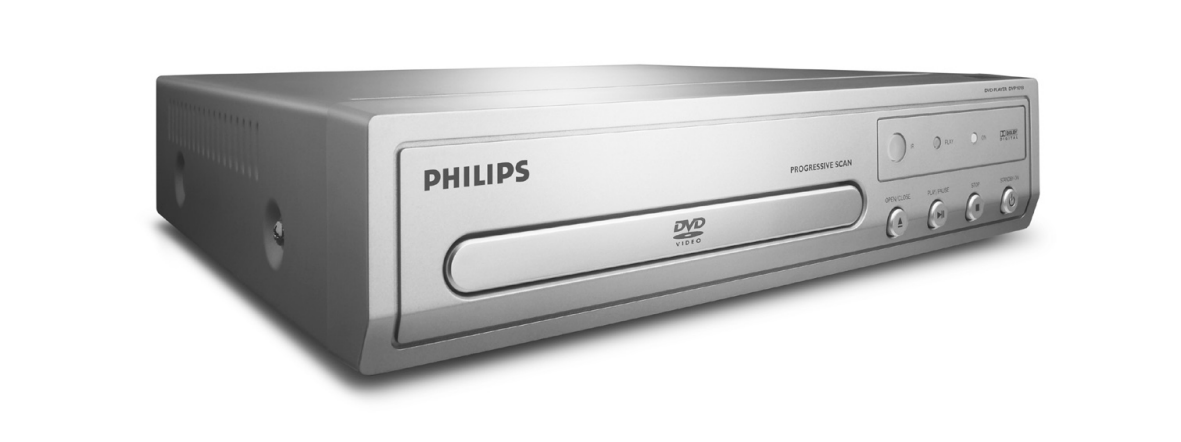
The Philips DVD Video Player DVP1013 is a compact, reliable disc player designed for users who still value DVD playback, simple controls, and broad format support. Known for its progressive scan output, 12-bit/108 MHz video DAC, and 24-bit/192 kHz audio processing, this Philips DVD player delivers solid everyday performance for watching DVDs, listening to CDs, and playing common compressed audio and image formats. The philips DVD Video Player DVP1013 is especially appealing to households that want an affordable secondary player for a bedroom, office, or older television setup.
This model supports standard DVD-Video playback along with CD, MP3, WMA, JPEG, SVCD, and MPEG-2 content, making it a practical choice for mixed media collections. Rear connections typically include composite video, component video, analog audio, and digital coaxial output, which helps it integrate with both older TVs and basic home theater systems. The player also includes parental control and child lock features, a useful benefit for family environments.
Estimated pricing for the philips DVD Video Player DVP1013 usually depends on seller condition, region, and whether the unit is new old stock or used. In the current market, it is commonly found in the low-cost used or refurbished range, often around $15 to $60, while sealed or region-free imported units may cost more. Availability is generally limited because this is a legacy DVD player, but it can still be found through resellers, marketplaces, and specialty electronics stores.
For anyone searching for a simple, no-frills DVD player with dependable basic features, the Philips DVP1013 remains a sensible choice. It is best suited for people restoring older AV setups, replacing a broken disc player, or needing a compact DVD player with straightforward playback and broad compatibility.
Pros and Cons of the Philips DVP1013 DVD Player
Pros
- Compact and lightweight design, making it easy to place in small entertainment setups.
- Progressive scan and video upsampling support provide better picture quality than very basic DVD players.
- Multi-format playback includes DVD-Video, SVCD, CD, MP3, WMA, and JPEG content.
- Digital coaxial, component, and composite outputs improve compatibility with older TVs and AV receivers.
- Low power consumption makes it economical for everyday use.
- Strong value for money for users who only need reliable disc playback.
Cons
- No HDMI output, so it is not ideal for modern 4K TVs without adapters or converters.
- Limited feature set compared with newer Blu-ray players and streaming devices.
- Availability is inconsistent because it is an older model.
- Best suited for standard-definition DVD viewing rather than premium home theater use.
- Some buyers may prefer alternatives with USB playback, more advanced scaling, or newer connectivity.
As a value-focused DVD player, the philips DVD Video Player DVP1013 compares well against other budget legacy players from Sony, LG, and Panasonic, especially for users who prioritize simple operation over modern smart features.
Customer Reviews and User Feedback for Philips DVD Video Player DVP1013
Customer feedback for the Philips DVP1013 is generally positive, especially among buyers who need a dependable DVD player for older televisions or backup use. Many users rate it around 4 out of 5 stars for its easy setup, compact size, and solid playback quality. One common compliment is that it “just works” with minimal setup, which is exactly what many shoppers want from a basic disc player.
Frequent praise includes the clear picture on standard DVDs, the included remote control, and the useful support for MP3 and JPEG discs. Buyers also appreciate the affordable price when purchasing used or refurbished units. A common complaint is the lack of HDMI, which can make connection to modern TVs less convenient. Some customers also mention that availability can be limited and that condition varies depending on the seller.
Typical user recommendation: “A good buy if you need a simple DVD player for an older setup.” Another common comment is: “Great value for the price, but make sure your TV has compatible inputs.” For shoppers looking for a basic, reliable, and inexpensive DVD player, the philips DVD Video Player DVP1013 remains a practical purchase.
Philips DVD Video Player DVP1013 Key Features at a Glance
- DVD, CD, MP3, WMA, JPEG, SVCD, and MPEG-2 playback
- Progressive scan output for improved image quality
- 12-bit/108 MHz video DAC
- 24-bit/192 kHz audio DAC
- Composite, component, and digital coaxial connectivity
- Parental control and child lock
- Low standby and operating power use
Who Should Buy the Philips DVP1013?
This DVD player is a strong fit for anyone who needs a simple home DVD player for standard-definition viewing, a spare unit for a guest room, or a budget-friendly option for an older TV. It is also a good choice for users who want easy disc playback without streaming apps, smart menus, or complicated setup. If your priority is dependable performance and low cost, the philips DVD Video Player DVP1013 delivers exactly that.
Faqs
How do I set up the philips DVD Video Player DVP1013 for the first time?
Why is my philips DVD Video Player DVP1013 showing no picture on the TV?
What disc formats are compatible with the philips DVD Video Player DVP1013?
How can I fix skipping or freezing playback on philips DVD Video Player DVP1013?
Does the philips DVD Video Player DVP1013 work with older TVs and AV inputs?
How do I improve picture and sound quality on the philips DVD Video Player DVP1013?
What should I do if the philips DVD Video Player DVP1013 will not read discs?
How do I clean and maintain the philips DVD Video Player DVP1013 safely?
More philips manuals
Leave a Comment