
Philips HTS3400 DVD Video Home Theater System User Manual
Content
Philips HTS3400 DVD Video Home Theater System: Complete Product Manual and Review
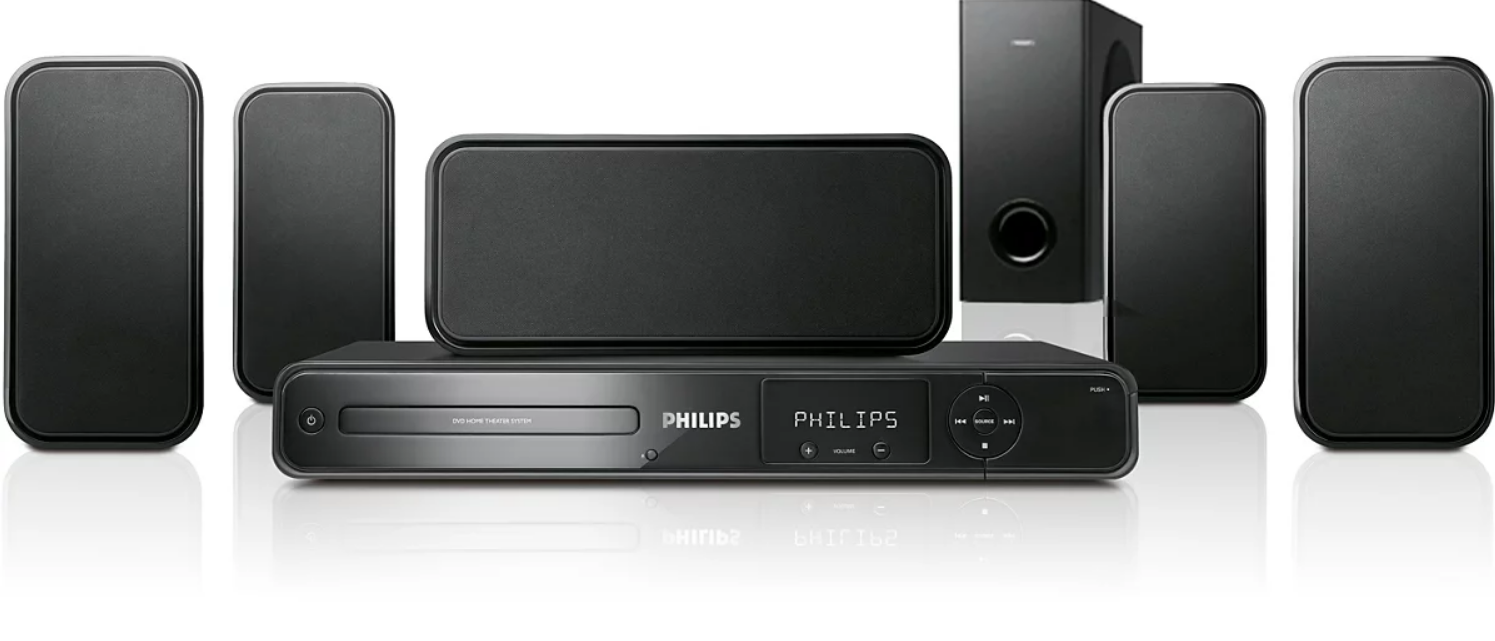
The Philips HTS3400 DVD Video Home Theater System is a classic 5.1-channel home entertainment setup designed for users who want a simple all-in-one solution for movies, music, and TV sound. With support for DVD-Video, CD, MP3, DivX, and progressive scan playback, it delivers a practical mix of legacy disc compatibility and surround sound performance for everyday viewing. The system is built around a high-power amplifier section with total sound power rated at 700 W RMS and features Dolby Digital, Dolby Pro Logic II, and DTS decoding for immersive playback. Its Class D digital amplifier and Night Mode make it especially useful for apartment living, late-night movies, and family use.
This home theater system is a strong fit for users upgrading from basic TV speakers, collectors with large DVD libraries, and anyone looking for an affordable surround sound package with straightforward setup. Typical use cases include living room movie nights, console audio routing, and music playback from MP3 discs or connected sources. The Philips HTS3400 DVD Video Home Theater System also includes useful connectivity such as AUX input, digital coaxial output, composite video, and TV audio input, giving it flexible integration with older televisions and audio devices.
As of current market listings, the estimated price range is usually about $69 to $199 for used or refurbished units, depending on condition, included speakers, and remote control availability. Availability is now limited because this is a discontinued model, so most buyers will find it through resale marketplaces, parts sellers, or secondhand electronics stores. For users seeking budget surround sound without modern streaming features, it remains a value-focused option with dependable core performance.
Pros and Cons of the Philips HTS3400 DVD Video Home Theater System
Pros
- Powerful sound for the price: The 700 W RMS output provides strong volume and room-filling surround sound for movies and music.
- Wide disc compatibility: Plays DVD-Video, DVD-R, DVD+R, DVD-RW, DVD+RW, CD, CD-R/RW, MP3-CD, VCD, and SVCD for flexible everyday use.
- Good home theater features: Dolby Digital, DTS, and Dolby Pro Logic II improve movie playback and give older content a fuller surround effect.
- Practical connectivity: AUX in, TV audio input, coaxial digital audio, and composite video make it easy to connect to legacy systems.
- Value for money: Compared with newer budget soundbars, this system often offers more speaker channels and stronger cinematic impact when purchased used.
Cons
- Outdated by modern standards: No HDMI input and no built-in streaming support, which limits use with newer entertainment setups.
- Used-market condition varies: Since it is discontinued, buyers may face worn speakers, missing remotes, or aging optical drives.
- Larger footprint: The full 5.1 speaker system takes more space than a compact soundbar or compact wireless setup.
- Better alternatives exist for modern TVs: Newer soundbars with HDMI ARC, Bluetooth, and smart features are easier for casual users, though they may not match the same surround separation.
Customer Reviews for Philips HTS3400 DVD Video Home Theater System
Customer feedback for the Philips HTS3400 DVD Video Home Theater System is generally positive among buyers who value loud, clear surround sound and easy disc playback. Many users give it around 4 out of 5 stars for strong bass, reliable DVD performance, and simple setup. One common compliment is that the system sounds bigger than expected for its age, especially in small to medium rooms. Buyers also appreciate the ability to play older disc formats and connect to basic TVs without complicated configuration.
Common complaints usually focus on age-related issues such as worn laser drives, missing remotes, and speaker cable wear. Some users note that it is not ideal for modern HDMI-based home entertainment systems. A typical testimonial style summary would be: “Great sound for movies, but make sure the unit is complete and tested before buying.” Another frequent recommendation is to purchase only if you need an affordable secondhand surround sound system and do not require wireless streaming or smart TV integration.
Overall, the Philips HTS3400 DVD Video Home Theater System is best for buyers who want a low-cost, dependable 5.1 speaker package and are comfortable shopping used or refurbished.
Key Specifications and Features
- 5.1-channel home theater system
- Total sound power: 700 W RMS
- FTC output power: 330 W
- Audio decoding: Dolby Digital, Dolby Pro Logic II, DTS
- Playback support: DVD-Video, DVD-R/RW, DVD+R/RW, CD, CD-R/RW, MP3-CD, VCD, SVCD
- Video features: Progressive Scan, PAL and NTSC playback
- Audio features: Night Mode, Class D digital amplifier
- Connections: AUX in, TV in audio, digital coaxial out, composite video
- Power consumption: 180 W
Who Should Buy the Philips HTS3400?
This system is a smart choice for users who want affordable surround sound for DVDs, CDs, and basic TV audio. It is especially suitable for people upgrading from stereo speakers, collectors with physical media libraries, and anyone searching for a used home theater system with strong output and simple controls. If your priority is wireless connectivity, streaming apps, or HDMI integration, a newer soundbar or AV receiver setup will be a better fit.
Setup and Usage Tips
- Place the front speakers at ear level for clearer dialogue and balanced sound.
- Position the center speaker directly below or above the TV for better voice clarity.
- Keep the subwoofer on a solid floor surface to improve bass response.
- Use progressive scan output when connecting to compatible displays for sharper DVD playback.
- Enable Night Mode when watching movies at lower volumes to reduce sudden sound spikes.
Final Verdict
The Philips HTS3400 DVD Video Home Theater System remains a solid budget-friendly surround sound system for users who still value DVD playback and traditional home theater performance. While it lacks modern smart features, it delivers strong audio, broad disc support, and dependable everyday use. For buyers looking for a practical used home theater package, the Philips HTS3400 DVD Video Home Theater System still offers excellent value when found in good working condition.
Faqs
How do I set up the philips HTS3400 DVD Video Home Theater System for the first time?
Why is there no sound from the philips HTS3400 DVD Video Home Theater System even though the picture works?
What discs and media formats are compatible with the philips HTS3400 DVD Video Home Theater System?
How can I improve the surround sound performance of the philips HTS3400 DVD Video Home Theater System?
What should I do if the philips HTS3400 DVD Video Home Theater System cannot read a disc?
Can the philips HTS3400 DVD Video Home Theater System connect to a modern TV or smart device?
How do I clean and maintain the philips HTS3400 DVD Video Home Theater System properly?
What are the most common philips HTS3400 DVD Video Home Theater System problems and quick fixes?
More philips manuals
Leave a Comment