
Setup: Philips HTL5160B Soundbar Speaker User Manual
Content
Philips HTL5160B Soundbar Speaker Manual and Product Guide
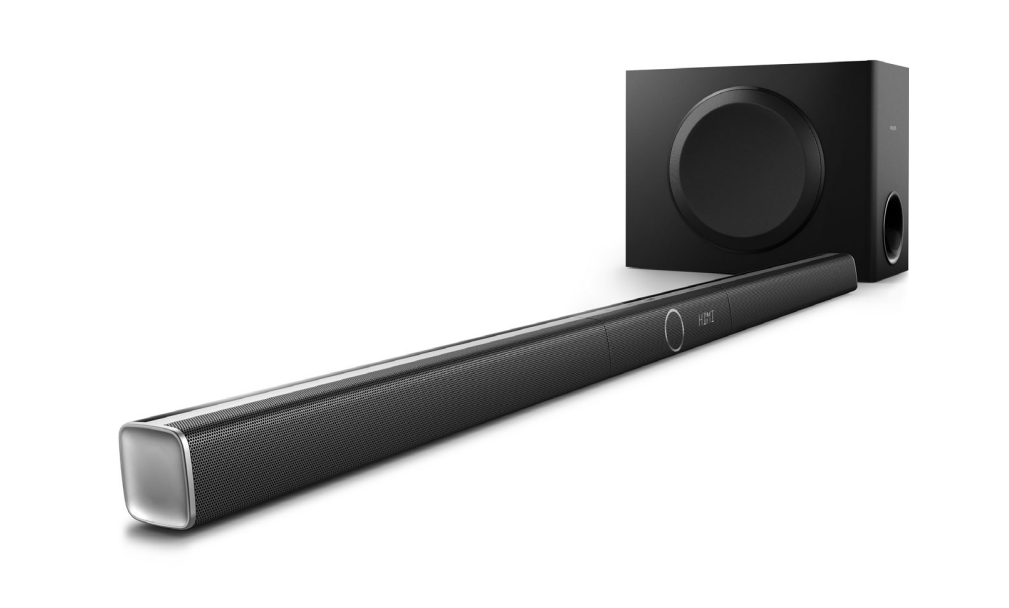
The Philips HTL5160B Soundbar Speaker is a 3.1-channel soundbar system designed to upgrade TV audio with clearer dialogue, deeper bass, and wider room-filling sound. It combines a slim main unit with a wireless subwoofer, making it a practical choice for living rooms, bedrooms, and compact home entertainment setups. With a total RMS output of 320 W, the system delivers strong performance for movies, sports, streaming, and everyday TV viewing.
One of the biggest advantages of the Philips HTL5160B Soundbar Speaker is its flexible connectivity. It supports HDMI ARC, optical input, Bluetooth, NFC, USB playback, and Ethernet, giving users multiple ways to connect modern TVs and media sources. The wireless subwoofer adds powerful low-end sound without cable clutter, while features such as Dolby Digital, Dolby Pro Logic II, Virtual Surround Sound, bass adjustment, and treble control help tailor the listening experience. This makes the soundbar especially appealing for users who want a simple home theater upgrade without a full AV receiver setup.
Target users include TV owners who want better speech clarity, apartment dwellers who need a compact system, and movie fans looking for more impact from action scenes and soundtracks. The Philips HTL5160B Soundbar Speaker typically falls into the mid-range category, with availability mostly through online marketplaces, electronics retailers, and second-hand listings since it is an older model. Estimated pricing can vary widely by region and condition, but buyers usually find it in the budget-to-midrange segment depending on whether it is new old stock or used. For best results, pair it with a TV that supports HDMI ARC or optical audio for quick setup and reliable daily use.
Troubleshooting Philips HTL5160B Soundbar Speaker Problems
If the soundbar has no sound, first check the TV audio output settings, confirm the correct input is selected, and make sure the optical or HDMI ARC cable is firmly connected. If the wireless subwoofer is not pairing, power-cycle both units, move them closer together, and press the pairing button on the subwoofer until the connection stabilizes. Bluetooth problems are often fixed by clearing the previous device list on the soundbar and re-pairing the phone, tablet, or laptop.
Common issues include weak bass, audio delay, and intermittent input detection. For weak bass, verify that the subwoofer is powered on and that bass settings are adjusted properly. For lip-sync delay, use the TV’s audio delay settings or switch from Bluetooth to HDMI ARC or optical connection. There are no widely used consumer-facing error codes documented for this model; if the unit shows abnormal behavior such as blinking lights or repeated disconnects, a reset or firmware-related power cycle is the safest first step.
Preventive care helps avoid most problems: keep vents unobstructed, use quality HDMI or optical cables, avoid placing the subwoofer too far from the main unit, and unplug the system during electrical storms. Warranty coverage depends on the seller and region because the model is older, so check the original purchase terms or retailer policy. For support, use Philips consumer audio support through the official regional support page, product registration portal, or the customer service contact listed in your local Philips documentation.
Philips HTL5160B Soundbar Speaker Pros and Cons
Pros
- Powerful 320 W RMS output provides strong volume and room-filling sound for movies and TV.
- Wireless subwoofer reduces cable clutter and adds solid bass for action scenes and music.
- Multiple connections, including HDMI ARC, optical, Bluetooth, NFC, USB, and Ethernet, make setup flexible.
- 3.1-channel design improves dialogue clarity compared with basic 2.0 soundbars.
- Good value for buyers who want a feature-rich home audio upgrade without stepping into a full surround system.
Cons
- Larger footprint than ultra-slim soundbars, so it may not suit very small TV stands.
- Older model status means limited retail availability and fewer warranty options.
- No modern smart assistant integration, which may matter compared with newer alternatives.
- Bluetooth performance is convenient, but wired connections usually deliver better sync and stability.
- Competing newer soundbars may offer enhanced app control, eARC, or Dolby Atmos at a higher price.
Overall, the Philips HTL5160B Soundbar Speaker offers solid value for money if you want strong bass, broad connectivity, and easy installation. Compared with simpler budget soundbars, it delivers more power and better flexibility. Compared with newer premium models, it lacks advanced spatial audio features, but it remains a practical choice for everyday entertainment.
Customer Reviews for Philips HTL5160B Soundbar Speaker
Customer feedback for the Philips HTL5160B Soundbar Speaker is generally positive, especially among users who prioritize bass and simple setup. Many reviewers rate it around 4.2 out of 5 stars for value, sound output, and connectivity. One common praise is the wireless subwoofer, which users say gives movies and music more impact without requiring a complicated installation.
Typical comments include: “Easy to connect to my TV with HDMI ARC,” “The bass is much better than my TV speakers,” and “Great sound for the price.” Complaints usually focus on the size of the unit, occasional Bluetooth pairing hassles, and the fact that it is no longer a current flagship product. Some buyers also note that the best performance comes from wired connections rather than Bluetooth streaming.
This soundbar is a good purchase recommendation for people who want a reliable TV audio upgrade at a reasonable cost. It is especially appealing for movie watching, sports, and casual music listening. Users who want smart features or cinematic 3D audio may prefer newer alternatives, but for straightforward performance, the model remains well regarded.
Faqs
How do I set up the Philips HTL5160B Soundbar Speaker for the first time?
Why is my Philips HTL5160B Soundbar Speaker not producing sound from the TV?
Can the Philips HTL5160B Soundbar Speaker connect to a TV without HDMI ARC?
How do I pair or reconnect the wireless subwoofer on the Philips HTL5160B Soundbar Speaker?
What sound settings give the best dialogue clarity on the Philips HTL5160B Soundbar Speaker?
Is the Philips HTL5160B Soundbar Speaker compatible with smart TVs and streaming devices?
How can I improve bass performance on the Philips HTL5160B Soundbar Speaker without distortion?
What is the best way to clean and maintain the Philips HTL5160B Soundbar Speaker?
More philips manuals
Leave a Comment