
Philips SHC5100 Indoor Wireless Headphones User Manual
Content
Philips SHC5100 Indoor Wireless Headphones: Complete Product Manual and Buyer Guide
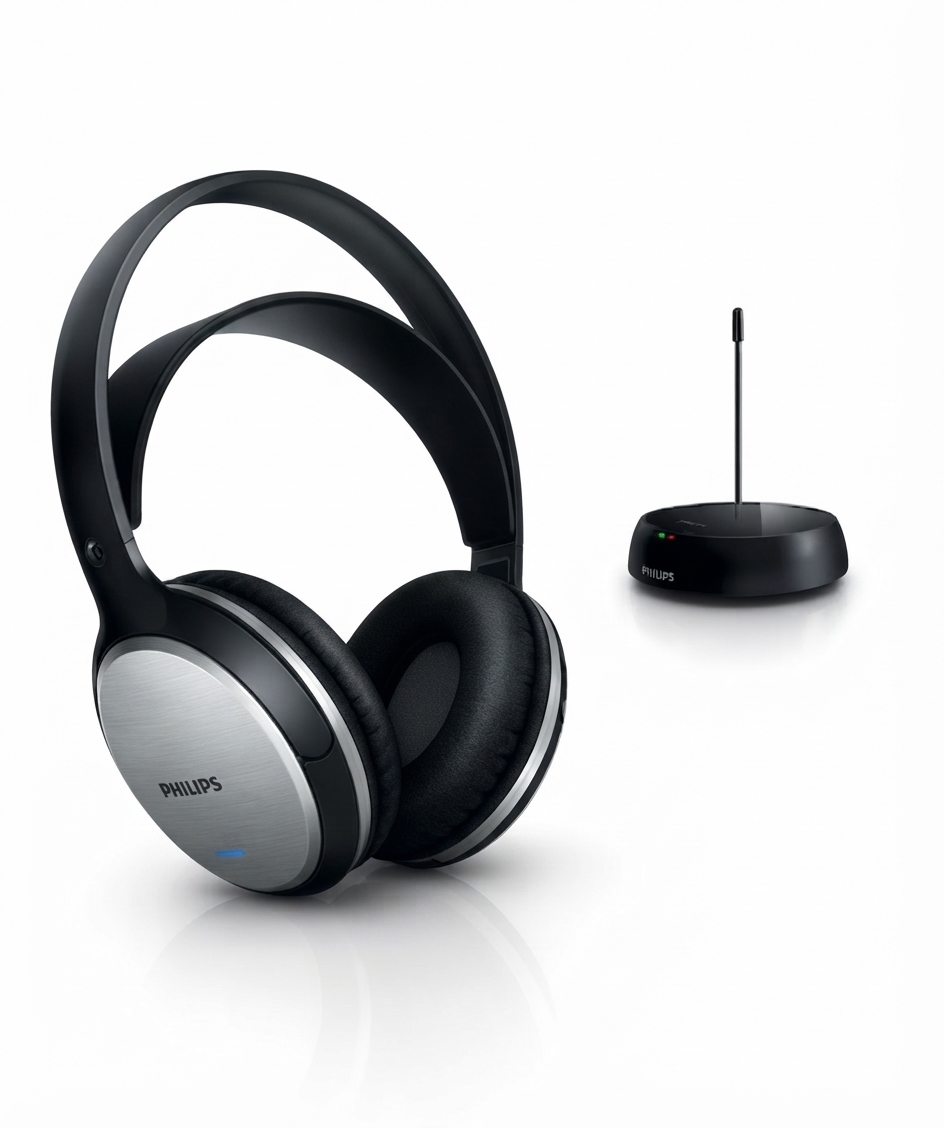
The Philips SHC5100 Indoor Wireless Headphones are built for home listening, offering a simple wireless setup for TV, music, and casual audio use. Designed as over-ear wireless hi-fi headphones, they combine a closed acoustic design, 32 mm drivers, and a comfortable lightweight build to deliver clear sound without the clutter of cables. For users who want a straightforward indoor wireless headphone solution, the philips SHC5100 Indoor Wireless Headphones are a practical option with long-range FM transmission and rechargeable battery support.
This model is especially appealing to viewers who want to watch television at night, families who need a flexible listening setup, and anyone who prefers cordless audio around the home. Its advertised wireless range reaches up to 100 meters in open conditions, making it useful across larger rooms and nearby spaces. The headphones use a 863.0–865.0 MHz FM wireless system with two selectable channels and channel separation above 30 dB for stable indoor performance. Battery life is typically around 10 to 15 hours depending on usage and source conditions, which makes them suitable for extended listening sessions.
In terms of value, the Philips SHC5100 is usually positioned in the budget-to-midrange category. Estimated pricing commonly falls around $40 to $80 USD depending on region, retailer, and package version. Availability is generally good through electronics stores, online marketplaces, and Philips product channels, although stock can vary by market. For buyers seeking affordable wireless TV headphones with easy setup and dependable everyday performance, this model remains a recognizable and useful choice.
Specifications for Philips SHC5100 Indoor Wireless Headphones
- Acoustic system: Closed, over-ear/supra-aural style for indoor listening
- Driver size: 32 mm neodymium speakers
- Frequency response: 10 Hz to 20,000 Hz or 20 Hz to 20,000 Hz depending on package version
- Sensitivity: 100 dB
- Impedance: 24 ohm
- Wireless technology: FM transmission
- Carrier frequency range: 863.0–865.0 MHz
- Number of channels: 2
- Channel separation: Greater than 30 dB
- Effective wireless range: Up to 100 m in ideal conditions
- Pilot tone frequency: 19 kHz
- Battery type: 2 x AAA NiMH rechargeable batteries
- Playback time: About 10 to 15 hours depending on version and charge cycle
- Transmitter power supply: AC/DC adapter, typically 8 V or 12 V depending on market version
Compared with Bluetooth headphones, the Philips SHC5100 Indoor Wireless Headphones offer a more traditional home-audio approach with a base transmitter and very low setup complexity for TV use. Compared with premium wireless TV headphones, they trade advanced digital features for affordability and easy everyday operation. The result is a dependable wireless headphone system for home entertainment rather than a feature-heavy audiophile model.
Troubleshooting Philips SHC5100 Wireless Headphones: Common Problems and Fixes
If the headphones do not power on, first confirm that the rechargeable AAA batteries are inserted correctly and fully charged. If there is no sound, check that the transmitter is connected to the audio source, the transmitter is powered, and the headset is switched to the correct channel. Weak audio or static often comes from low battery power, poor transmitter placement, or interference from nearby wireless devices.
- No sound: Verify TV or audio source volume, transmitter cable connection, and headphone power switch.
- Distorted audio: Move the transmitter closer, reduce interference, and recharge batteries.
- Short range: Stay within the recommended indoor coverage and avoid thick walls or metal barriers.
- Charging problem: Recheck battery orientation and use the supplied charging cable and adapter.
- Channel mismatch: Switch between the two available FM channels for a clearer signal.
There are no common digital error codes on this model because it uses analog FM wireless transmission rather than a smart display interface. Preventive care includes charging batteries regularly, storing the headphones in a dry place, and avoiding overextension of the charging cable. Warranty coverage and support options typically depend on the retailer and country of purchase, so buyers should keep the receipt and packaging details. For assistance, use the official Philips consumer support channel in your region or contact the authorized retailer where the product was purchased.
Pros and Cons of Philips SHC5100 Indoor Wireless Headphones
Pros
- Simple indoor wireless setup that works well for TV and home audio
- Long stated range of up to 100 m in open conditions
- Comfortable lightweight design for extended listening
- Rechargeable NiMH batteries reduce ongoing replacement costs
- Good value for money for casual users and family households
- Clear voice and dialogue performance for television viewing
Cons
- Analog FM design is less advanced than modern Bluetooth models
- Sound quality is functional rather than premium
- Performance can be affected by walls and interference
- No app support, EQ settings, or smart controls
- Battery life is decent but not class-leading
- Best suited for indoor use rather than travel or outdoor listening
For shoppers comparing wireless TV headphones, the philips SHC5100 Indoor Wireless Headphones are strongest on price, simplicity, and range. Alternatives with Bluetooth may offer easier pairing with phones and tablets, while more expensive TV headphone systems may provide stronger noise isolation or digital audio clarity. As a budget-friendly home listening solution, this model delivers solid everyday value.
Customer Reviews and User Feedback on Philips SHC5100 Indoor Wireless Headphones
Typical user feedback is positive, with many buyers rating the product around 4 out of 5 stars for convenience and ease of use. Users frequently praise the comfortable fit, clear dialogue for television, and the freedom of moving around the home without cables. A common testimonial theme is that the headphones are “easy to set up and reliable for nightly TV viewing.”
Common complaints focus on occasional interference, limited premium sound quality, and battery aging over time. Some users also mention that the best performance comes when the transmitter is placed correctly and the batteries are fully charged. For most home users, the philips SHC5100 Indoor Wireless Headphones are recommended as an affordable, practical choice for casual wireless listening, especially if the priority is TV use rather than high-end music playback.
Faqs
How do I set up philips SHC5100 Indoor Wireless Headphones for the first time?
Why are my philips SHC5100 Indoor Wireless Headphones not getting any sound?
What devices are compatible with philips SHC5100 Indoor Wireless Headphones?
How far can philips SHC5100 Indoor Wireless Headphones work indoors without signal problems?
How do I fix static, crackling, or interference on philips SHC5100 Indoor Wireless Headphones?
What is the best way to charge philips SHC5100 Indoor Wireless Headphones and protect battery life?
Can I use philips SHC5100 Indoor Wireless Headphones while watching late-night TV without disturbing others?
How should I clean and maintain philips SHC5100 Indoor Wireless Headphones for long-term use?
More philips manuals
Leave a Comment