
Philips 227E7 Monitor User Manual
Content
Philips 227E7 Monitor: Complete Product Manual and Buying Guide
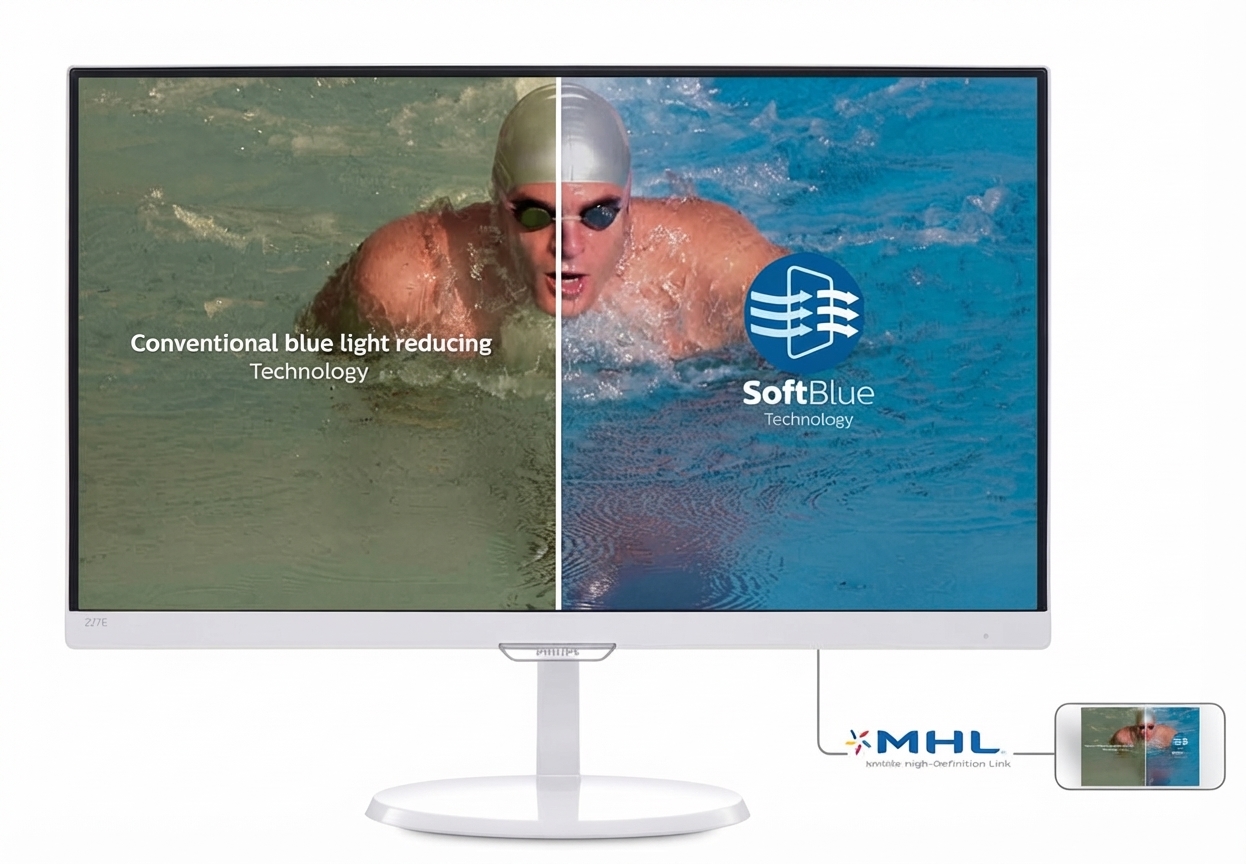
The Philips 227E7 Monitor is a 21.5-inch Full HD display designed for everyday computing, office work, streaming, and light creative tasks. Built around an AH-IPS panel with a 1920 x 1080 resolution, it delivers wide 178-degree viewing angles, solid color consistency, and a clean, modern image that suits both home and professional use. Its 16:9 aspect ratio, W-LED backlighting, and 250 cd/m² brightness make it a practical choice for users who want a dependable monitor without moving into premium pricing.
One of the main strengths of the Philips 227E7 Monitor is its balance of image quality and affordability. The display is well suited for students, remote workers, and general users who need a reliable secondary screen or a main desktop monitor for documents, web browsing, video playback, and business applications. Depending on the market and condition, the estimated price range is typically in the budget-to-midrange category, often found as an older retail model, renewed unit, or used monitor rather than a brand-new current-release display. Availability may vary by region, but it is commonly seen through third-party sellers, refurbished electronics stores, and remaining stock in select markets.
For users searching for a practical IPS monitor with good viewing comfort and a trusted brand name, the Philips 227E7 Monitor remains a relevant option. It also stands out for low power consumption, straightforward connectivity, and broad compatibility with older and newer desktop setups. If you need a no-fuss Full HD screen for productivity, media, or everyday use, this model offers a strong mix of usability, visual clarity, and value.
Pros and Cons of the Philips 227E7 Monitor
Pros
- Full HD IPS picture quality: The 1920 x 1080 resolution on a 21.5-inch screen produces sharp text and a comfortable pixel density for office work and browsing.
- Wide viewing angles: The AH-IPS panel keeps colors and contrast stable when viewed from the side, which is useful for shared workspaces.
- Good value for money: As a budget-friendly monitor, it compares well with basic TN panels by offering better color and viewing consistency.
- Simple everyday connectivity: VGA and DVI support make it easy to pair with older PCs, while HDMI-equipped variants improve flexibility.
- Energy-efficient design: Low typical power use makes it a sensible choice for long hours of desktop operation.
Cons
- Modest refresh rate: This monitor is built for 60 Hz use, so it is not ideal for fast-paced gaming or high-frame-rate content.
- Average response performance: It is fine for office tasks, but motion handling is not as strong as modern gaming displays.
- Older design language: Compared with newer IPS monitors, the bezel and feature set feel dated.
- Limited premium extras: Features such as USB hubs, HDR, or height adjustment are typically absent, so ergonomic flexibility is basic.
Compared with newer alternatives, the Philips 227E7 Monitor is best viewed as a value-first display rather than a feature-rich one. If you want better gaming performance, a modern 75 Hz or 144 Hz monitor is a stronger choice. If your focus is productivity and everyday reliability, this model still holds up well against many low-cost screens.
Customer Reviews for the Philips 227E7 Monitor
Users generally give the Philips 227E7 Monitor a favorable rating, often around 4 out of 5 stars for office and home use. Praise usually centers on the sharp Full HD image, comfortable viewing angles, and dependable performance for daily tasks. Many buyers describe it as a “great budget IPS monitor” and appreciate that text looks clear during long work sessions.
Common complaints include the basic stand, limited adjustability, and slower response compared with newer displays. Some users also mention that the monitor is not the best fit for competitive gaming or demanding motion content. A typical testimonial is: “Excellent for spreadsheets and streaming, but I wish the stand offered more height adjustment.”
Most purchase recommendations lean toward students, office workers, and casual users who want a reliable, affordable screen. If you need a monitor mainly for productivity, media, and general desktop use, the Philips 227E7 Monitor is an easy recommendation. If gaming and advanced ergonomics matter more, a newer alternative may be a better fit.
Faqs
How do I set up the philips 227E7 Monitor for the first time?
Why is my philips 227E7 Monitor showing a black screen after setup?
What devices are compatible with the philips 227E7 Monitor?
How do I get the best picture quality from the philips 227E7 Monitor?
Why does the philips 227E7 Monitor flicker or lose signal intermittently?
How do I adjust the philips 227E7 Monitor settings for office work and eye comfort?
Does the philips 227E7 Monitor support dual monitor setup?
How should I clean and maintain the philips 227E7 Monitor safely?
More philips manuals
Leave a Comment