
Philips TAM4205M2 Micro Music System User Manual
Content
Philips TAM4205M2 Micro Music System Review and User Manual
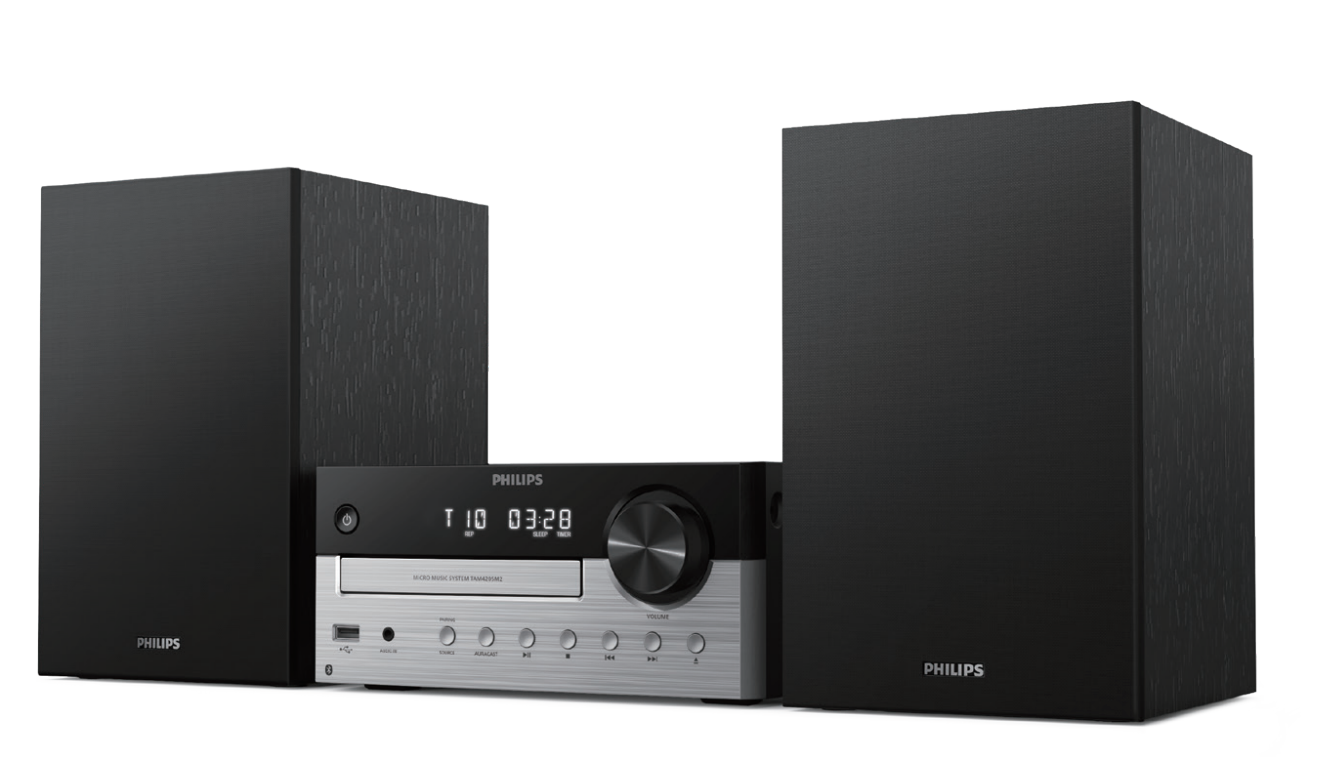
The Philips TAM4205M2 Micro Music System is a compact all-in-one stereo solution designed for listeners who want powerful sound, modern wireless connectivity, and easy everyday operation in one space-saving unit. With 80W RMS output, a 2.0-channel layout, Bluetooth 5.4, CD playback, USB direct music support, FM radio, and a 3.5 mm audio input, this micro hi-fi system fits neatly into bedrooms, kitchens, home offices, and small living rooms. The sound profile is built around a two-way speaker design with 4-inch woofers and 0.75-inch tweeters, delivering a balanced mix of bass, clarity, and detail for music, podcasts, and radio.
This model is especially appealing to users who still enjoy physical media but also want the convenience of wireless streaming. It is a strong choice for families, students, and casual audio enthusiasts who need a reliable home stereo system without the complexity of larger hi-fi setups. The Philips TAM4205M2 Micro Music System also offers practical features such as preset FM stations, a remote control, bass reflex design, and support for common disc formats including MP3-CD. In 2026, typical pricing appears to sit around the mid-range compact audio category, with market listings generally near the 140 to 150 euro level depending on region and retailer. Availability is broad in online electronics stores and Philips regional product pages.
Specifications of Philips TAM4205M2 Micro Music System
- Maximum output power: 80W RMS for room-filling sound in small to medium spaces.
- Sound channels: 2.0 stereo configuration with two speakers.
- Drivers: 2 x 4-inch woofers and 2 x 0.75-inch tweeters for a full-range listening experience.
- Frequency response: 66 Hz to 20 kHz.
- Bluetooth: Version 5.4 with A2DP and AVRCP support.
- Wireless range: Up to 30 m in line of sight.
- Audio input: 3.5 mm auxiliary input for wired sources.
- USB playback: USB host support for music playback from compatible storage devices.
- Disc support: CD, CD-R, CD-RW, and MP3-CD playback.
- Radio: FM tuner with 20 preset stations.
- Power supply: 100–240V, 50/60Hz AC input.
- Typical operation power: Around 20W; standby power is very low.
Compared with basic compact speakers, the Philips TAM4205M2 Micro Music System offers more versatility because it combines CD, radio, USB, and Bluetooth in one device. Compared with larger bookshelf systems, it is more compact and simpler to place, while still providing solid stereo separation and stronger output than many entry-level wireless speakers.
How to Set Up the Philips TAM4205M2 Micro Music System
Start by placing the main unit on a stable, level surface with enough ventilation around the rear and sides. Connect the speaker cables carefully, matching positive and negative terminals on the main unit and speakers. After that, plug the system into a grounded wall outlet that supports 100–240V AC.
For wireless use, switch to Bluetooth mode and pair your phone, tablet, or laptop by selecting the system name on your device. Once connected, audio should stream automatically. If you want wired playback, connect an external device using the 3.5 mm audio input. To listen to radio, select FM mode and run an automatic station scan, then save your favorite stations to presets. USB music playback works with compatible storage devices formatted for supported file systems.
Safety tip: keep the unit away from heat sources, moisture, and direct sunlight. Do not block ventilation openings, and avoid forcing connectors into ports. If pairing fails, turn Bluetooth off and on again on both devices, then retry from close range. For best results, keep firmware-free sources and source devices updated where possible.
Troubleshooting Philips TAM4205M2 Micro Music System Problems
If the system does not power on, confirm the power cord is fully inserted and the wall socket is working. If no sound is heard, check speaker wiring, volume level, source selection, and mute status. For Bluetooth issues, delete the saved pairing on your phone and reconnect from scratch. If CD playback skips, clean the disc and make sure it is not scratched or warped.
There are no widely reported user-facing error codes for this model, so most problems are solved through source selection, cable inspection, or device reset. If USB playback fails, try a different flash drive and ensure the files are in a supported format. FM reception problems can often be improved by repositioning the antenna and moving the system away from interference sources.
To reduce future issues, keep the unit dust-free, use quality discs and cables, and avoid overloading USB devices. Philips support is usually available through regional customer service channels, authorized retailers, and the product documentation included with the system. Warranty coverage typically depends on the country of purchase, so users should check the retailer invoice and local Philips support terms for service options.
Pros and Cons of the Philips TAM4205M2 Micro Music System
Pros
- Strong 80W RMS output delivers more power than many compact stereo systems.
- Bluetooth 5.4 provides modern wireless stability and quick pairing.
- CD, USB, FM radio, and auxiliary input offer excellent source flexibility.
- Two-way speaker design improves vocal clarity and instrument separation.
- Compact footprint makes it easy to place in bedrooms, offices, and kitchens.
- Good value for money for users who want a complete home audio system without buying separate components.
Cons
- No advanced smart assistant features or Wi-Fi streaming.
- Not designed for large rooms or party-level bass performance.
- Best suited to casual and everyday listening rather than audiophile-grade playback.
- Physical media support is useful, but some users may prefer app-based streaming alternatives.
Against simpler Bluetooth speakers, the Philips TAM4205M2 Micro Music System offers more inputs and a fuller stereo experience. Against premium mini hi-fi models, it remains more affordable and easier to use, though it sacrifices network features and deeper customization.
Customer Reviews and Real-World Feedback
Users commonly rate the system around 4 out of 5 stars for its sound quality, ease of use, and versatility. Many buyers praise the clear vocals, punchy bass for its size, and the convenience of having CD, FM, USB, and Bluetooth playback in one unit. One typical comment is that it “sounds much bigger than it looks” and works well in a bedroom or small living room.
Frequent complaints usually focus on the lack of Wi-Fi, app control, or deep bass expected from larger systems. Some users also note that it is best used in smaller spaces where the 80W output can be fully appreciated. For most buyers seeking a compact music system with broad format support, it is an easy recommendation.
Frequently Asked Questions About Philips TAM4205M2 Micro Music System
Does the Philips TAM4205M2 support Bluetooth? Yes, it supports Bluetooth 5.4 for wireless music streaming.
Can it play CDs? Yes, it plays standard CDs, CD-R, CD-RW, and MP3-CD discs.
Is it good for small rooms? Yes, it is well suited to bedrooms, offices, and compact living spaces.
What makes it different from a basic speaker? It combines stereo speakers, disc playback, FM radio, USB, and auxiliary input in one system.
Final Verdict
The Philips TAM4205M2 Micro Music System is a practical, well-rounded choice for anyone who wants compact stereo sound with modern Bluetooth convenience and broad playback support. It balances power, simplicity, and versatility in a way that makes it especially appealing to everyday users who still value CD and radio playback. If you want a compact home audio solution with dependable performance and strong feature coverage, this model is an excellent pick.
Faqs
How do I set up the Philips TAM4205M2 Micro Music System for the first time?
Why won’t my Philips TAM4205M2 Micro Music System connect to Bluetooth?
What audio formats and devices are compatible with the Philips TAM4205M2 Micro Music System?
How do I get better sound quality from the Philips TAM4205M2 Micro Music System?
Why is the Philips TAM4205M2 Micro Music System not reading my USB drive or CD?
How do I use the FM radio and save stations on the Philips TAM4205M2 Micro Music System?
Can the Philips TAM4205M2 Micro Music System work with headphones or external speakers?
How should I clean and maintain the Philips TAM4205M2 Micro Music System?
More philips manuals
Leave a Comment