
How to Use: Samsung Battery Pack Wireless Battery Pack User Manual
Content
Samsung Battery Pack Wireless Battery Pack: Comprehensive Product Manual
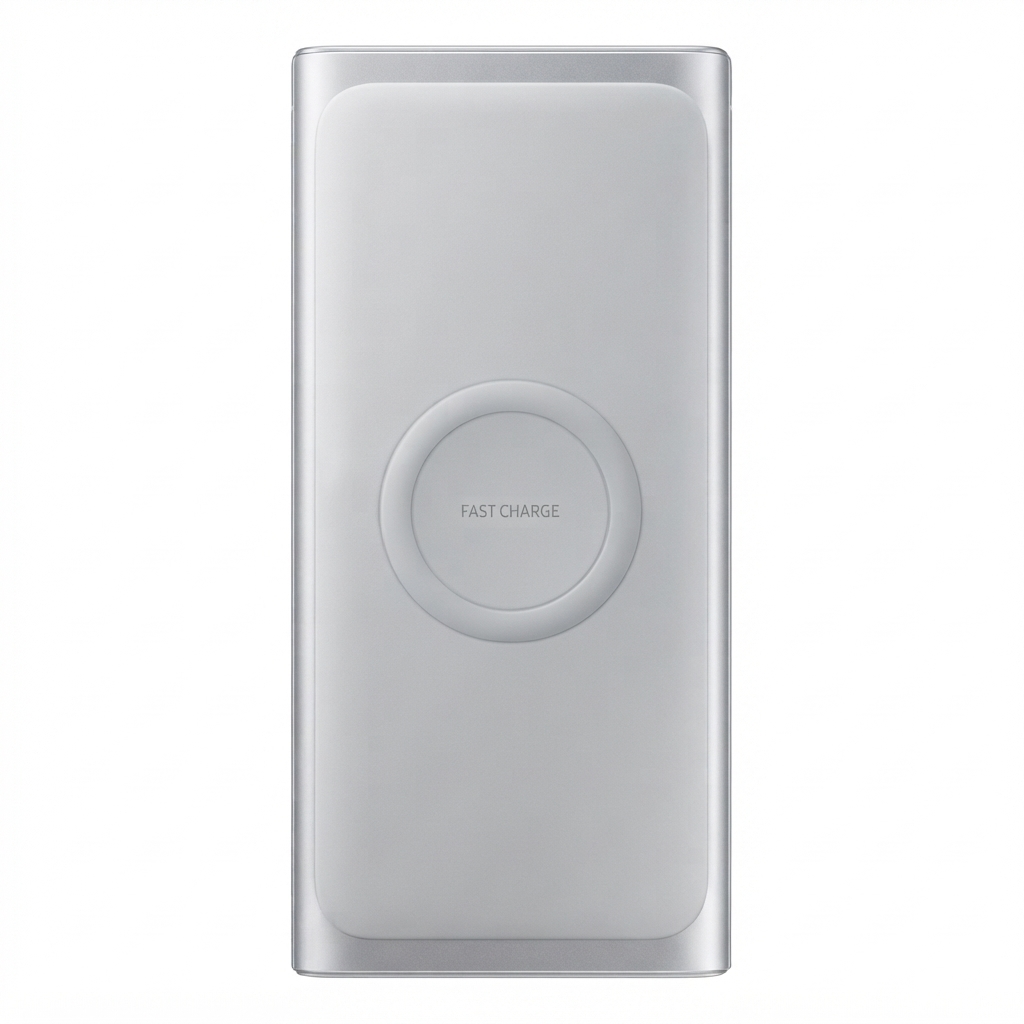
Introduction: What Is the Samsung Battery Pack Wireless Battery Pack?
The Samsung Battery Pack Wireless Battery Pack is a portable charging solution designed for users who want flexible power on the go. It combines wireless charging convenience with wired fast charging, making it a practical choice for smartphones, earbuds, and other Qi-compatible devices. Depending on the model, Samsung offers compact magnet-based versions with a 5,000 mAh capacity and larger 10,000 mAh wireless power bank options for longer trips, heavier daily use, or multi-device charging.
One of the main benefits of the Samsung Battery Pack Wireless Battery Pack is its balance of portability and performance. The magnetic models attach securely to compatible Galaxy phones and support hands-free use with a foldable kickstand, while the higher-capacity models are better suited for users who need multiple recharges in a single day. Typical use cases include commuting, travel, business meetings, gaming sessions, and emergency backup charging.
This product is especially appealing to Samsung Galaxy owners, but many versions also work with Qi-certified devices and iPhone models that support wireless charging. Estimated pricing varies by region and capacity, with compact magnetic models often positioned in the mid-range segment and 10,000 mAh versions commonly selling in the affordable portable charger category. Availability is generally strong through Samsung’s official store and major electronics retailers, though stock can vary by color and region.
Specifications: Samsung Wireless Battery Pack Features and Technical Details
- Capacity: Typical 5,000 mAh on magnetic models; 10,000 mAh on larger wireless battery pack versions.
- Rated capacity: Around 4,855 mAh on compact magnetic models.
- Wireless output: Up to 15W on Qi2-capable magnetic versions.
- Wired output: Up to 25W fast charging on supported models.
- Battery chemistry: Lithium-ion.
- Ports: USB-C charging and power delivery support on many models.
- Design: Slim, lightweight body with magnetic alignment on supported versions.
- Extra feature: Foldable kickstand for vertical or horizontal viewing while charging.
- Weight: About 140 g for compact magnetic models; around 222 g for 10,000 mAh versions.
- Use case comparison: The 5,000 mAh model is ideal for pocketable everyday carry, while the 10,000 mAh model is better for travel and multiple top-ups.
Compared with many generic portable chargers, Samsung’s wireless battery packs stand out for better device integration, more polished magnetic alignment, and support for faster wired output on select models. Compared with slim third-party power banks, Samsung models often offer a stronger ecosystem fit for Galaxy devices and more reliable accessory compatibility.
Setup Guide: How to Use the Samsung Battery Pack Wireless Battery Pack
1. Charge the battery pack fully before first use using a USB-C power adapter and cable. For best results, use a Samsung-approved fast charger.
2. If your model supports magnetic attachment, align the pack with the back of your compatible phone or magnet case until it locks into place.
3. Press the power button if required. Some models begin charging automatically when a device is detected.
4. For wired charging, connect your phone, tablet, or earbuds using a USB-C cable.
5. Check the LED indicators to confirm battery level and charging status.
Configuration options may include choosing between wireless and wired charging, using the kickstand for media viewing, and charging two devices at once on certain models.
If charging does not start, reseat the device, remove thick cases, and confirm that the phone supports wireless charging. Avoid exposure to heat, water, or metallic objects during use. Do not place credit cards or magnetic strips between the pack and the phone.
Troubleshooting: Common Samsung Wireless Battery Pack Problems and Fixes
If the battery pack is not charging your device, first check the cable, adapter, and power source. A weak wall charger can slow charging or prevent the pack from recharging properly. If wireless charging is unstable, remove the phone case and realign the magnetic connection.
Common issues include slow charging, intermittent wireless output, and the pack not turning on after storage. For these cases, fully recharge the pack, then test with a different cable and a different device. If the LED indicators do not light up, the battery may be depleted and need several minutes on the charger before responding.
Preventive care matters: keep the pack dry, avoid direct sunlight, and store it with a partial charge if unused for long periods. If problems continue, check the product page or user guide for model-specific behavior. Samsung support typically offers warranty service through official service centers and online assistance. For help, contact Samsung Customer Support through the official support portal, live chat, or regional service hotline listed for your country.
Pros and Cons of the Samsung Battery Pack Wireless Battery Pack
Pros
- Convenient wireless charging without cable clutter.
- Magnetic alignment on supported models makes everyday use easier.
- Fast wired charging up to 25W on select versions.
- Compact models are lightweight and travel-friendly.
- Foldable kickstand improves usability for streaming and calls.
- Strong value for Galaxy users who want a unified accessory ecosystem.
Cons
- Wireless charging is slower than wired charging.
- 5,000 mAh models may need frequent recharging for heavy users.
- Magnetic attachment works best only with compatible devices or cases.
- Premium Samsung pricing can be higher than some generic alternatives.
For value for money, the Samsung Battery Pack Wireless Battery Pack is strongest when paired with a Galaxy phone or another Qi-compatible device that can benefit from magnetic alignment. Compared with larger 20,000 mAh alternatives, it is less about maximum endurance and more about portability, convenience, and daily carry comfort.
Customer Reviews: What Buyers Say About the Samsung Battery Pack Wireless Battery Pack
Customer feedback is generally positive, with users praising the compact design, reliable magnetic hold, and ease of use. Many reviewers rate it around 4 to 5 stars for convenience and build quality. A common testimonial is that it feels like a natural extension of a Galaxy phone rather than a bulky add-on.
Frequent complaints focus on the limited capacity of smaller models and the fact that wireless charging is slower than wired charging. Some buyers also mention that the best experience depends on using a compatible case or phone model. Overall, the product is widely recommended for commuters, travelers, and Galaxy users who want a neat, portable power solution.
Faqs
How do I set up samsung Battery Pack Wireless Battery Pack for the first time?
Why is my samsung Battery Pack Wireless Battery Pack not charging my phone wirelessly?
Which devices are compatible with samsung Battery Pack Wireless Battery Pack?
How can I charge faster with samsung Battery Pack Wireless Battery Pack?
What should I do if samsung Battery Pack Wireless Battery Pack gets hot during use?
How do I know when samsung Battery Pack Wireless Battery Pack is fully charged?
Can I charge two devices at once with samsung Battery Pack Wireless Battery Pack?
How should I clean and store samsung Battery Pack Wireless Battery Pack safely?
More samsung manuals
- Setup & Features: Samsung Over The Range Microwave Oven User Manual
- Setup & Features: Samsung Series 7 & 8 Television User Manual
- Samsung Android Tablet SM-T570 User Manual
- How to Use: Samsung HT-J4500 5.1CH Blu-ray™ Home Entertainment System User Manual
- Samsung Galaxy A14 5G Smartmobile User Manual
- Setup & Features: Samsung Generation 6 Heat Pump User Manual
Leave a Comment