
Setup & Features: Samsung Over The Range Microwave Oven User Manual
Content
Samsung Over-the-Range Microwave Oven: Complete Product Manual and Buying Guide
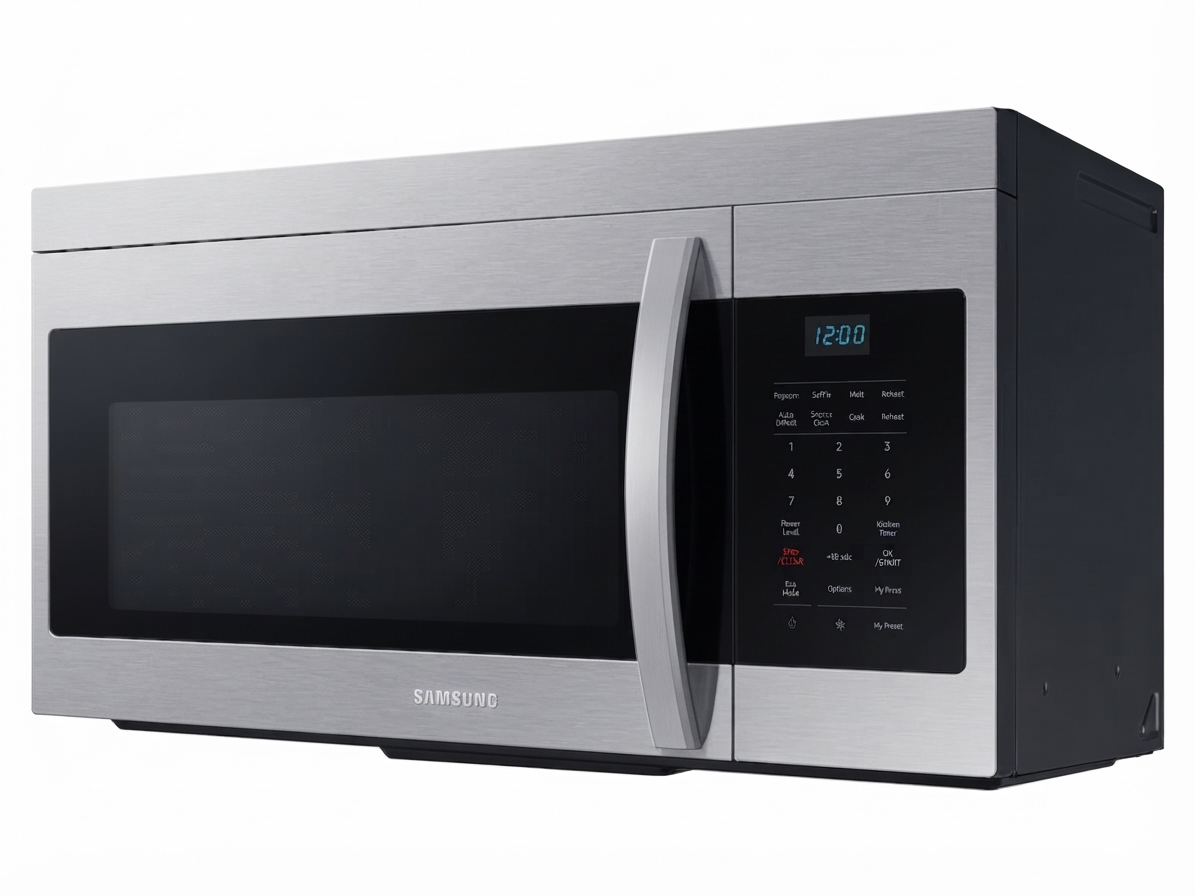
The Samsung Over-the-Range Microwave Oven is a space-saving kitchen appliance designed to combine fast microwave cooking with built-in ventilation above the cooktop. It is a popular choice for modern kitchens because it replaces a separate range hood while adding everyday convenience, sensor cooking, and easy-to-use controls. Many models in this category offer capacities from 1.6 to 2.1 cu. ft., power outputs from 1000W to 1100W, and vent fans ranging from 300 CFM to 550 CFM, making them suitable for small apartments, family kitchens, and full remodels. The Samsung Over The Range Microwave Oven is especially useful for users who want a cleaner countertop, better airflow, and a more integrated appliance look.
Key benefits include fingerprint-resistant finishes, LED cooktop lighting, turntable cooking for even heating, and in some models, Wi-Fi connectivity and sensor cook technology. These features make it a strong fit for busy households, meal prep routines, and cooks who want a dependable microwave oven with hood functionality. Depending on the model and finish, estimated pricing typically ranges from about $349.99 to $599.00, with premium and smart versions costing more. Availability is strong through major appliance retailers and Samsung’s current microwave lineup, with stainless steel and black stainless steel options commonly offered.
For shoppers comparing over the range microwave oven options, Samsung stands out for its balance of performance, modern design, and feature-rich controls. Whether the goal is reheating leftovers, defrosting meat, or ventilating smoke from stovetop cooking, this appliance is built to handle daily kitchen demands with minimal space requirements.
Technical Specifications for Samsung Over The Range Microwave Oven
Core specifications and performance features
- Capacity: 1.6 cu. ft., 1.7 cu. ft., 1.8 cu. ft., 2.1 cu. ft. depending on the model.
- Microwave power output: typically 1000W or 1100W for fast reheating and cooking.
- Ventilation power: commonly 300 CFM, with premium smart models reaching 550 CFM.
- Power source: 120V / 60Hz household electrical supply.
- Controls: digital membrane touch or glass touch controls, often with LED display.
- Cooking settings: multiple power levels, defrost, timed cooking, and sensor cooking on select models.
- Lighting: integrated cooktop lighting with high, low, or off settings on many units.
- Interior design: turntable-based microwave distribution for more even heating.
- Finish options: stainless steel, fingerprint-resistant stainless steel, and black stainless steel.
- Typical dimensions: around 29.8 inches wide, 16 to 17 inches high, and 15 to 18 inches deep, depending on capacity.
Compared with compact countertop microwaves, the samsung Over The Range Microwave Oven offers better space efficiency and built-in ventilation. Compared with many standard over-the-range microwave oven models, Samsung often provides stronger styling, more refined controls, and smart features on select versions.
Step-by-Step Setup Guide for Samsung Over The Range Microwave Oven
Installation, configuration, and first-use instructions
Before installation, confirm the wall cabinet space, electrical outlet position, and venting method. Most Samsung over-the-range microwave oven models require at least two people for safe lifting and mounting. Use the included mounting template, wall bracket, and hardware to align the appliance correctly above the range.
- Turn off power at the breaker before beginning installation.
- Measure the cabinet opening and verify the microwave fits the cutout area.
- Install the wall mounting plate securely into studs or approved anchors.
- Lift the microwave into position and fasten the upper bolts through the cabinet.
- Choose venting mode if available: external venting or recirculating ventilation.
- Install the charcoal filter for recirculating setups and grease filters for all modes.
- Plug the unit into a grounded outlet and restore power.
- Set the clock, test the turntable, and run a short cup-of-water heating cycle.
For smart-enabled models, connect to Wi-Fi through the Samsung app to access remote alerts and connected features. If the unit does not start, check the door latch, power cord, breaker, and control lock setting. Keep the appliance level and maintain proper clearance above the range for safe airflow and heat management.
Troubleshooting Samsung Over The Range Microwave Oven Problems
Common issues, fixes, and prevention tips
- Display not working: Check the outlet, wall switch, fuse, or breaker. Reset power by unplugging the unit for 10 seconds.
- Microwave not heating: Make sure the door is fully closed and nothing blocks the latch. Re-enter cooking settings if needed.
- Turntable not spinning: Re-seat the turntable ring and glass tray, and verify the tray is properly centered.
- Poor ventilation: Clean or replace grease filters and confirm the fan setting is on the correct speed.
- Excess noise or vibration: Check that the unit is tightly mounted and the interior components are aligned.
- Moisture or odor issues: Use the recirculating filter correctly and clean the cavity regularly.
Some Samsung models may display control or sensor-related messages depending on the issue, and the quickest fix is often a full power reset followed by checking the door, filter, and cooking mode. Preventive care includes wiping food spills immediately, cleaning the filters monthly, and avoiding metal cookware or oversized containers.
If problems continue, review the warranty terms for your specific model and contact Samsung customer support or an authorized appliance service provider. Keep the model number and serial number available for faster assistance. For urgent electrical concerns, use a licensed technician.
Pros and Cons of Samsung Over The Range Microwave Oven
Balanced evaluation for buyers
Pros
- Space-saving design combines microwave and vent hood in one appliance.
- Strong cooking performance with 1000W to 1100W output for fast reheating.
- Multiple size options make it easy to match different kitchen layouts.
- Modern finishes, including fingerprint-resistant stainless steel, improve everyday maintenance.
- Some models offer smart connectivity and sensor cooking for added convenience.
- Good value for households seeking a midrange over the range microwave oven solution.
Cons
- Installation is more complex than a countertop microwave.
- Ventilation strength varies by model, so lower-CFM units may be less effective for heavy cooking.
- Premium smart versions cost more than basic alternatives.
- Interior height may limit tall containers in some 1.6 cu. ft. models.
- Replacement filters and professional mounting may add to ownership costs.
Compared with basic microwave hood combinations, Samsung models often deliver better styling and a more polished user experience. Compared with high-end competitors, the brand usually offers stronger value for money, especially in the midrange category.
Customer Reviews for Samsung Over The Range Microwave Oven
User feedback, ratings, and common impressions
Average customer sentiment for the Samsung Over The Range Microwave Oven is generally positive, with many buyers giving it 4 out of 5 stars or higher. Users frequently praise the modern appearance, easy-to-clean finish, and reliable reheating performance. One common comment is that the appliance fits well in kitchens where countertop space is limited and a built-in hood replacement is needed.
Common complaints include installation difficulty, fan noise on higher settings, and the wish for a larger cavity in smaller models. Some customers also note that smart features are useful but not essential for every household. A typical testimonial reads: “It looks great, cooks evenly, and the vent works well for everyday use.” Another common view is: “A solid buy if you want a stylish over the range microwave oven with good performance.”
For most shoppers, the best recommendation is to choose a model based on kitchen size, venting needs, and whether smart connectivity matters. Buyers looking for an affordable upgrade should consider Samsung’s 1.6 to 1.7 cu. ft. models, while those wanting premium features may prefer a 2.1 cu. ft. smart version.
Faqs
How do I set up samsung Over The Range Microwave Oven for the first time?
Why is my samsung Over The Range Microwave Oven not heating food even though it powers on?
How do I choose the right venting mode on a samsung Over The Range Microwave Oven?
What should I do if the turntable on my samsung Over The Range Microwave Oven is not rotating?
How can I improve cooking performance in a samsung Over The Range Microwave Oven?
What filters does a samsung Over The Range Microwave Oven need, and how often should they be cleaned?
What clearance and cabinet requirements are needed for installing a samsung Over The Range Microwave Oven?
Why is the fan on my samsung Over The Range Microwave Oven so loud or weak?
More samsung manuals
- Samsung Android Tablet SM-T570 User Manual
- How to Use: Samsung Battery Pack Wireless Battery Pack User Manual
- Samsung Galaxy A14 5G Smartmobile User Manual
- Setup & Features: Samsung Series 7 & 8 Television User Manual
- Samsung AX90 Air Purifier User Manual
- How to Use: Samsung HT-J4500 5.1CH Blu-ray™ Home Entertainment System User Manual
Leave a Comment