
Samsung AX90 Air Purifier User Manual
Content
Samsung AX90 Air Purifier: Complete Product Manual and Buyer Guide
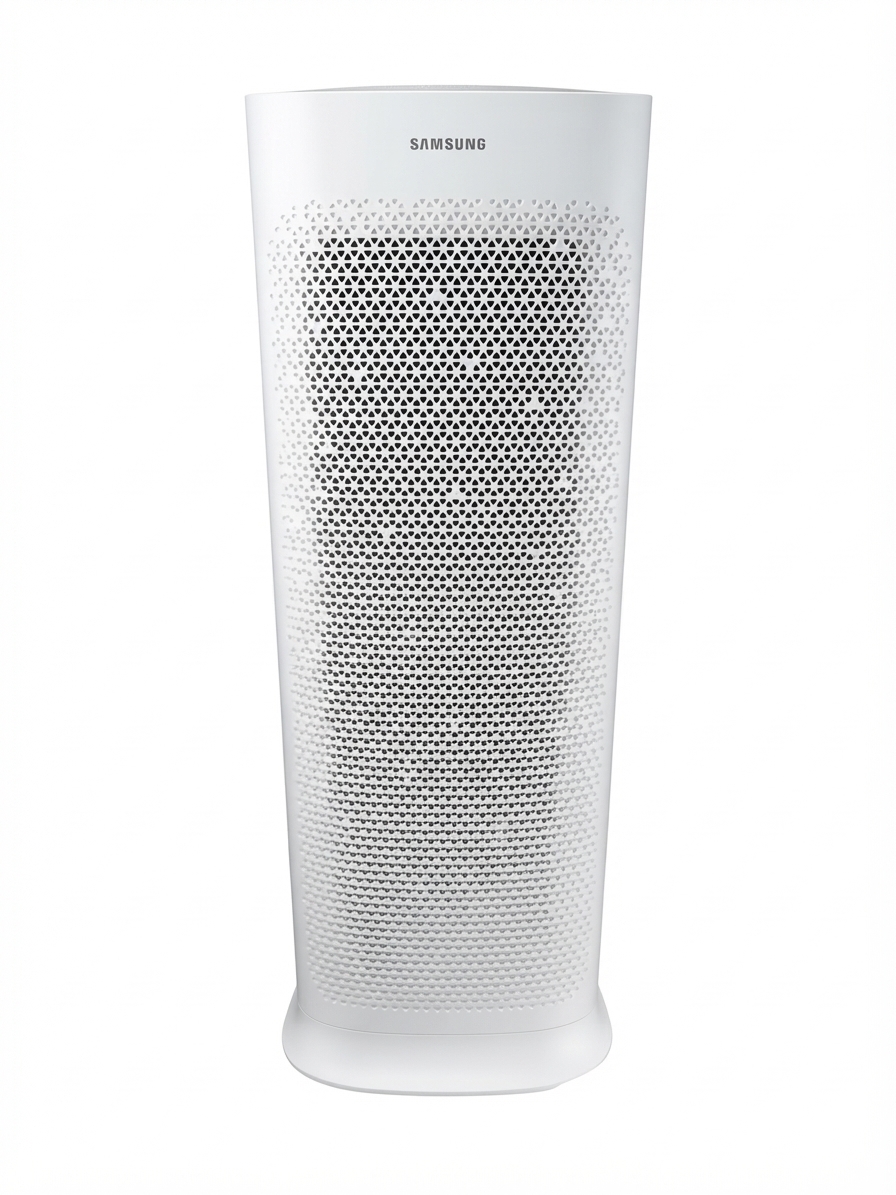
The samsung AX90 Air Purifier is a premium large-room air cleaner designed for fast, quiet purification in homes, apartments, offices, and shared spaces. Built for rooms up to 90 m², it combines a high CADR of 701 m³/h, dual fan airflow, and multi-stage filtration to capture fine dust, odors, and airborne particles efficiently. Its smart air quality sensors and four-color indicator make it easy to monitor indoor air conditions at a glance, while Wi-Fi connectivity adds convenient app-based control for users who want automation and remote access.
This model is especially appealing to households dealing with dust, pet dander, smoke, or seasonal allergies. The samsung AX90 Air Purifier also suits open-plan living areas, larger bedrooms, and home offices where quiet operation matters. In night mode, it can run as low as 21 dB(A), making it a strong choice for light sleepers and families with children. Its sleek tower-style design, child lock, auto mode, and washable pre-filter help balance performance with everyday usability. For shoppers comparing premium air purifiers, this model stands out for its combination of coverage, speed, and smart features.
Estimated pricing typically falls in the premium range, often around $500 to $900 USD depending on region, retailer, and seasonal promotions. Availability varies by market, with Samsung and major electronics retailers commonly carrying regional versions of the AX90 series. If you want a high-capacity smart air purifier for a large room, the samsung AX90 Air Purifier remains one of the most recognizable options in its class.
Samsung AX90 Air Purifier Specifications and Key Features
- Coverage area: Up to 90 m², suitable for large bedrooms, living rooms, and open spaces
- CADR: 701 m³/h for rapid air cleaning performance
- Noise level: 21 dB(A) in low/night mode; up to 54 dB(A) at maximum output
- Power consumption: 90 W
- Dimensions: 360 x 1054 x 284 mm
- Weight: 15 kg
- Filtration system: Pre-filter, ultrafine dust filter, and deodorizing filter
- Sensors: Dust sensor and gas sensor for automatic air quality response
- Display: Four-color air quality indicator with numeric readout
- Smart features: Built-in Wi-Fi, app connectivity, timer, auto mode, night mode, child-care lock
Compared with mid-range air purifiers, the samsung AX90 Air Purifier offers higher airflow, stronger room coverage, and more advanced sensing. Against similar premium models, it competes well on CADR and quiet operation, though replacement filters may cost more than budget alternatives. For users who need a large-room purifier with smart controls, this specification set is well balanced.
Troubleshooting Samsung AX90 Air Purifier Problems and Fixes
Common issues with the samsung AX90 Air Purifier are usually simple to resolve. If the unit does not power on, check the power cable, outlet, and plug connection first. If airflow seems weak, inspect the pre-filter for dust buildup and clean or replace the filter as needed. When the air quality indicator stays red for a long time, move the purifier to a better location with more open circulation and ensure doors and windows are closed during operation.
- Unit does not start: Verify power supply, socket, and plug connection; then restart the purifier.
- Indicator stays red: Clean the sensors, move the unit away from obstructions, and restart in auto mode.
- Weak airflow: Clean the pre-filter and confirm the air inlet and outlet are unobstructed.
- Unusual odor: Replace the deodorizing filter if it is saturated.
- Error or sensor issue: Persistent sensor warnings usually require service inspection.
Preventive care includes regular filter maintenance, keeping the intake area clear, and vacuuming the pre-filter to extend performance. Warranty terms vary by region, so check your purchase documentation and Samsung support portal for exact coverage. For help, use Samsung’s official customer support chat, regional support center, or authorized service provider in your country.
Samsung AX90 Air Purifier Pros and Cons
Pros
- Strong large-room coverage: Effective for spaces up to 90 m², which is ideal for living rooms and open-plan homes.
- Fast purification: The 701 m³/h CADR helps it clean air quickly after cooking, cleaning, or heavy indoor activity.
- Quiet operation: The 21 dB(A) night mode is excellent for bedrooms and nurseries.
- Smart controls: Wi-Fi, auto mode, and air quality feedback improve day-to-day convenience.
- Good value for premium buyers: More powerful than many compact alternatives, especially for larger rooms.
Cons
- Large footprint: The tall tower design may be bulky in small rooms.
- Replacement filters can be expensive: Ongoing ownership costs are higher than budget purifiers.
- Maximum noise is noticeable: At higher speeds, it is not as quiet as it is in night mode.
- Best suited for larger spaces: Smaller rooms may not need this level of output, making cheaper models a better value.
For buyers comparing alternatives, compact HEPA purifiers may cost less, but they usually provide weaker airflow and less coverage. The samsung AX90 Air Purifier is best for users who want performance, smart features, and room-filling purification rather than a basic low-cost unit.
Customer Reviews of the Samsung AX90 Air Purifier
Overall customer feedback for the samsung AX90 Air Purifier trends positive, especially among users who need strong performance in large rooms. Common praise includes fast odor removal, quiet night operation, and the convenience of automatic air quality adjustment. Many buyers rate it around 4 to 4.5 stars for build quality and cleaning power.
Typical comments include: “It cleared cooking smells faster than expected,” and “The night mode is so quiet that I barely notice it running.” Frequent complaints focus on filter cost, the unit’s size, and the fact that maximum fan speed is more audible than some shoppers expect. Users who value smart home features and powerful airflow are the most satisfied, while budget-focused buyers often look for smaller, less expensive alternatives. For most large-room use cases, the samsung AX90 Air Purifier is widely recommended as a strong premium choice.
Faqs
How do I set up the samsung AX90 Air Purifier for the first time?
Why is the samsung AX90 Air Purifier showing the wrong air quality reading after startup?
What makes the samsung AX90 Air Purifier different from smaller air purifiers?
How do I connect the samsung AX90 Air Purifier to SmartThings?
What should I do if the samsung AX90 Air Purifier is not turning on?
How often should I replace the filters in the samsung AX90 Air Purifier?
Can the samsung AX90 Air Purifier run quietly in Sleep Mode overnight?
How can I improve the cleaning performance of the samsung AX90 Air Purifier in a large room?
More samsung manuals
Leave a Comment