
Sharp LC-65Q620U-Aquos Television User Manual
Content
Sharp LC-65Q620U-Aquos Television Manual and Product Overview
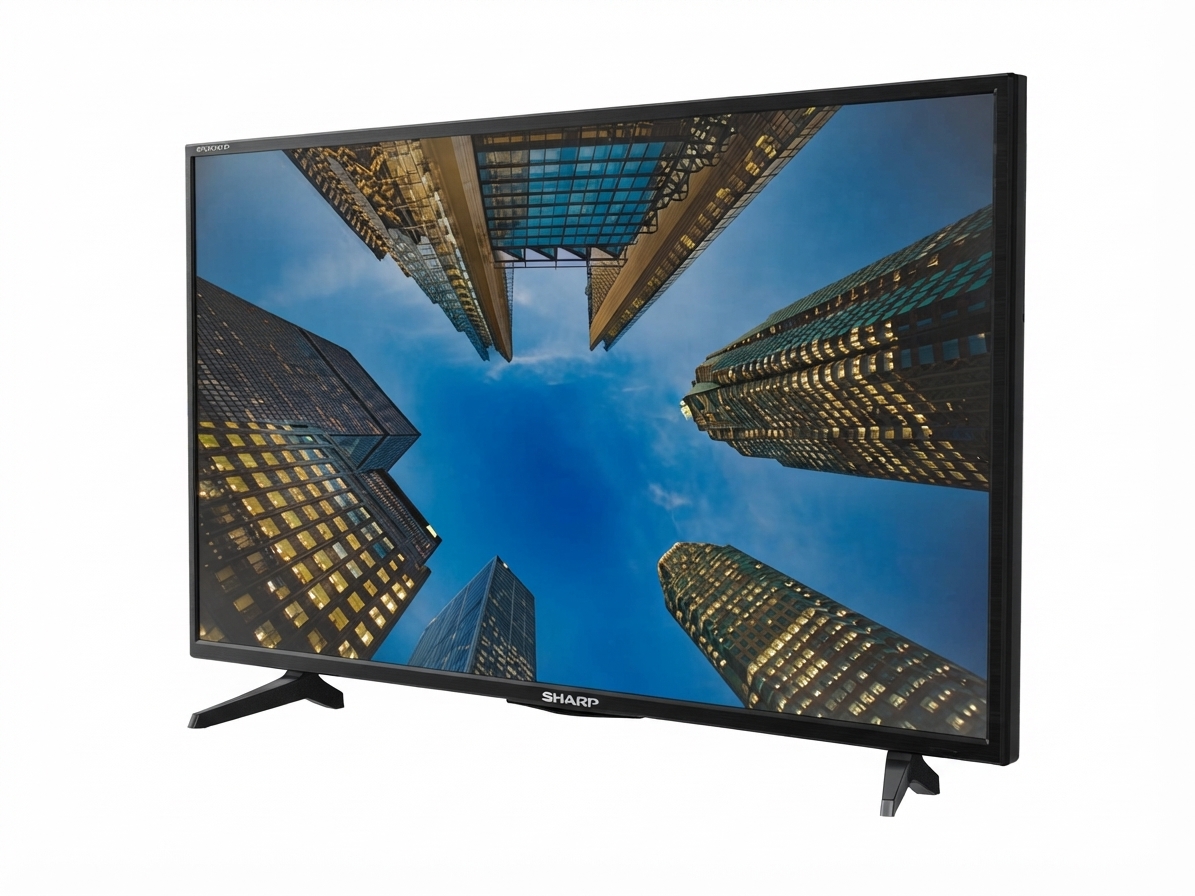
The Sharp LC-65Q620U-Aquos Television is a 65-inch 4K UHD Smart TV designed for viewers who want a large-screen home entertainment experience with clear detail, smart functionality, and flexible connectivity. Built for streaming, console gaming, live TV, and everyday family viewing, this model delivers sharp Ultra HD resolution with a user-friendly interface and support for multiple external devices. It is a practical choice for living rooms, media rooms, and entertainment setups where screen size and picture clarity matter most.
One of the biggest advantages of the Sharp LC-65Q620U Aquos Television is its balance of size and value. It offers a 4K Ultra HD display, smart TV features, digital noise reduction, parental controls, HDMI connectivity, and picture and sound customization options. Users can connect streaming boxes, game consoles, and audio equipment through the available ports, while the built-in smart platform helps simplify access to popular content. The model also supports common picture modes and sound presets, making it easy to adjust the TV for movies, sports, gaming, or daily viewing.
This television is best suited for households that want a large 65-inch screen without moving into premium pricing territory. It typically falls in the budget-to-midrange category, with availability depending on retailer stock and legacy model listings. For shoppers comparing similar 65-inch 4K smart TVs, the LC-65Q620U remains appealing because it combines straightforward operation, useful core features, and an accessible price point for a big-screen setup.
Technical Specifications for Sharp LC-65Q620U 65-Inch 4K Smart TV
- Display size: 65 inches
- Resolution: 4K UHD / 2160p
- Smart TV: Yes
- Power supply: AC 120V, 60Hz
- HDMI: Multiple HDMI inputs, including HDMI 2.0 support on this class of model
- USB media support: Model dependent
- Audio/video compatibility: Component and composite input support on select connections
- Core features: Digital noise reduction, parental controls, picture modes, sound modes, timers, and network settings
- Remote control range: Up to 26 feet with approximately 30-degree horizontal or vertical operation angle
In everyday use, the sharp LC-65Q620U-Aquos Television is positioned as a feature-rich 4K TV for mainstream buyers rather than a premium flagship model. Compared with higher-end 65-inch QLED or OLED televisions, it focuses more on value, ease of use, and essential smart features than advanced contrast or high-refresh gaming performance. Compared with smaller 4K models, it offers a more immersive viewing area for movies and sports while keeping installation straightforward.
How to Set Up the Sharp LC-65Q620U-Aquos Television
Start by placing the TV on a stable surface or mounting it securely on a wall using a compatible bracket. Make sure the ventilation openings remain unobstructed and keep the television away from heat sources, moisture, and direct impact. After positioning the unit, connect the power cord to a grounded outlet and prepare your input devices such as a cable box, streaming device, soundbar, or game console.
Next, connect HDMI devices to the available HDMI ports for the best picture quality. Use component or composite connections only if needed for older equipment. Turn on the TV and follow the on-screen setup process to select language, region, network connection, and channel preferences. If you use smart features, connect to Wi-Fi during the initial setup so you can access streaming apps and software updates.
For pairing and connectivity, keep the remote within range and ensure nothing blocks the front sensor. If the TV does not recognize a device, power-cycle both units and confirm the correct input source is selected. A common troubleshooting step is to unplug the television for a few minutes, then restart it. Always disconnect power before connecting or disconnecting cables to avoid electrical damage.
Troubleshooting Sharp LC-65Q620U Problems and Common Fixes
If the TV will not power on, check the outlet, power cord, and remote batteries first. If there is sound but no picture, verify the input source and make sure the backlight or picture settings have not been reduced too far. When the screen shows no signal, confirm the connected device is powered on and the HDMI cable is firmly seated.
- Blank screen: Recheck the input selection and restart the source device.
- Weak Wi-Fi connection: Move the router closer or reconnect the TV to the network.
- Remote not responding: Replace batteries and confirm a clear line of sight to the sensor.
- Sound distortion: Lower volume, disable audio enhancements, or test another source.
- Picture issues: Reset picture mode, sharpness, and noise reduction settings.
For prevention, keep the firmware updated, avoid blocking ventilation, and use high-quality HDMI cables. If error messages persist or the TV behaves unpredictably, review the support section in the on-screen menu and consult the model documentation. Warranty coverage and legacy model support may vary by retailer and region, so users should check the original purchase details and Sharp support resources for model-specific help.
For assistance, use Sharp TV USA support channels, the model label on the back of the television, or the product documentation associated with the LC-65Q620U.
Pros and Cons of the Sharp LC-65Q620U-Aquos Television
Pros
- Large 65-inch 4K UHD display for movies, sports, and family viewing.
- Smart TV functionality for streaming and connected entertainment.
- Useful picture and sound modes for quick customization.
- Multiple HDMI connections for consoles, boxes, and media players.
- Digital noise reduction helps improve lower-quality content.
- Strong value for buyers who want a big screen without premium pricing.
Cons
- Not designed to compete with premium OLED or high-end QLED picture performance.
- USB and HDMI feature support can vary by model and configuration.
- Older legacy model status may limit availability in some markets.
- Advanced gaming features are more limited than on newer performance-focused TVs.
Overall, the sharp LC-65Q620U-Aquos Television offers solid value for users who want a dependable 65-inch 4K smart TV for general home entertainment. Compared with newer alternatives, it may lack some advanced display technologies, but it remains a practical and budget-conscious option for everyday viewing.
Customer Reviews for the Sharp LC-65Q620U-Aquos Television
Customer feedback for the Sharp LC-65Q620U-Aquos Television is generally positive, especially among buyers who prioritize screen size and ease of use. Many users praise the large display, simple menu layout, and reliable performance for streaming, cable TV, and casual gaming. Common compliments focus on the value-for-money appeal and the fact that setup is straightforward.
Typical ratings often land around 4 out of 5 stars, with users describing it as a practical family TV rather than a luxury display. One common testimonial style comment is, “Great size for the living room, and the picture looks excellent for the price.” Another frequent note is, “The smart features are easy to use, but I wish the interface felt faster.”
Frequent complaints include limited advanced picture tuning compared with premium TVs and occasional concerns about feature availability depending on the source device. For shoppers who want a large 4K screen at a reasonable price, this model is often recommended. Buyers looking for cutting-edge motion handling, high-end gaming features, or top-tier contrast may want to compare it with newer alternatives before purchasing.
Faqs
How do I set up the sharp LC-65Q620U-Aquos Television for the first time?
What should I do if my sharp LC-65Q620U-Aquos Television has no power or will not turn on?
Why is the picture on my sharp LC-65Q620U-Aquos Television blurry, dim, or not showing correctly?
How do I connect a soundbar or home theater system to the sharp LC-65Q620U-Aquos Television?
Which devices are compatible with the sharp LC-65Q620U-Aquos Television HDMI and USB ports?
How do I improve 4K picture performance on the sharp LC-65Q620U-Aquos Television?
How do I update or check firmware on the sharp LC-65Q620U-Aquos Television?
How should I clean and maintain the sharp LC-65Q620U-Aquos Television for long-term use?
More sharp manuals
Leave a Comment