
Setup: Acer Veriton N Series Computer User Manual
Content
Introduction to the acer Veriton N Series Computer
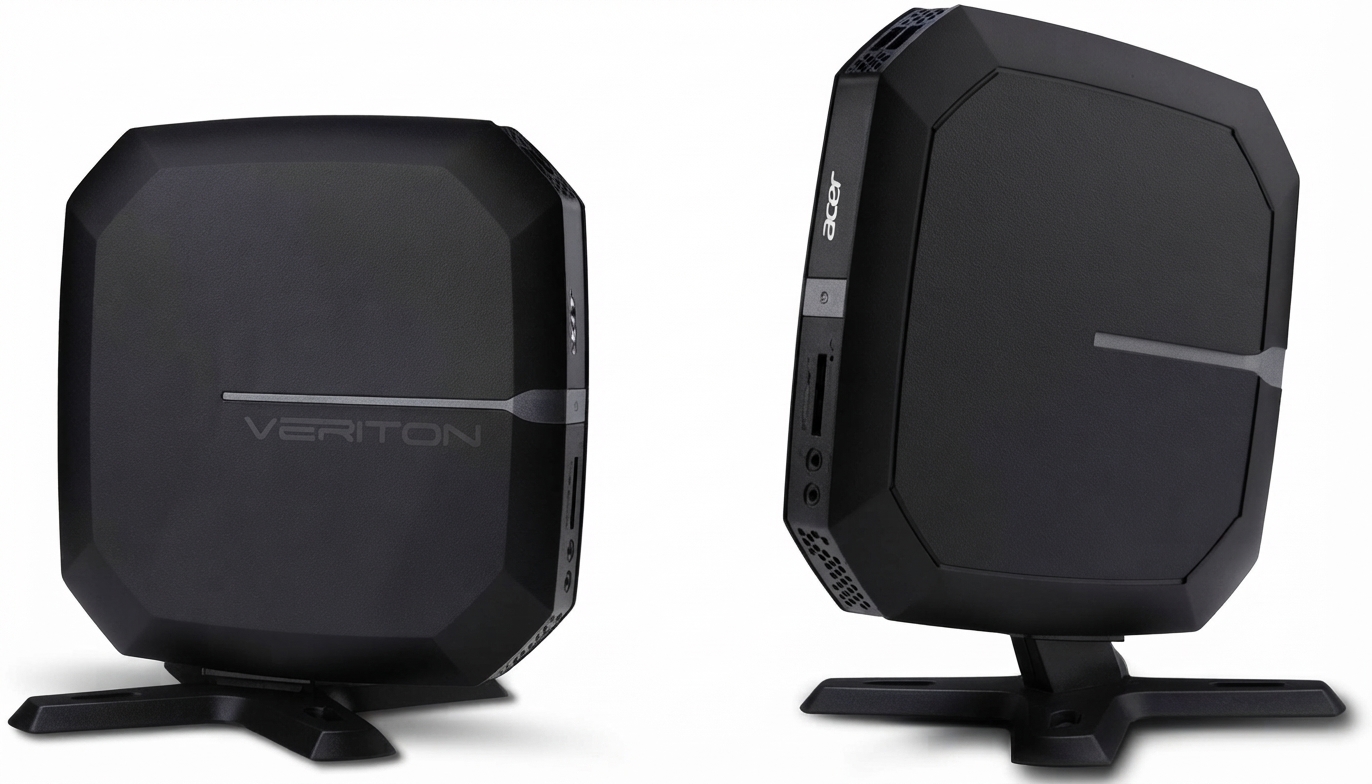
The acer Veriton N Series Computer is a compact, small form factor desktop designed for business and enterprise environments that demand reliable performance without occupying significant desk space. This series combines commercial-grade capabilities with a sleek, minimalist design that fits comfortably in offices, classrooms, and kiosks, making it ideal for professionals, educators, and organizations seeking efficient computing solutions.
Powered by Intel's 10th Gen Core processors, including i3, i5, i7, and i9 options, the Veriton N Series offers scalable performance tailored to multitasking, data processing, and everyday business applications. Its ultra-fast DDR4 memory options and PCIe SSD storage ensure quick responsiveness, while the VESA-mountable chassis allows clean setups by attaching behind monitors, preserving workspace.
Key benefits include its thermal-efficient ventilated design, rich port selection supporting HDMI, DisplayPort, USB Type-C, and Gigabit Ethernet, plus expandable memory up to 64GB. With models ranging roughly from $500 to $1500 depending on configuration and location, the Veriton N Series balances cost and performance for small to medium enterprises and professional users.
Technical Specifications of acer Veriton N Series Computer
- Processor Options: Intel 10th Gen Core i3 (quad-core 3.0–3.8 GHz), i7 (octa-core 1.4–4.6 GHz turbo), and i9 vPro processors
- Memory: Standard 8 GB to 16 GB DDR4 SDRAM, expandable up to 64 GB
- Storage: PCIe NVMe SSD options up to 512 GB and SATA HDD options (e.g., 320 GB to 500 GB depending on model)
- Graphics: Integrated Intel UHD Graphics 630 or Intel HD Graphics depending on CPU
- Operating System: Windows 10 Pro or Windows 11 Pro 64-bit (varies by model)
- Connectivity: Multiple USB 3.2 Gen 1 and USB 2.0 ports, USB Type-C, HDMI, DisplayPort, Gigabit Ethernet, and optional Wi-Fi 6 (802.11ax)
- Form Factor & Dimensions: Ultra-slim small form factor PC, approximately 204 mm depth, and VESA mount compatible
- Power Supply: 65 W to 135 W depending on configuration
Compared to similar mini PCs, the Veriton N Series offers a stronger focus on business-grade security and manageability features such as Intel vPro technology, with better expandability than ultra-compact consumer mini PCs. Its performance benchmarks typically exceed entry-level business desktops, ensuring smooth multitasking and efficient workload processing.
Setup Guide for acer Veriton N Series Computer
- Unbox the desktop, keyboard, and mouse, and place the Veriton N computer on a stable surface or attach it to a monitor using the VESA mount bracket for a clean setup.
- Connect the power cable securely to the desktop and a reliable power source.
- Attach display cables: use HDMI or DisplayPort to connect to your monitor. For multi-monitor setups, utilize available ports accordingly.
- Connect keyboard and mouse via USB ports; USB Type-C ports may be used for compatible peripherals.
- Power on the system and proceed with Windows 10 Pro or Windows 11 Pro initial setup, following the on-screen instructions to configure language, region, and user accounts.
- Configure network settings by connecting via Ethernet or set up Wi-Fi through available wireless adapters (e.g., Wi-Fi 6 where supported).
- Install any necessary drivers or software updates from Acer's official support website to ensure optimal device compatibility and security.
Troubleshooting Tips: If the system fails to boot, check all cable connections and retry power cycling. If peripherals do not respond, confirm USB ports are functioning and try alternate ports. For display issues, verify cable integrity and monitor input source settings.
Safety Precautions: Avoid placing the device on unstable or heat-retaining surfaces. Ensure proper ventilation around the chassis to prevent overheating. Disconnect power before cleaning or opening the case for upgrades.
Troubleshooting acer Veriton N Series Computer
- Common Issue: No Power On
Solution: Verify power cable and outlet. Press and hold power button for 5 seconds. If unresolved, contact Acer support. - Display Not Detected
Solution: Confirm monitor input is set correctly. Re-seat HDMI/DisplayPort cables. Test with alternate display or cable. - Slow Performance
Solution: Close background applications. Check for malware. Consider upgrading RAM or SSD if needed. - Error Codes: For POST beep codes or error indicators, refer to the Acer user manual or support site for specific diagnostic meanings.
- Preventive Measures: Regularly update Windows and drivers. Maintain clean ventilation. Use surge protectors to guard against power spikes.
The acer Veriton N Series comes with a standard one-year limited warranty covering parts and labor. For technical support, users can contact Acer customer service at 1-800-816-2237 or visit the official Acer support website for live chat and troubleshooting resources.
Pros & Cons of the acer Veriton N Series Computer
- Pros:
- Compact and space-saving design with VESA mounting for flexible placement
- Strong processor options up to Intel Core i9 vPro for high-performance business tasks
- Ample memory support up to 64 GB DDR4 for multitasking and future upgrades
- Wide connectivity including USB Type-C, HDMI, DisplayPort, and Gigabit Ethernet
- Efficient thermal management in a small chassis reduces overheating risks
- Competitive price range for business-class desktops, offering good value for money
- Cons:
- Lack of optical drive limits legacy media usage
- Some lower-tier models with only 4GB RAM and HDD storage may feel dated for demanding workloads
- Limited discrete GPU options restrict use for graphics-intensive applications
- Upgrade options may require professional assistance due to compact internal layout
Customer Reviews & Feedback on acer Veriton N Series Computer
Users consistently praise the acer Veriton N Series Computer for its efficient performance in office environments, highlighting the seamless responsiveness of the 10th Gen Core processors and fast SSD storage. The compact footprint and VESA mount feature receive frequent commendations for enabling clutter-free workspaces. Star ratings commonly range between 4 and 4.5 out of 5.
Some common critiques include limited RAM on base models impacting multitasking and the absence of optical drives. A few users report initial setup confusion, which is easily resolved with Acer’s customer support. Overall, many recommend it as a reliable, space-saving solution for small businesses and educational institutions requiring solid everyday computing power.
Faqs
How do I set up my acer Veriton N Series Computer for the first time?
What should I do if my acer Veriton N Series Computer is not powering on?
Can I upgrade the memory on my acer Veriton N Series Computer, and what is the maximum supported RAM?
Is the acer Veriton N Series Computer compatible with dual monitors?
How can I optimize performance on my acer Veriton N Series Computer for business applications?
What maintenance is recommended to keep my acer Veriton N Series Computer running efficiently?
Why does my acer Veriton N Series Computer run hot and how can I fix overheating issues?
Does the acer Veriton N Series Computer support wireless connectivity like Wi-Fi and Bluetooth?
More acer manuals
- Setup & Usage: Acer Aspire Z5700 Series AZ5700-U2102 Desktop User Manual
- Setup: Acer Veriton All-in-one Computer User Manual
- Acer Swift Go 16 AI Series Laptop User Manual
- Setup: Acer Aspire All-in-one Computer User Manual
- Acer Connect M6E 5G Mobile Wi-Fi Hotspot User Manual
- Setup: Acer DA241HL Desktop Computer User Manual
Leave a Comment