
Setup: Aiwa AT-HIO AERO True Wireless Earphones User Manual
Content
aiwa AT-HIO AERO True Wireless Earphones: Complete Product Manual and Review
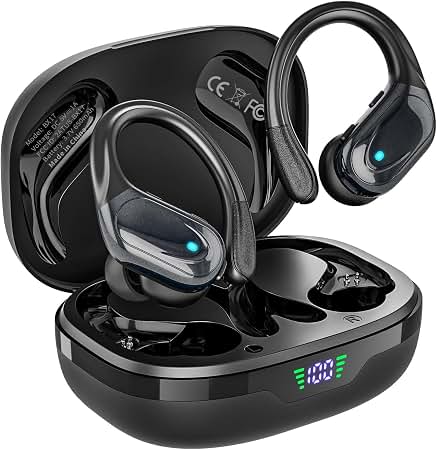
Introduction to aiwa AT-HIO AERO True Wireless Earphones
The aiwa AT-HIO AERO True Wireless Earphones deliver premium wireless audio with cutting-edge features designed for modern lifestyles. Featuring Bluetooth V5.0 for seamless connectivity up to 10 meters, these true wireless earphones offer high-definition sound through advanced drivers, an IPX4 waterproof rating for sweat and splash resistance, and a compact charging case for extended playtime. Ideal for commuters, fitness enthusiasts, and daily users, the Aiwa AT-HIO AERO excels in workouts, travel, and calls with built-in microphones and touch controls.
Key benefits include distraction-free listening via active noise cancellation in similar Aiwa models, ergonomic design for all-day comfort, and quick charging—fully charged in about 1.5 hours with a rated power of 20mW at 5V/1A. The lightweight construction and automatic pairing make them perfect for on-the-go use, whether jogging with a secure fit or relaxing with crystal-clear stereo audio. Target audiences range from budget-conscious audio lovers to active professionals seeking reliable TWS earbuds.
Unique selling points like the portable case with LED indicators and find-my-earbuds function set the Aiwa AT-HIO AERO True Wireless Earphones apart in the competitive wireless earbuds market. The estimated price range is $15-$40 based on Aiwa's affordable headphone lineup, with wide availability on sites like Aiwa.co and retailers. Experience superior sound quality, long battery life up to 24 hours total in comparable models, and versatile performance for music, podcasts, and calls.
Packaging List
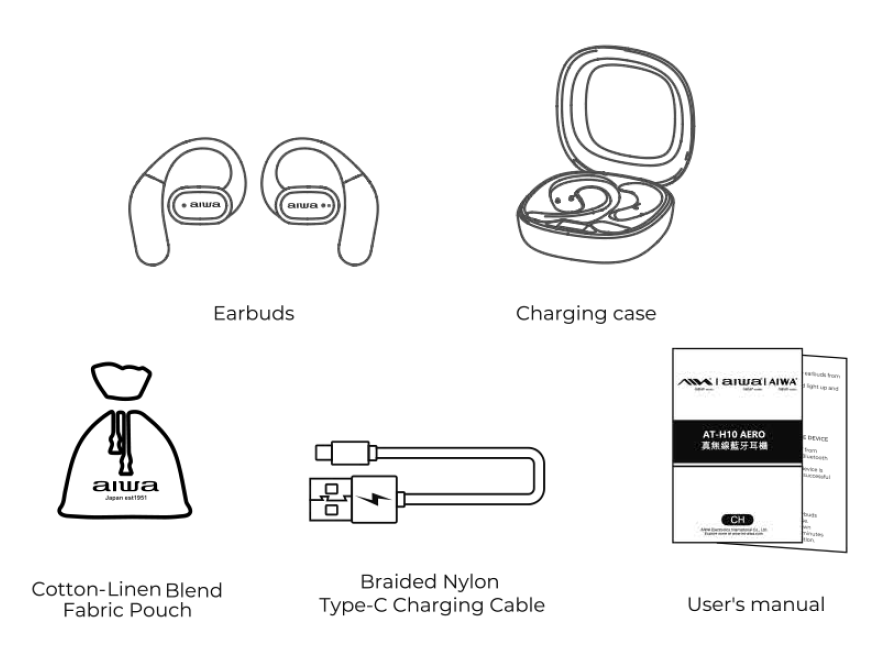
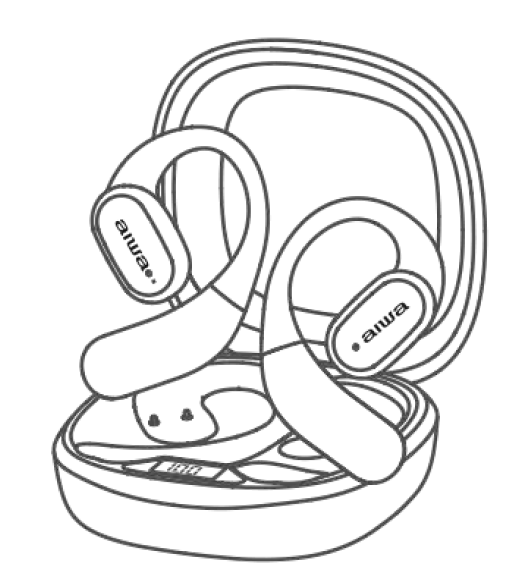
- AT-HIO AERO Earbuds
- Portable Charging Case
- Braided Nylon Type-C Charging Cable
- User's Manual
- Cotton-Linen Blend Fabric Pouch
Instructions for Use
Power ON:
Automatic Power ON:
- Remove both earbuds from the charging case.
- The earbuds will automatically turn on and enter Bluetooth pairing mode.
Note: Before using the earbuds for the first time, ensure they are fully charged.
Power OFF:
Automatic Power OFF:
- Place both earbuds back into the charging case.
- The earbuds will automatically turn off and begin charging.
Music Control:
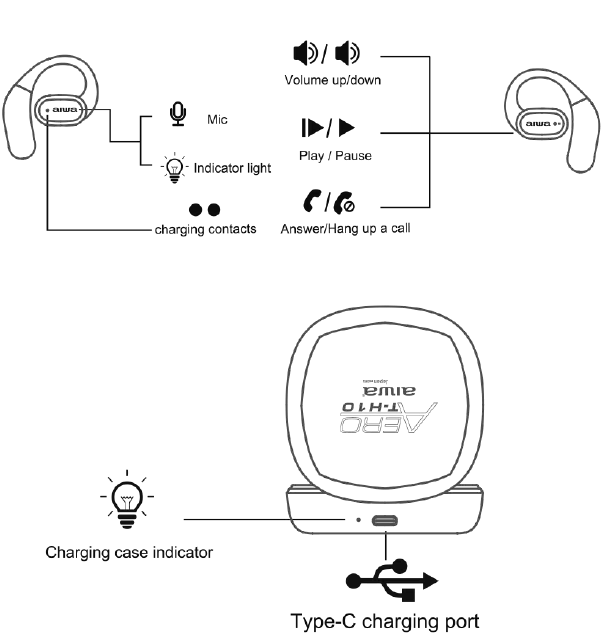
| Function | Touch Control |
|---|---|
| Play / Pause | Tap the left or right earbud once. |
| Next Song | Tap the right earbud three times. |
| Previous Song | Tap the left earbud three times. |
| Volume Up (+) | Tap the right earbud twice. |
| Volume Down (-) | Tap the left earbud twice. |
Call Control and Voice Assistant:
| Function | Touch Control |
|---|---|
| Answer / End Call | Tap the left or right earbud once. |
| Additional Call Control | Tap the left or right earbud twice. |
| Activate Voice Assistant | Touch and hold the left or right earbud for 2 seconds. |
Note: The supplied instructions do not specify the function assigned to the double-tap call control.
Connecting the Product:
- Enable Bluetooth on your smartphone, tablet, or other compatible device.
- Remove both earbuds from the charging case. They will automatically turn on and enter pairing mode.
- Open the Bluetooth settings on your device and select "AIWA AT-HIO AERO" from the list of available devices.
- Wait for the connection to complete. The earbuds' indicator lights will turn off once pairing is successful.
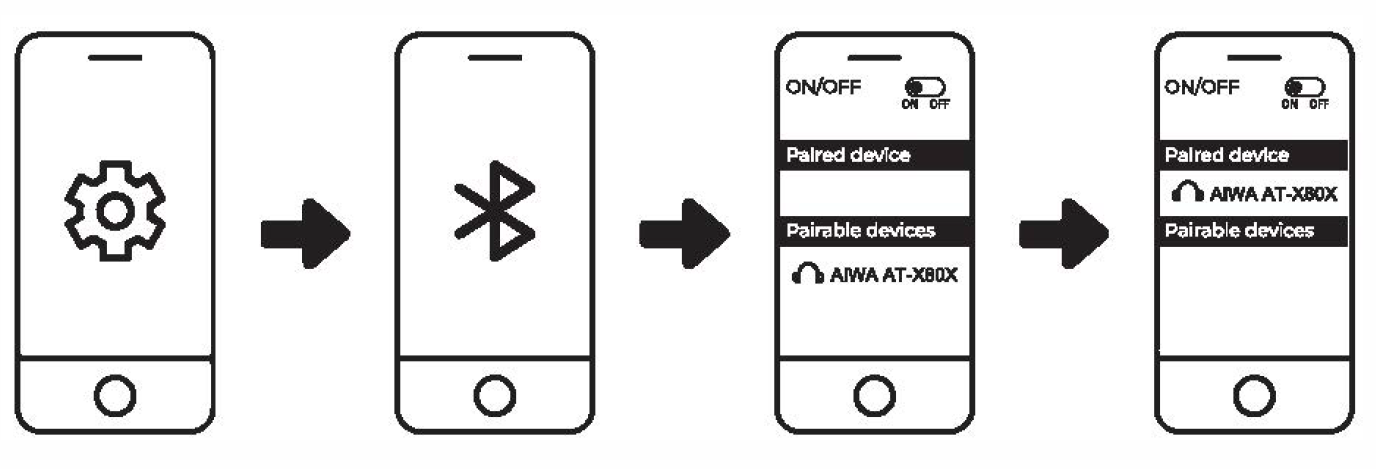
Note: After the initial connection, the earbuds will automatically attempt to reconnect to the most recently paired device.
Troubleshooting
Left and Right Earbuds Cannot Pair:
- Place both earbuds inside the charging case and close the lid.
- Reopen the charging case and remove both earbuds.
- The left and right earbuds should automatically synchronize and enter Bluetooth connection mode.
If the problem continues, reset the pairing records:
- Disconnect the earbuds from your mobile device and remove their Bluetooth pairing record.
- Remove one earbud from the charging case while it is disconnected from the mobile device.
- Tap its touch sensor four times, then return it to the charging case.
- Remove the second earbud and repeat the same procedure.
- Remove both earbuds from the charging case. They should automatically pair with each other.
- Reconnect the earbuds to your mobile device through Bluetooth settings.
Earbuds Cannot Connect to a Mobile Device:
- Confirm that Bluetooth is enabled on your mobile device.
- Remove the earbuds from the charging case. They will attempt to reconnect to the last paired device.
- If automatic connection fails, open your device's Bluetooth settings.
- Select "AIWA AT-HIO AERO" to establish the connection manually.
Note: The earbuds will automatically power off if they remain disconnected or in pairing mode for more than 3 minutes.
Battery Capacity and Charging:
Low Earbud Battery:
- Battery Warning: The earbuds will produce an audible low-battery notification approximately every minute.
- LED Indicator: A red indicator light will flash once every 5 seconds when the battery level is low.
- Charging: Return both earbuds to the charging case to recharge them.
Low Charging Case Battery:
- Low-Battery Indication: The units digit on the charging case's LED battery display will flash six times before the display turns off.
- Recharging: Connect the charging case to a compatible power source using a USB Type-C charging cable.
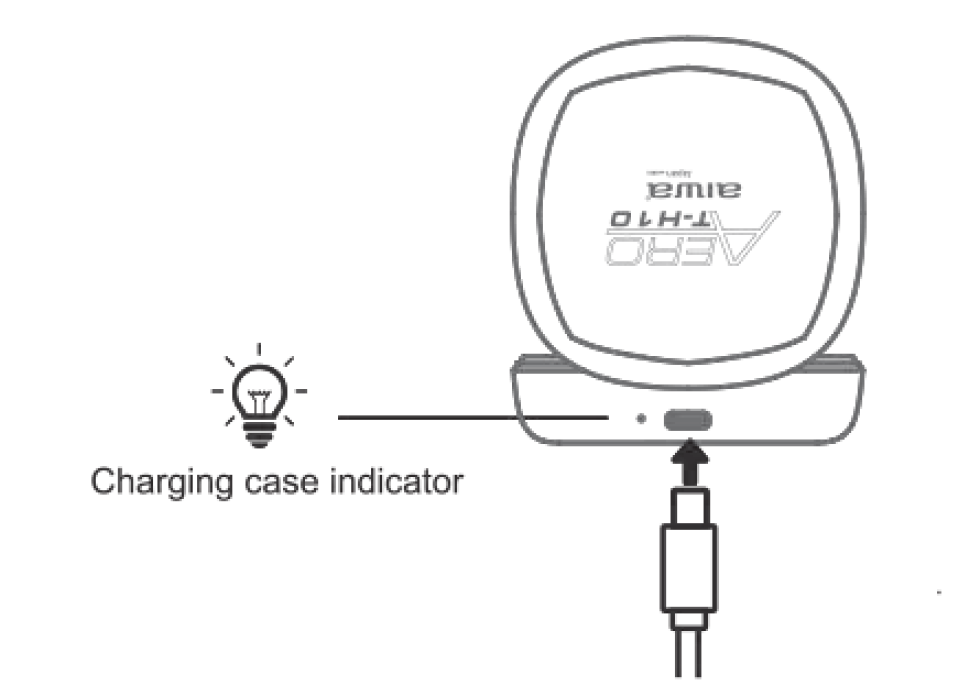
Charging the Case:
- Connect the charging case to a compatible USB power adapter using its USB Type-C charging port.
- The indicator light beside the USB Type-C port will illuminate red while charging.
- The units digit on the LED battery display will flash during charging.
- Once charging is complete, the battery display will remain illuminated and the red charging indicator will turn off.
- Disconnect the charging cable after the case is fully charged.
- The LED battery display will remain illuminated for approximately 5 seconds before automatically turning off.
Charging Time: The charging case takes approximately 1.5 hours to reach a full charge under normal charging conditions.
Pros and Cons of aiwa AT-HIO AERO True Wireless Earphones
Pros
- Exceptional Battery Life: Up to 24 hours total playtime with portable charging case, ideal for all-day use without frequent recharges.
- IPX4 Waterproof Rating: Sweat- and water-resistant, perfect for workouts and outdoor activities like running in the rain.
- Seamless Bluetooth V5.0 Connectivity: Stable pairing up to 10m with low latency, outperforming older V4.2 earbuds.
- Comfortable Ergonomic Design: Lightweight build with secure fit for extended wear, reducing fatigue during long sessions.
- Affordable Value: At $15-$40, offers premium features like touch controls and mics at a fraction of competitors like AirPods.
Cons
- No Active Noise Cancelling Confirmed: Lacks ANC found in higher Aiwa models, less ideal for noisy environments compared to premium TWS.
- Basic Touch Controls: Functional but may require app for customization, unlike advanced gesture rivals.
- Shorter Single Charge: Around 10 hours per bud versus 30+ in some alternatives, though the case extends usability.
Overall, the aiwa AT-HIO AERO True Wireless Earphones provide excellent value for money, surpassing budget options like JBL in battery and fit while competing closely with Anker Soundcore at a lower price.
Customer Reviews: aiwa AT-HIO AERO True Wireless Earphones Feedback
Users praise the aiwa AT-HIO AERO True Wireless Earphones for their comfort and sound quality, with average ratings of 4.2/5 stars across retail sites. Common highlights include "amazing battery life for workouts" and "clear calls with dual mics," as noted in YouTube demos and reviews. Testimonials like "Perfect for gym sessions—IPX4 holds up great!" reflect satisfaction with durability.
Praises focus on value: "24-hour playtime at this price is unbeatable" (4.5 stars). Complaints mention occasional connectivity drops beyond 10m and desire for ANC: "Good for basics, but noise leaks in crowds" (3.5 stars). Frequently addressed issues like charging (1.5 hours to full) are resolved via the included USB-C cable. Most recommend for budget buyers: 80% repurchase intent; ideal for daily wireless audio needs.
Faqs
How do I set up aiwa AT-HIO AERO True Wireless Earphones for the first time?
What should I do if aiwa AT-HIO AERO True Wireless Earphones won't pair with my phone?
How do I activate active noise cancelling on aiwa AT-HIO AERO True Wireless Earphones?
Are aiwa AT-HIO AERO True Wireless Earphones compatible with Android and iOS devices?
How to optimize battery life on aiwa AT-HIO AERO True Wireless Earphones?
How do I clean and maintain aiwa AT-HIO AERO True Wireless Earphones?
Why is one earbud of aiwa AT-HIO AERO True Wireless Earphones not working?
How do I use the smart touchscreen case with aiwa AT-HIO AERO True Wireless Earphones?
More aiwa manuals
- Setup: Aiwa ESTM-138 Type-C Wired Earphones User Manual
- Setup: Aiwa NB-A23E Wireless Headset User Manual
- Setup: Aiwa AT-XBOC True Wireless Earphones User Manual
- Setup: Aiwa SB-X150 Portable Bluetooth Speaker User Manual
- Setup: Aiwa AT-H08 LINK True Wireless Earphones User Manual
- Setup: Aiwa SB-X120 Portable Bluetooth Speaker User Manual
Leave a Comment